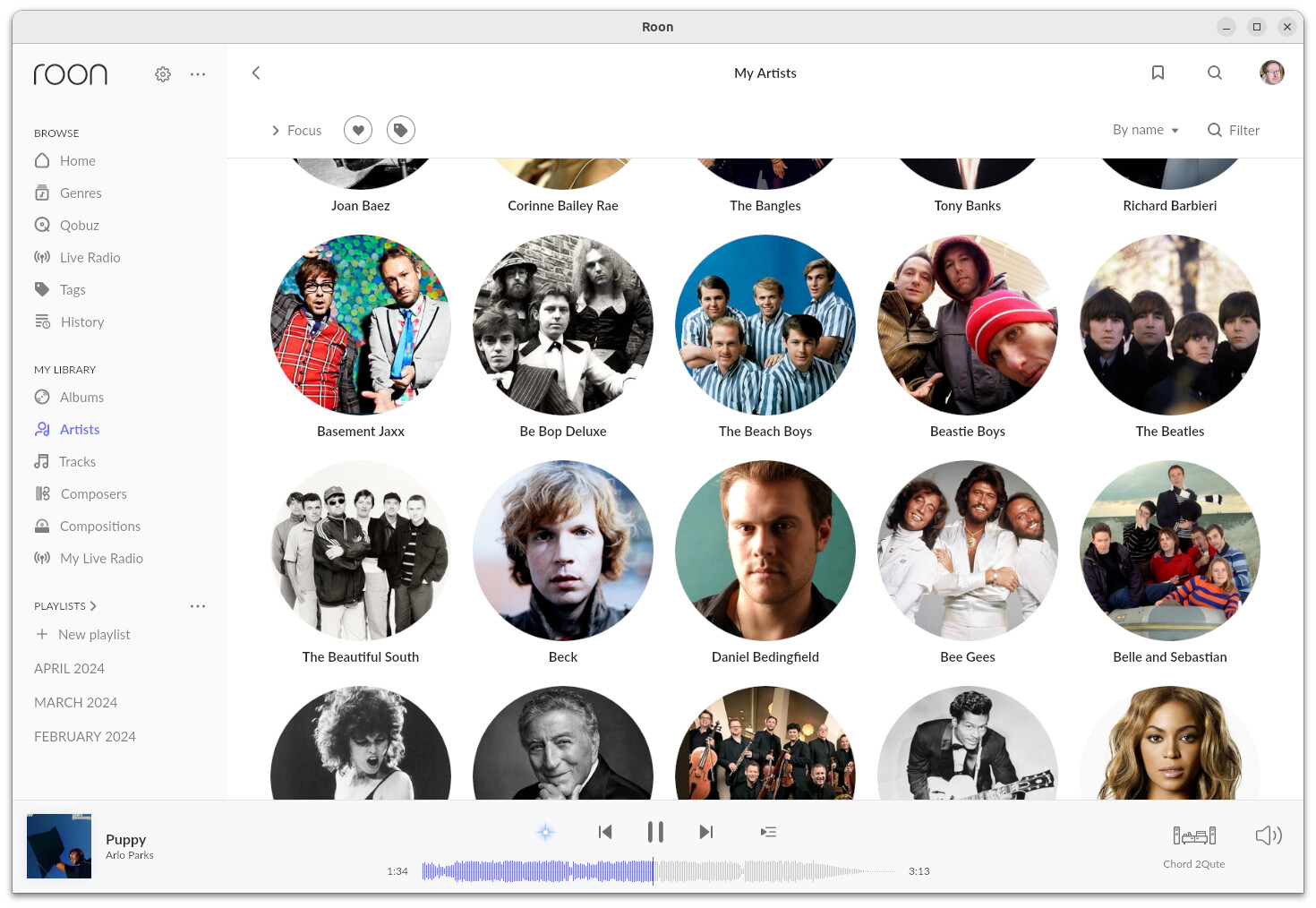
New Roon user here. My artist list is totally clogged up with contributing artists mixed in amongst the album artists. This renders the list fairly unusable for browsing purposes. I cant find a browse setting or a field within Focus that would allow me to filter this in order to display only the “main” artists. Is this possible?
As an aside, I am not sure of Roon terminology here, whether i should be referring to Primary Artist or Album artist. Basically I am looking for the option to display a list of the top level bands/artists in my collection that doesn’t also include bass players, orchestras and all the other sundry contributors that Roon has cunningly identified.
1 Like
mjw
(Father! Father! Resist not! Let us destroy the core! Set us free!)
2
I know what you mean, it’s when maybe an orchestra or guest musician contributes to an album and they wind up in your artists view, it annoyed me too
I used to just add the heart to the main artists only and not the contributing artists and filter that way, these days I go into the contributing artist and filter releases that are in my library then edit the metadata and remove them from the release, that makes them disappear, now my artists view doesn’t have them.
The Artists view , and albums, can be a confusing mess especially in a big library. Bottom line is natively there is little you can do.
One trick is to create a Tag and only add to it your “Top 10”. I do this for my major classical artists. I also created a Tag for “New and Up & Coming” artists. Bit manual but certainly clears the mess. the 01 - prefix means it’s always at the top corner of the Tag view.
Also try adding one album to your library for obscure artists to force inclusion in the Artist View , then use Discography on the Artist page to dig further. Use the Filter Funnel function to filter by 3-4 letters.
Thanks for the replies. I’m still learning how Roon behaves and after a little poking around, I think I can see what’s causing my problem. In response to Martin above, the My Artist view is indeed displaying Primary Artist as per design. And yes it is also a ‘view’ as per the screenshots shown above and not displayed as a ‘list’ as described by me, sorry for my terminology.
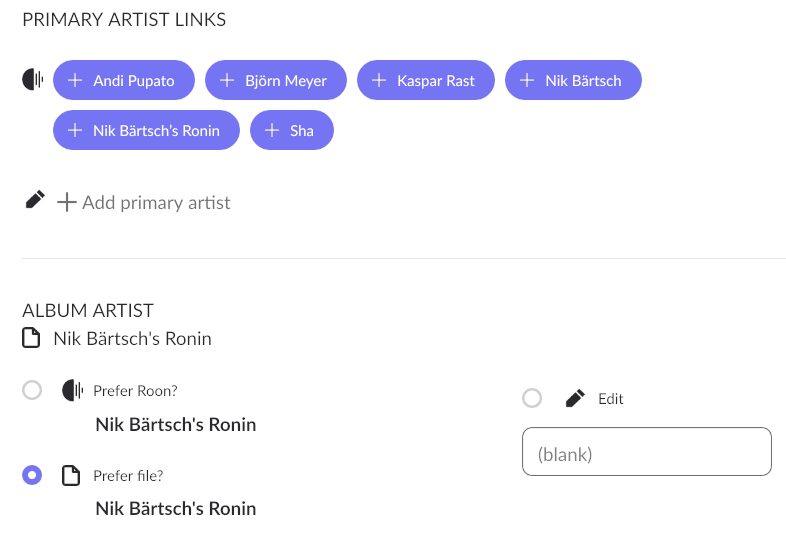
Despite my checking ‘prefer file’ at every opportunity, Roon nevertheless adds it’s own extra data to Primary Artist in addition to my own carefully curated metadata in the Album Artist field. In many cases this involves adding what I would describe as contributing artists or performers to the Primary Artist. This inflates the contents of the My Artist view with hundreds of names that I would never choose for browsing purposes (Roon has other great ways to explore the work of bassists and orchestras should I need to).
Question: Assuming that I can’t stop Roon doing this (although please tell me if I can), how can I create a My Artist view that is based on my Album Artist metadata as opposed to Roon’s Primary Artist data?
I could edit my way out of this, album by album, but that is hardly practical with a big collection. Plus I already spent months doing that during lockdown, curating the Album Artist data to work perfectly in JRiver, Foobar and my portable music player.
Example screenshot below. Nik Bärtsch leads a group called Ronin. My own metadata describes the Album Artist as Nik Bärtsch’s Ronin. Roon also adds Nik Bärtsch to the Primary Artist (not a problem) but then decides to include every member of the band as well. Roon is not consistent either, only doing this for one particular album in this group’s collection. For all the others, the band members show as credits.
You could try setting your import settings to prefer your file data for the Album artist field. See the help article:
When you change any of these settings, Roon will apply the new settings to the database, you don’t have to re-import everything again…
1 Like
mjw
(Father! Father! Resist not! Let us destroy the core! Set us free!)
7
For this release, change the settings to Prefer Roon, to see if this makes a difference, and to eliminate your metadata.
It would also be useful to confirm that band members are listed as involved people in your tags. I also have a hunch that FLAC files with ID3 tags can mess with Roon, so I’d recommend removing these from your files if present (FLAC should not used ID3, but some taggers add them.)
Thanks for the suggestions. I’m going to tinker with those ideas in a moment. In the meantime however, please could someone answer the specific question in my last post: “… can I create a My Artist view that is based on my own Album Artist metadata as opposed to Roon’s Primary Artist data?”
The answer should be either “no” or “yes, and this is how…” A “yes” answer would mean in theory that I wouldn’t need to worry about why this is happening in the first place.
[Of course I am intrigued to know why, so I will keep experimenting as per Geoff’s and Martin’s last suggestions. Feedback shortly. Thanks!]
Re Geoff’s suggestion, I have already checked ‘prefer file’ for everything in the library import settings.
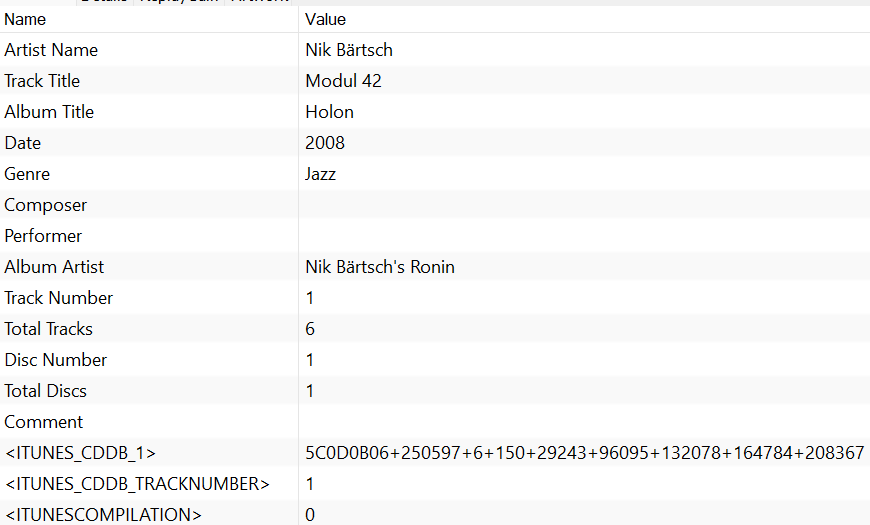
Re Martin’s comment. Here is an example of my metadata for track one of the Nik Bartsh album I referenced above. No ID3 tags that I know of. You can see that there is no reference to any of the band members that Roon decides to elevate to Primary Artist. So Roon must be getting those from it’s own sources.
I 'm coming to think there is no way to stop Roon doing this if it wants to which brings me back to my question, how can i filter in some way on Album Artist as opposed to Roon Primary Artist. Noone has suggested a way which leaves me thinking it is sadly not possible. In which case I will submit a feature request!