hallo_leo
September 9, 2026, 6:37am
1
How do I create a group of two output devices (two Roon clients with speaker capability) while playing?
I have a Roon client on my Mac with speakers and an iPad with speakers running the Roon client.
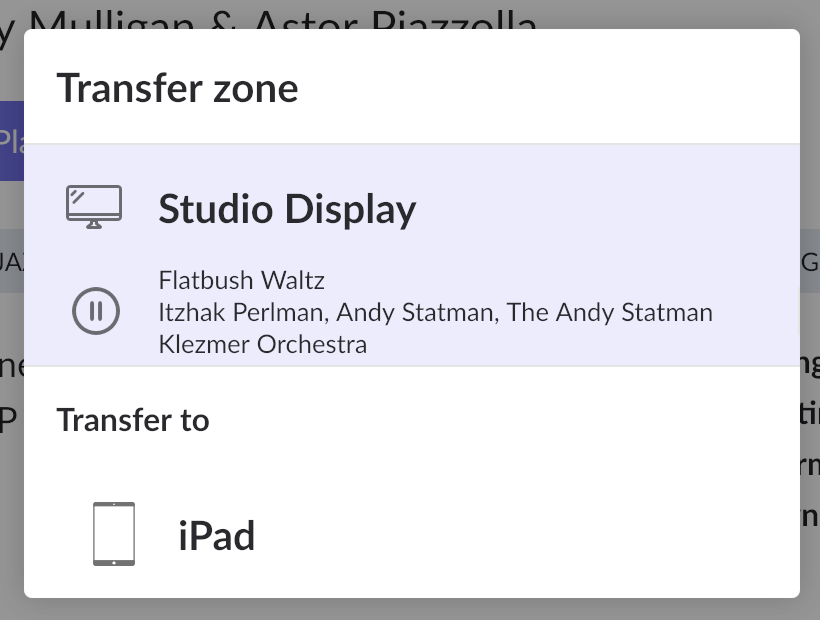
In the past, I think I was able to create a group of output devices and then hear the music through both devices - now I only see the “Transfer zone” option:
Where is the “Add device to group” option?
Many thanks for any pointers!
hallo_leo
September 10, 2026, 2:21am
3
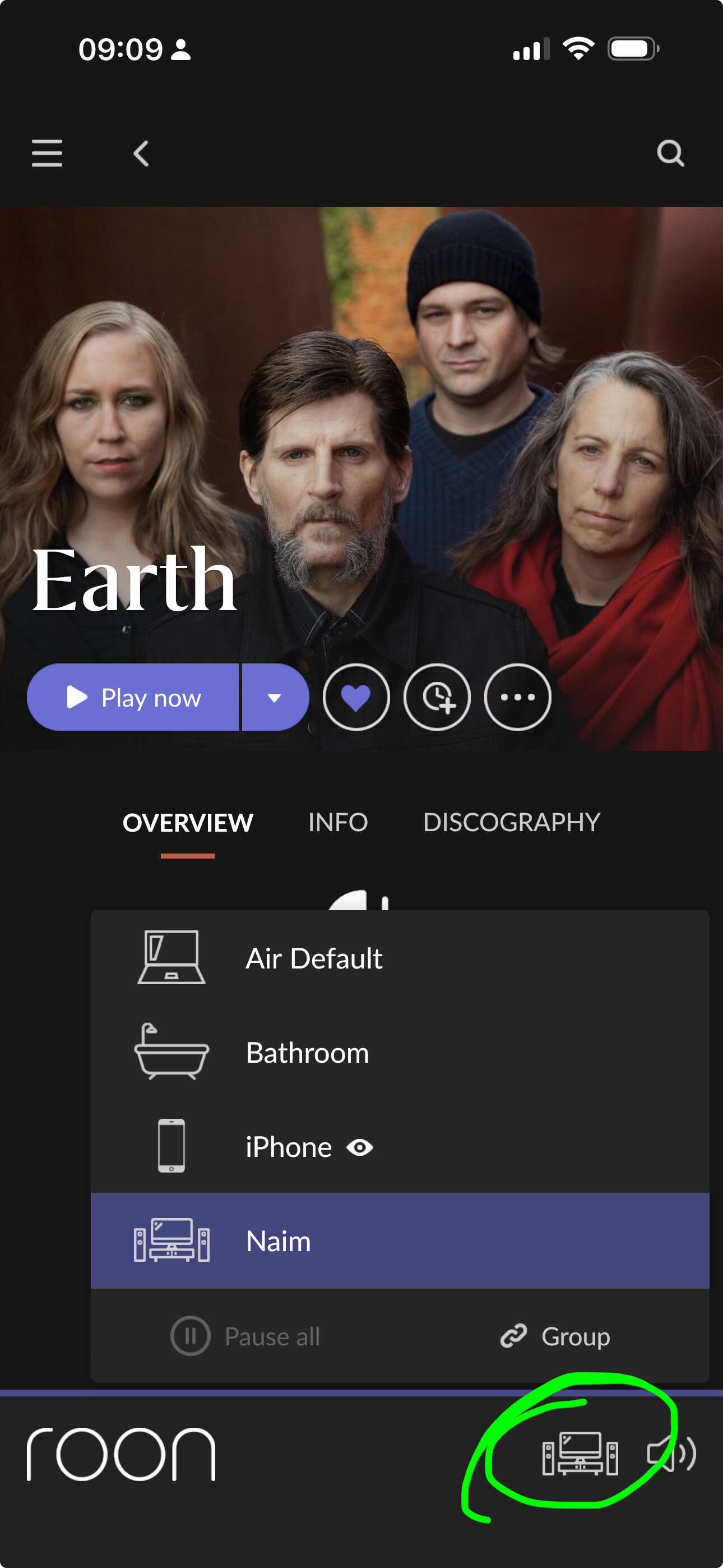
@Suedkiez Thanks for your screenshot.
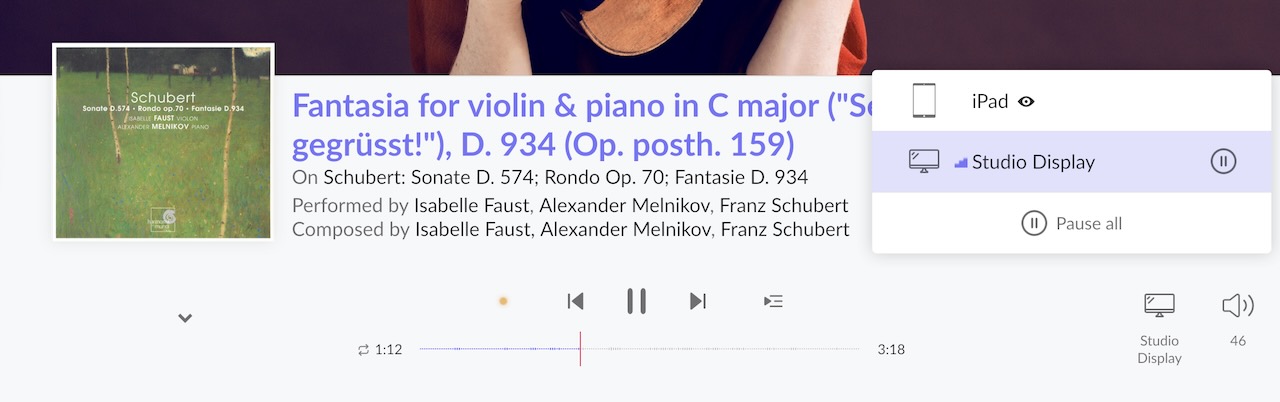
However I do not have the “Group” button – despite the fact that I do have two devices, iPad and Studio Display :
Your query was answered in your other thread, I believe…
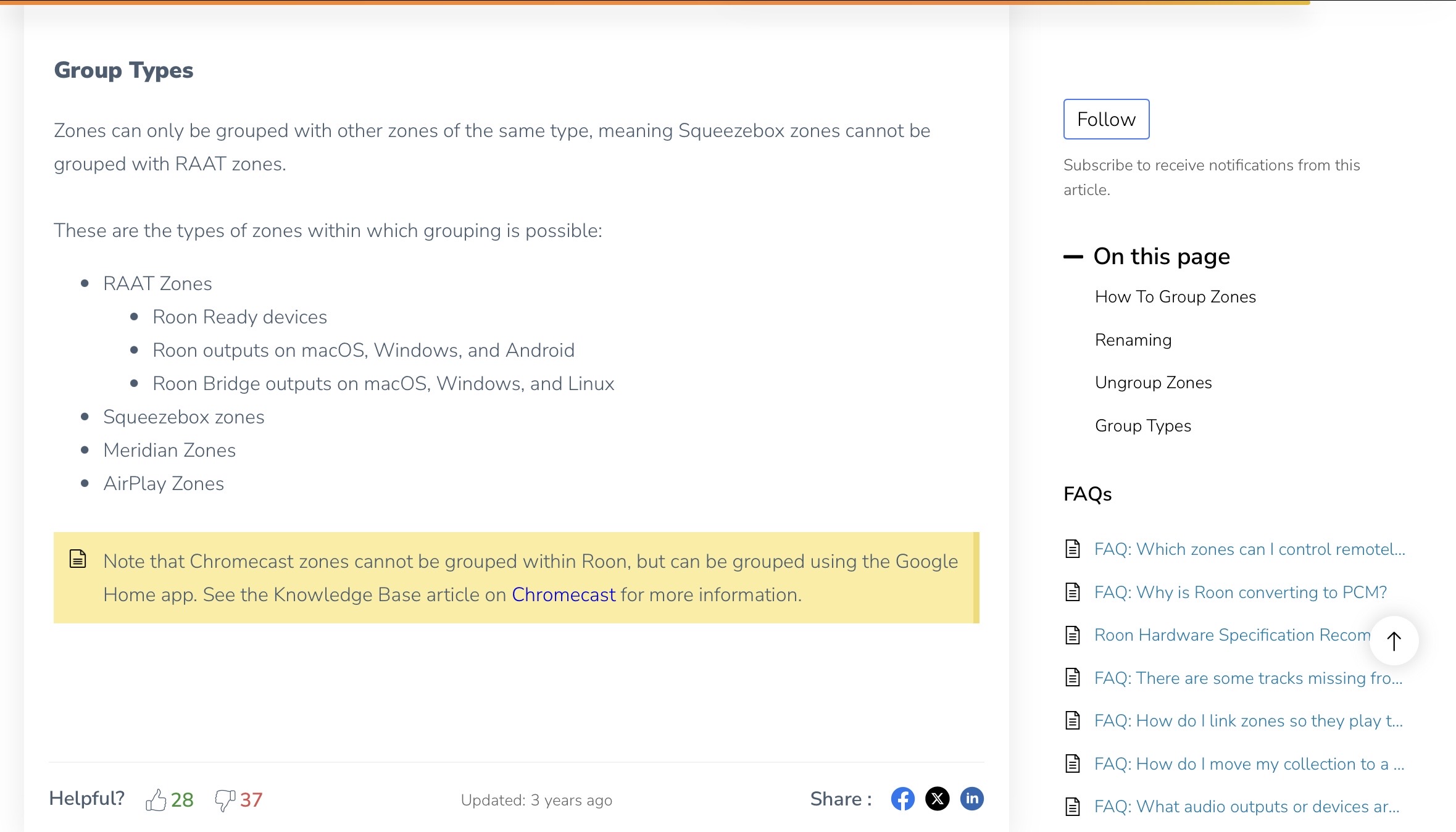
I want to find out what type of zone does Roon on iPad and iPhone create. Roon’s grouping help does not list in any zone iPads and iPhones, but I guess the clsoest is what it lists for the RAAT Zone. RAAT zone can be:
Roon Ready devices
Roon outputs on macOS, Windows, and Android
Roon Bridge outputs on macOS, Windows, and Linux
So, what is the Roon outpput on iOS? Same as macOS?
Many thanks for any help in advance.
hallo_leo
September 19, 2026, 6:59am
7
Yes, indeed. It is all clear now. I couldn’t group the devices because the Roon device in the iPhone was private.
Carl
September 19, 2026, 11:59am
8
This topic was automatically closed 5 hours after the last reply. New replies are no longer allowed.