HQplayer Mobile Path Text Display Fix

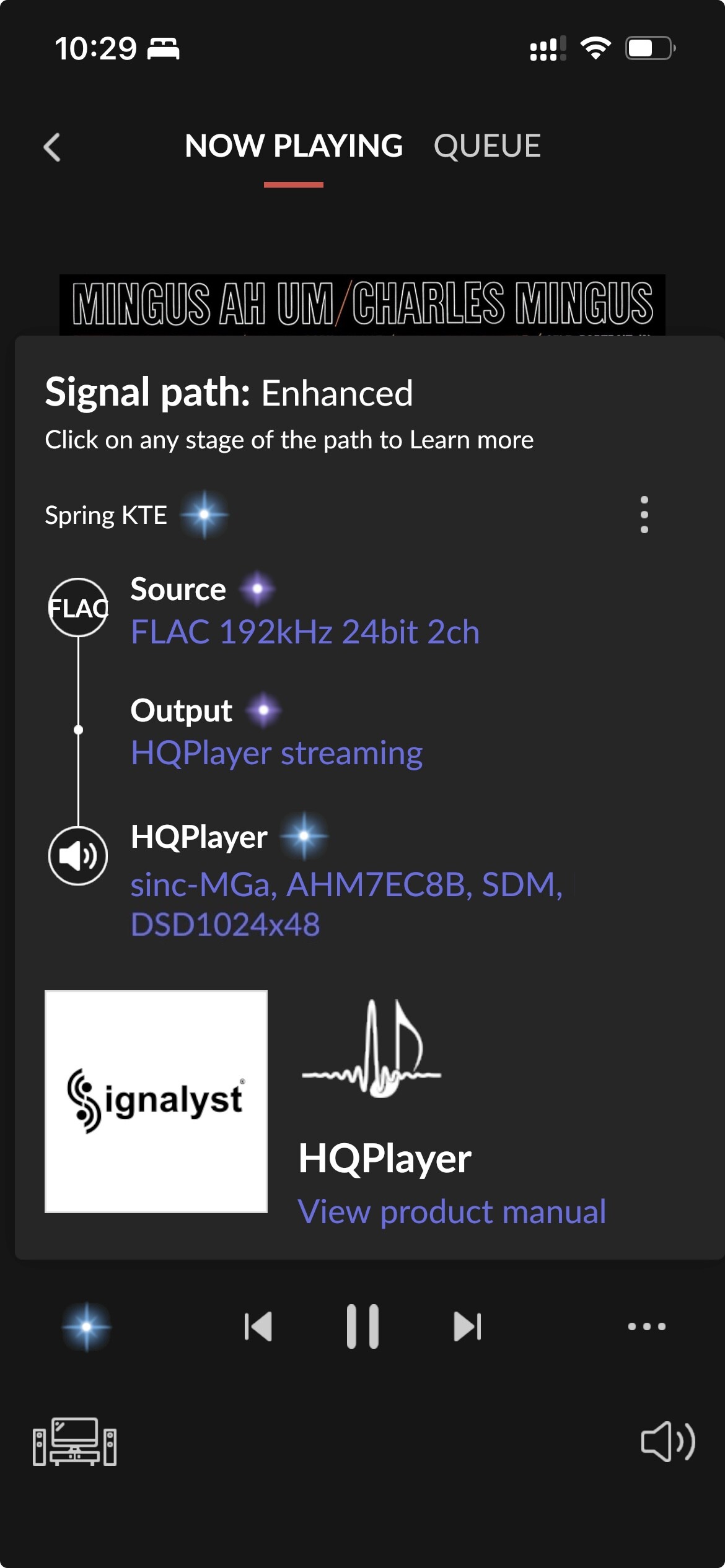
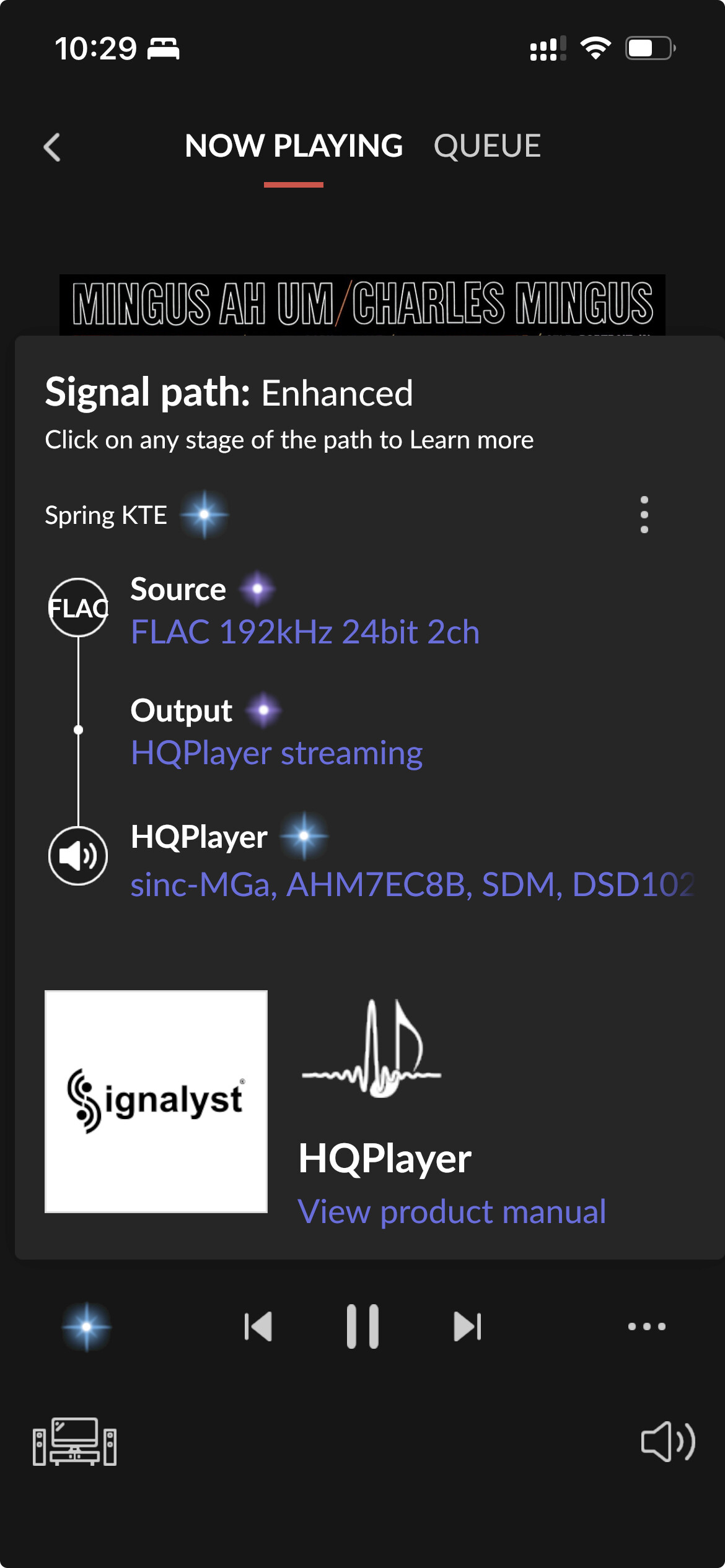
I kindly request if possible to display the HQplayer content path fully on the mobile version and not faded in a shadow as shown below:

The desktop version can show it fully very well, like the example below:

A Fix suggestion can be just by adding a second line:

I think @jussi_laako as well as many Roon HQplayer users would appreciate this :pray: :pleading_face:

1 Like

This display is in need of fixing in general, since it currently shows incorrect information for example for DSD source cases…

2 Likes

Hi @benjamin !

Just wanted to share with support team this suggestion.

Much appreciated your support
Hey @dabassgoesboomboom sorry to bother! Any idea who else we can reach out regarding this issue?

Many thanks as always!

1 Like

Roon staff does read the feedback section of the forum, even if they might not comment there unless they have news to share. They usually don’t read the discussion section though. You can move this thread to Feature Suggestions (a subsection of feedback) using the pencil at the end of your thread’s title. Please vote for your feature suggestion should you move your thread there.

1 Like

Maaaany thanks :pray:t3:

2 Likes

Mobile HQplayer path, still looking :eyes: broken for a high end product :backhand_index_pointing_up:t3:. Can just add a
or a second row???

I bet if you make your text smaller on the phone it’ll look better… but it still won’t display the correct DSD info with DSD sources.

And… you just won’t be able to read any text anywhere on the phone because it’s too small and it globally changes the size…

Settings → Display & Brightness → Text Size

1 Like


Yep! You are right! Need to keep my glasses :nerd_face: on while using the phone :telephone_receiver:.

Works on smallest font settings

1 Like

Not sure when… but this was fixed! Tried on iPad Air and iPhone Air.

Thank you Roon.

Well, part of it. It still displays incorrectly with DSD sources, but at least the text isn’t cut off.

Another thought, maybe it’s ios26 that fixed the text wrap.

1 Like

Yay! Awesome :clap:t2::heart_hands:t2::clap:t2::guitar:

I don’t see it on my iPhone and iPad mini


:sweat_smile:

What iOS version?

iPhone 14 iOS 18.7.1

iPad mini iPadOS 26.0.1

Any settings you have like font size?

Are you both on same Roon client app version? Because it could bet set to a phased roll-out (feature on App Store). And overall, Apple anyway phases out the updates quite a bit. So there may be days of difference between two devices receiving same update…

I’m using this version on mobile

Brilliant!

@Moy I am on early access. I tried the production build and it does not have the fix.

Production

Early access

1 Like

Ha! I see now :fire:. How to get the easy access? Or when will it be released :guitar::heart_hands:t2:

I saw :eyes: https://help.roonlabs.com/portal/en/kb/articles/roon-early-access-program

It’ll most likely be in the next update.

Enjoying the effort (although not fully finished)