No settings to adjust at the DAC side, it is using one of the four, but I don’t remember right now which one.
Curious what could be the reason why you are experiencing such level difference… Maybe you could ask iFi?
No settings to adjust at the DAC side, it is using one of the four, but I don’t remember right now which one.
Curious what could be the reason why you are experiencing such level difference… Maybe you could ask iFi?
Someone should send them a datasheet of DSD1793… 
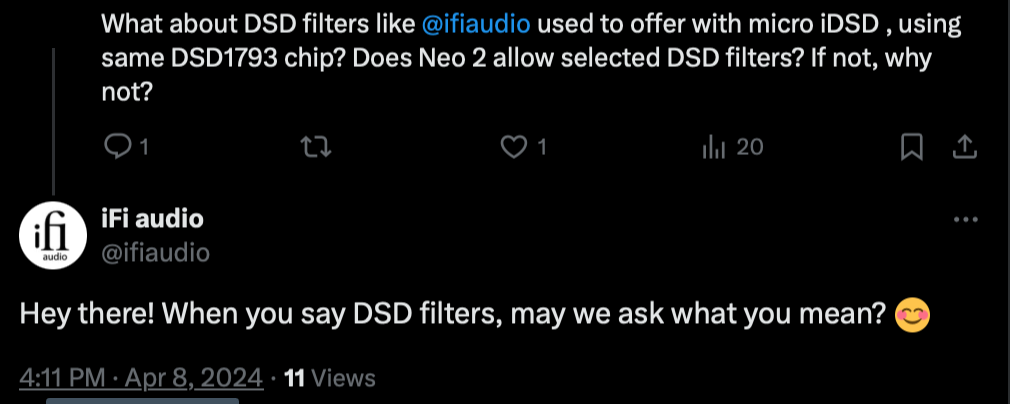
In microDSD they had the three position filter switch also switching between the DSD filters. But no such features in the newer products with displays and menu systems. Where they could easily let one to select from all four different options!
But probably issue is that message through X reaches only their marketing people, who are more or less clueless about such technical things.
or even if they opened the user manual for their own past products showing DSD filters
Seems after Thorsten left, they haven’t changed anything in the D to A much
Only digital side has changed much
Hi @dabassgoesboomboom how did you configure NAA input in HQP Embedded?
I’m just getting this in the input list:
@jussi_laako perhaps?
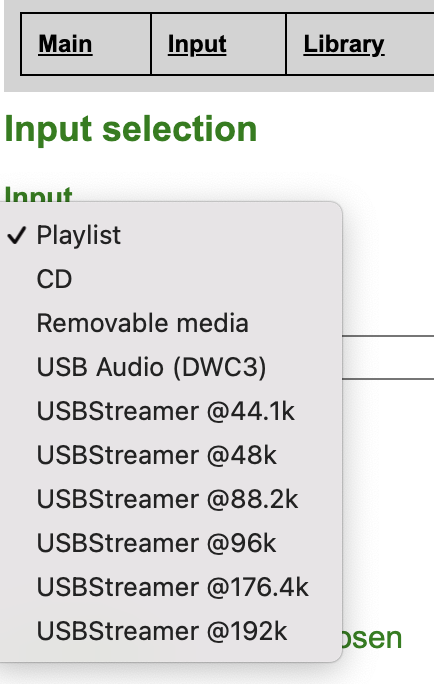
You need to add a specific <input> item in /etc/hqplayer/hqplayerd.xml so that it points to the correct input. Then you can select it from the list. This is where Desktop and Embedded differ. On Desktop you can easily configure one input, but doing multiple is more difficult. While on Embedded you can easily have many alternative inputs of different types to select from - a bit more like preamp/AVR input selection.
Thanks @jussi_laako, I got it working by adding the following as you’ve posted somewhere else:
<input address="naa-XXXX" device="USB Audio (RPi4)" ipv6="1" name="NAA USB Audio" samplerate="0" short_buffer="250" type="network6"/>
Now the issue is that the NAA doesn’t boot if the output DAC is connected but not turned on. I’m using this NAA as both input and output, and want to sometimes use only the input side.
Which way you mean it doesn’t boot? It doesn’t touch any audio devices at boot time… Only once HQPlayer starts talking to it.
I mean the RPi Ethernet lights don’t turn on and I can’t select that NAA as input device in hqplayer
That sounds more like something related to the OS. Anything on the console? Where does it end up with?
Where should I check? Do I need to hook up monitor/keyboard/mouse to the NAA?
At least monitor to see where to boot ends up. If you get login prompt on console, then the boot is at least partially successful. If you don’t get a login prompt, then something more serious is going wrong.
Hi @jussi_laako and @dabassgoesboomboom ,
I’m looking at a Pi4 NAA running Jussi’s image to replace my trusty old microRendu which I can’t get to load NAA 5 (it won’t boot off the upgraded SonicOrbiter 2.9 MicroSD).
Can I get away with 1GB of RAM on the Pi4 or is more required / recommended ? It will never be anything but an NAA.
I’m sending it DSD 512 from an Embedded HQPlayer Linux server. I don’t expect that to increase to DSD 1024 anytime soon.
Cheers and Thanks.
Yep will be fine
Proceed ! 
NAA 5.02 has just been released, apparently with a major update. Will the Bookworm version also get this update?
The 5.0.2 update is about NAA OS version
yes, I saw it!
My question is whether the Bookworm version will also have this update
if the update concerns OS I don’t think it makes sense for the versions to be installed on a host OS
New bookworm package will be built, when there are relevant enough changes to warrant the effort.
This one is primarily update to the OS. The NAA software module 5.0.2 has already been earlier in latest HQPlayer OS releases.