Hi Forum
I did an automatic update to Roon on my QNAP TS-673-4G. I have two volumes: A spinning disk RAID 5 and two M2SATA in Raid1 where the Roon app and data are stored.
As the latest version of Roon is not compatible with QNAP I followed the instructions to run it in a docker and that worked. (using this https://help.roonlabs.com/portal/en/kb/articles/installing-roonserver-on-qnap-with-docker#Before_you_begin)
I have my monthly backups of the database on the spinning disk DataVol1.
I installed the docker with Roon on the M2SATA DataVol2.
The backups dialog of the Roon app in docker can only look at DataVol2 apparently, so I copied the most recent backup from the DataVol1 to the backup folder in DataVol2 and ran a backup.
This seems to work but my playlists are not restored, what goes wrong? I am also not sure if the added Tidal albums are added to my library.
There is (still) a folder called Roon on DataVol2 that is about 7GB, can I remove this?
Does the docker folder (called çontainer) contains all new Roon data?
Thanks, Peter
The restore now worked, and my playlist are back.
I went trough “find backups” instead of “backup now” and took a backup of a month ago. that seem to work, but now many tracks in my playlists are unavailable even though the syncing is done???
I also see that the backup folder is pointing to my old directory on the spinning disk again …. I am puzzled
What am I missing?
What remains is my question of the header about the old Roon Folder
Cheers, Peter
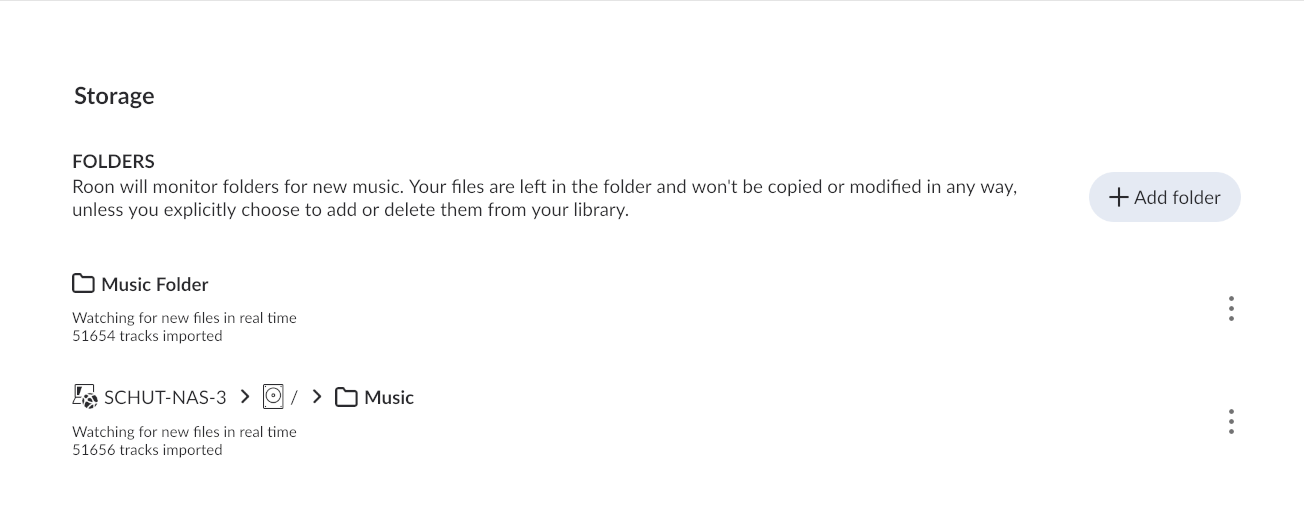
This indicates that roon did not identify the files in the new /Music Folder share as the originals ones in your library. Could you share a screenshot of your Settings > Storages page in roon pls? There might be remnants of the old folders, which roon declares as ´Currently unavailable, but still searching for them, so it would not recognize the files being moved in the meantime.
If you used the default paths in docker generator, the folder Roon-Backups lives under the shared top-level folder /Container. If on your machine, the latter is mounted on a spinning disc volume, Roon-Backups will be on the same HDD.
You can in QNAP preferences move the shared folder /Container to the SSD volume, which anyways makes sense in terms of speed.
Hi Arindal,
It is all a bit different and less logical.
I know what I did wrong in trying to do a backup I didn’t restore one I made a backup. That is solved. But when I made the docker the default link to my music was shared/Music on my spinning disk. That worked and the new Roon install found those files and scanned them.
When I managed to restore an older QNAP-Roon app based backup it my playlists were restored but they pointed to the same Music folder via a different path and couldn’t find it.
So I added the folder again to point to the music shared folder as I was using before. Now the playlists can find the music. See below:
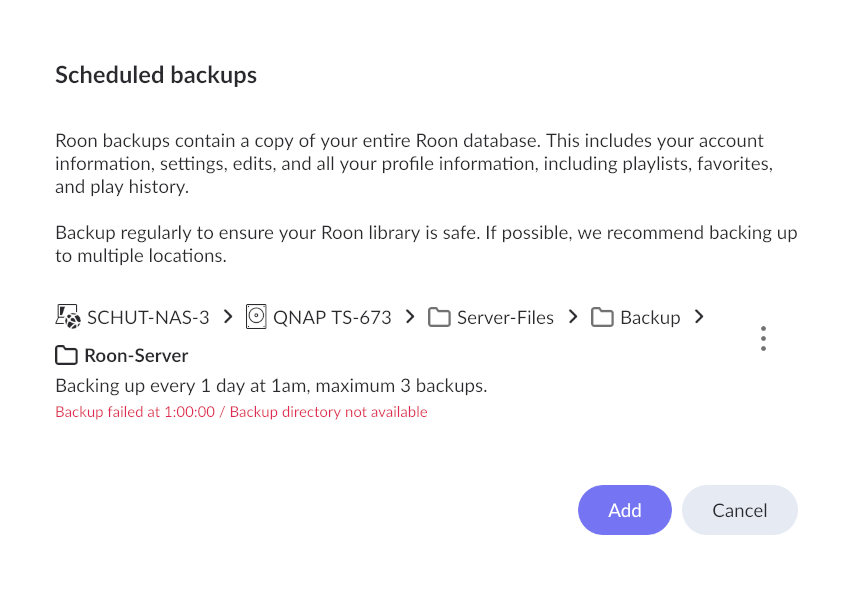
But now the weekly backup can’t find the folder to backup as that also now points to the old location, but the folder is still there.
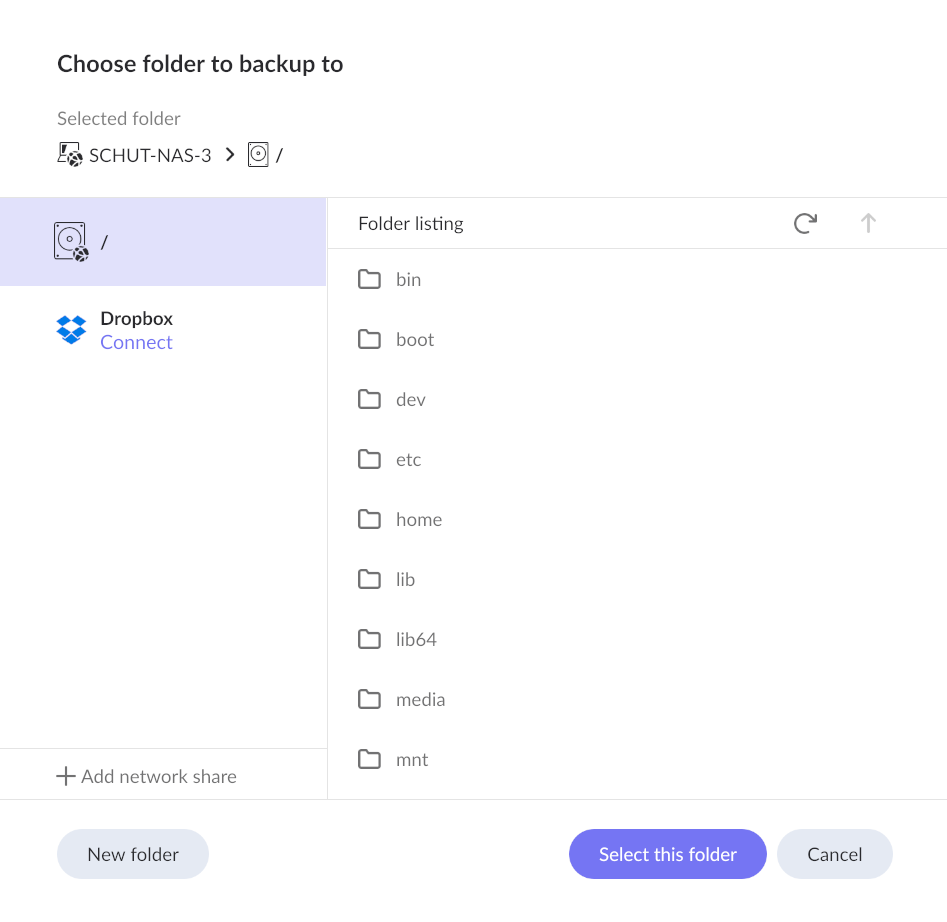
In the dialog box to select this folder I do not see the right path:
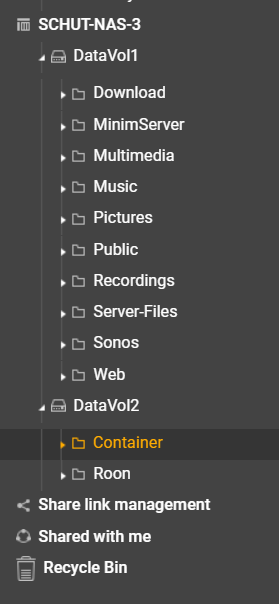
This is the tree of my NAS:
Th folder ‘Server-Files” is where I have my original Roon backups.
I am confused
Dear Forum,
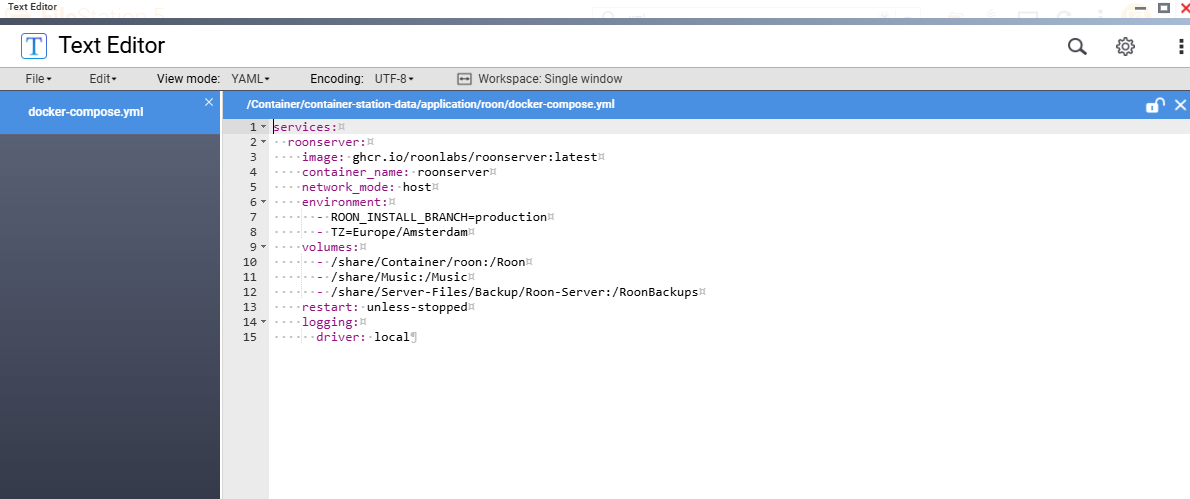
I asked my just installed Ai Claude to help and he gave me point by point instructions to change the .yml file to direct to the right folder. I needed to install a text editor (standard available app i QNAP) and I think it is solved.
Never used dockers before but learned a lot, and it is actually quite logical when you see how a docker needs mappings to go to the right path
hope this helps others
1 Like