Hi all, recently I bought a few external DACs for use with my iPhone and iPad, namely a dongle from FiiO and a DAC/AMP from Shanling. They have been working superbly when connected to my Mac and running the full Roon software. However, when trying to use them with Roon on my iOS devices (whether it be the Roon base app or Roon ARC), I am unable to get the phone to output a bit perfect stream for any DSD files.
The non-DSD files are perfectly fine, but whenever I try to play a DSD file, the Roon / ARC software display a proper, lossless signal path, yet the DACs are bit registering an incoming DSD signal. When plugging in headphones, there’s a distinct loud hissing static, yet if I turn the volume loud enough, you can still hear the music playing in the background beneath the loud hissing. So, since there is music albeit barely audible, I figured it’s not a file format compatibility issue (after all, the dongle / DAC both support up to DSD 256 and I’ve been playing DSD64 files).
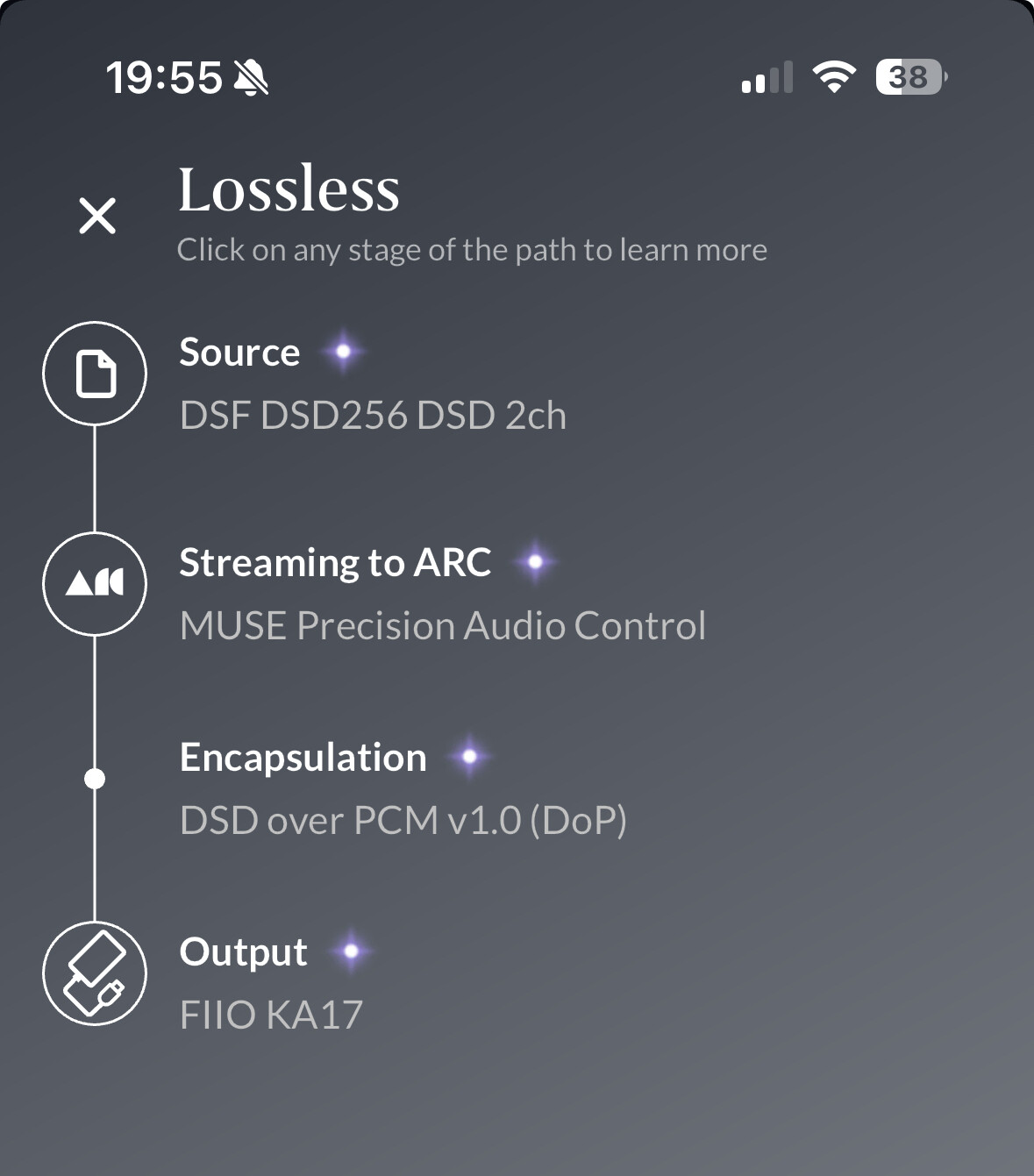
Twiddled with various settings, and it seems as soon as a setting forces a conversion to PCM, then the music is playing properly (e.g., do a volume level, cross feed or balancing - anything that makes Roon convert the DSD into a high rate PCM to apply its DSP magic), but the DSD files simply would not play.
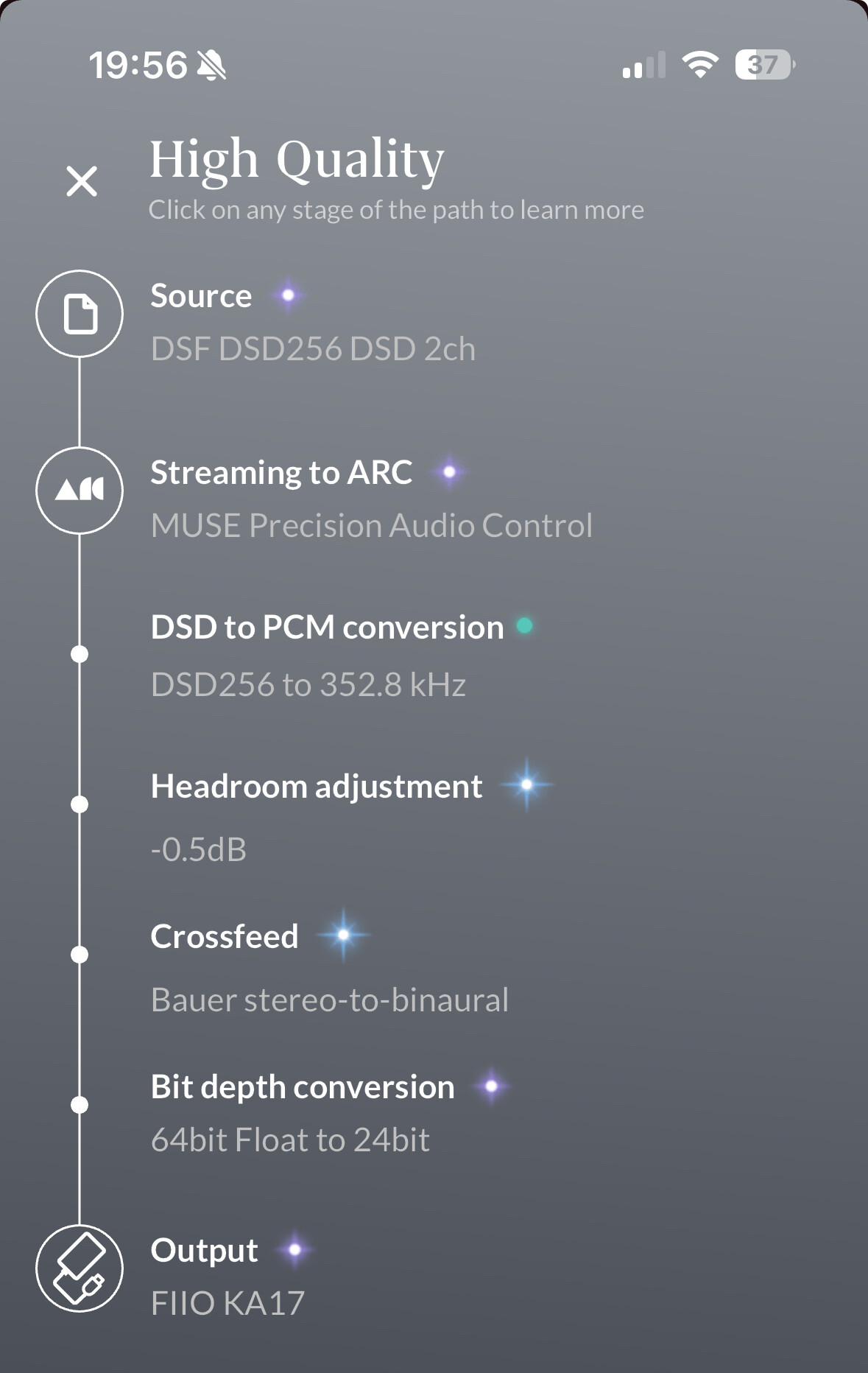
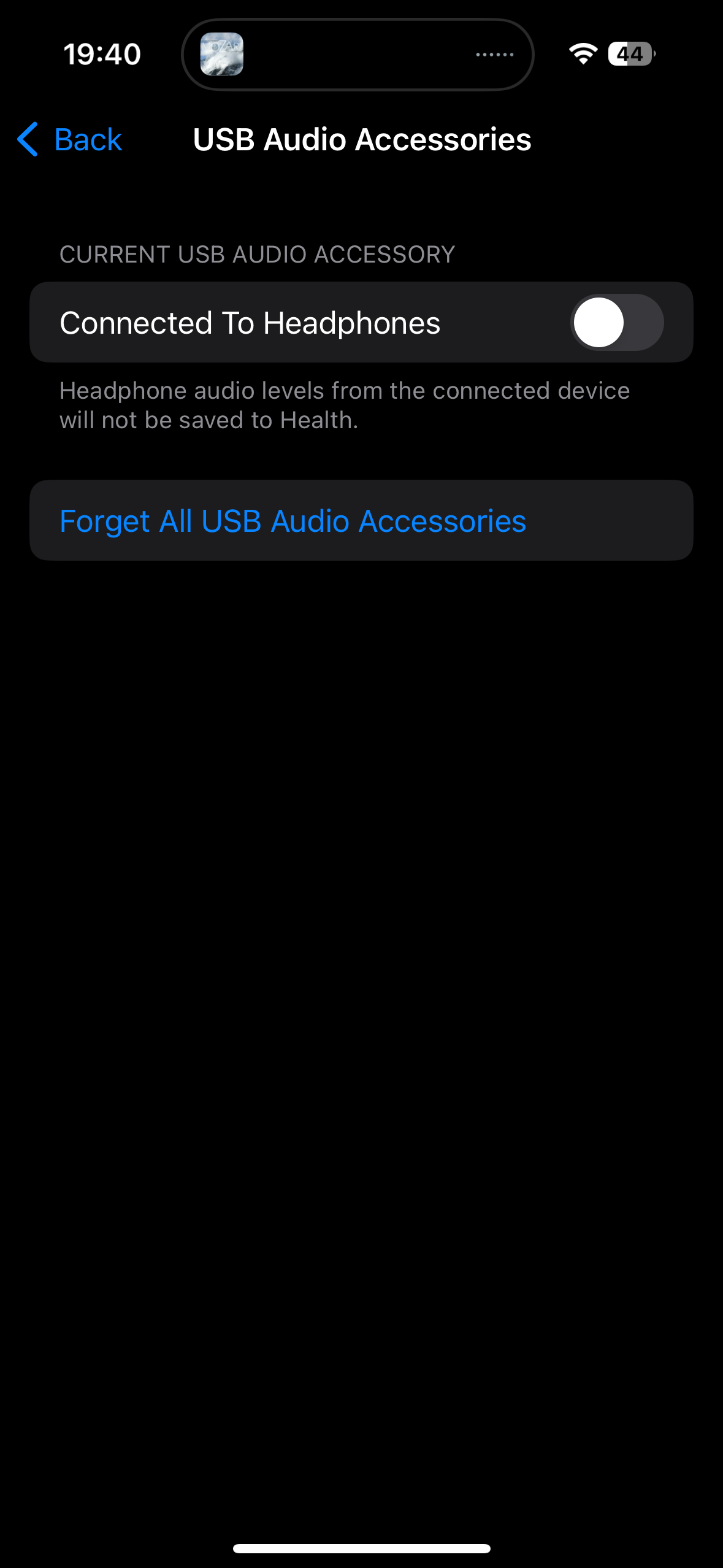
Finally, after a whole bunch of plugging and u plugging and restarting devices - I think I may have found the culprit. When I connect the external DACs, sometimes I get a pop up message asking if it were a Headphones or Other Device. Somehow, thinking I will be listening to headphones plugged into the dongle / DAC, I instinctively went with ‘Headphones’. After some testing; I am so far able to get proper playback as soon as I make the selection “Other Devices” instead of “Headphones”. The correct DSD bit rate immediately showed up on the DAC, and the music is also without static or hiss. DSD is finally being played!
Anyway, just thought to put this out here in case anyone else ran into similar problems trying to get an external DAC to work with iOS. In hindsight, I guess the option ‘Headphone’ are meant for some headsets that terminates directly in USB-C?
Oh, and if you didn’t get the pop up and or want to change it afterwards without unplugging and plugging in your DAC, the setting is located under:
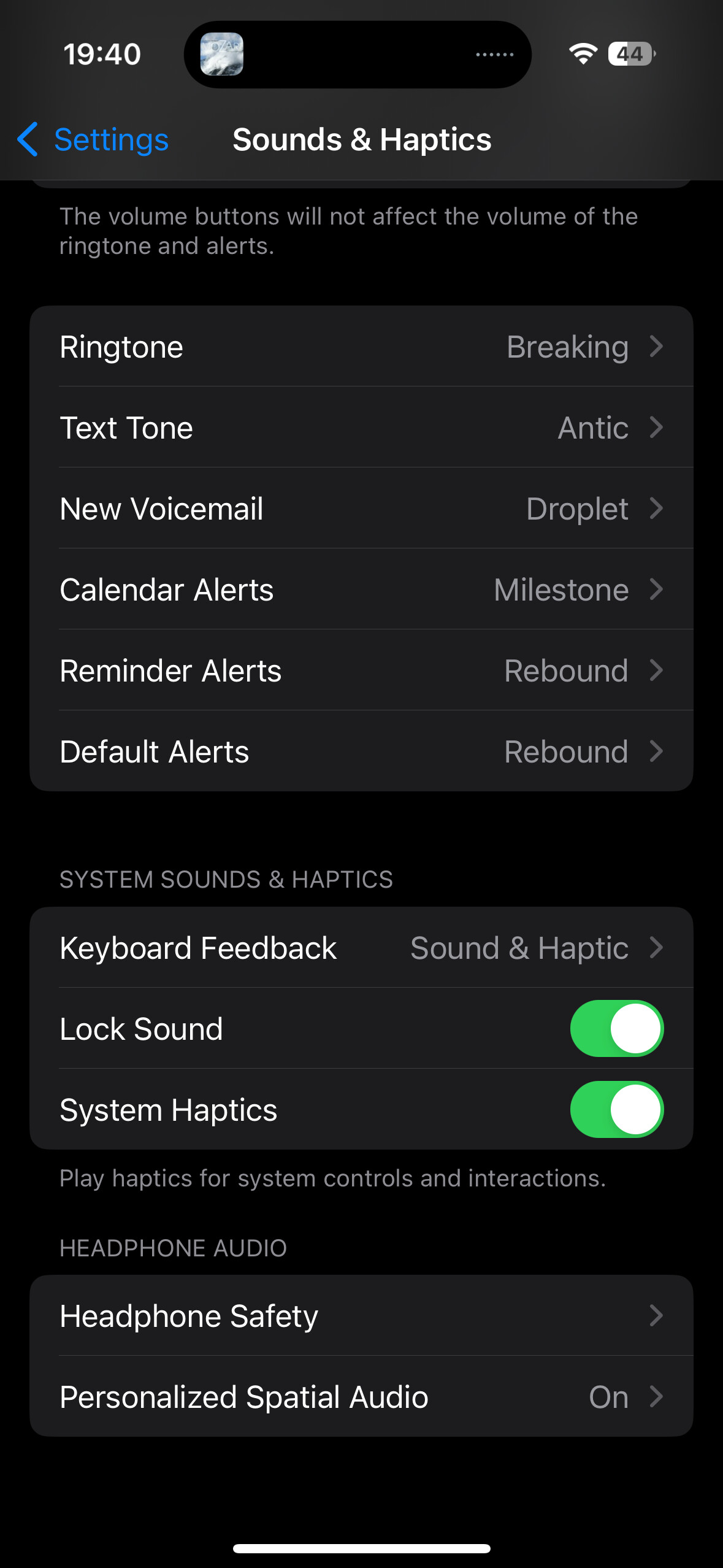
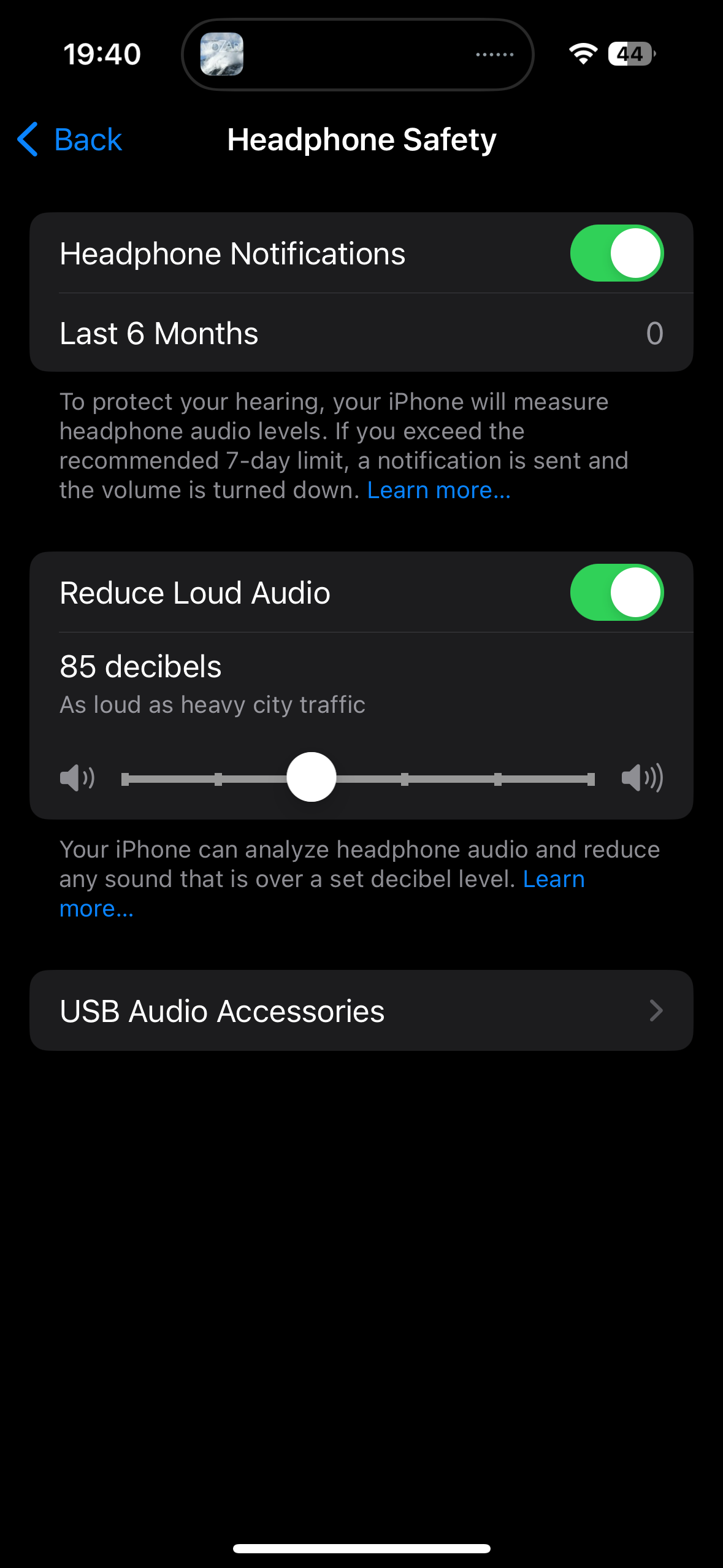
Sounds & Haptics - Headphones Safety - USB Audio Accessory and then simply uncheck “Connected to Headphones”
Hope it helps, have a good one!