Hello
I’m hesitating between getting an 11 or a 13 iPad.
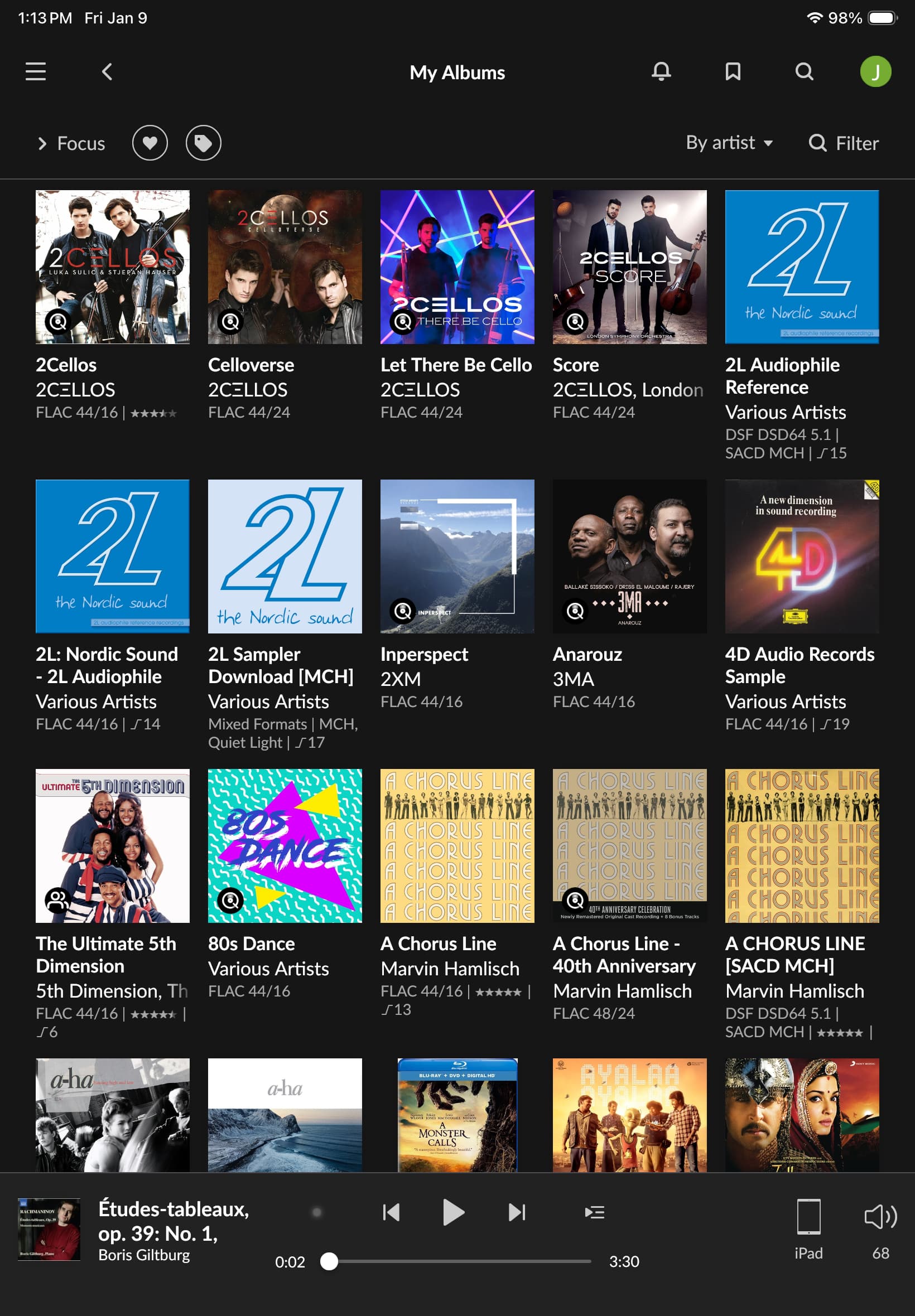
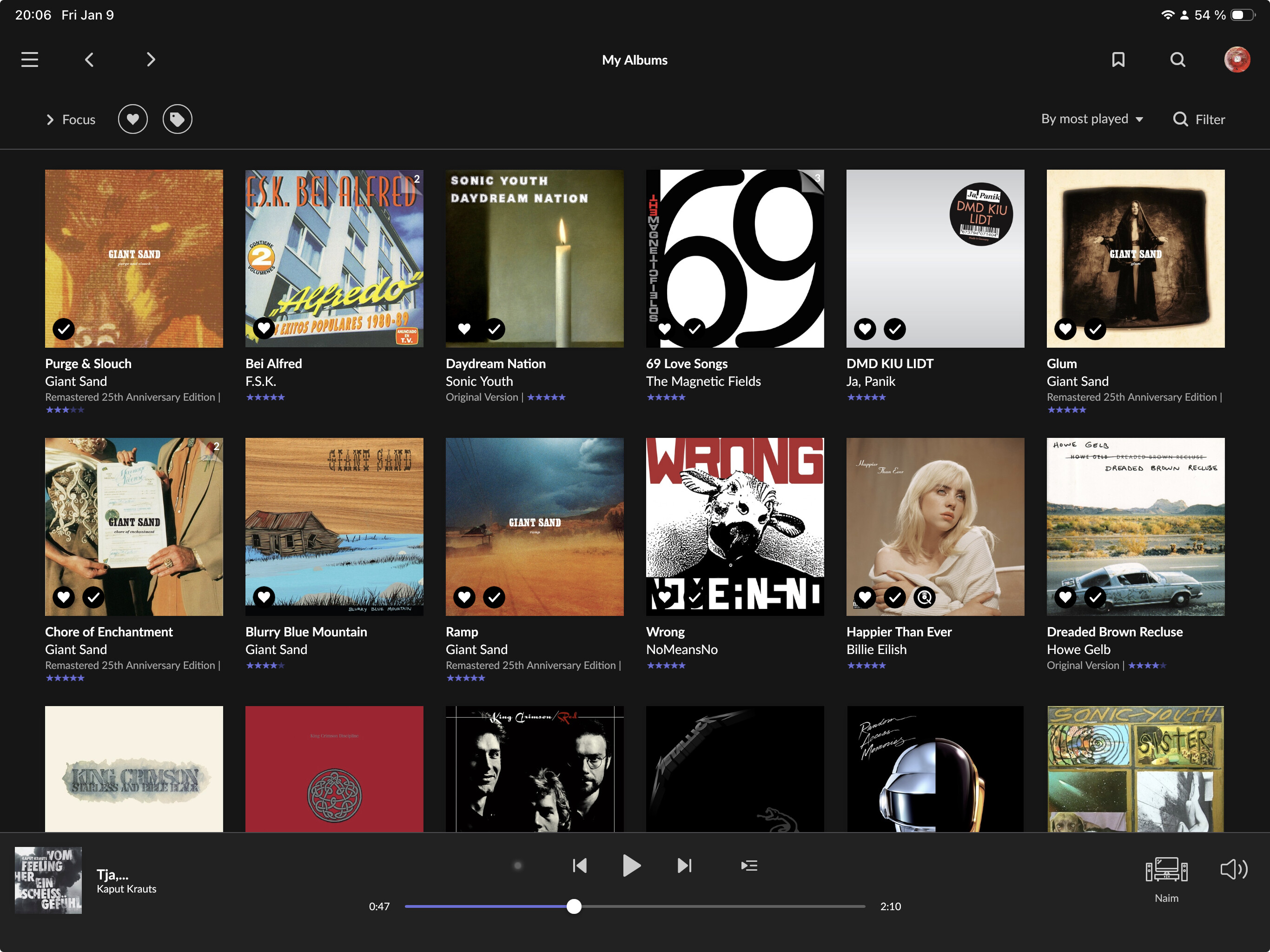
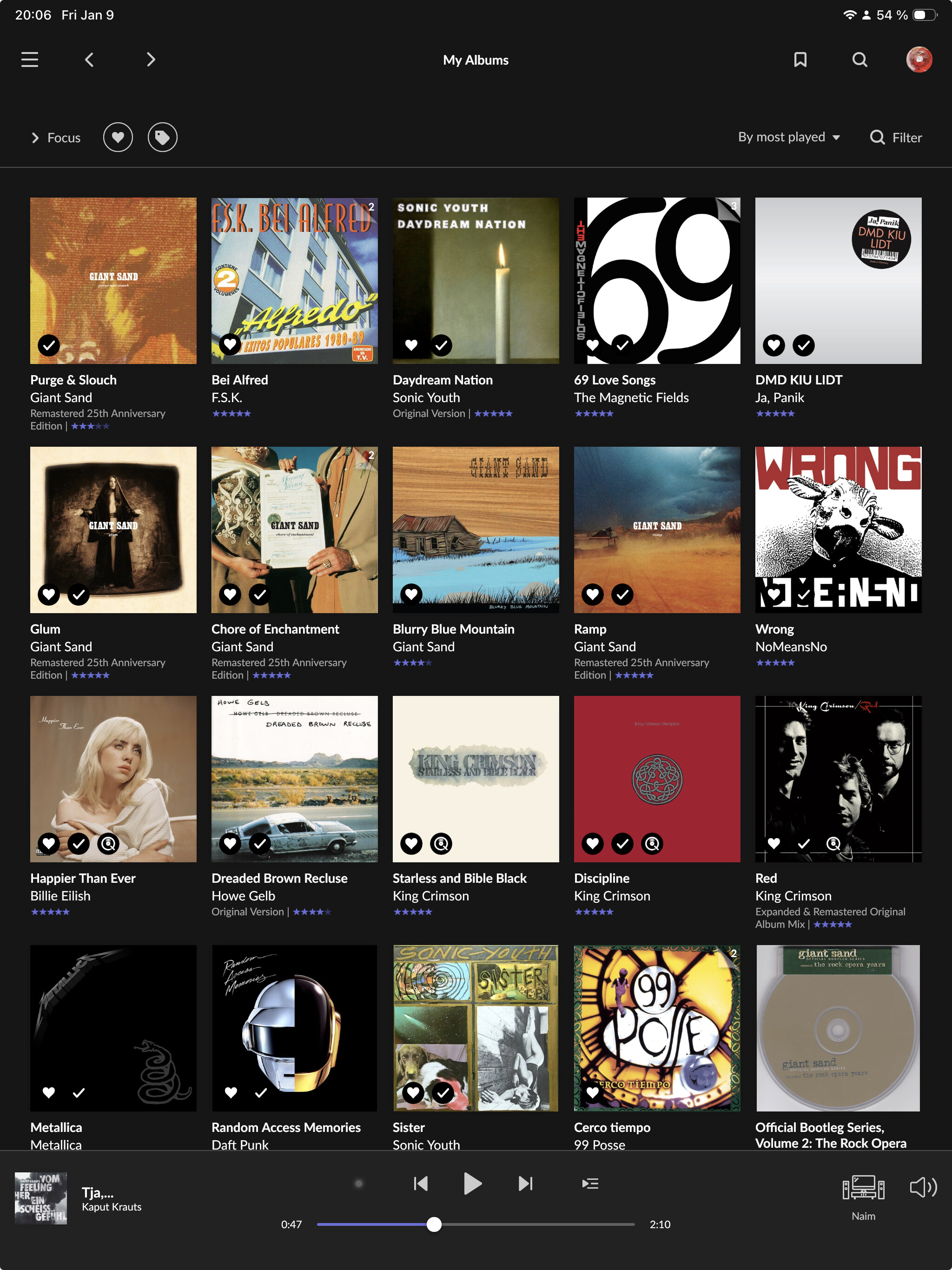
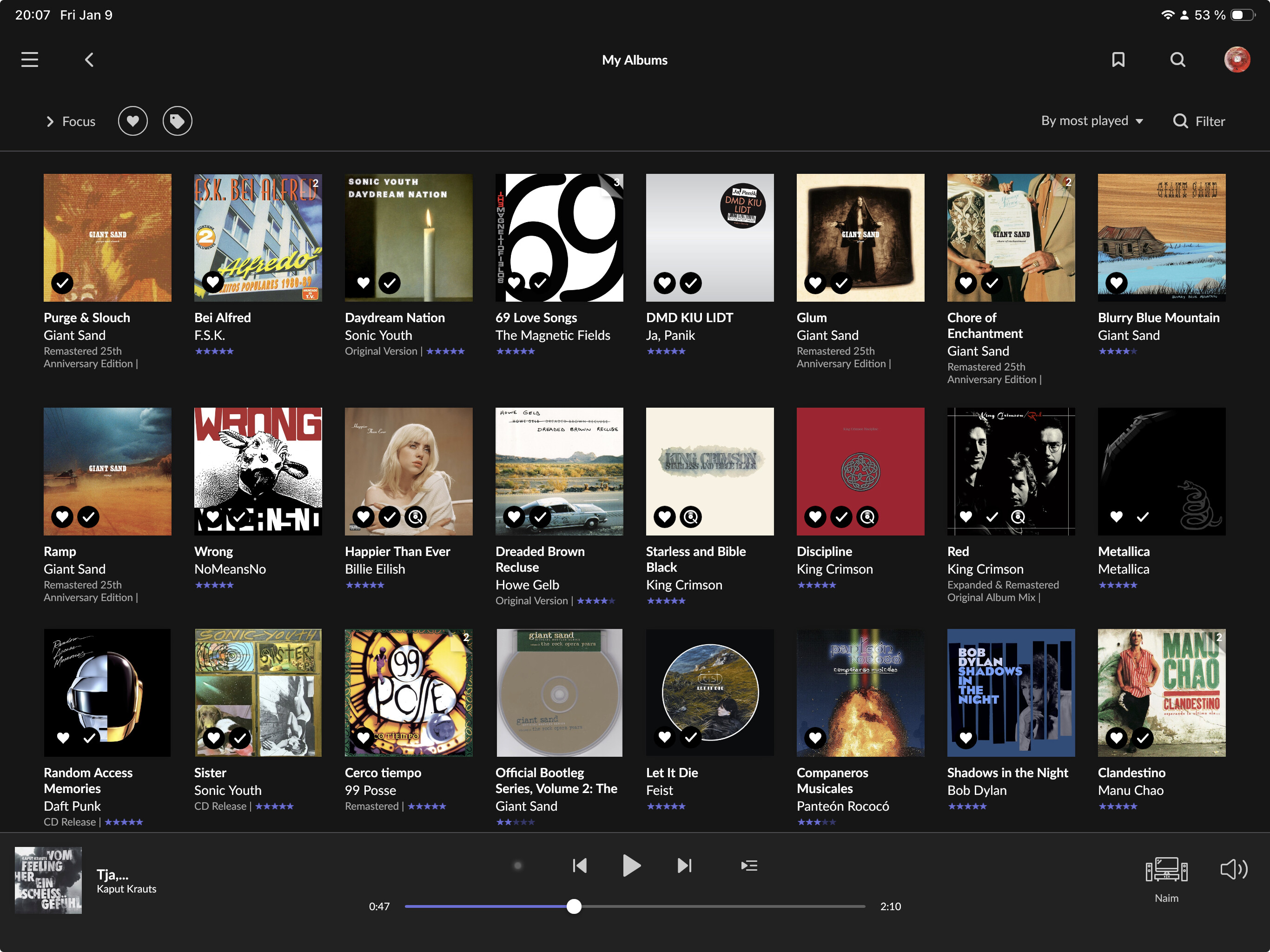
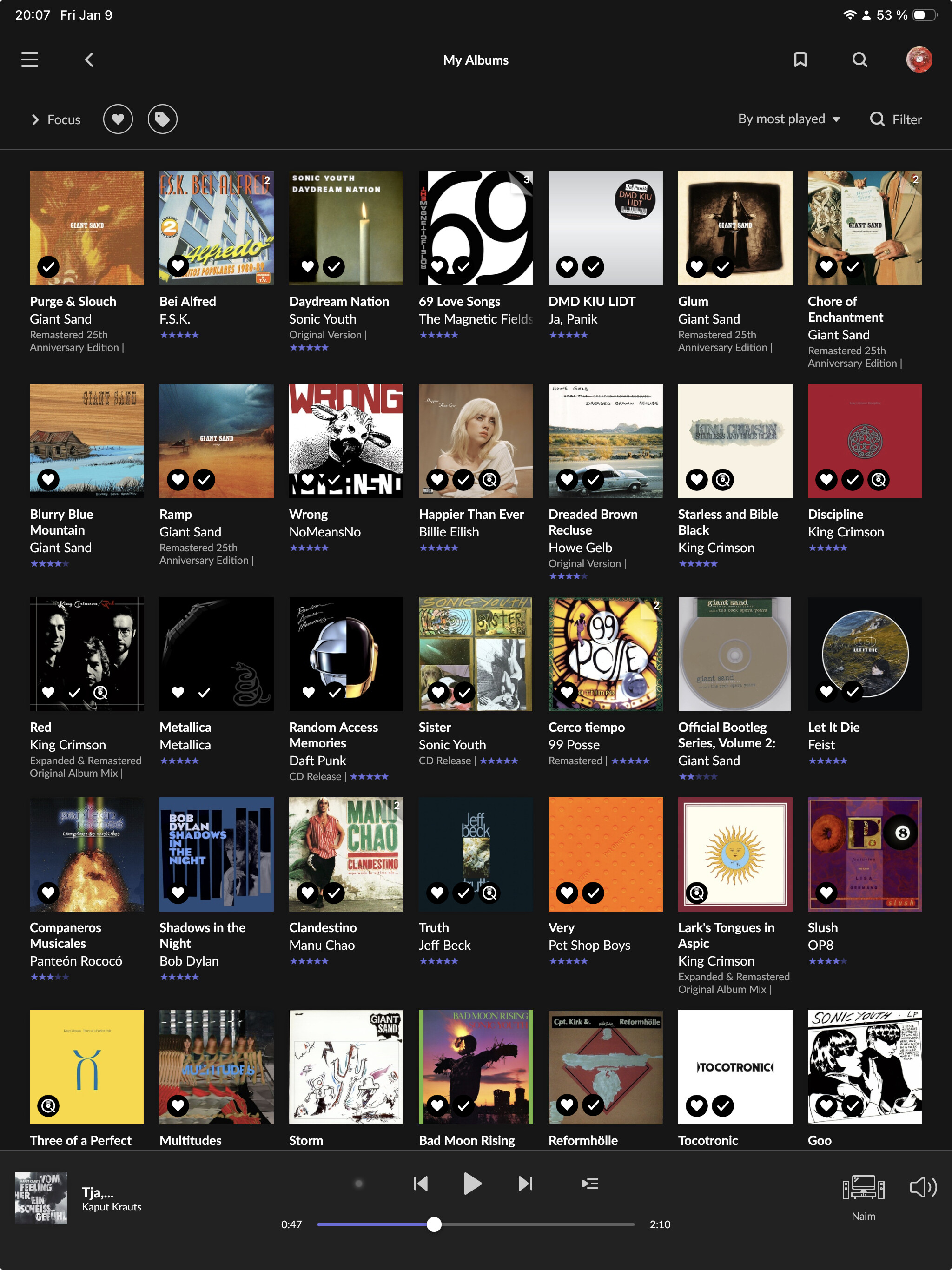
I’d like to have a preview of how Roon will looks like on both.
Would it be possible for a 11 and a 13 owner to do few printscreens and share them ?
Thank you
Hello
I’m hesitating between getting an 11 or a 13 iPad.
I’d like to have a preview of how Roon will looks like on both.
Would it be possible for a 11 and a 13 owner to do few printscreens and share them ?
Thank you
OK. I’ll bite. I think it will look a bit smaller on an 11” than on a 13”
It looks the same but larger on the 13“ 
I have a 12.9 iPad Pro and it’s not possible to always display the sidebar (as I can on the 13“ MacBook Air). So it will be the same on the 11“. If there is now an actual 13“ iPad, I don’t know what the behavior is there.
My understanding is that Roon can be displayed in “landscape” mode on both iPads. Not sure though.
This is correct - in most aspects it’s exactly the same as on a computer monitor, but on the 12.9 Pro in landscape mode it’s still not possible to always show the sidebar
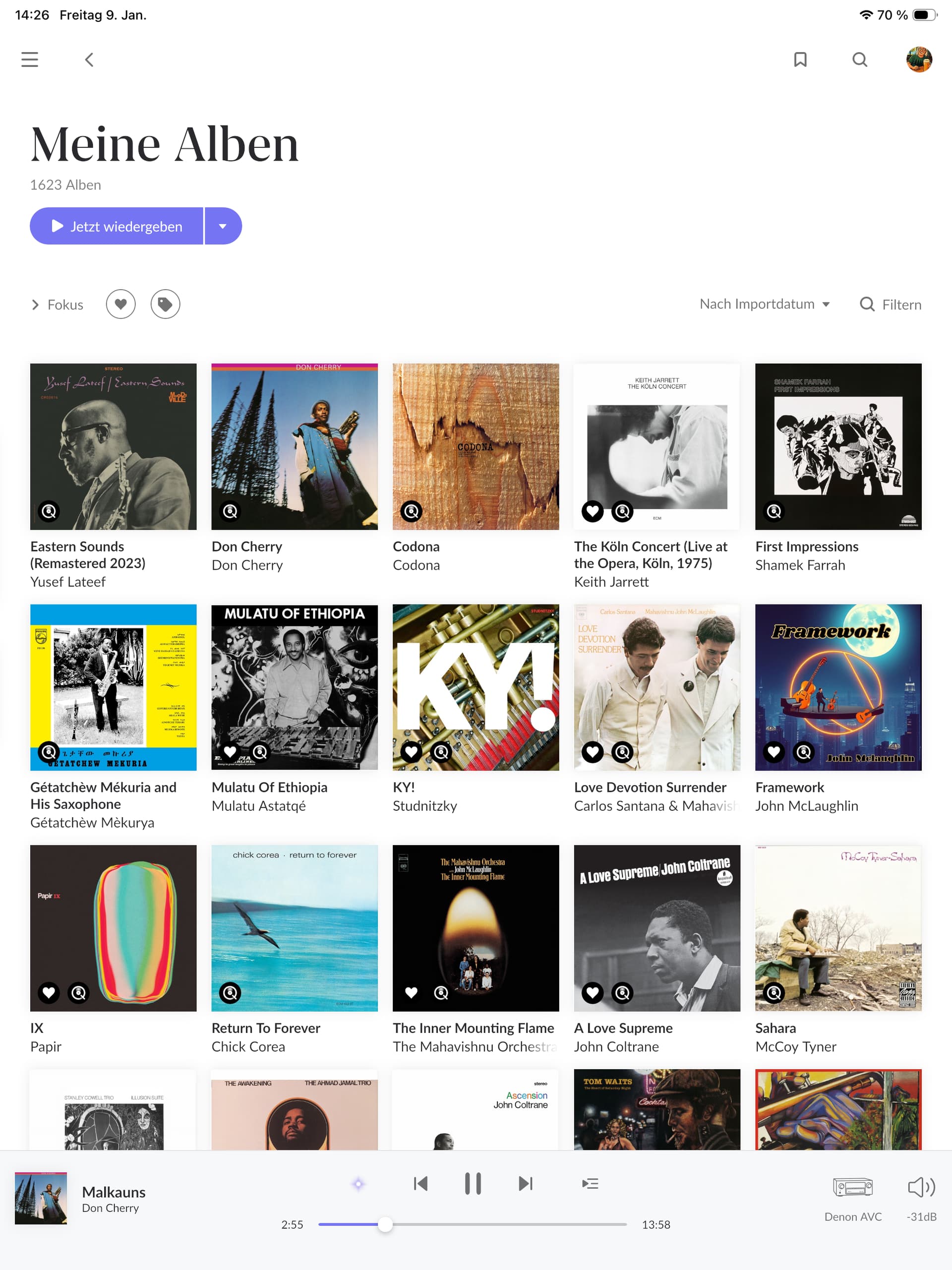
And what about the portrait mode. How many albums can be displayed on a 11 and a 13 ?
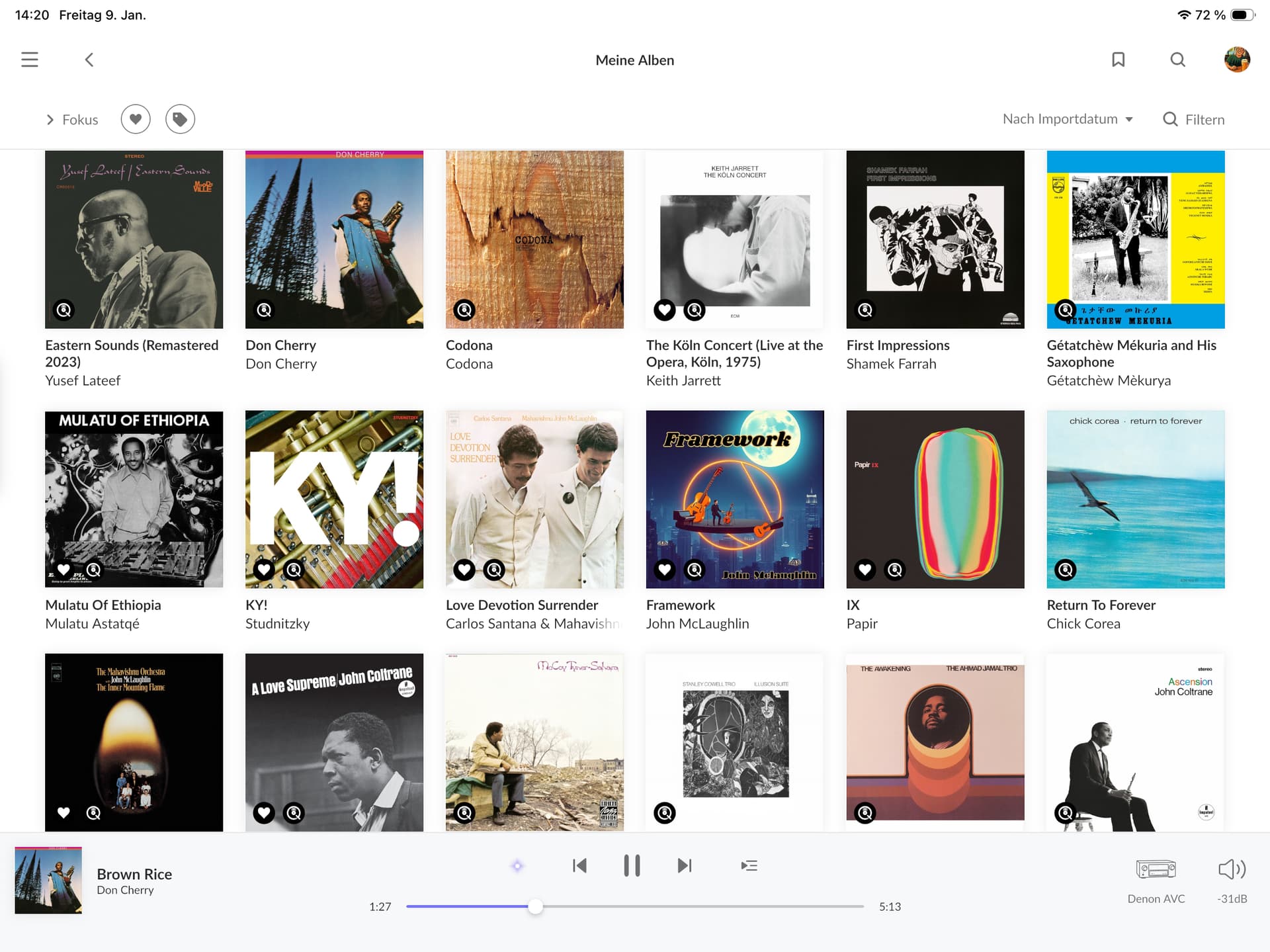
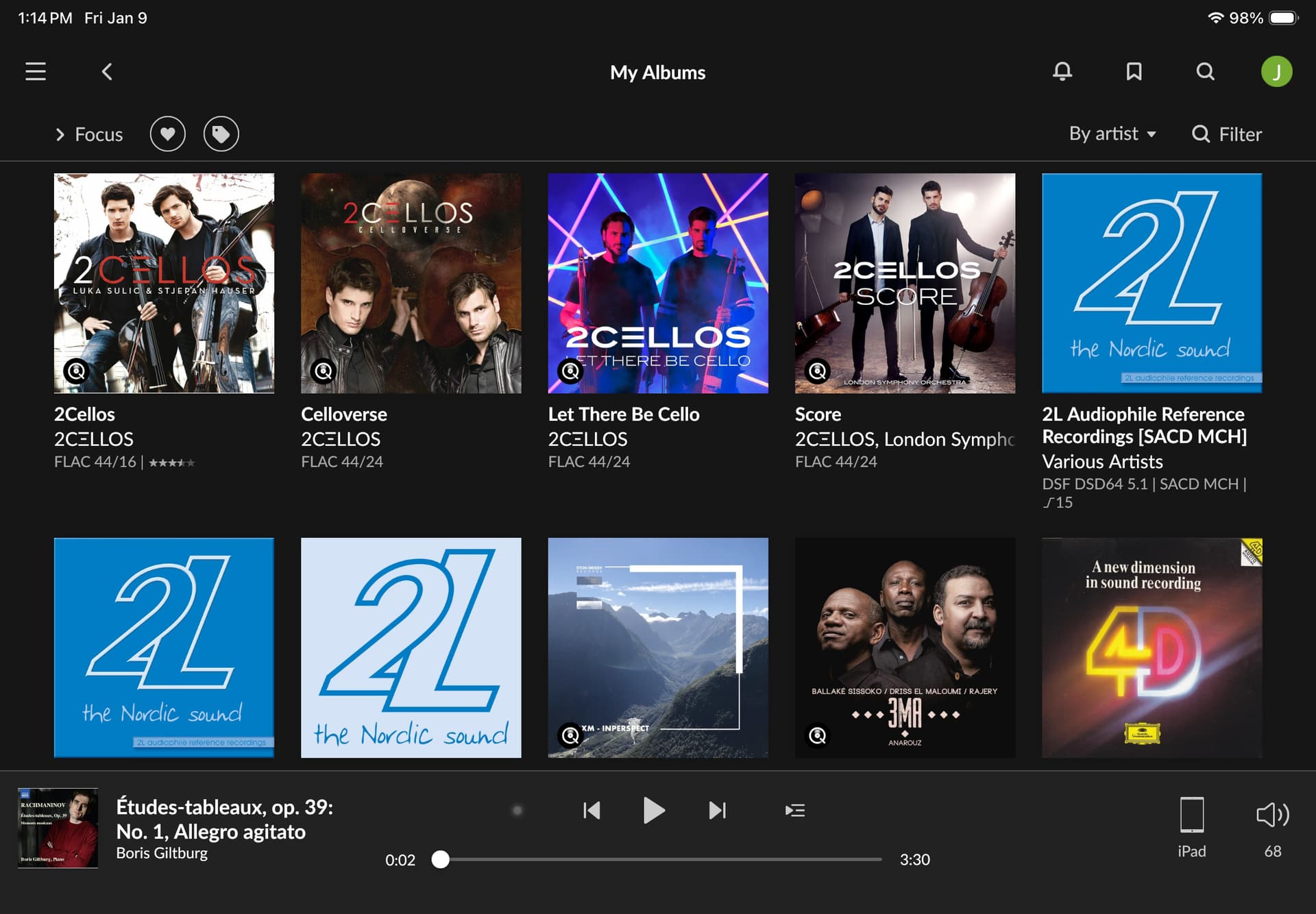
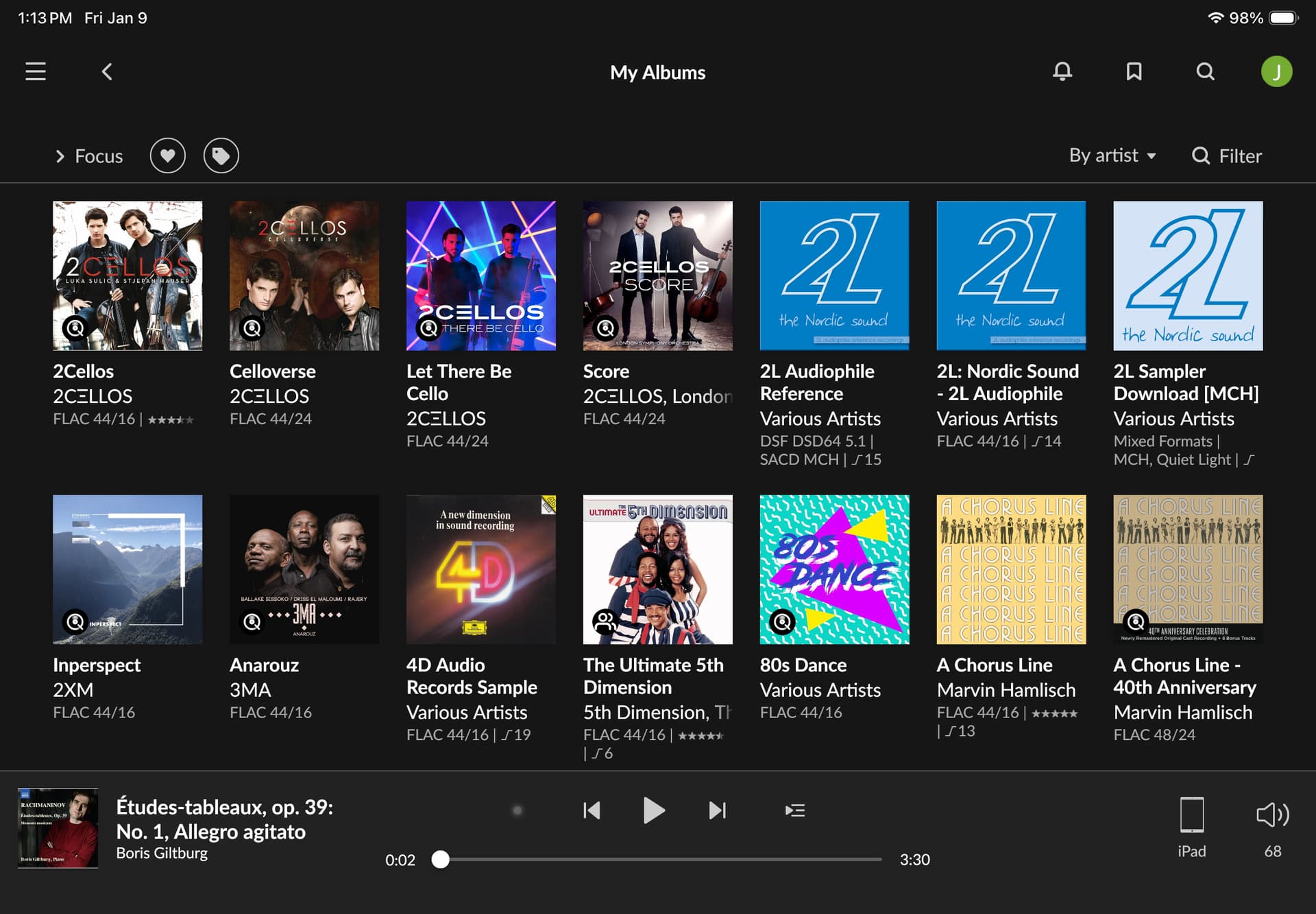
10th gen iPad, 10.9” screen.
“Allow for more covers and photos” turned off in General Settings:
“Allow for more covers and photos” turned on in General Settings:
Unfortunately, the Roon app for iOS is, let’s say, outdated. Free scalability is not possible. Only half or full view is possible. Furthermore, the app does not yet support multitasking.
The app is even worse on Android. Split screen isn’t possible, only full screen. To use everything properly, I need two devices.
I use an iPad Mini 6 and iPad 10 with no issues. However, I prefer using my Dell XPS 15 as control device and the iPads as just displays of what’s playing, etc.
odd? I have a 12.9 iPad Pro using 26.2 and I’m using Roon in multitasking mode
Agree scalability isn’t perfect though
I think he means that there are no multiple Roon windows, so you can only see one thing at a time. Hence you need two devices if you want to see different things
No, I mean that with Roon it is not possible to have and use two applications on the screen simultaneously.
Example: I open Roon and the Stream Deck app simultaneously on one screen. When I use the Stream Deck app, everything is fine. But when I use the Roon app, the Stream Deck app disappears into the background.
OK, but you also posted this screenshot (and wrote “I need two devices”, which would require two separate Roon windows if you wanted to do that on one device.) (I believe that both your left (top) and right screens show Roon):
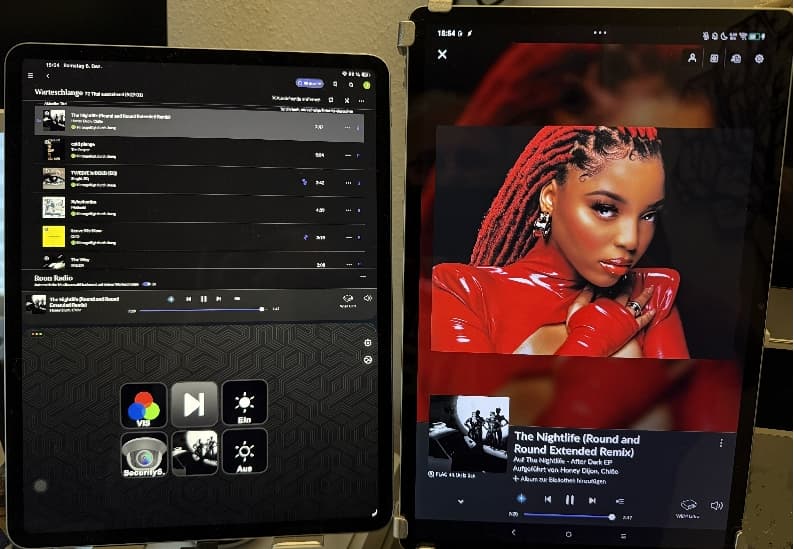
As for having two applications on the screen simultaneously, I can do that on iPad Pro 12.9" with iOS 26.2, although the scalability of the Roon windows is limited.
Update: With Menu Bar > Windows > Move & Resize > Halves/Top for the Roon App it works.
Yes I use roon full screen on my ipad pro 2024 in landscape.
Works fine