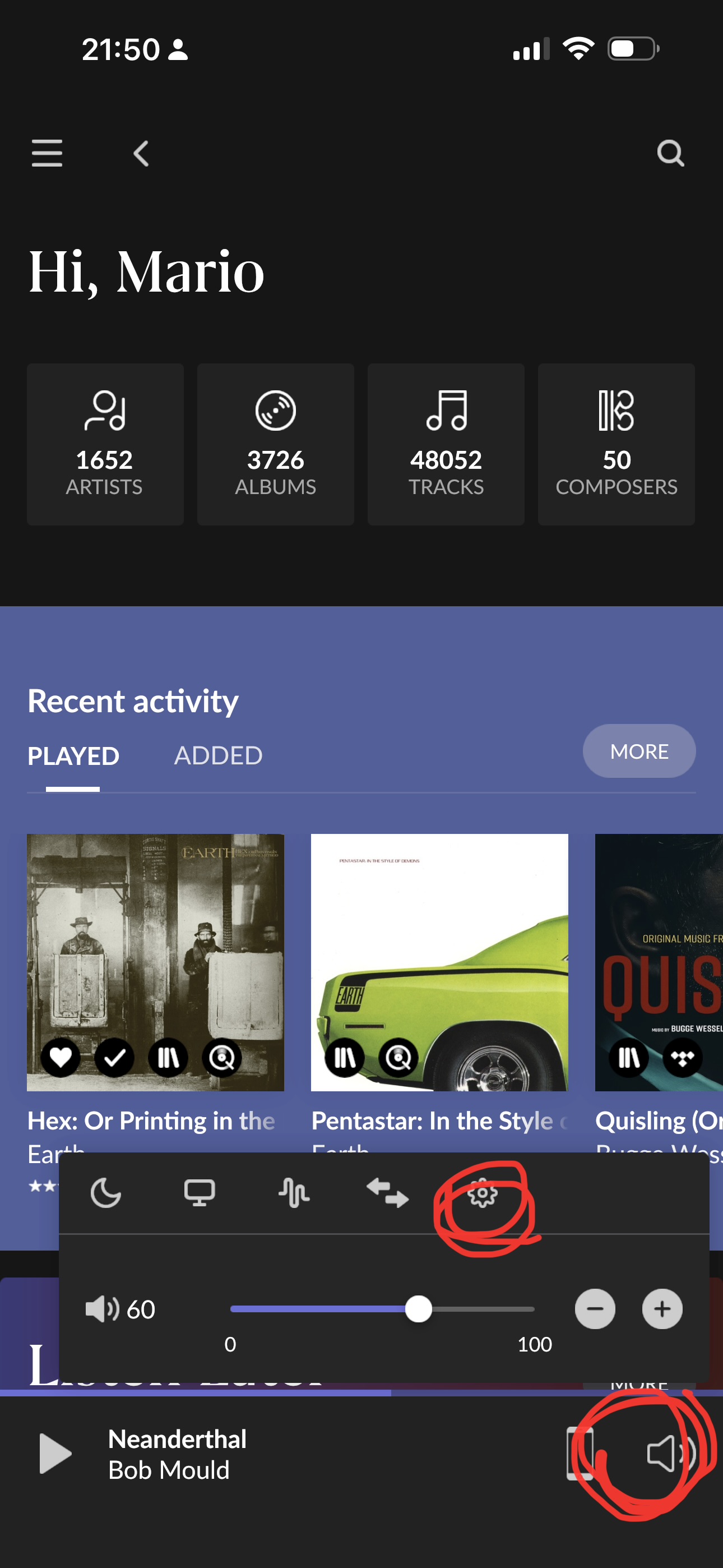
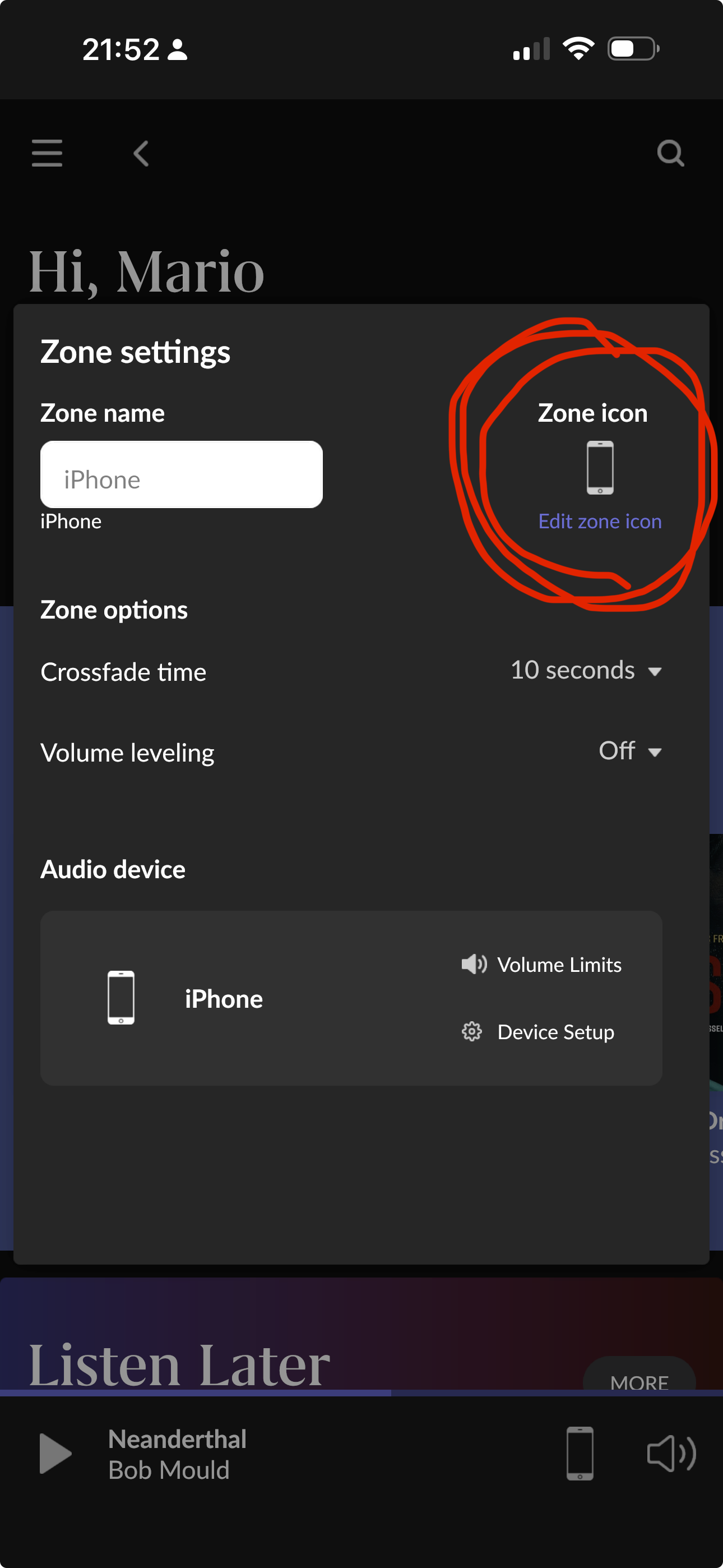
All said in subject, the Roon app indicates it is connected to my roon server (Synology NAS).
Shows all my other devices in the audio zone list except iPhone itself.
I can even play music from my iPhone client to another audio zone device (my PC) fine. It just never lists my iPhone as an available device?
If I do a scan to find all devices, I get no response or time out?
I’ve already made sure local network is enabled, however it is connected to my roon server, and lists all of my devices that I can stream music to, except my iphone itself.
By default, Phones and tablets are set as Private devices. You should be able to, on the phone, go to settings/audio Click on the gear for the phone listed. Go to device settings and then set Private Zone to Enabled. Once done, you should be able to choose your phone (as long as the Roon app (not ARC) is open) and play to it from your PC.
Ok.
I kinda got it working, I did enable it as your mentioned. However the icon displayed is wrong, in the audio zone window . It’s a ’ speaker’ not the iphone icon? However all else seems ok?
mjw
(Father! Father! Resist not! Let us destroy the core! Set us free!)
4
That’s easily changed. Click on the speaker icon, bottom right, and then on the gear icon. Finally, use Edit zone icon to change it to your preferred icon.