It is likely that the processor in your Roon Server is not powerful enough to do the convolution on DSD files.
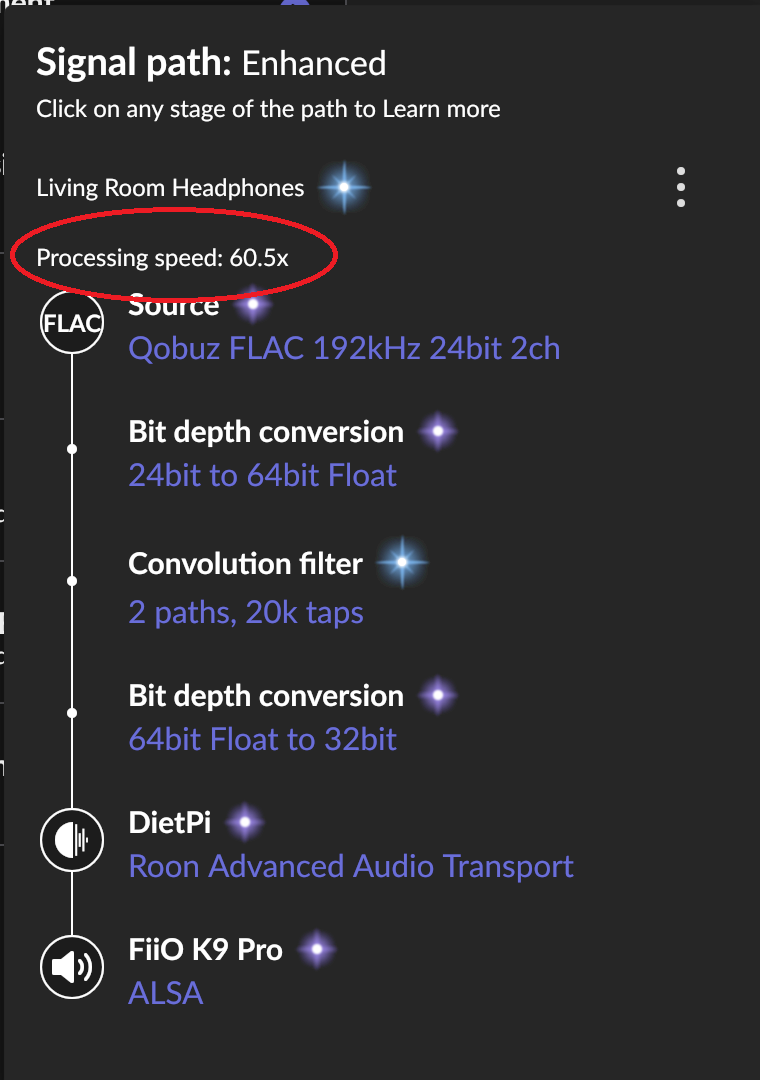
If you look at the signal path in the Roon desktop or remote, you should see a value for processing speed. If this value is ever less than 1.0, then you are working (at least one core) of your processor flat out and it still can’t keep up with the processing that is being asked of it. In practise, the value moves around a bit and instantaneous peak values can be slightly lower than the value displayed so you should aim to keep this value above 1.3 at the very least (higher is better).
(Note: It only shows if the value is less than 100 - if it does not show, then you have no problem).
The image below does not show DSD but it does enough DSP to make the ‘Processing Speed’ indicator show:
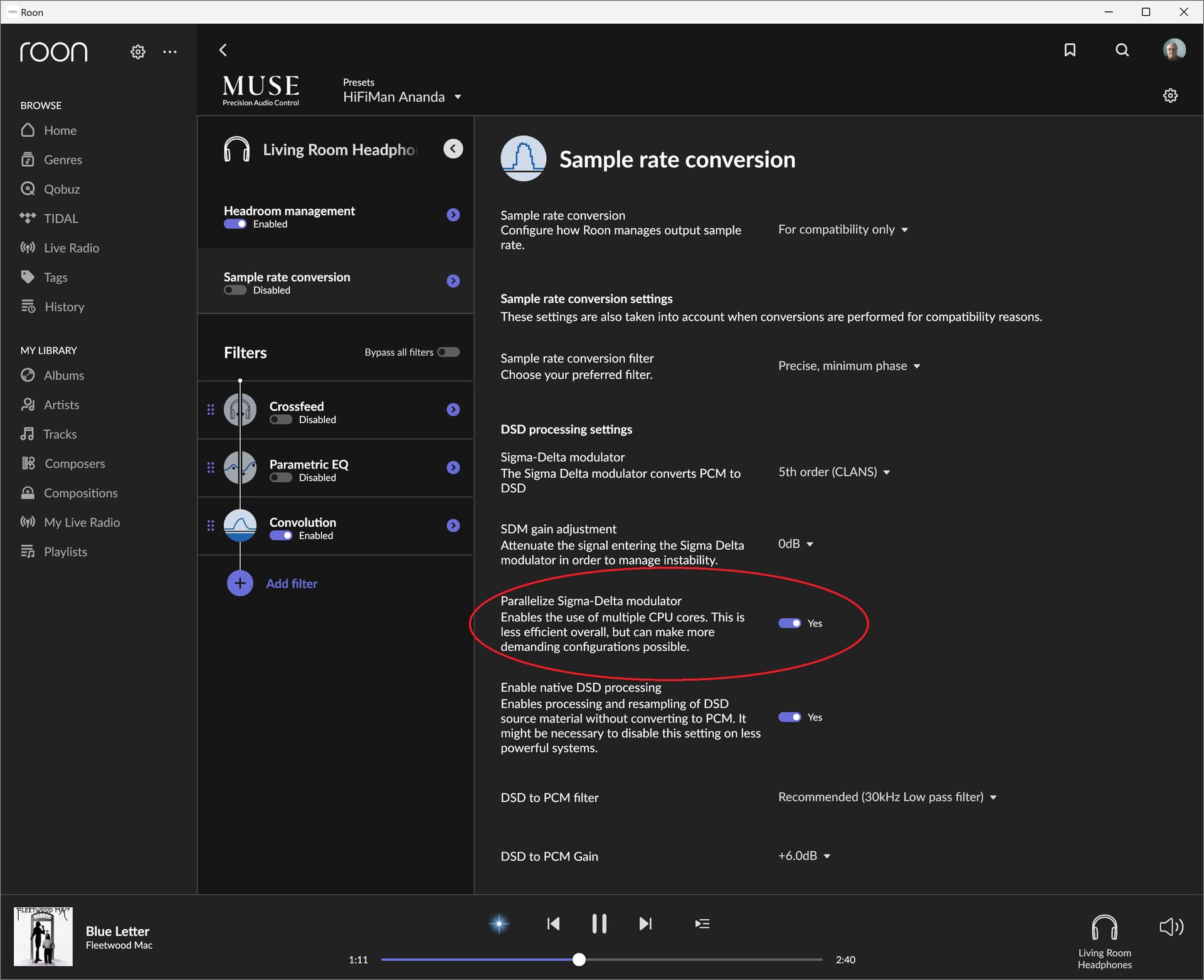
To apply the convolution filter, the DSD stream needs to be converted to PCM. If, after the convolution is applied, you are converting back to DSD (using the sigma-delta modulator), you may find that you can improve the situation be enabling “Parallelize Sigma-Delta modulator” in the MUSE/DSP sample conversion settings.
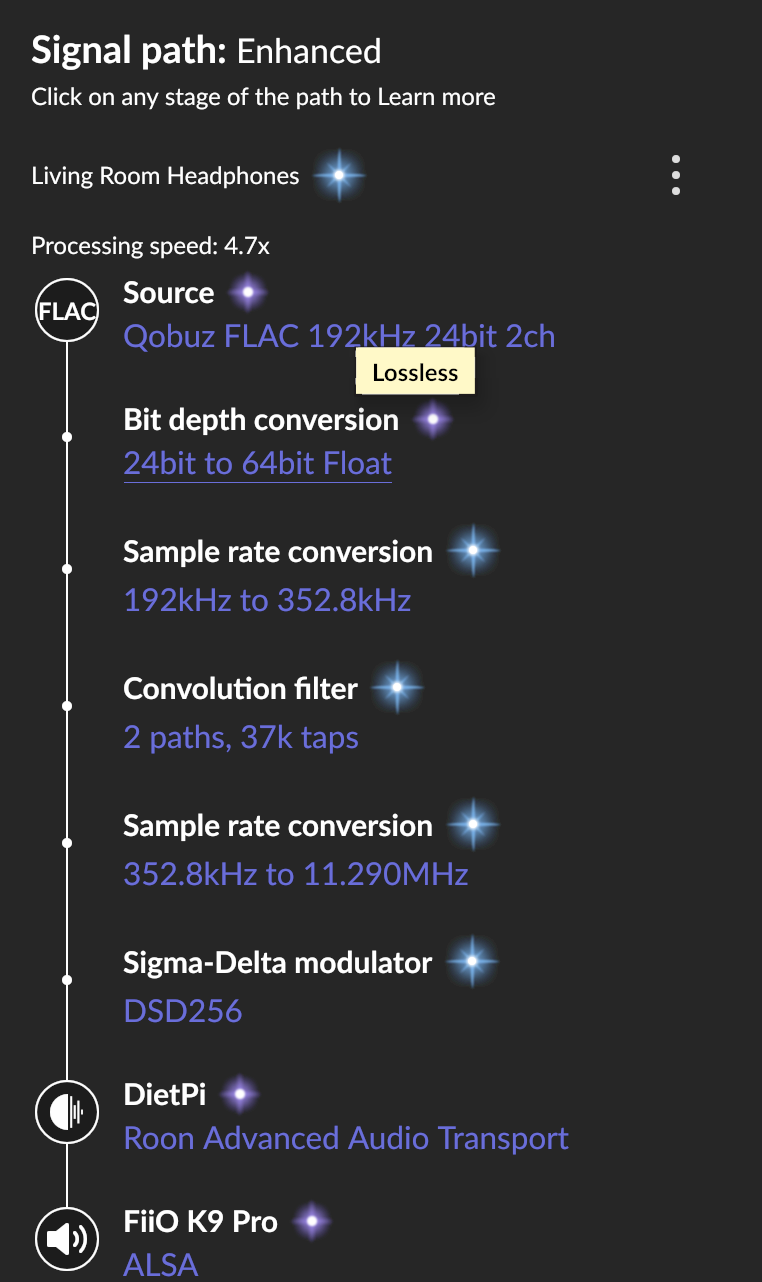
For example, with the source and convolution processing that I showed above, I then enabled conversion to DSD256 and saw the processing speed from from ~60 to ~5:
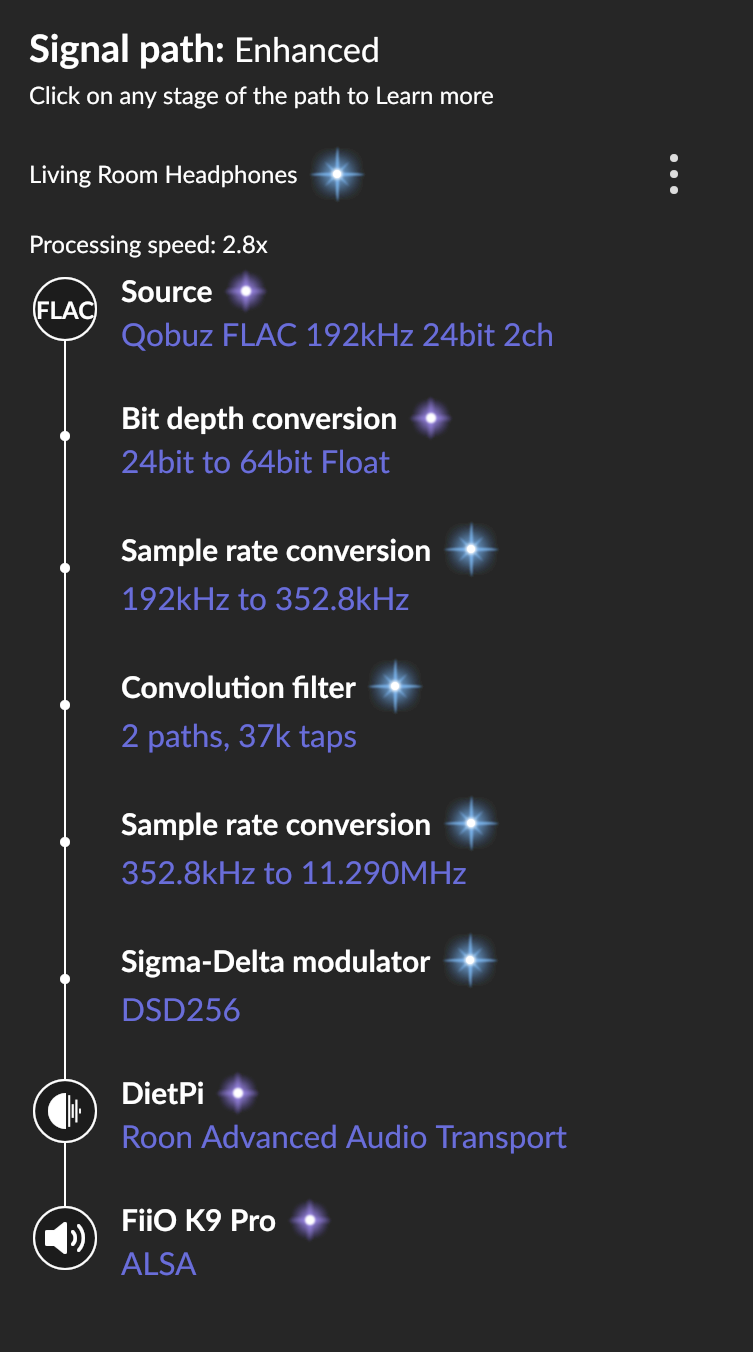
Subsequently, disabling the parallization of the Sigma-Delta converter reduced the processing speed still further - to ~2.8 - which is still ok - but this processing chain does not include the DSD to PCM conversion that your processing chain will have.