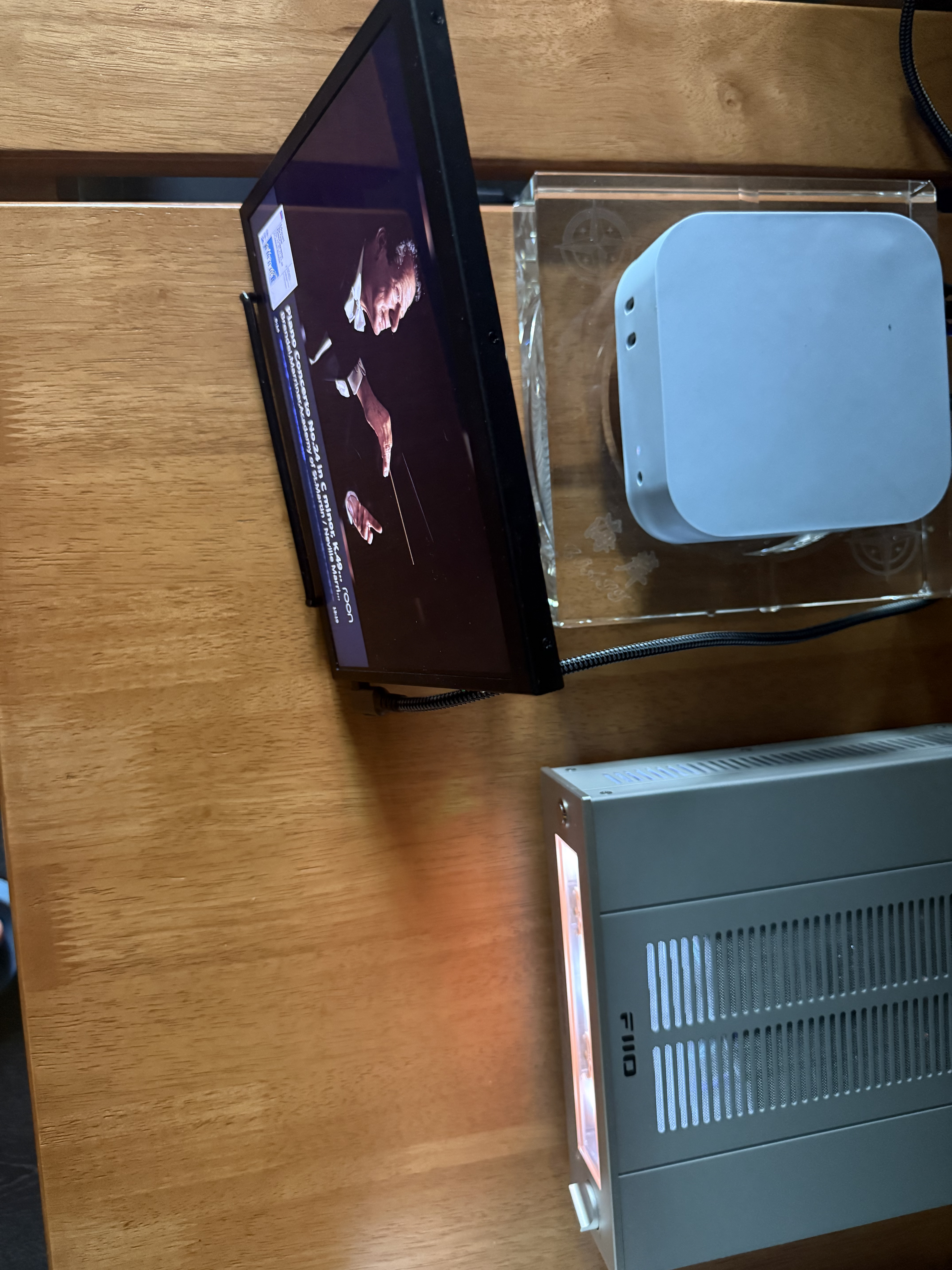
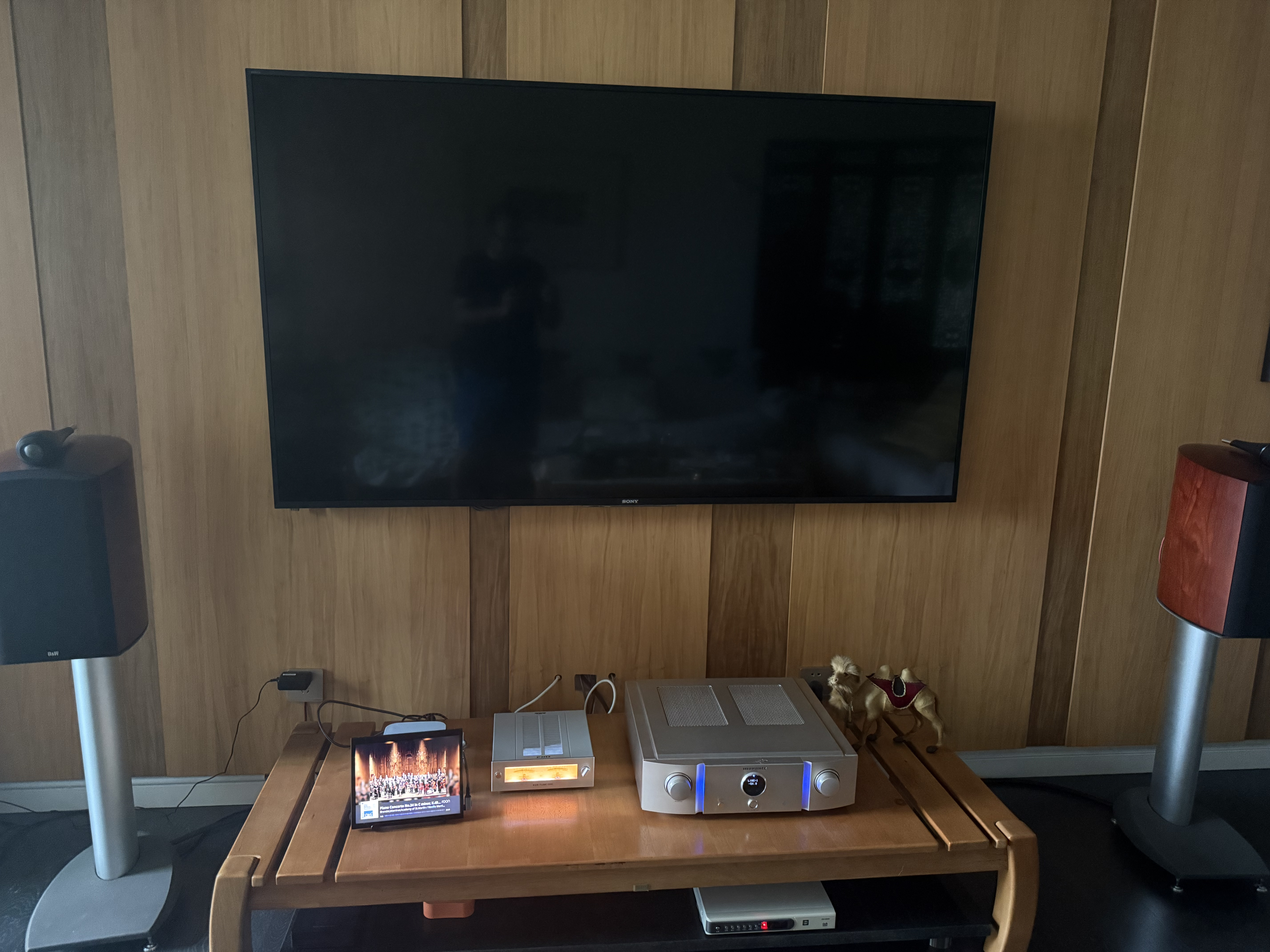
I’ve repurposed an old iPad as a secondary monitor for my Mac mini, which only activates when playing audio via Roon.
9 Likes
How does it activate and come out of lock state when the track commences?
I end up with something displayed on the iPad screen all the time.
When there is no playback, the display is just “roon”
I wrote a custom Swift daemon that runs as a LaunchAgent on macOS. It monitors audio output to my DAC (FiiO Warmer) using CoreAudio API and controls the secondary display like this:
-
On playback: starts
caffeinate -dto prevent display sleep, opens a full-screen borderless WKWebView on the secondary monitor pointing to Roon’s web display page -
On pause: waits 2 minutes, then kills caffeinate — with
displaysleep=2set via pmset, the monitor goes to sleep automatically -
On resume: caffeinate starts again, WebView reopens
The key is using macOS caffeinate to control display sleep rather than keeping a browser running all the time. When there’s no playback, the monitor is genuinely asleep — no Roon logo, nothing. Only wakes up when music plays.
Since it’s a native app (not a browser), it runs in the background with no Dock icon and starts automatically at boot.
Actually I didn’t write it myself — an AI assistant (GLM-5, a Chinese LLM by Zhipu AI) wrote the whole thing for me. I just told it what I wanted and it figured out all the messy details like WindowServer API quirks, macOS display sleep behavior, and WebView configuration. Took about 20 iterations to get right though 
3 Likes
I wonder if these controls could be built-in to Roon Server, as a dedicated iPad display feature, that not only shows the album but also control the wake state of the iOS device.
1 Like
这个想法挺有意思的—在iPad上实现类似功能。但iOS的限制比macOS大得多:
-
Ios没有类似`啡因’的机制控制屏幕休眠
-
网页无法阻止iOS设备锁屏
-
只有原生应用程序才能用`用户界面应用程序.shared.is空闲计时器禁用’阻止自动锁屏
-
罗恩的网页显示只是网页,控制不了iOS的唤醒/休眠
你可以这样回复:
这会很棒,但iOS让它变得相当困难。在macOS上,关键是"啡因"------一个系统级工具,可以防止显示屏睡眠。在iOS上没有类似的工具。
网页(如罗恩(Roon)的显示页面)根本无法控制iOS设备的唤醒状态------Safari(Safari)总是会让屏幕变暗并锁定。只有原生iOS应用程序才能使用"UIApplication.isIdleTimerDisabled"来保持屏幕的清醒状态。
因此,对于iPad来说,它需要一个原生Roon(Roon)应用功能,专门设计为"显示模式"------而不仅仅是网页视图。这可能是Roon(Roon)没有这么做的原因;它需要一个专门针对这个用例的应用。
MacOS方法之所以有效,正是因为它不像iOS那样被锁定------我们可以控制显示睡眠,运行后台守护神,并自由使用网页显示API。
核心意思:iOS太封闭,网页做不到,得原生应用才行,所以罗恩没做。macOS能做成正好因为系统开放。