My older LG TV just got webOS 24, which now provides built-in Chromecast support. I can now use my LG TV as a Roon Display which is nice (I no longer have to switch inputs to the plugged in Chromecast). Just wanted to share in case anyone finds this info useful.
6 Likes
my LG 4K 65 inch is a 2018 model. Doubt they will go that far back but it would be nice to have.
From what I read I think they are only going back to 2022 models (mine just made the cutoff)
do they list what specific models will get this rather than the year ? wondering if mine will qualify.
Here’s what I found (I have a G2):
The webOS 24 upgrade will be staggered globally, primarily focusing first on the OLEDs, including the C2, G2, LX1 and LX3. Additional 2022 TVs will be granted access to the webOS 24 upgrade over the next few months.
Several new features now arriving on 2022 LG TVs via firmware version 23.20.56 include support for both Chromecast and Dolby Vision Filmmaker mode, as well as Always Ready screensavers and more.
It’s a nice update, though the ‘Gallery’ screensaver app was removed and replaced with ‘Always Ready’ in its place which took me awhile to figure out (it’s like having a big piece of art on the wall).
Ugh. I tried this, but it goes to a screensaver after just a few minutes. I can’t see a way around this.
This seems to be the same issue as with Google home Displays.
I haven’t tried my C2 yet I will try it later as I have not tried it yet
Ok I have tried this now and got the same issue. I have done some googling to try and find a work around.
It looks like an issue with how LG force’s on a screen saver that cannot be disabled, unless a video is playing.
@timmo Is yours still working? Are you on WebOS 25 now?
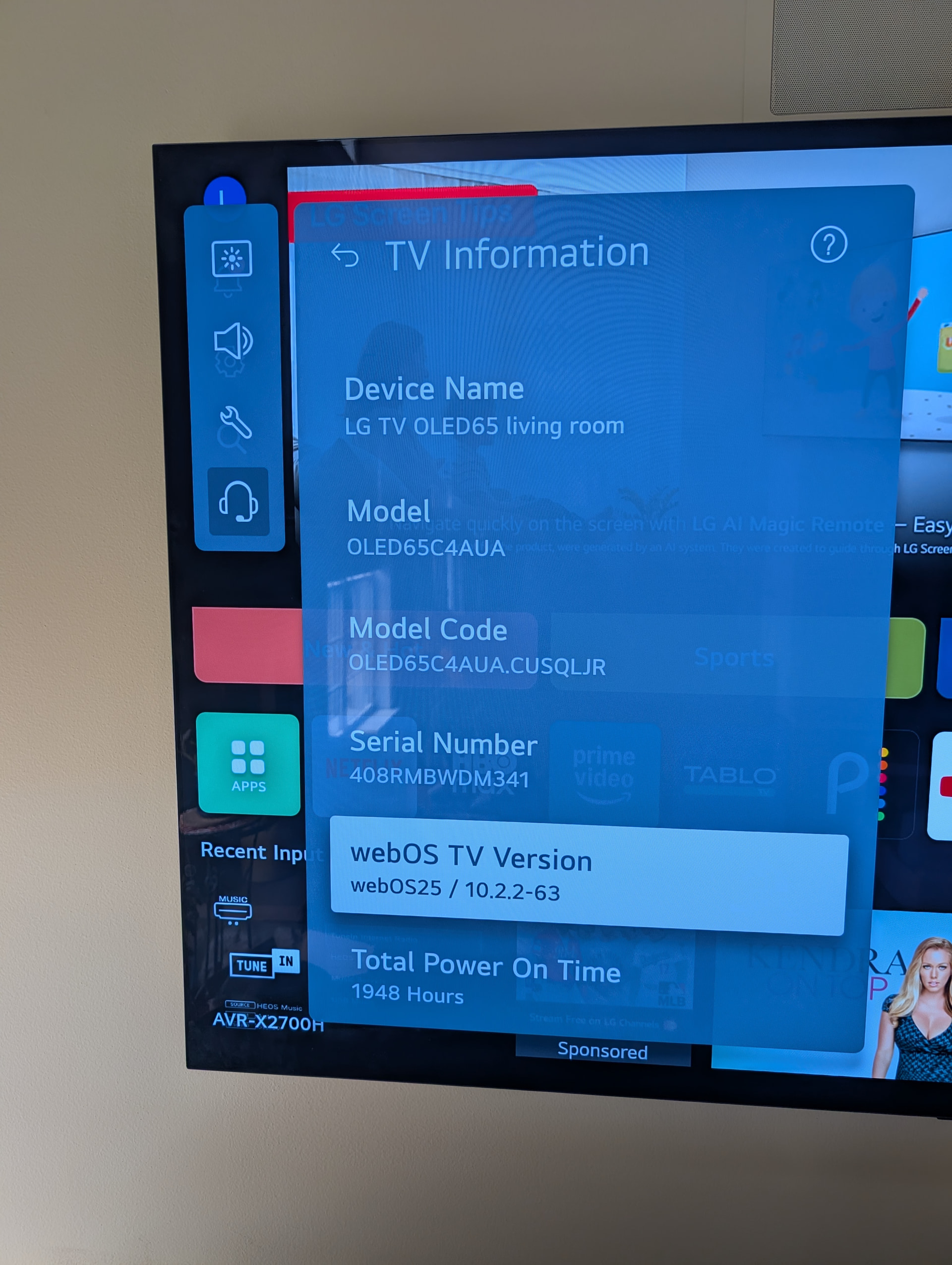
Trying to see if I can get some help here rather than start a new topic. I’ve got an LG OLED 65” TV running WebOS 25. See pic below. I’ve got two other TVs in the house with Chromecast “dongles” on them and Roon sees them and I can enable them just fine.
The LG TV in question with WebOS 25 supposedly has Chromecast built in. I can’t get Roon to display it under Settings/Devices. The TV does show up as an Apple AirPlay device and when I enable it I get a code on my TV to enter on Roon. However It never works as an AirPlay device.
Ultimately I’d prefer my LG TV to show up as a Chromecast device but it never does. Any advice?
If the “built in” Chromecast for LG Web OS is a no-go. Any help on making AirPlay work with Roon?
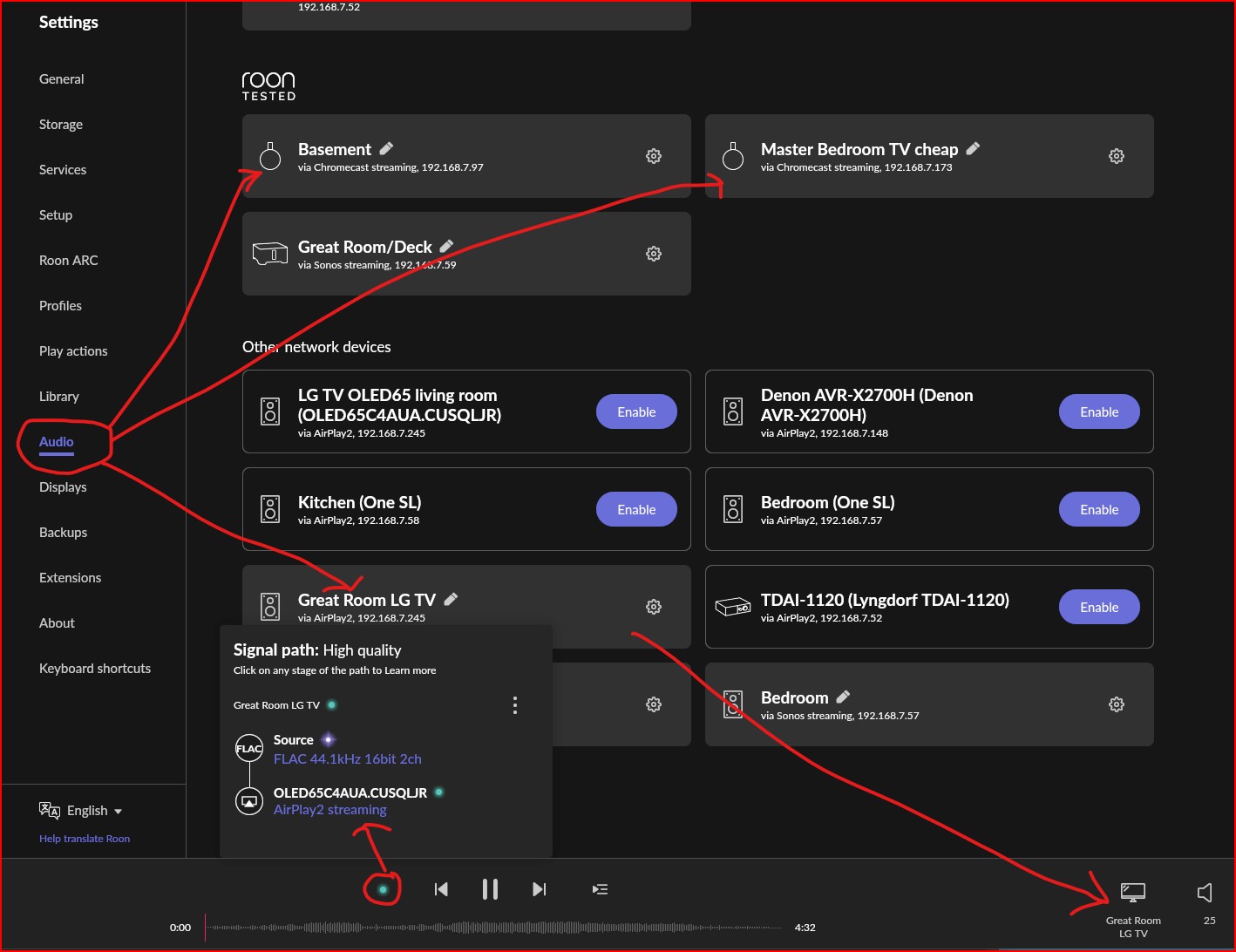
And here are my Audio device in Settings. Note you can see the two Chromecast Dongles but no LG TV there.
Also you can see the Airplay LG TV with what appears to be music playing and the signal path. However the music payer indicator never moves of 0.00 and nothing ever plays.
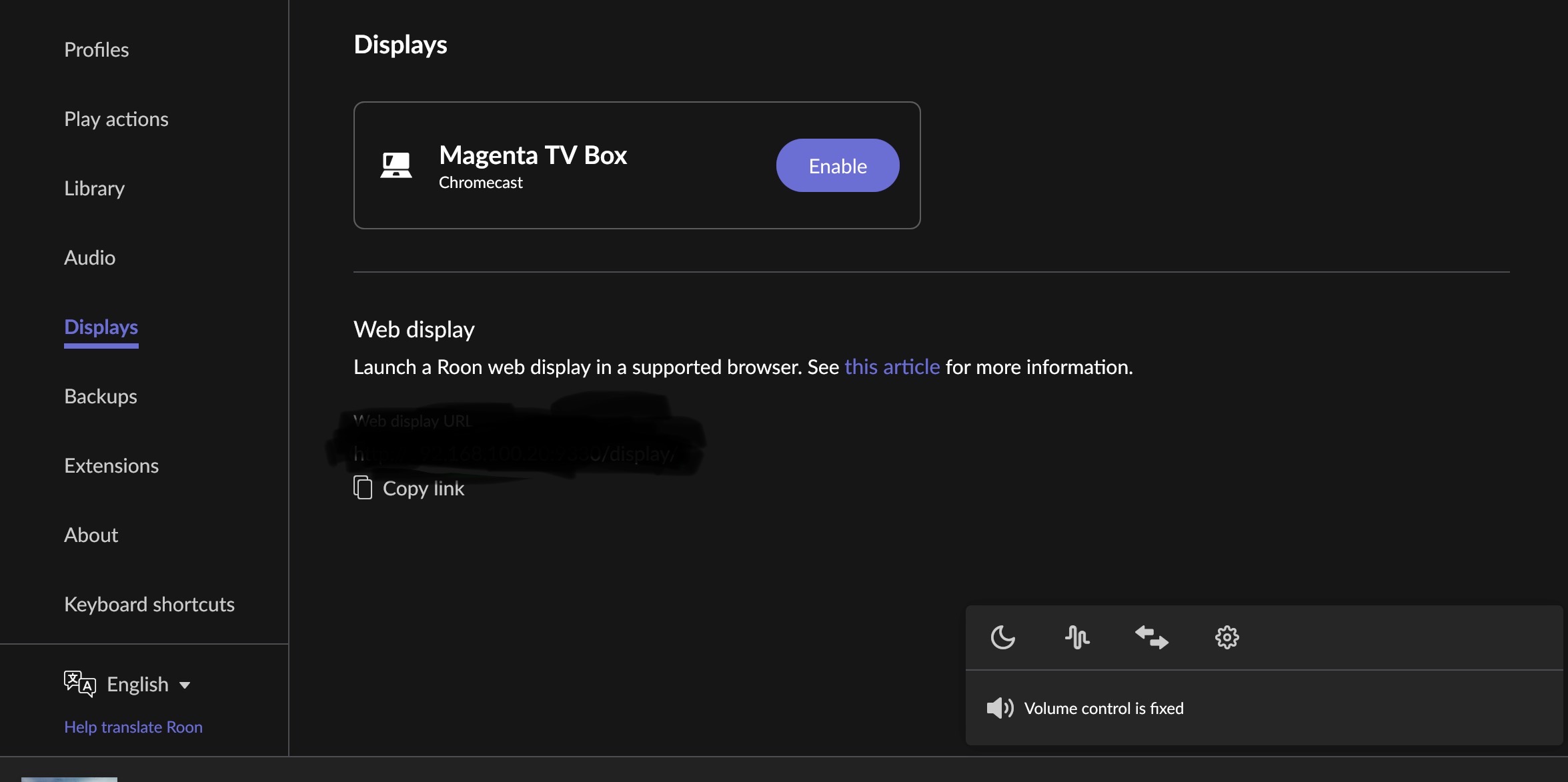
I’m not sure about Displays, I believe that just shows your currently playing stuff in the browser. I’ve messed with it a time or two.
In the Audio section of Settings I think the TV should show up there a chromecase device. My TV is connect to an AVR and in turn external speakers. I’d like to play Roon using my phone as remote but have the fully AVR/Speakers for sound AND have the display for artwork, etc. on the big screen. I’m 99% sure that is how the other Chromecast dongles work connected to my other TVs. Basically pone as remote with big screen display on the TV and whatever audio is connected to the TV…..typically much better then using phone as remote and playback. Make sense?
Roon does not recognise LG TV built in chromecast and it’s not the same case with AirPlay2. Again this is something to be addressed to ROON team to deal with.
1 Like
Sorry for the late response - yes, my G2 is on WebOS 25. It does not work anymore and I’m guessing it’s because of the OS upgrade. What’s strange is that you can still Chromecast to the TV from other apps like before the OS upgrade (e.g. Plex, Sirius, etc.), but for some reason Roon no longer recognizes it as a Display. It might have something to do with how LG is now utilizing Google Home(?) - something I’m not an expert on but is a change that I noticed.
1 Like
I get the exact same result as you when I activate the LG G2 TV Airplay for audio and try playing to it (just stays at 0.00). Strange behavior.
1 Like
Thanks so much for the two replies above. Greatly appreciated.
1 Like