Don’t enable anything Apple Intelligence related.
A few lingering things that come to mind are Spotlight related.
I guess if you don’t sign into iCloud services that could possibly prevent some random background activity as well.
Don’t enable anything Apple Intelligence related.
A few lingering things that come to mind are Spotlight related.
I guess if you don’t sign into iCloud services that could possibly prevent some random background activity as well.
On first run with a brand new machine, the M4 Max Studio will not do DSD512 with some of the more complex filters and DAC correction enabled. I was really hoping it would.
If my M3 Max MacBook Pro will do DSD256 with DAC Correction (I already know it will do DSD512 with all of the filters but without DAC Correction) I’ll return the M4 Max Studio.
Which one of these options would you use into a Holo May?
Hi George,
I’m using a M4 Max MacBook, which should be similar in performance with your M4 Max Studio.
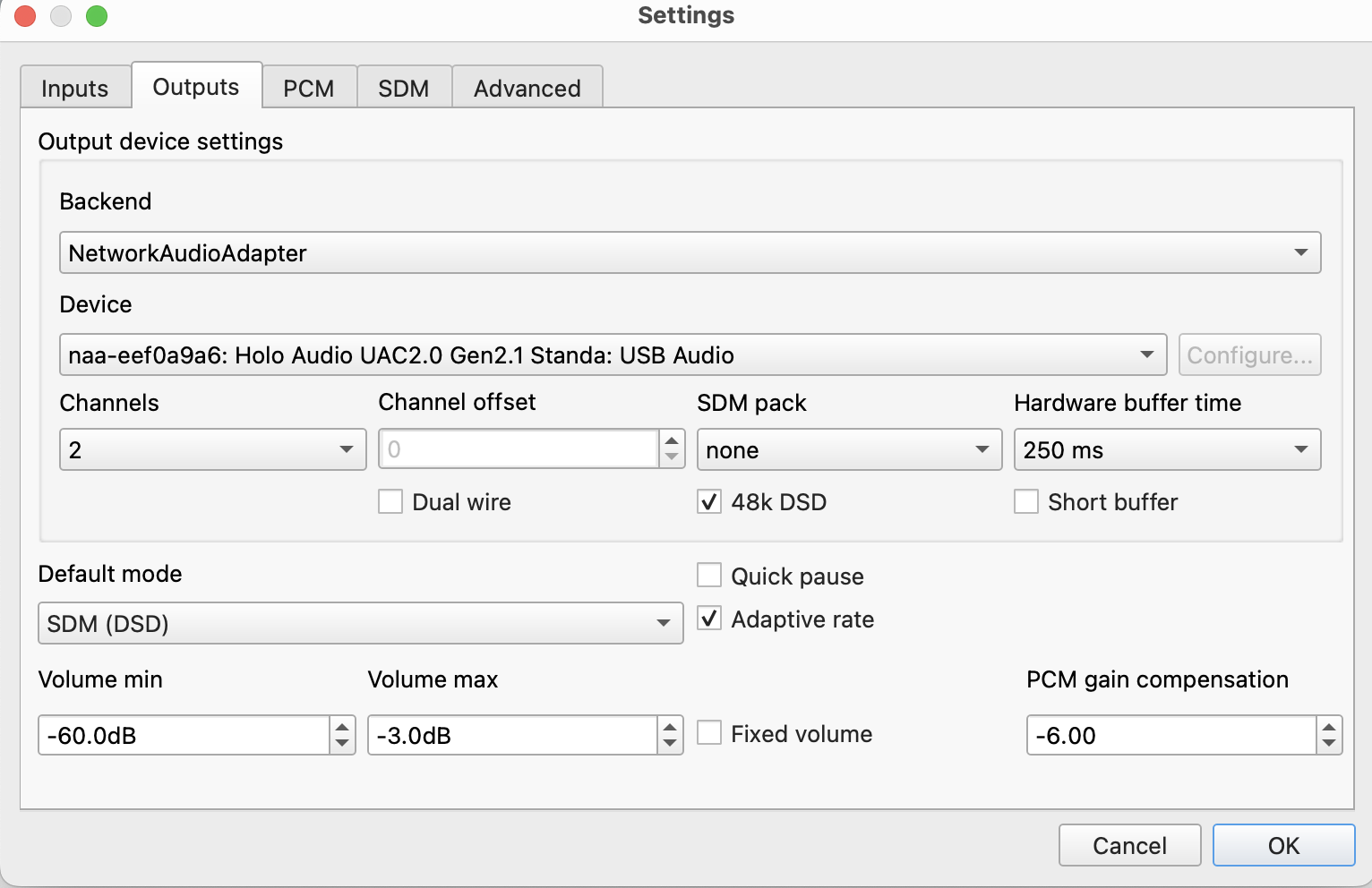
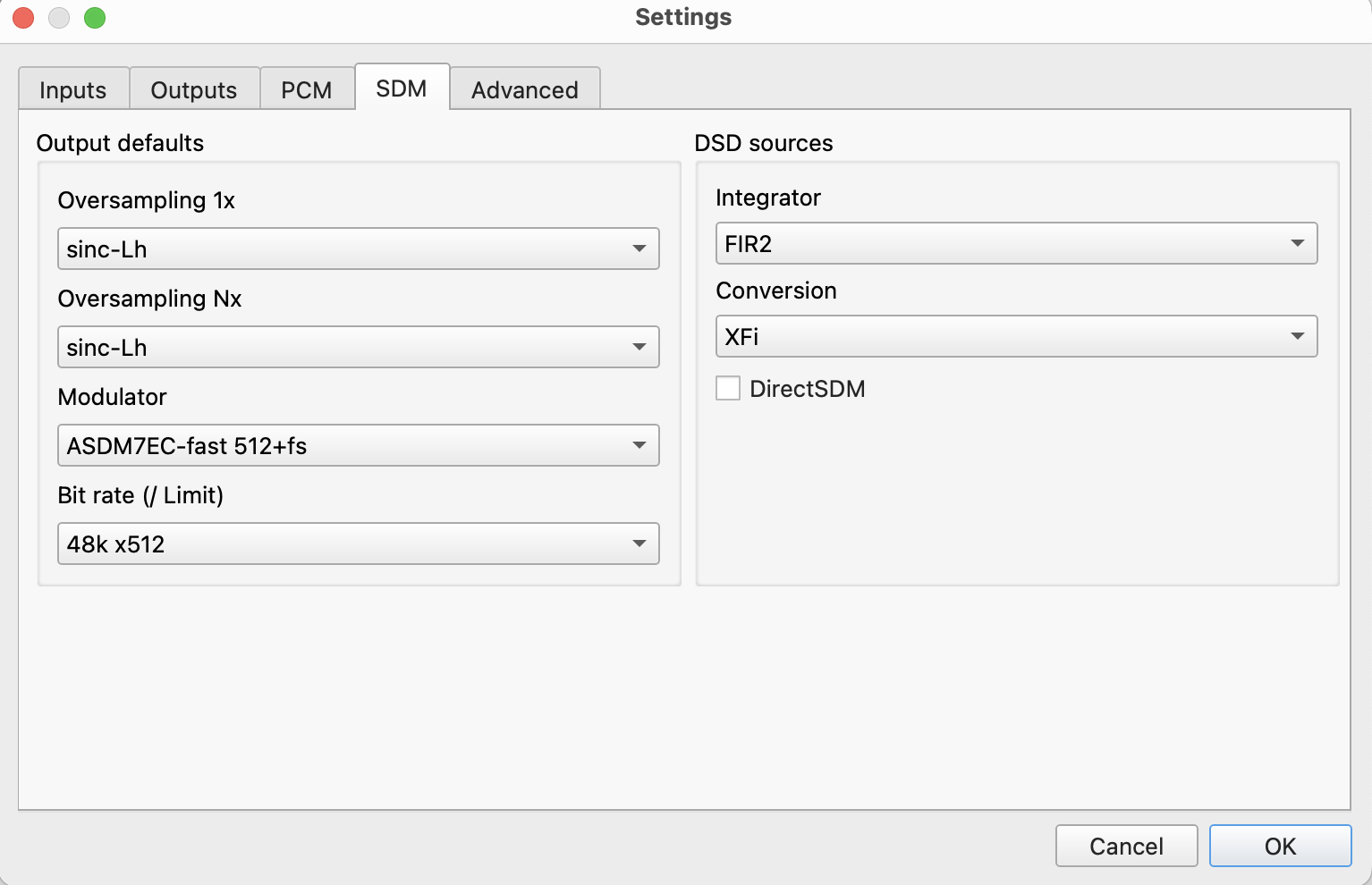
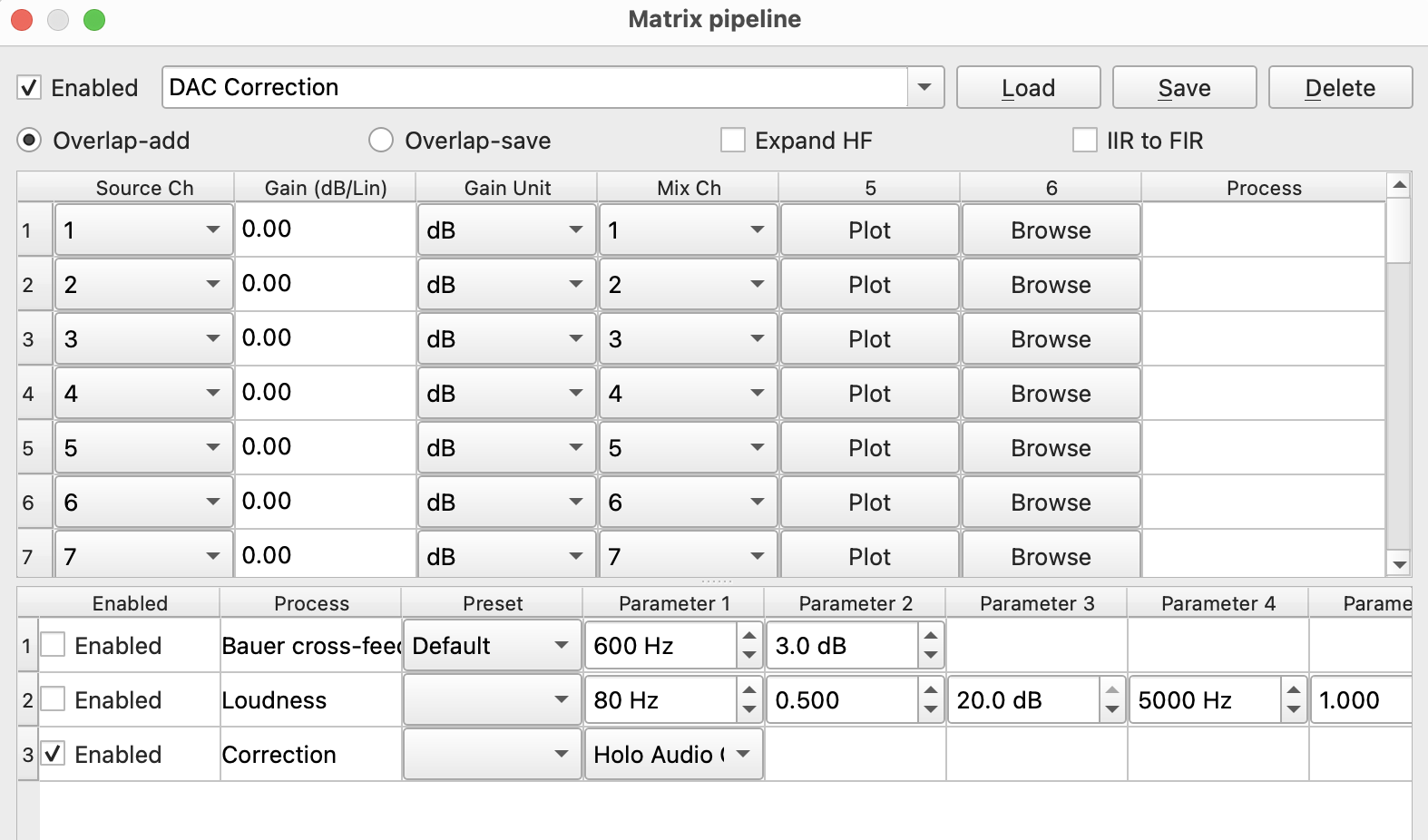
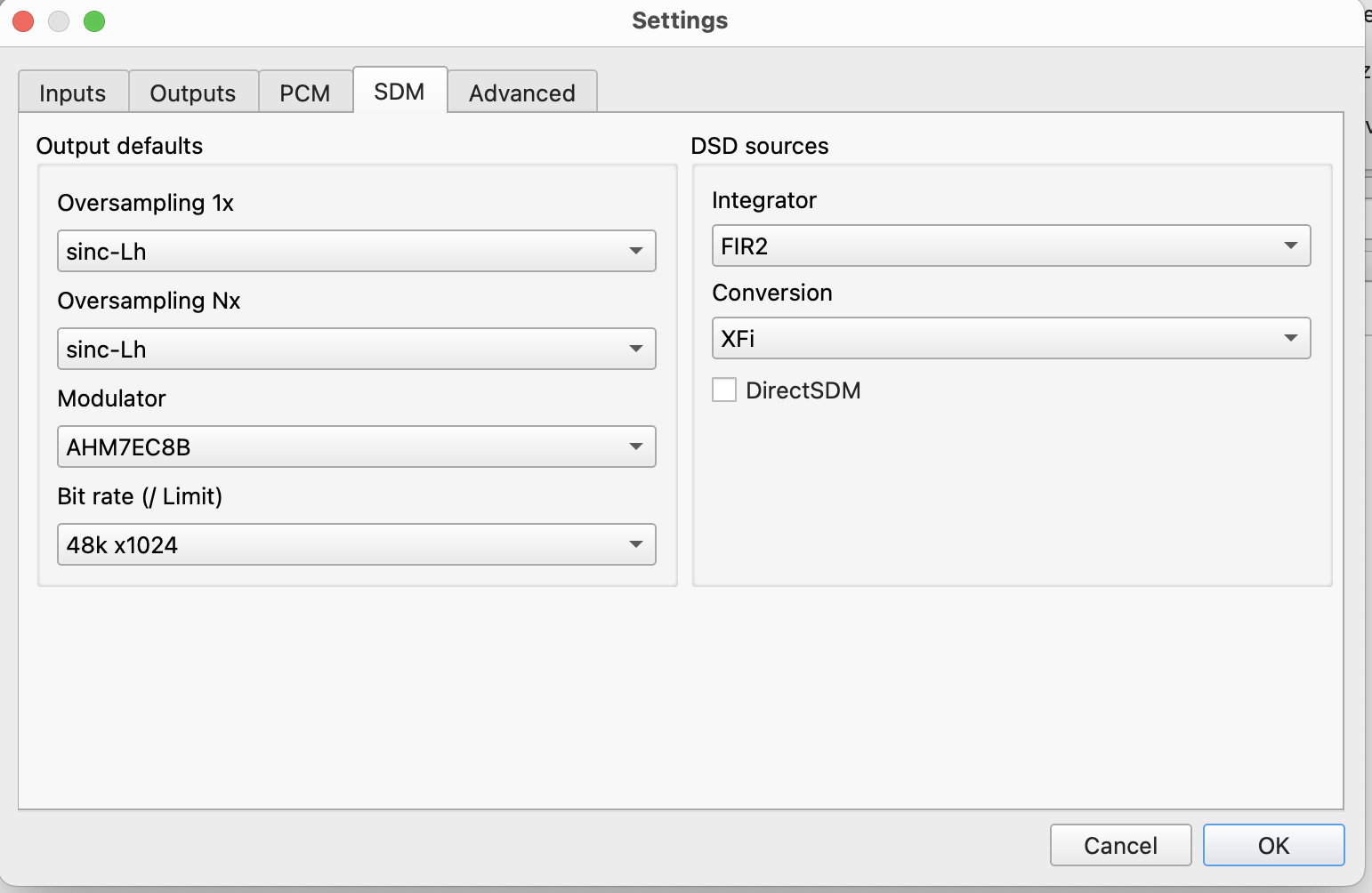
With Jussi’s new filters I can run 512x48 and Dac Correction with these settings:
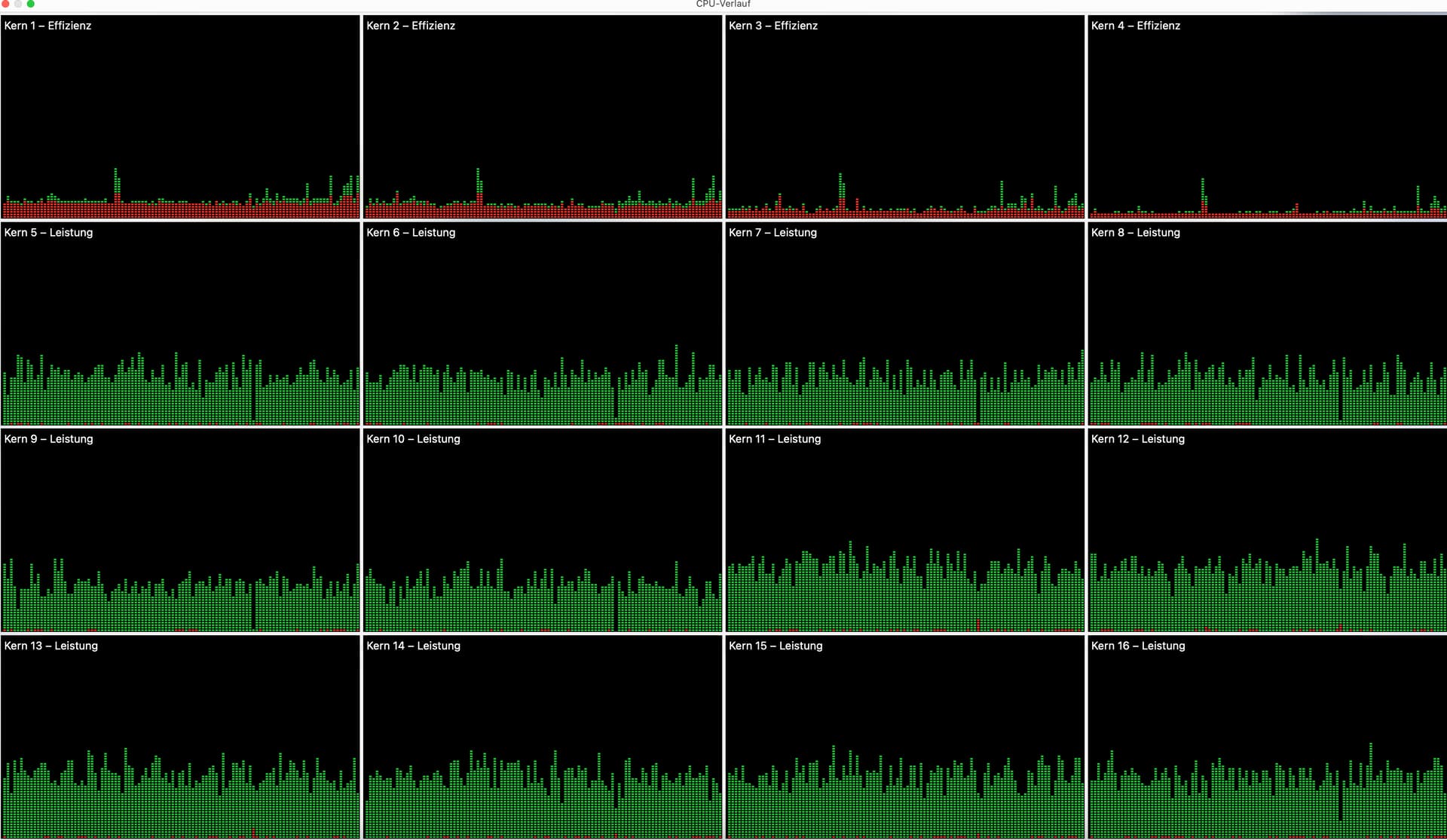
all Performance-CPU-Cores are used:
Also very nice 1024x48 with AHM7EC8B and sinc-Lh:
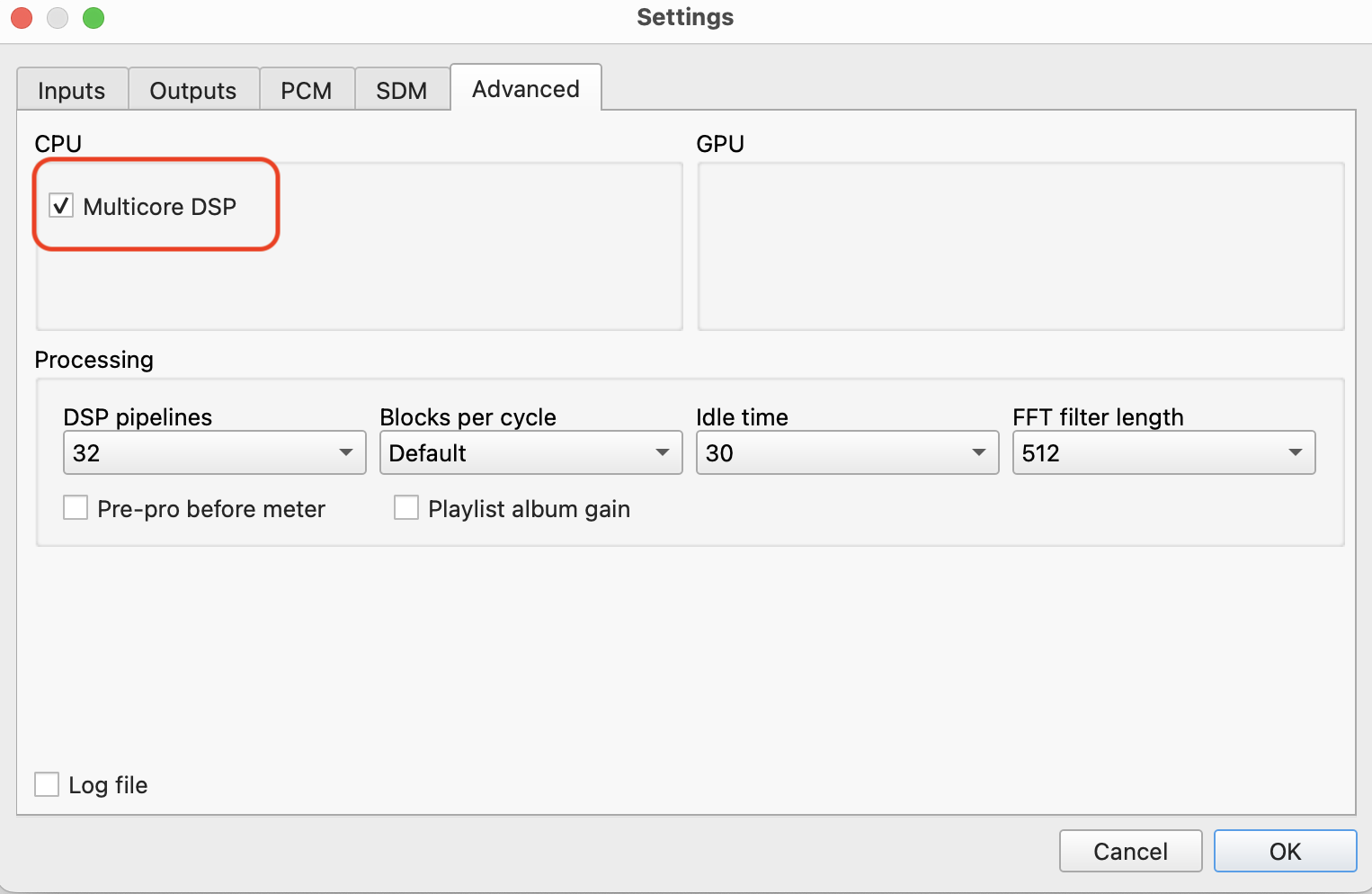
in this case on my Mac it was important to use the “check mark” for the setting “Multicore DSP”:

It seems that in this case only 6 CPU-cores are used, but it works fine:
Hi, @Brian_Tan when you tried this (x256 48K, dac correction, super), was your mini running anything else besides HQPlayer? (Eg Roon, miniserver)
I’m thinking of getting a base M4 mini to run HQP with Minimserver and JPlay, will be happy to get all filters working at x256 48K and dac correction.
Thanks
No, it was exclusively running HQP.
I’m looking at getting either the base Mac Mini M4 or a M4 Pro 12-Core CPU + 16-Core GPU, 24GB RAM.
Is there any real benefit to the latter for HQPlayer? I’d be looking to run DSD512 with DAC correction (Holo Cyan 2). My sense from the above is that I could just about achieve this with the base M4, but that I might be limited on filter choice. Thanks for any feedback.
Main difference is the filter choice, and capabilities on doing headphone or room corrections. So if your plans are to run something that is known to be particularly resource heavy.
One main focus area would be how much and what kind of DSD content you have. Since doing for example room or headphone correction for DSD256 source and get pretty heavy. These are areas where the bigger CPUs can help quite a bit.
Personally after a long set of explorations, I’m psyched I have the base M4 as my daily driver. It runs every filter under the book - if you’re willing to drop back to dsd256 for some of the demanding ones, and with Jussi’s latest shaper it can run dsd1024 with DAC correction. Your own preferences will determine what is “enough”. But for me the base m4 mini is plenty of monster enough. (Of course I also own a Dell T640 with two Xeon gold 6148’s 40c/80t & 384gb ram, so I clearly don’t know what is enough in some regards — virtualization in my case).