I’ve been building a Home Assistant (HA) dashboard that lets me control my entire house audio system while keeping Roon at the center of my listening experience.
I use Roon to browse and choose music, and Home Assistant to control where and how it plays. Together, they create the seamless experience I’ve always wanted: Roon’s beautiful interface for music discovery paired with HA’s total command of my Bluesound ecosystem.
⸻
Core Setup
• Roon Server manages all playback and metadata.
• Bluesound Nodes, Nano, and Hub serve as Roon zones and HA-controlled speakers.
• Home Assistant Dashboard acts as a color-coded, room-aware controller.
• Conditional logic handles grouping, AirPlay routing, and zone transfer.
⸻
Visual Design
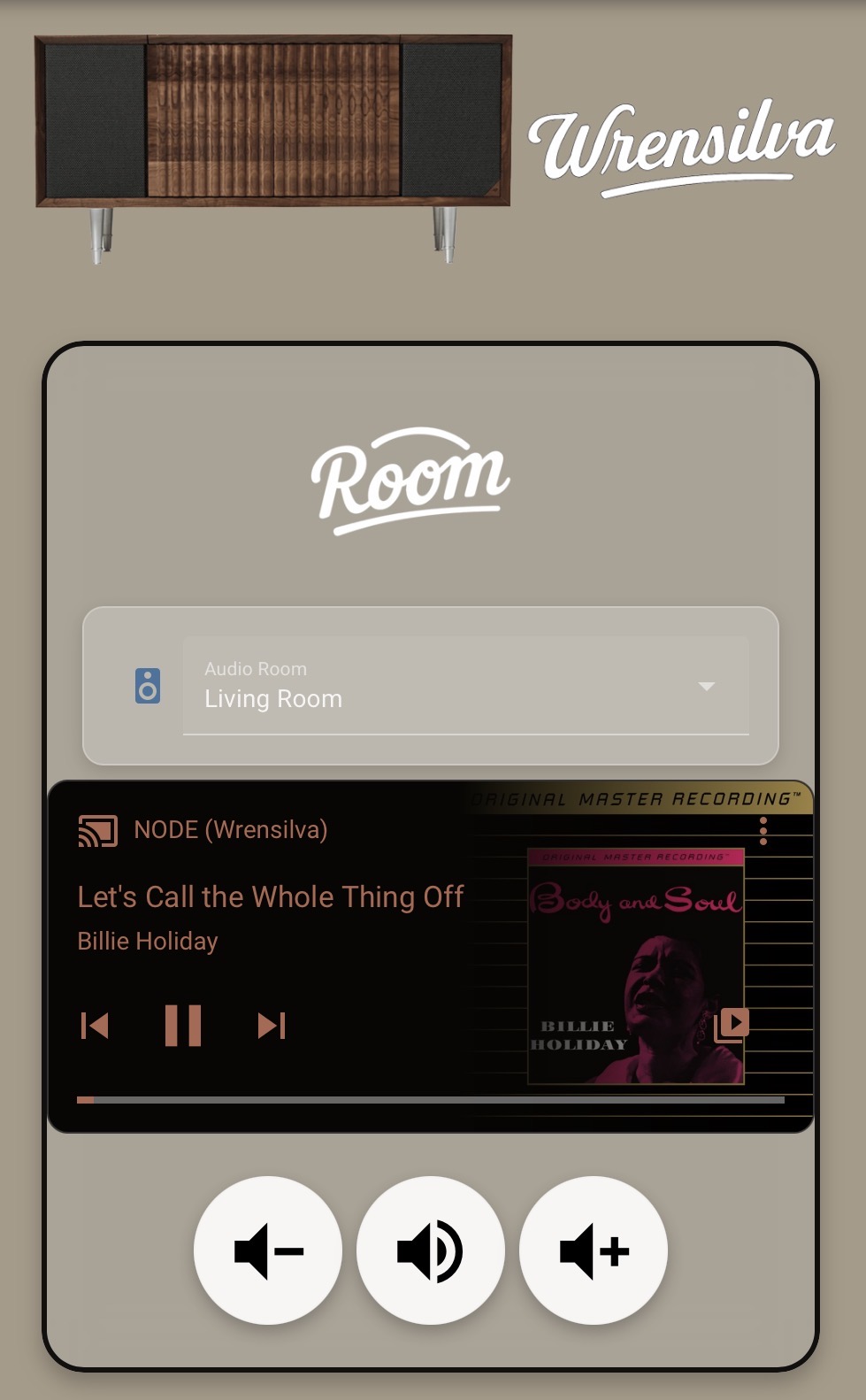
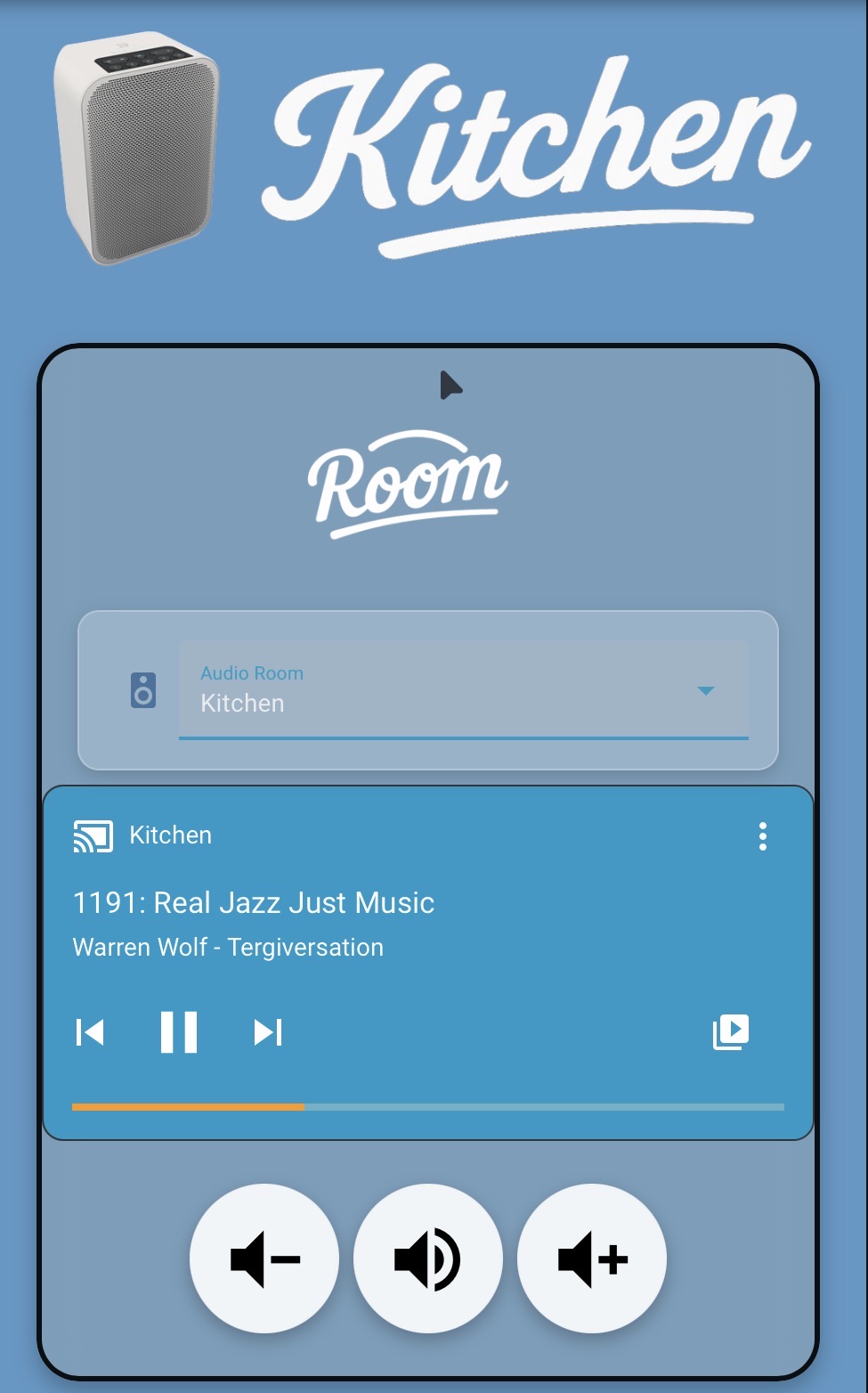
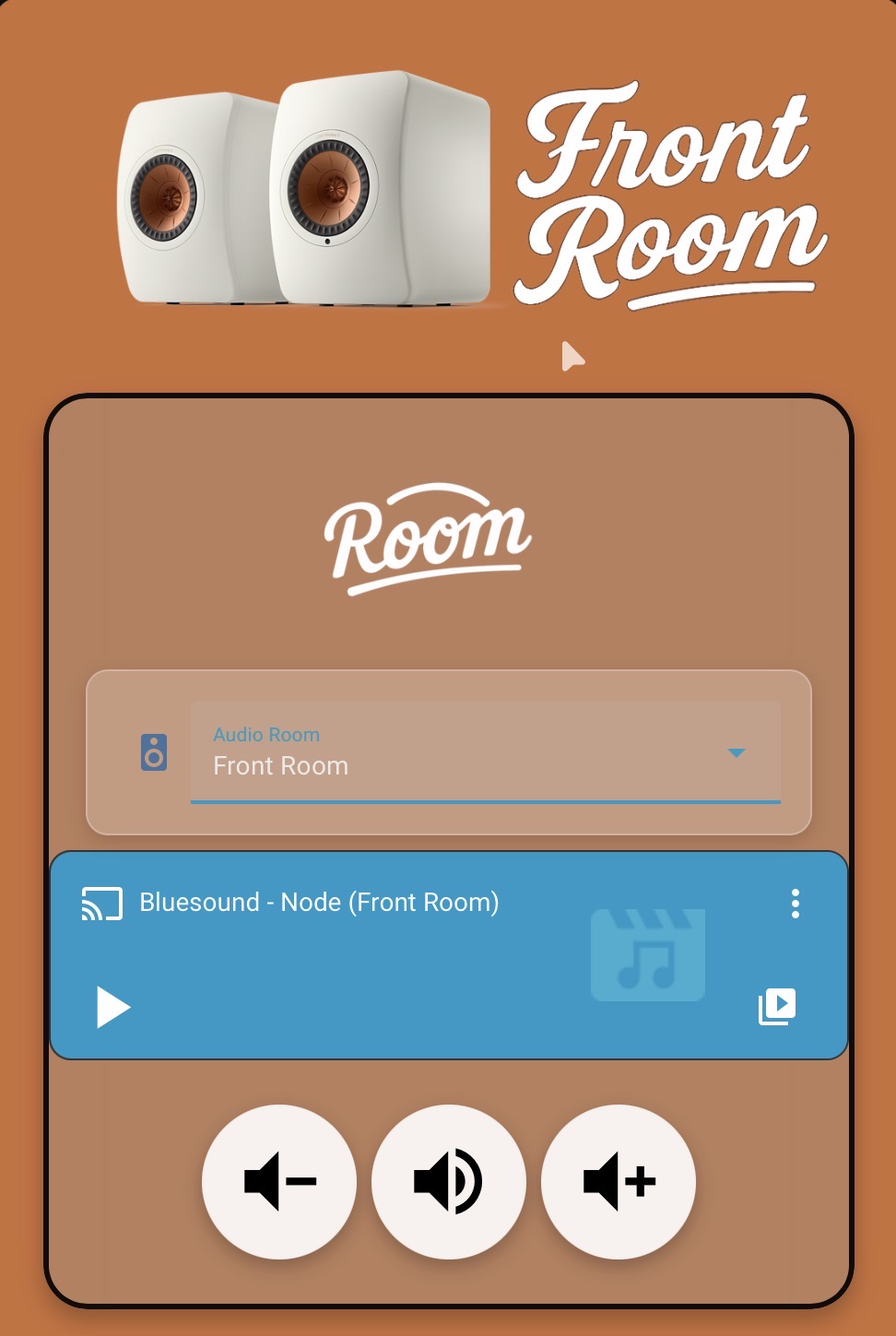
Each dashboard page is themed to match the actual wall color of the room. Every zone includes a photo of the speaker(s) in that space. When I switch rooms, the color palette and accents change, so the experience literally feels like moving through my home.
⸻
Functionality
• Full Bluesound control: play, pause, volume, grouping, and ungrouping.
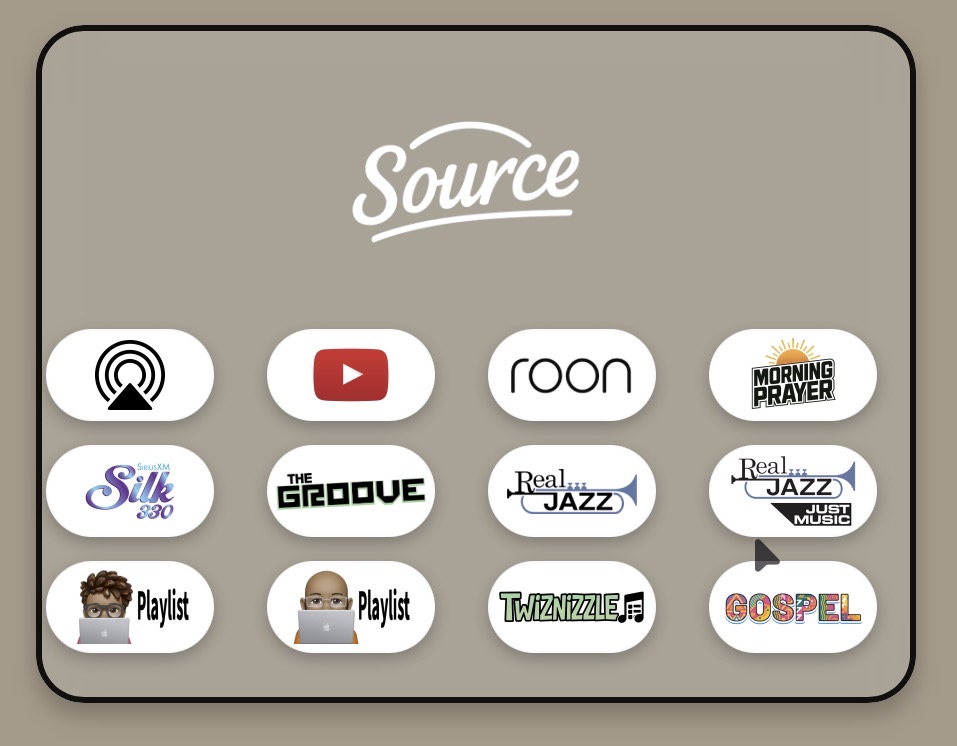
• SiriusXM integration for direct channel playback.
• Roon playlist triggers so I can start curated playlists or Roon Radio sessions without opening the app.
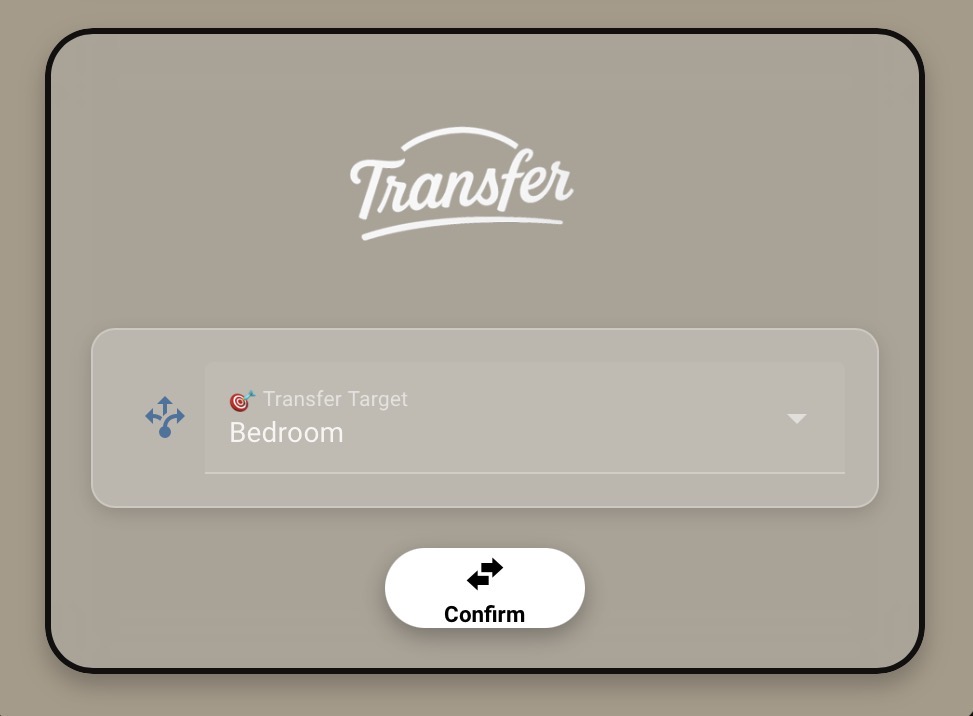
• Conditional “Transfer” card that appears only when Roon is active, letting me move playback instantly between rooms.
• AirPlay routing through a Bluesound Hub and WiiM Mini for quick iPhone streaming.
⸻
Roon Playlist Integration
I can start any Roon playlist directly from the dashboard.
Each playlist button calls Roon’s media_player.play_media service, so tapping a playlist begins playback immediately in the chosen zone.
My wife and I even have personal one-song playlists. They exist purely as Roon Radio seeds—when we tap one, that song plays first, and then Roon Radio takes over with a continuous stream of similar music. It’s the fastest way to start a personalized listening session without ever leaving Home Assistant.
⸻
Conditional Transfer Card
This card appears only when Roon is the current source. It gives me the ability to transfer active playback between rooms with a single tap.
If I’m listening in the Kitchen and move into the Living Room, one tap transfers playback seamlessly—no menus, no remotes, just flow. When Roon isn’t playing, the card hides automatically, keeping the interface clean and focused.
⸻
Grouping Logic and Color System
Grouping is where the dashboard really shines—both visually and logically.
Here’s how it works:
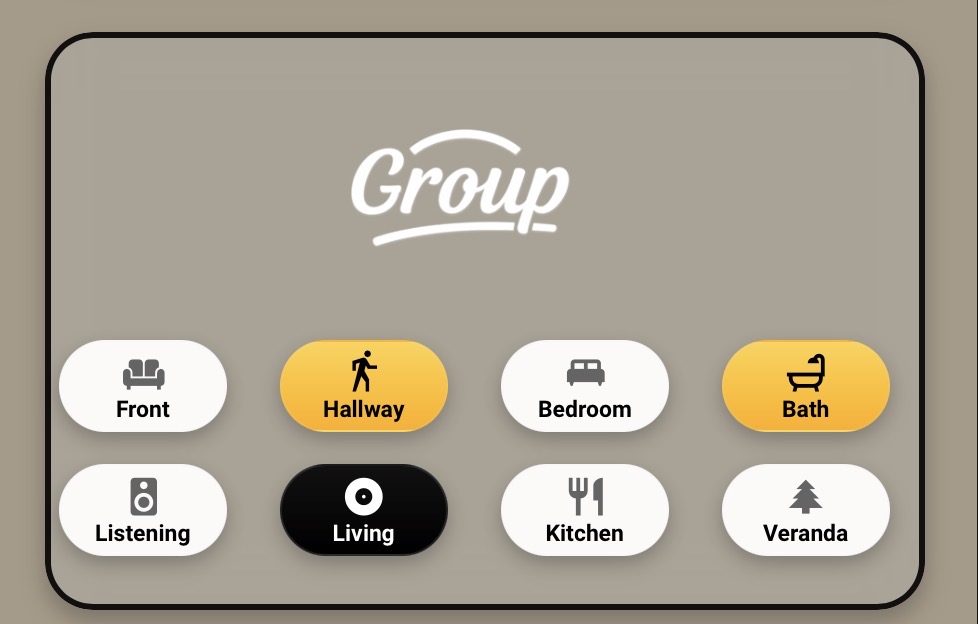
• The active (controlling) room is inverted in the group box—its colors flip to indicate leadership.
• Any room that joins the group turns gold, giving immediate visual confirmation that it’s linked to the master zone.
• Tapping a gold room again toggles it off, instantly ungrouping it.
At a glance, you can tell:
• Which room is the master (inverted theme).
• Which rooms are joined (gold highlight).
• Which are independent (neutral base color).
Behind the scenes, HA automations handle all the join/unjoin logic using simple service calls to the Bluesound integration. The effect is smooth, fast, and visually intuitive—you can literally see the music spread through the house.
⸻
iOS Shortcuts
Two custom shortcuts make the system effortless:
1. YouTube Shortcut
Connects my iPhone to the WiiM Mini via AirPlay, opens YouTube automatically, and allows my wife to just choose a video and play—it streams through the house instantly.
2. Roon Shortcut
Launches Roon directly from the HA dashboard, perfect for browsing or tagging new music on the fly.
⸻
How It All Works Together
Roon is the brain—the musical curator and library engine.
Home Assistant is the hands—coordinating speakers, sources, and zones across the house.
I can browse and start music in Roon, then switch to HA to manage where it plays, how rooms are grouped, and even what the interface looks like—all in real time.
This setup has made Roon feel less like software and more like part of my home. It’s visual, physical, and personal—an interface that matches how we actually live with music.
If anyone wants YAML examples for the source and playlist grids, grouping logic, or conditional transfer controls, I’m happy to share snippets or screenshots.