I’ve just spent a couple of hours getting to grips with Box sets and put my Van Der Graff Generator Box Sets into the box set feature - seems to work well - but is time intensive unpicking the albums from how they are on my database.
Fred
I’ve just spent a couple of hours getting to grips with Box sets and put my Van Der Graff Generator Box Sets into the box set feature - seems to work well - but is time intensive unpicking the albums from how they are on my database.
Fred
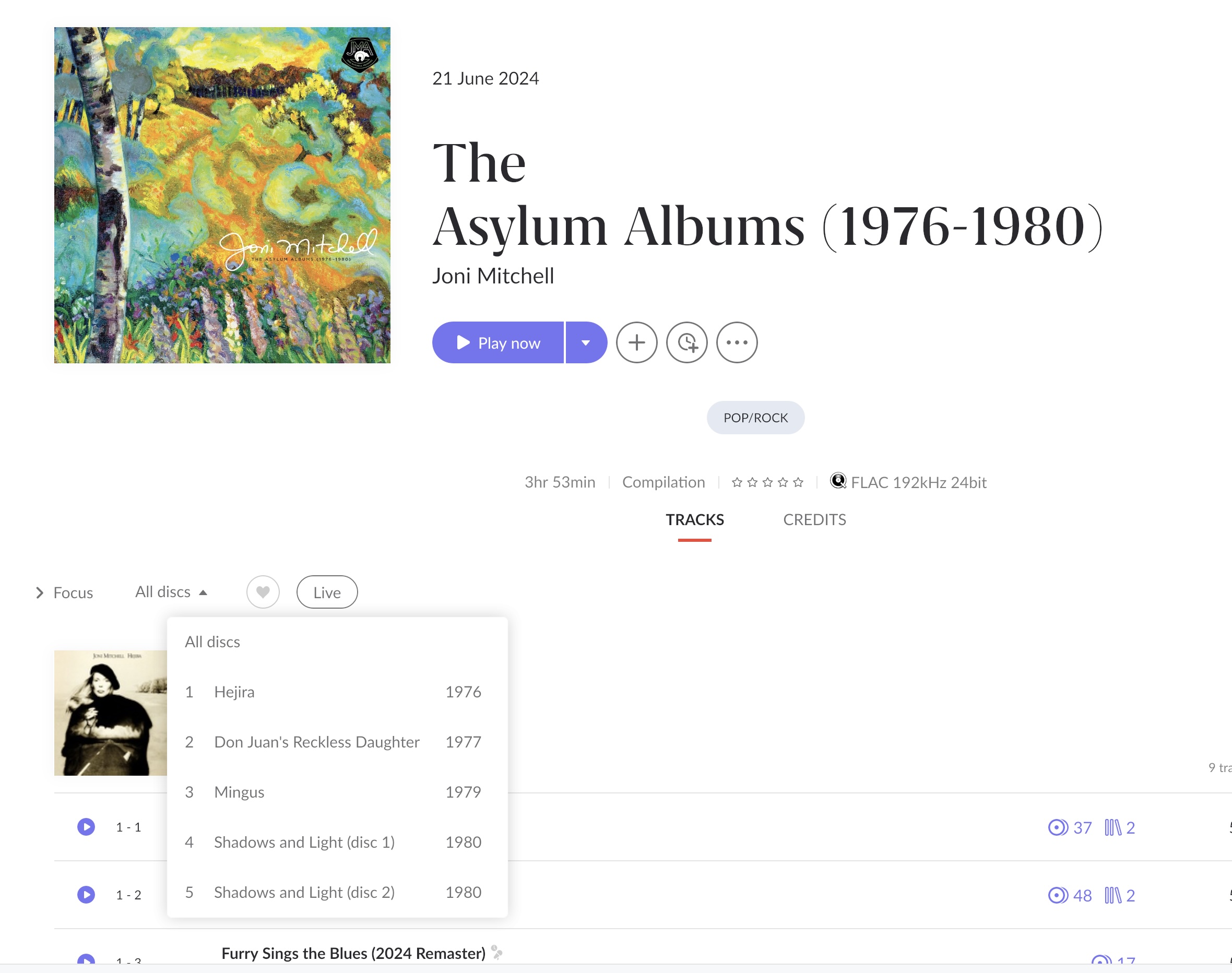
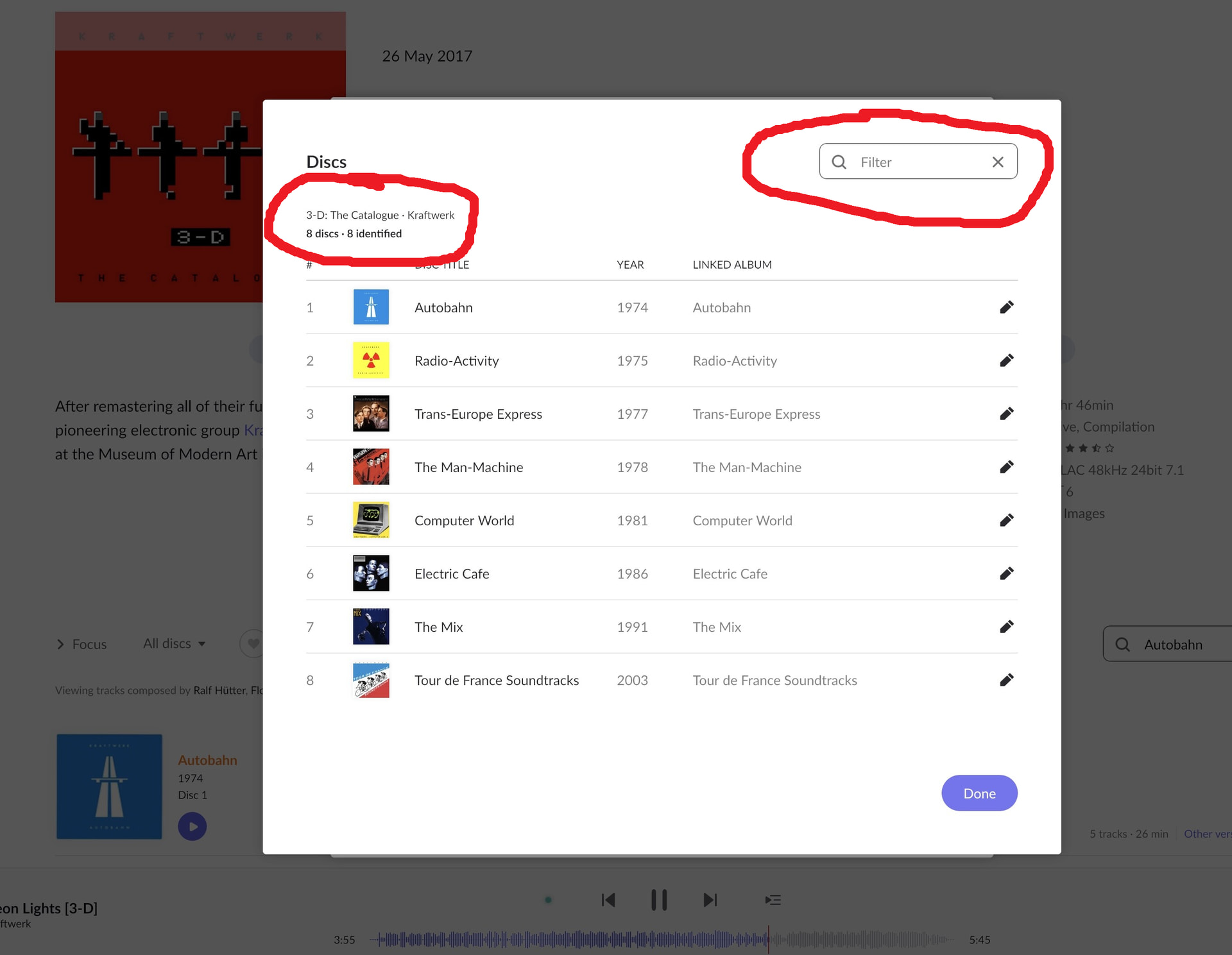
This is not necessary if the set of metadata that is available to roon during album identification procedure, offers a version that recognizes the different discs/albums on each disc. Doesn´t even need folder artwork in this case. Example:
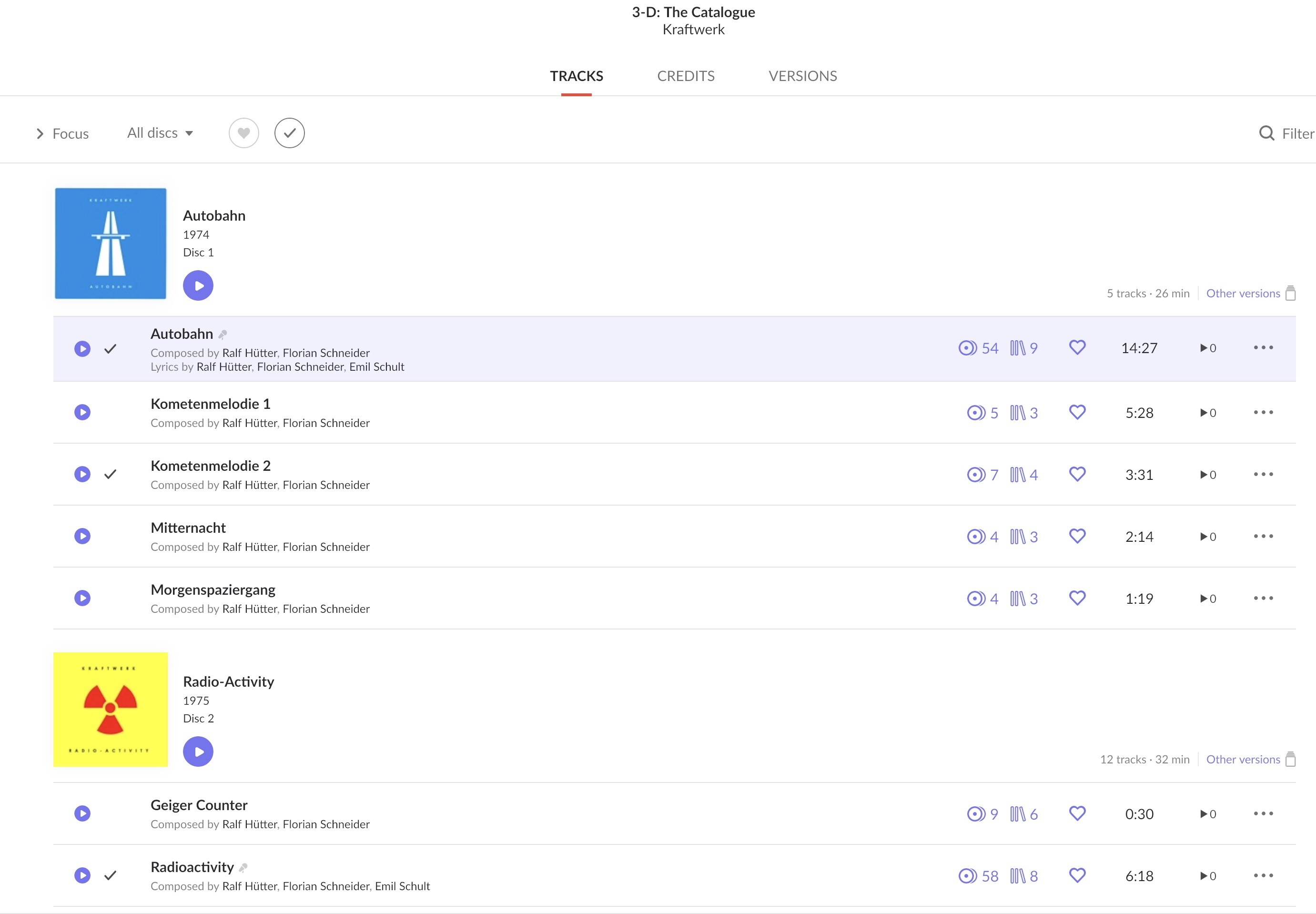
To have a boxset neatly organized without manual work, roon needs to know with which original release a particular disc corresponds. You can help it with going through a manual disc identification procedure:
Only if that is not available, or leads to errors, it will be mandatory to organize everything into different folders, adding disc titles and artwork per disc, as roon otherwise simply has no information on the disc/album title. Seems to happen frequently with very huge historical jazz/classical boxsets, but lots of pop/rock or more common releases do pretty well without lots of work.
Being keen on box sets , they asked my views . Also I tested the new functionality in Early Access before it was released today.
Thanks - I’ve just spent a couple of hours working on my Van Der Graff Box Sets - seems to work well.
Box set handling is long expected and the implementation is a good sign but the interface as it is does not feel that it is handled properly
Thanks for the examples shown.
Could you confirm if I understand it correctly -
At a local file level, I could either:
use DISCSUBTITLE tags,
or
use a folder structure (with CD1 etc)
If I use the latter approach, does that mean my folder structure would now be 4 levels for box sets
AlbumArtist > Album > SubTitle > Track
with non box sets as the previous (common) 3 levels
AlbumArtist > Album > Track
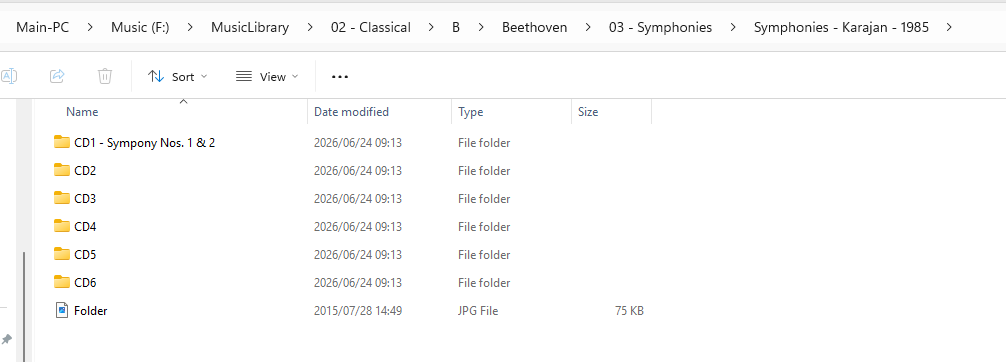
Spot on , using the folder names just saves adding extra tags which for some users is not that easy if you compare my example I have a much deeper structure
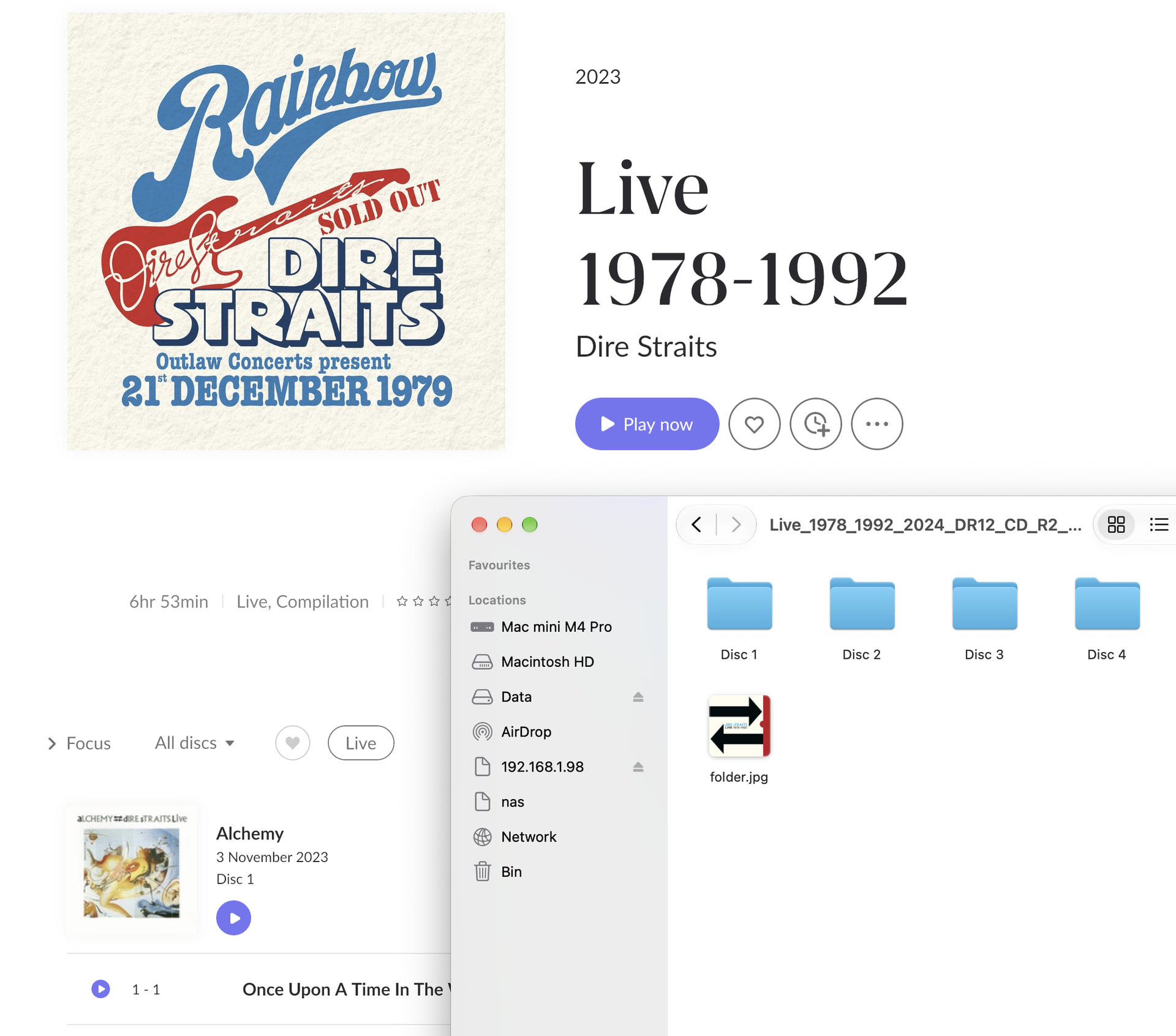
A multi disc box will always have a Master Folder (in this case Symphonies - Karajan - 1985) that will contain a folder (containing the tracks) for each disc in the set
OF COURSE this gets implemented after I switched my whole library to support WORK / PART as a box set workaround 
I like the different covers per folder, that helps a lot for some of the collections.
I must be doing something wrong, though - folder images are not used, only images in metadata - I would have expected the box cover in folder.jpg to be the main image?
You can choose cover preference for the whole set under Edit > Edit Album so roon either prefers the file, the internal metadata, or the best resolution out of both. By default, this is set to best, but you can change it to ´Prefer file´.
I have set it to prefer file, but it’s taking the metadata of the last track instead.
Ok, so we two are talking about two different filter fields.
You are talking about the filter field when you have opened a specific boxset:
My problem here is that with that filter you can only search for a disc/album/track in that specific box set.
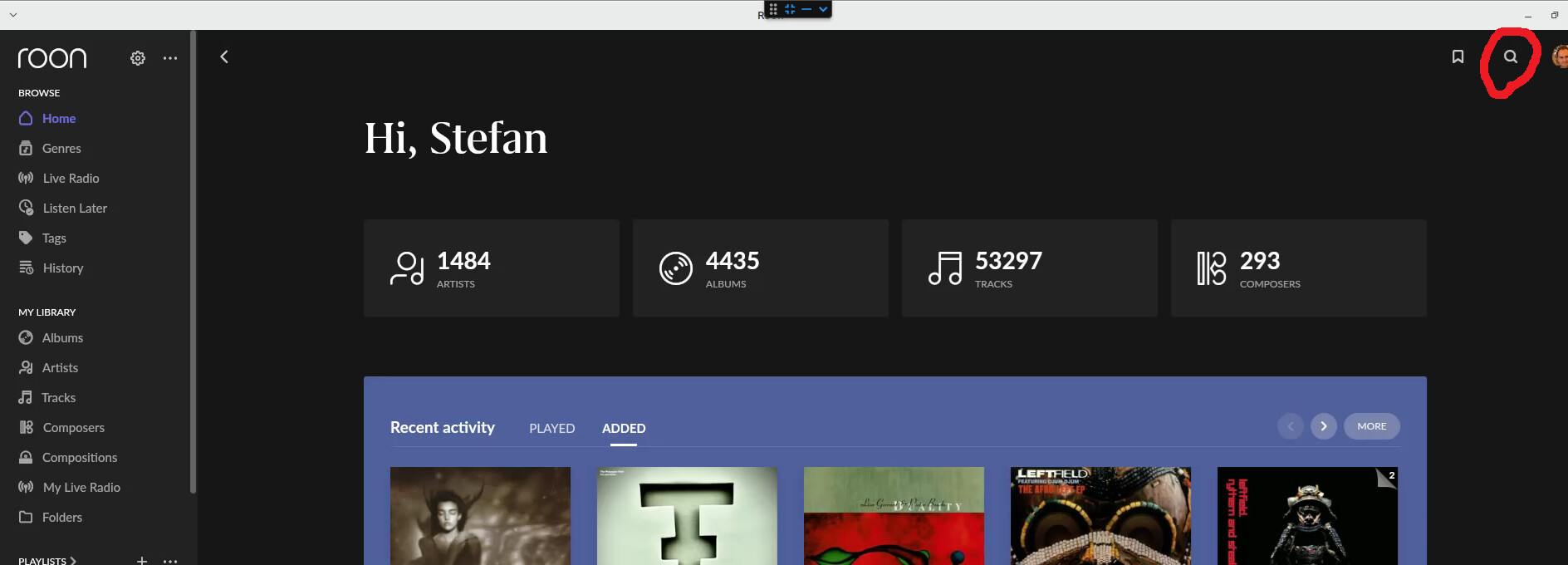
I am talking about the general filter field at the home screen:
And I was hoping to be able to find a specific album regardless of whether it is a standalone release (works as expected) or part of a box set (doesn’t work).
You are right, the general text search was not affected by the latest boxset handling update, only the navigation on the boxset page itself (that´s why I was referring to that one).
I agree that it would be helpful to find a disc/sub-album title the way you describe it, but I found the overall search to be unreliable in general when it comes to finding album titles. Sometimes it works, sometimes I see a lot of Qobuz albums but not the one I have in my library.
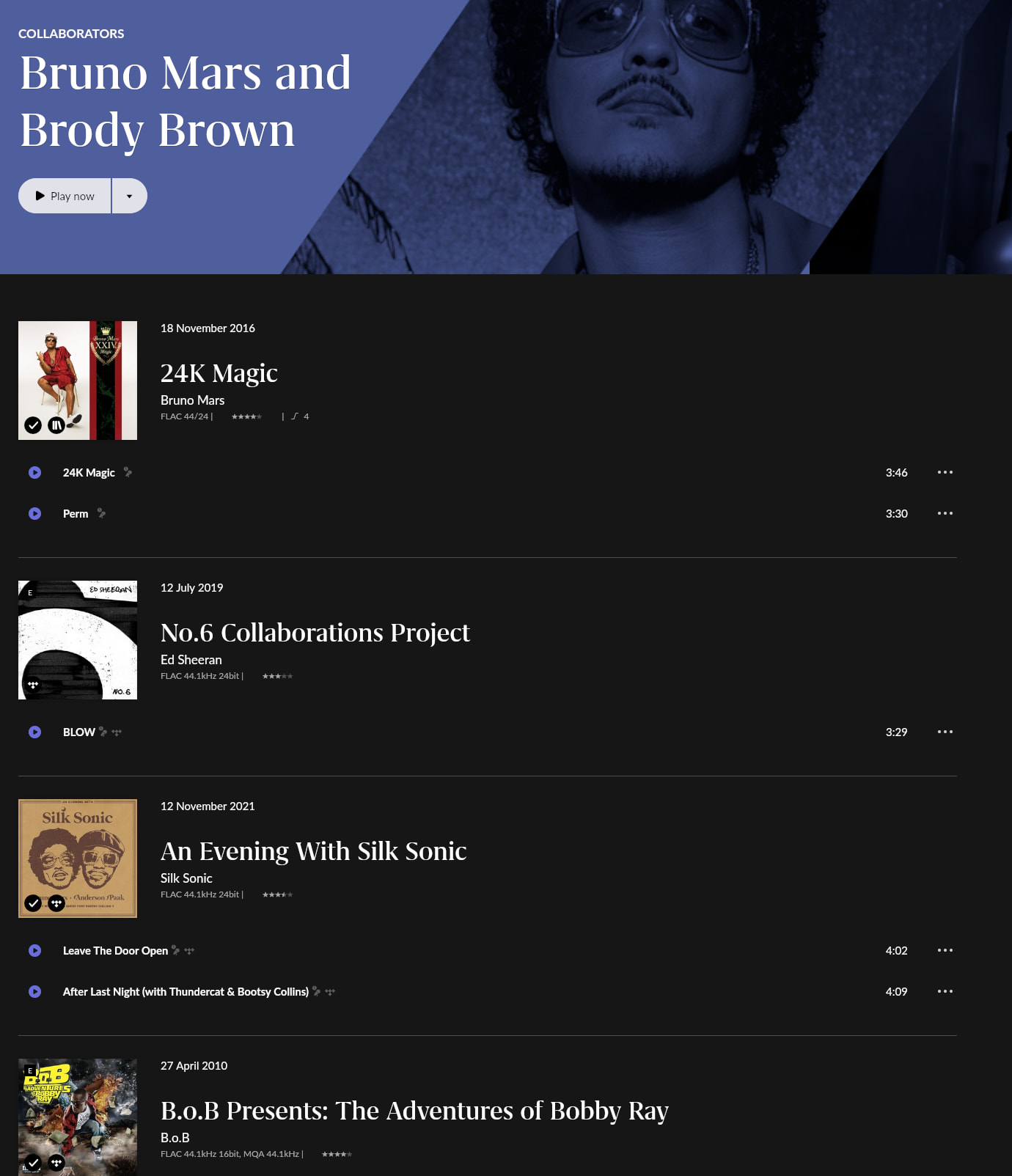
(you are seemingly a TPT fan as well, their boxsets like ´How did we find our way´ are a real challenge for roon´s boxset handling)
You need a file in the Box Master folder called folder.jpg (or front or cover)
Then an individual folder.jpg in each Disc Subfolder
We are back to what is a Box
The Box is an ALBUM, each sub disc is NOT an ALBUM. It may look like one but Roon has a very strict definition of what is an album.
Only the Box fits i with Roon’s definition of an album
So Filter at the box level will return Disc but Search at a Global level won’t because it’s not an album
As you can see there is a folder.jpg.
It’s not being used on the box level, though.
What do you have for the album art import settings? Best, Roon or File?
File for everything
Then this is not the expected behaviour. I suggest you open a Technical Support Request so that the tech support team can get involved. They may ask you to upload a zipped copy of an example box set showing the issue.