So I tried to re-rip The Clash Sound System. It splits them into separate albums and if I try to merge, I get the one disc with duplicate track numbers. Using DB Poweramp. Used the metadata from the disc itself.
Edit: now, I am seeing the box set for some of the discs, but how can I edit the artwork to reflect each on?
I also tried the new Elvis Costello My Aim is True 49th box. This worked better–each disc was identified on its own with the name of the disc. But the name of the set only stated MAIT, not the 49th anniversary edition. I manually renamed it.
Peter - you can set the front cover artwork for each album in a box set by going to edit the album, then scroll down to edit discs. What I don’t see is how to add the other artwork to each disc - not just the front cover, but the back cover and CD scan also, for example.
Hi @Peter_Rustin , I wanted to jump in and help. I can’t see your files or your library, so this is my best guess based on what you’ve described. If it doesn’t fit, or you need more than this, you can reach out to Support, unless someone here who’s been testing box sets in Early Access jumps in sooner.
The Clash – Sound System
From what you describe, my guess is that each disc was ripped as its own album and they’re all tagged as disc 1. That would explain the duplicate track numbers after merging. If that’s it, this is what I’d try in Roon first, without re-ripping:
Select all the Sound System albums together and choose Edit > Merge > Organize discs
On the merged album, open Edit > Fix Track Grouping and set the disc numbers to match the box’s order (disc 1, disc 2…), with tracks starting at 1 on each disc.
In Edit > “Edit Album” tab, scroll down to Disc Metadata and identify each disc against its original album (The Clash, Give 'Em Enough Rope, London Calling…). That should give each disc its own title, cover and year, which also covers your artwork question.
If you’d rather fix this in the files, the full rules for tags, folders and per-disc images are here
Elvis Costello – My Aim Is True
It sounds like this one mostly worked. The edition name may just not be part of the album title in our data, so renaming it yourself is a reasonable fix.
If none of this helps, it’d be useful to post the box name, how your folders are laid out (e.g. “box folder with CD1/CD2 subfolders” or “one folder per disc”), which tags carry the disc info, and where your cover images are. That gives everyone here enough to work with.
Thank you so much for the detailed reply. I will give it a try. I did notice that on some of the boxes I ripped earlier, the individual disks are showing up pretty well with some needing correction, but the overall concept is great. Good job guys
Presumably when you split each disc became disc 1 as as you ID’ed them
Have you tried making the CD# , DISCNUMBER tag as in the original set before you dropped it into the watch folder
The safest technique is
Move box to a “Non Watched folder”
Do a Settings > Library > Cleanup (to remove any old references
Edit metadata
Return to Watched folder
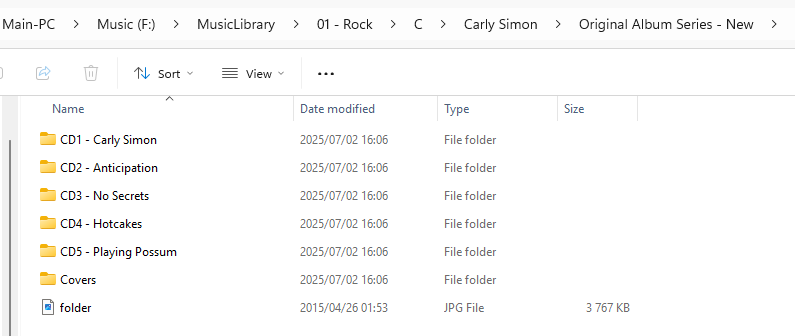
You can now have text in the folder names (a big change). In this example the Album Name , DISCSUBTTLE, is extracted from CD3 - No Secrets will set the DISCSUBTITLE as “No Secrets”
If you can’t set DISCSUBTITLE this may be the easiest way of passing on that info
A general guide line , the rules about naming boxes has changed slightly , previously any extra text after a folder name say CD3 Roon would be assumed as a new album and create a new album. This has changed for box set
so the rule is now
[Album] tag must be ONE value = Box Set Name
[AlbumArtist] tag must be ONE value
Folder Names may now contain the Disc Name extra text after the CD# (eg CD3 -No Secrets)
Any folder artwork in the main Box folder is taken as the Box Art
Any folder artwork in the individual disc folders is taken as the Disc Artwork
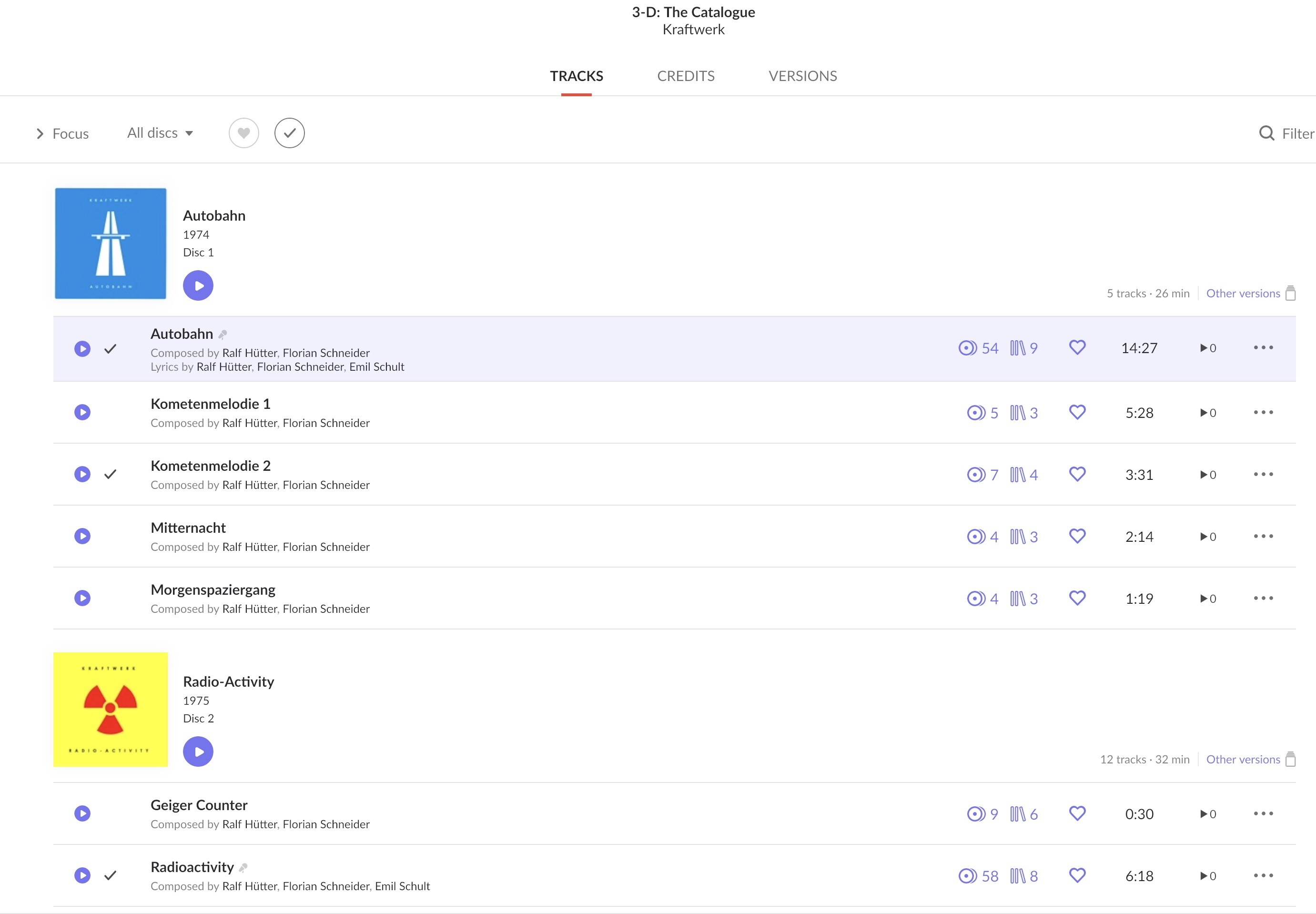
This is a good example because I have the same box set in my collection.
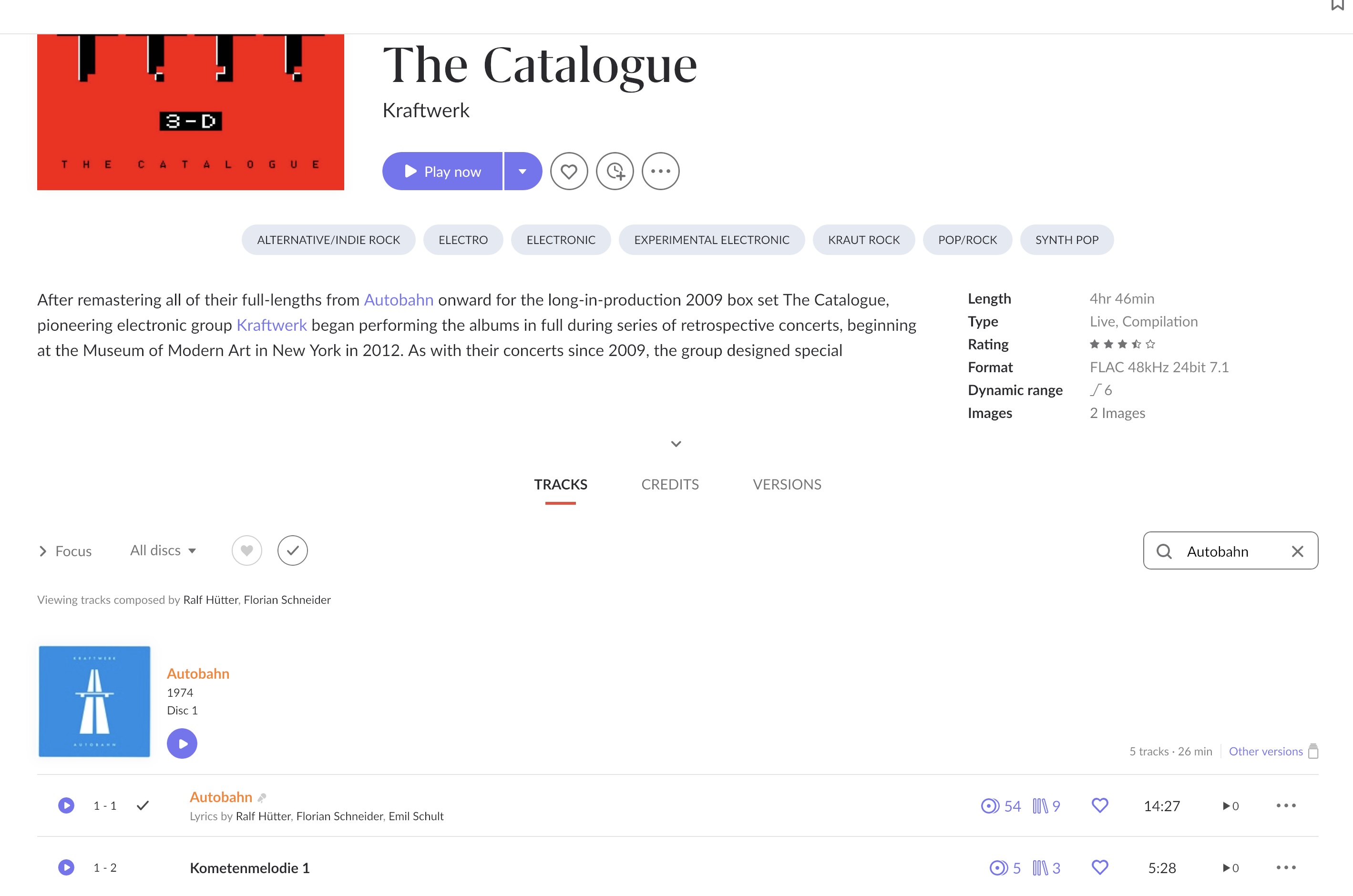
For example, I would like to be able to filter for the album “Autobahn”—which is included in this box set—using the search bar. However, it doesn’t work; it yields no results.
I don’t suppose this behavior is intentional, is it?
We’re talking different things - I mean the full album art for the album, i.e. front, back, liner notes, etc. You’re talking about just the front cover.
Filter works, Autobahn as a disc is not an album, I am not sure what ‘Search“ searches , it does Album, Artist and Track but what else. I may be as simple as extending to DISCSUBTITLE
Subtle distinction, seen my explanation on the other threads
This boxset is kind of a tricky one, as roon is not supposed to identify these 8 albums as re-issues of the original ones. You have to force roon to do so, but using the “Edit > Disc Metadata > Edit Discs” option, and basically tell it to treat every disc as a version of the original album:
In this specific case, it is, as this 8CD boxset (or 2+2 blu-rays in my case) does NOT contain re-releases of the 8 albums, but re-recorded live performances originally published only in 2017.
Correct, there seems to be no possibility to have a full set of jpgs and pdfs per disc of a boxset, you can assign such artwork only for the complete box.
The question is, do you really want to have these as separated entities assigned to a disc of a boxset, or wouldn´t it be smarter to split away the album and identify it as the original release?
Discs of a boxset also don´t show up neither on artists´ pages nor in discographies or recording/version lists. In my understanding, the whole boxset issue was never meant to turn discs into albums in their own rights, but to simply make navigating on the page of a large boxsets with zillions of tracks and meaningless ´disc 1´, ´disc 2´, ´disc 3´ sorting easier and more enjoyable.
With typical pop/rock anthologies of a single band or artist, containing a limited number of existing albums, this works exemplarily in my understanding. For bigger classical or jazz boxsets, it remains to be seen, as the browsing quality heavily depends on metadata and tags, which the bigger sets seemingly lack in many cases.
Not sure what that means, but I did see that thread - many thanks! I was going to think about it some more before I replied so I can consider things properly.