Nucleus One Incompatibility with Vitus RI-101 MK1 Streamer (ref#IXG500)

No. Your changes are a disaster. This morning I was listening to music without a problem.

I have just logged out of the Core on my PC and tried to log into the Nucleus One.

All I get is your C logo with the three osilating vertical lines. It does not take me to the Nucleus One software.

The worst is that when I try to log back into the Core on my PC it just gives me the same logo and osilating lines and does not let me back.

Now I cannot listen to any music whatsoever.

Not much of a fix!!!

@clive1 ,

Thanks for getting back to us.

This behavior is definitely not what would be expected from fix.

Can you please try to reinstall OS on your Nucleus and try to log in again ?

Also, you might want to try to remove RoonServer folder on your Nucleus, but obviously please try that only if you have a backup.

Let us know please if that works for you.

Thanks.

I am not back at home until the weekend.

How do I reinstall OS on the Nucleus?

Simply click the Reinstall button in the Operating System section on the web admin page of the Nucleus. This reinstalls both the OS and the Roon Server but it does not touch your Roon database, so it’s safe to do.

I am unable to load the Nucleus web administration interface, or do anything.

All I get is the message which states ‘exit all instances of Roon server’.

I even get this message if I attempt to delete the Roon server app.

Therefore i am completely stuck and cannot listen to any music as I cannot even use the Core on my old PC.

Please provide a detailed solution to this issue today.

That sounds as though you are trying to uninstall Roon on your PC, you will get this message if the Roon Server on the PC is still running.

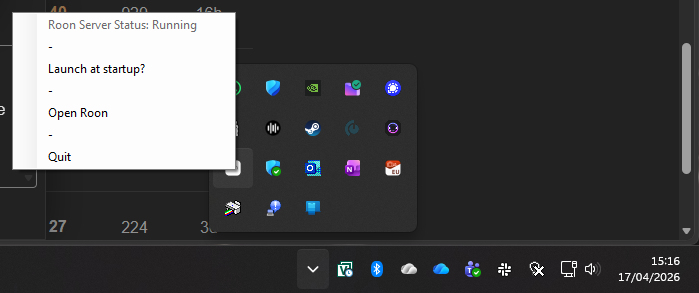
You need to stop it before uninstalling Roon. You will find the Roon Server icon in the applications running in the background in the right hand section of the Taskbar. Right-click on the Roon Server icon (it just says “Roon”) and choose the Quit menu option.

You are using your Web browser, right? What error message do you get when you try and open it?

I cannot find a way to do anything that has been suggested.

Whenever I open the Roon app, whether it is on my PC, laptop or phone all I get is the Roon logo with the three osillating vertical lines. This never goes away.

There are no options other than to exit the app.

All this has occured since you make an alteration to my equipment.

I cannot do anything.

Please provide a step by step procedure to resolve this issue. It is now taking far too much of my time to solve your problem.

Whilst I now have no access to my music.

I have now deleted the existing Roon software, re-installed and reinstalled the operating system and I am now able to listen to music via the Nucleus One and the Vitus Mk1.
Eventually!