In this support thread, I discovered that some time ago Roon started placing my scheduled database backups in the USB drive’s root directory rather than the RoonBackups folder where they should be. This resulted in Roon’s Find Backups tool unable to find my database backups.
Roon database backups not found (ref#8K91BJ) [Ticket in] - Support - Roon Labs Community
The “fix” was to set up Scheduled Backups again, this time specifying the RoonBackups folder as the destination. These backups can now be found using Find Backups.
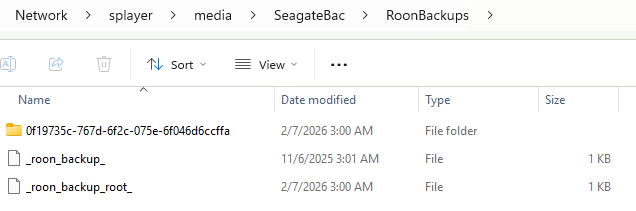
My question is, can I safely delete the folder/files below Roon (erroneously) created in the USB drive’s root directory? Since they cannot be found by Roon, so it seems they are of no use?


Thanks.
