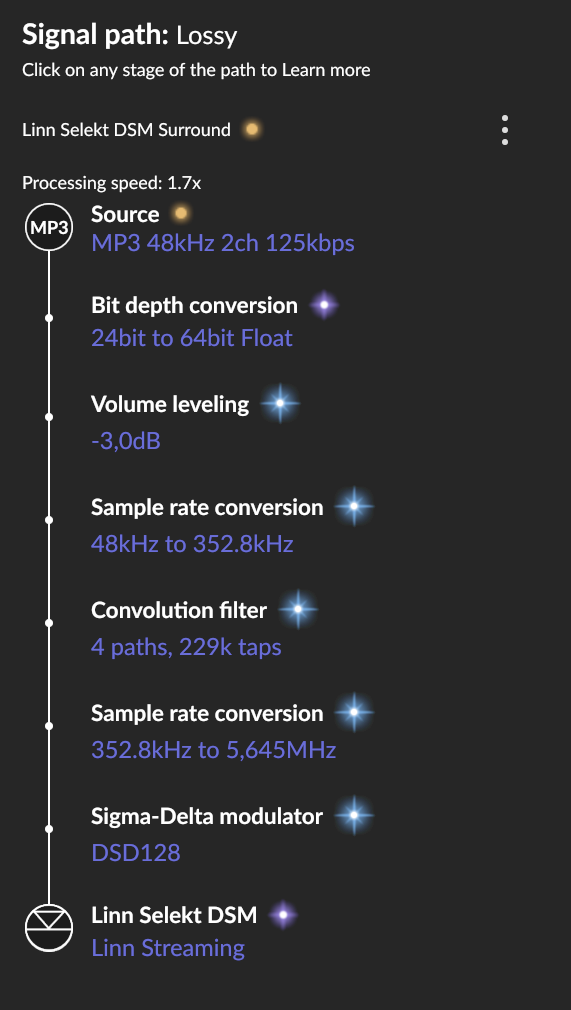
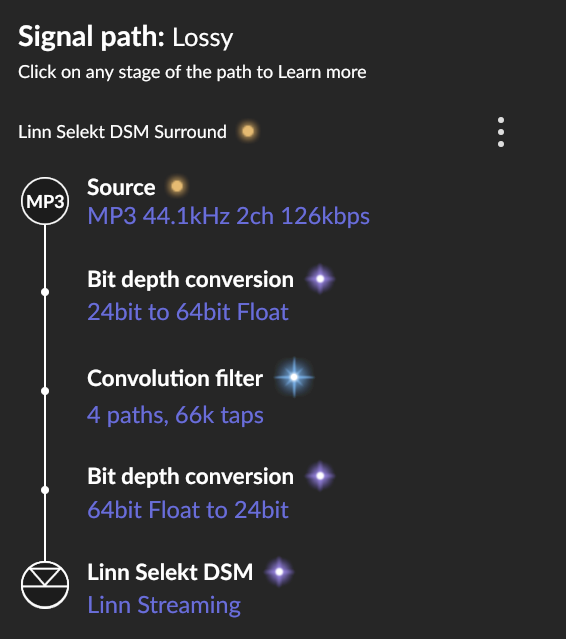
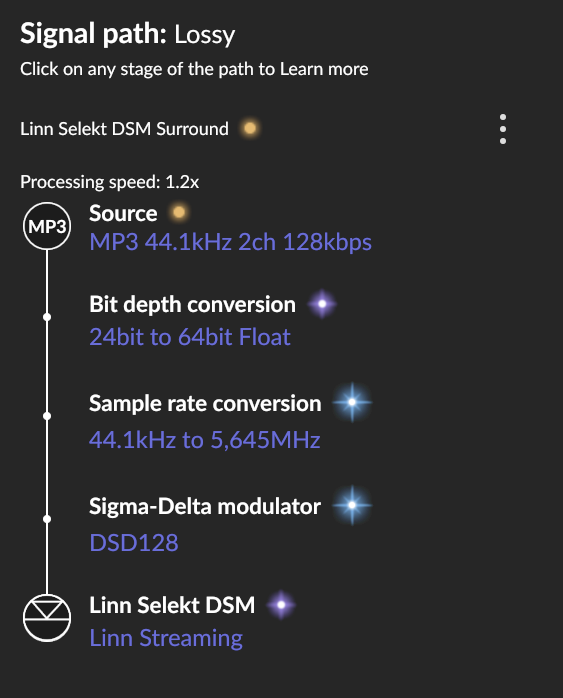
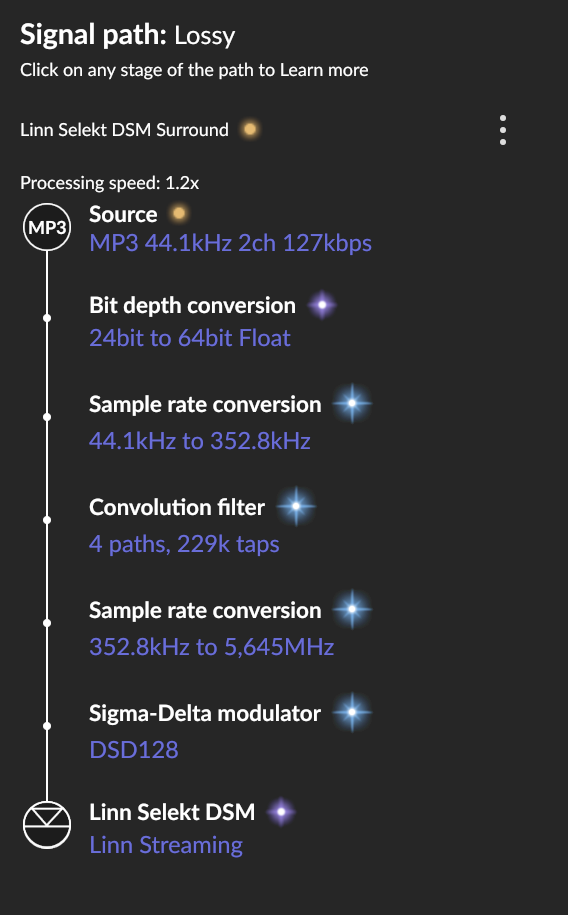
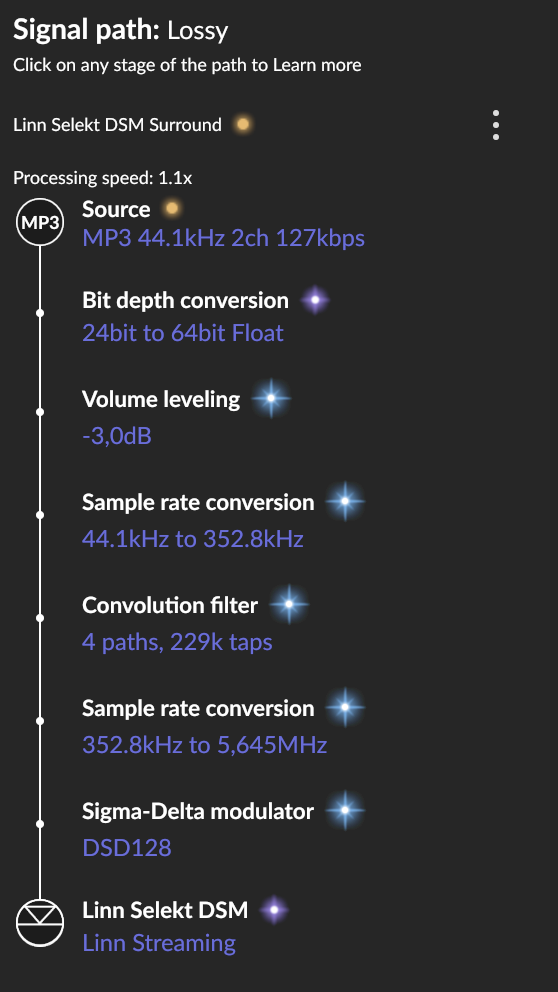
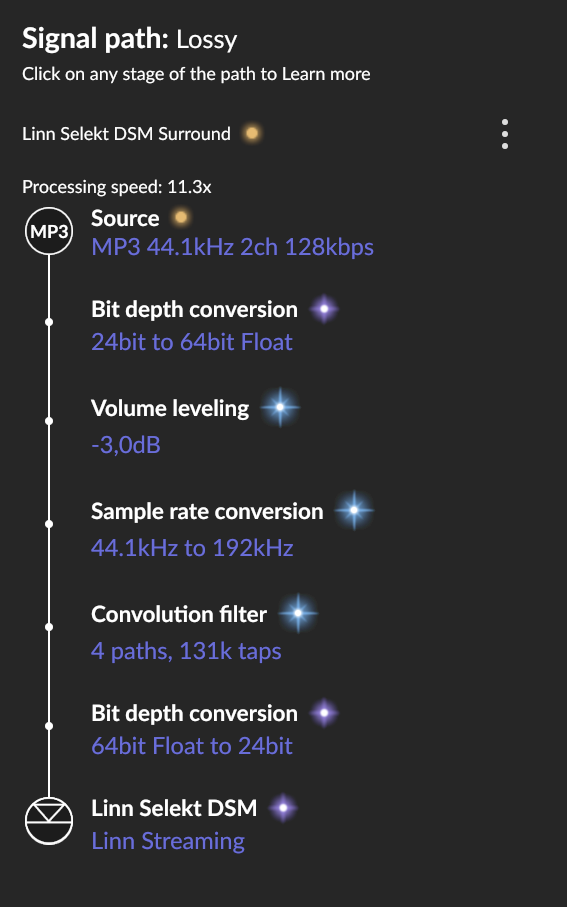
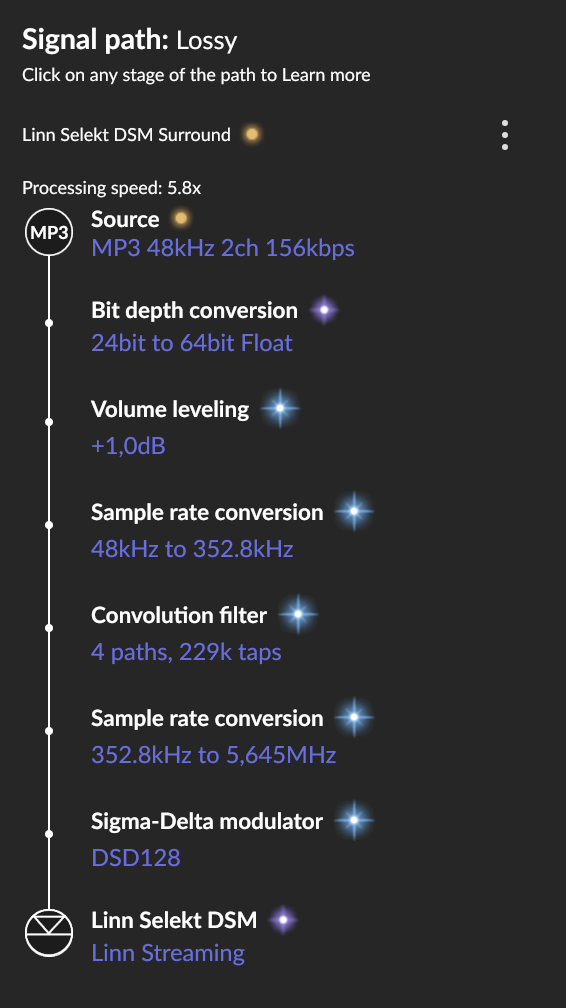
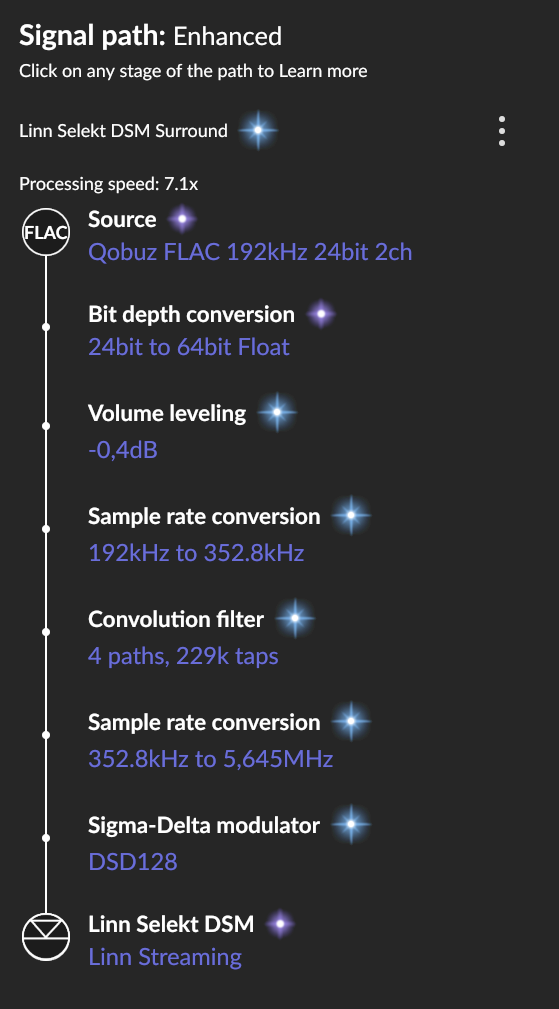
Try turning off everything, including volume leveling to get a baseline then add the functions back one at a time to record the processing speed differences.
I would leave off volume leveling and just turn on the others in order one at a time
Possibly their stream has higher latency. Processing speed takes into account network conditions to its not just cpu usage. Radio is handled differently than regular streaming I believe as well as it’s never instant. Perhaps decoding mp3 also adds additional latency.
Torben_Rick
(Torben - A Dane living in Hamburg - Roon Lifer)
7
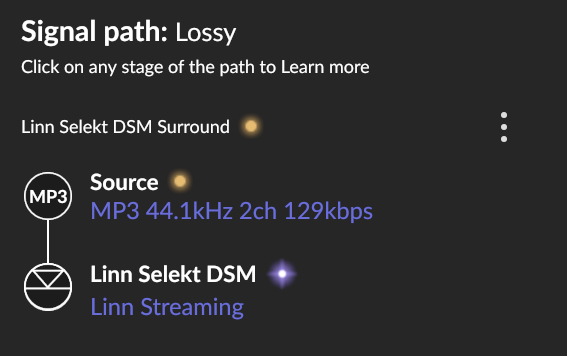
When turning everything off I just get this - no processing speed info:
Each station will have its own latency though local or not nothing is fixed in internet radio or the internet or your isp. Internet radio also have different buffers than streaming services in Roon they buffer more I believe. There is always latency establishing conection to them so this likely adds to it due to how Roon processes the streams. I don’t think comparing it to Qobuz is fair as they operate differently.
That means the processing rating is higher than 100 and no point in displaying it. What happens when you start turning things on one at a time? Keeping Vol Leveling OFF,
turn on Convolution and check the speed.
turn off Convolution and turn on DSD upsampling and check the speed
turn on Convolutin and DSD upsampling and check the speed
then
turn off everything and turn on Vol leveling and check the speed
level vol leveling on and repeat the above
The point is to see what option or combination of options is causing the largest processing speed. And then armed with that information decide which combination sounds the best and gets you over 1x.
Torben_Rick
(Torben - A Dane living in Hamburg - Roon Lifer)
11
Torben_Rick
(Torben - A Dane living in Hamburg - Roon Lifer)
13
@Simon_Arnold3 - THX. You could be right
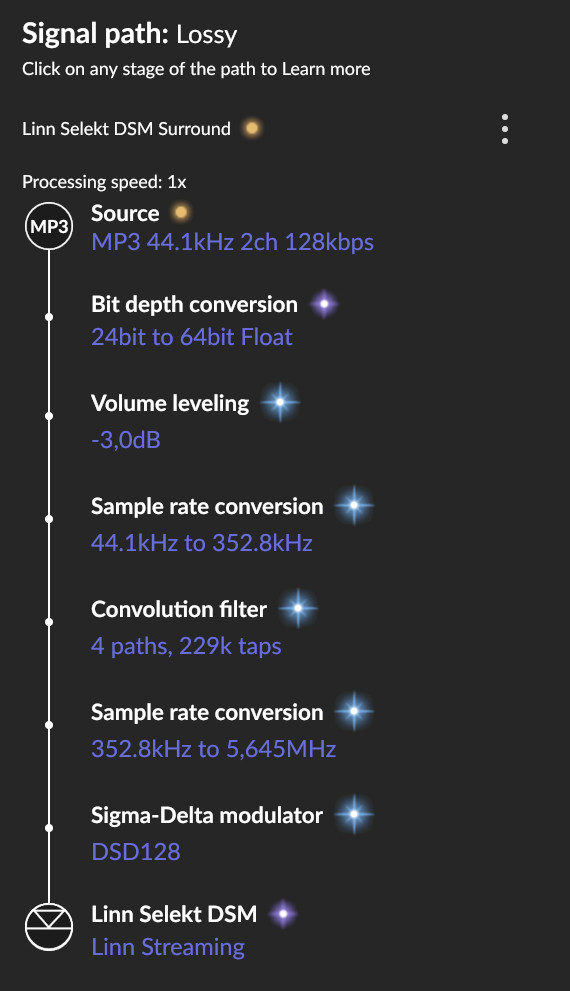
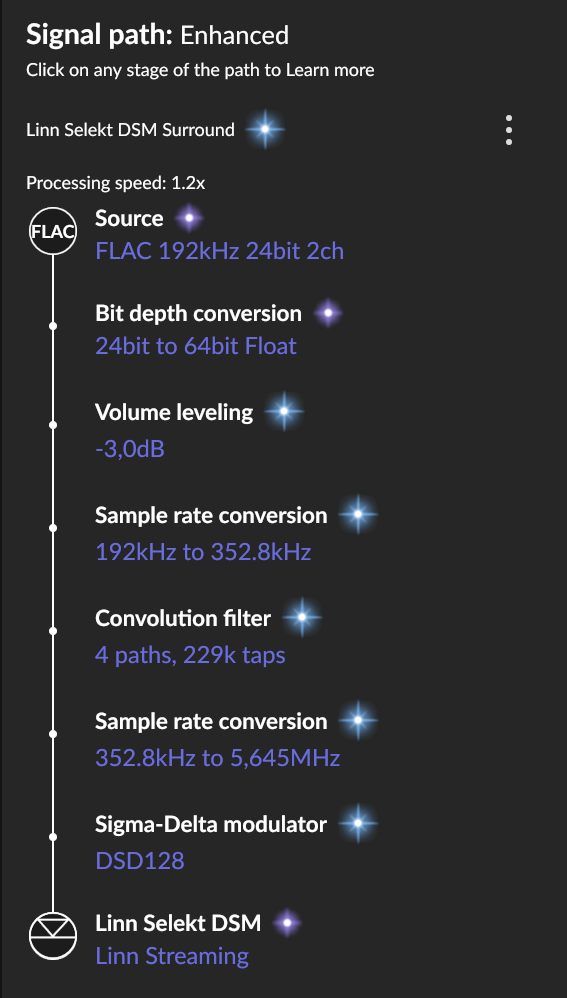
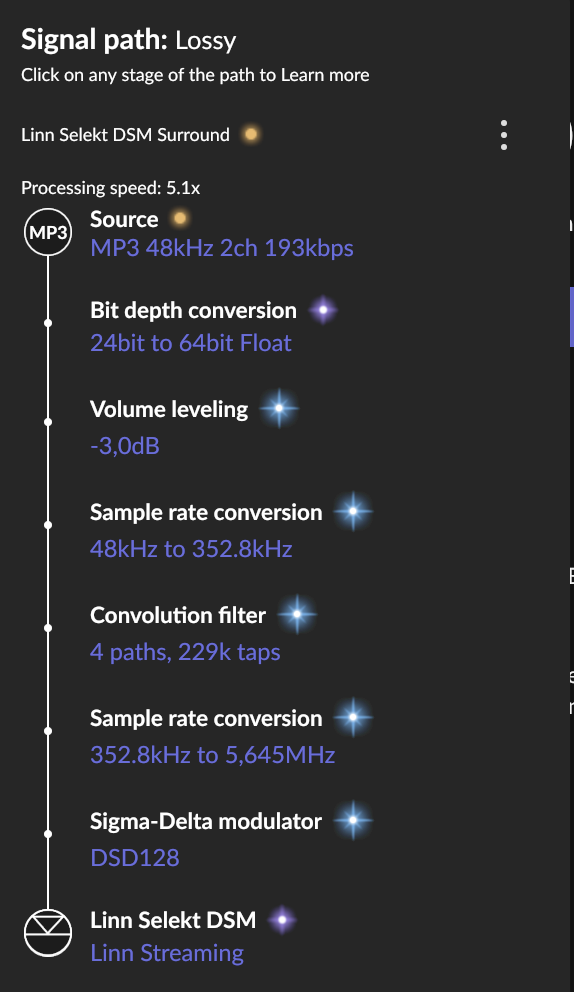
There is a big difference in processing speed even based on the same streams (MP3 128 kbps). With some stations the processing speed goes down to 1.1/1.2 and others have 5.8/5.9 - all with the same kbps.
What is your core as it doesn’t seem capable of upsampling to DSD + convolution with much headroom. Have you enabled parallerize sigma delta processor, it may help to give it a little more juice.
Torben_Rick
(Torben - A Dane living in Hamburg - Roon Lifer)
15
Intel NUC Comet Lake i7-10710U - 16GB DDR4 SO-DIMM (2 X 8GB) - Samsung SSD 970 EVO Plus 500GB M.2, - Samsung SSD 870 QVO 1TB, SATA
and yes parallelize sigma delta processor is enabled.
Upsampling to DSD is computationally expensive.
If that’s what makes you happy you gotta switch from your NUC to a PC with desktop CPU - didn’t you have a thread about it earlier this summer?
Don‘t shoot me, I‘m just the messenger…
Torben_Rick
(Torben - A Dane living in Hamburg - Roon Lifer)
17
@Marin_Weigel - As you can see from above there are no problems with local and Qobuz.
Just some Radio Stations are VERY demanding. And that I don’t understand
No, they are not “demanding.” They are just slow – slow trickles of realtime data. Whereas some DSP, convolution in particular, requires buckets of data to fill in order to start and finish operations.