I am ripping Rhino’s DIY series of Cds using DBPoweramp. It starts off fine, but when the cd is done ripping, each song is a separate album, and chasing them down to merge is a nightmare. Any thoughts??
Thanks!
I am ripping Rhino’s DIY series of Cds using DBPoweramp. It starts off fine, but when the cd is done ripping, each song is a separate album, and chasing them down to merge is a nightmare. Any thoughts??
Thanks!
Did you use MusicBrainz for the metadata? If you have the MusicBrainz IDs, it should be fine… ut do not rip directly into the Roon watched folder.
I’ll try using and see what happens. Thank you.
And same result. I ripped to a separate folder and added to Roon. Still 19 albums (or however many tracks).
Hi @Peter_Rustin,
Did you remove the previous [DbPA ripped] music files first and perform a Roon library cleanup?
Well, no, because I tried one disc at a time, so there were no ripped files for all the discs. Don’t know about the cleanup but will look into it.
Ok not the whole multi disc set, but you must have had one disc’s worth of files that Roon ingested and created metadata for within the Roon’s DB.
The key here is to make sure this data is removed [cleaned] from Roon’s DB otherwise it will influence any subsequent new rips of the same track.
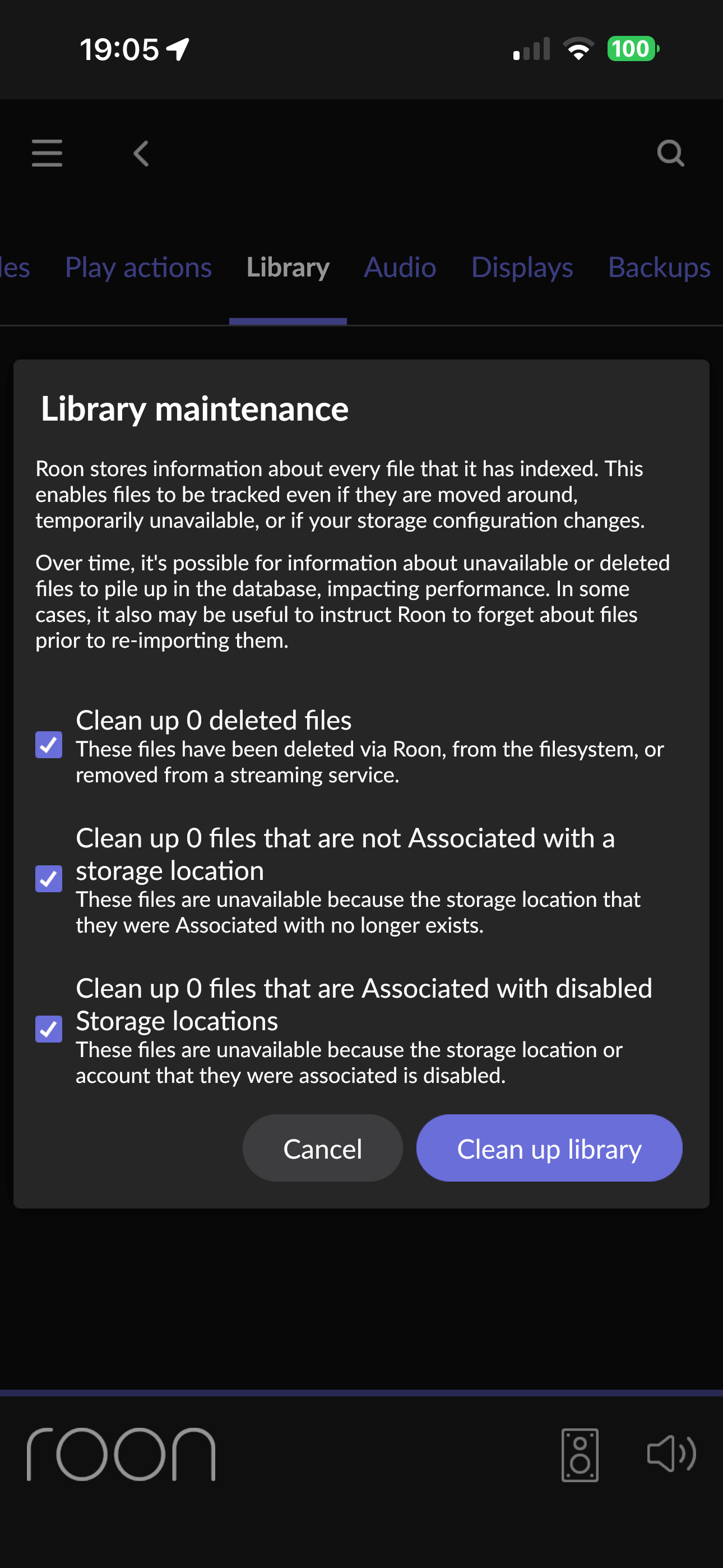
Roon → Settings → Library → Library Maintenance → Cleanup Library
Note in my example there is nothing to cleanup, but you should see, as a minimum, the files you have removed from the watched folder.
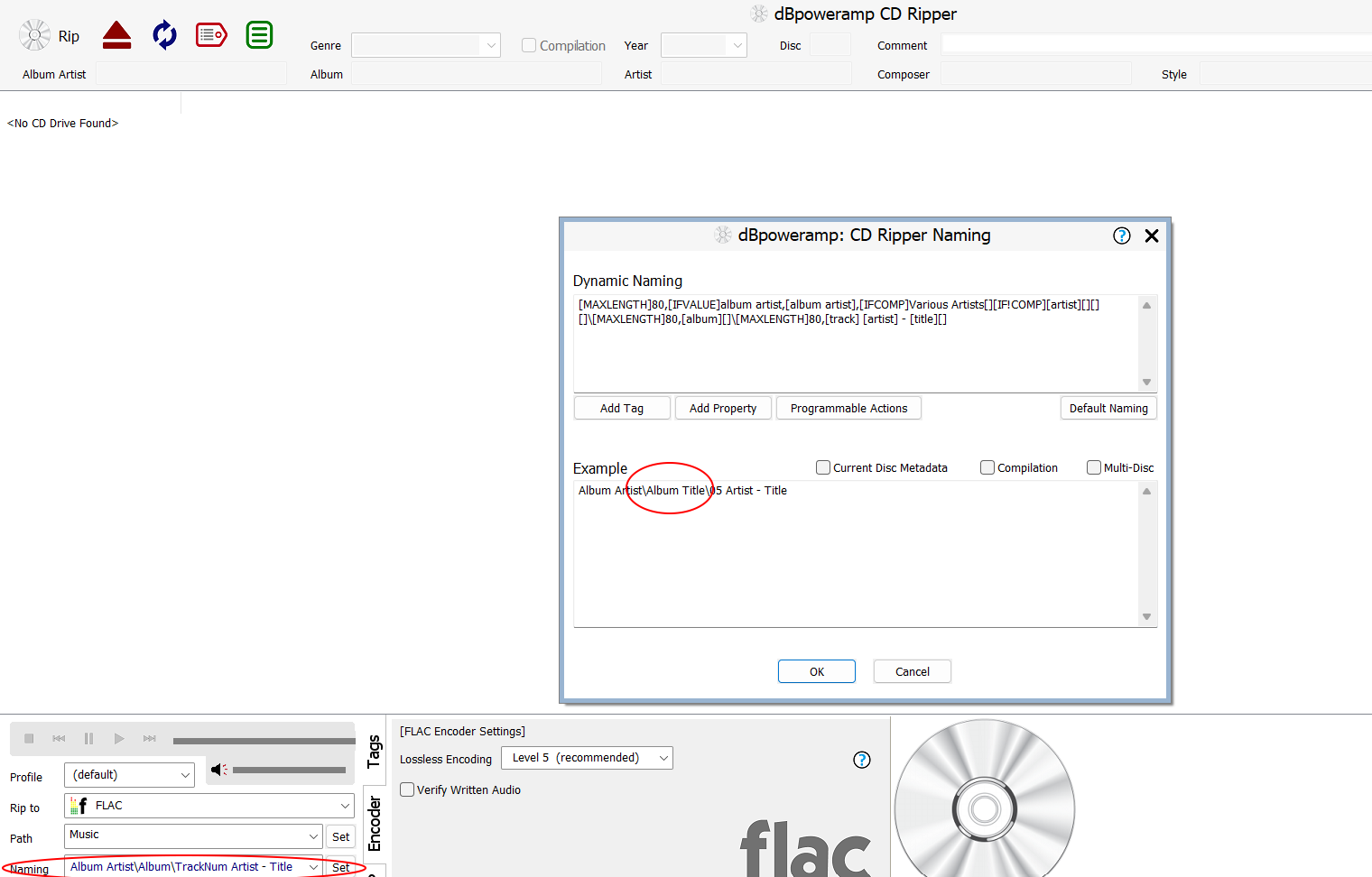
Make sure two things are set, use an external editor if possible.
Remove the album folder from the watched folder> do a Library Clean up as above > Return album folder to watched folder
Cross fingers 
Roon is seeing each track as a separate album because Artist is different in each case , I’m guessing [Album Artist] is empty ?
As @Mike_O_Neill says, the simplest thing is to use an external 3rd party editor to do a bit of post-processing after ripping with dbpoweramp. Ensure as a bare minimum that the album title is the same for each track and album artist has been set to “Various Artists”. From habit I use mp3tag.
But you can also do a lot of this basic editing directly in the dbpoweramp GUI itself if you don’t want to download and learn yet another tool. Unless you make these basic configuration settings, results from dbpoweramp will be a bit hit and miss in these sorts of scenarios. Sometimes it will work, sometimes not, so you may not have noticed before:
Thanks guys. I’ll try.