Same here on my Nucleus+
I am not joking about the coffee machine !!
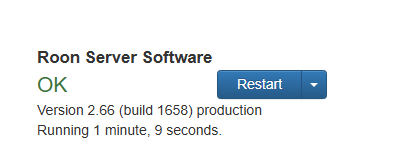
When did you last restart the server software via the web admin page
I agree there is an issue that Roon are eventually working on, I understand 2.65 is just the start
BUT why suffer until it’s fixed , I fully appreciate that you shouldn’t have to BUT restart the server every day or so and you won’t suffer (as much).
I always disconnect my kit when we have thunderstorms , that’s how I found out this gem 
I agree. I definitely don’t don’t restart every day, but anytime I see it getting a bit slow, or choppy, or doing anything weird….a simple restart seems to clear everything up.
Same Probs here on a Mac Mini M1 as roon core. 2.65 speeded up extremely (funny, for years i was told, my hardware sucks, my installation sucks, my networks sucks and now - look, it wasnt my hardware, my installation, my network - it was roon sucking!), but some days later it slowed down again (not as much as before but slowlier than at first start of 2.65). Restart of the server app helps but thats no solution 
Happy Friday everyone,
A quick update for those still seeing memory growth or performance issues over time.
2.66 fixed one issue that was contributing to this behavior, but we know it did not resolve the full problem. Since then, we’ve found and addressed several other issues, and those fixes are expected to be included in the next production release.
There are still a few open leads we are working through, including one related to streaming service metadata, so we are not treating this as fully solved yet. Thanks again to everyone who shared logs and details here - they have been very helpful.
Would it be possible for roon to download meta data into a cache similar to a browser? And reduce requests to the servers that way ?
I’m just asking because on another forum cloudflair is blocking users from certain countries due to high bot traffic.
Maybe roon is also affected by this ?
Just a thought. I might be completely wrong .
You meant into something like the SSD file store present on the hardware for the RoonServer database?
For most this is an under-utilised fast file store - my 250GB NVMe PCI Gen3 SSD on my NUC running ROCK has 95% space free.
And being a cache, if corrupted it can just be refreshed.
Unlike storing it in the RoonOS database as before Roon 2.0, where if the database got corrupted it was a complete rebuild, hence since Roon 1.8 there has been much more reliance on the data coming from CDN networks ie over the internet.
Great idea 
Yes. nvme SSD with cache are so Crazy fast. Why not make use of it  I’m sure 50gb of cache would already go a long way.
Hi @MarcMarc - It’s a great thought!, that’s exactly what we’re doing… we leverage caching both in the cloud and in the local environment. The lead we have related to the streaming metadata is when we’re pulling it into the system, basically populating the cache. Cheers!
I am having that experience now - it may have been mostly the restart of the software that created the initial impression of “faster.” Not sure. I have a suspicion that some of this is in the Roon cloud and not local. But that said, it is snapper after a restart of the server.
Can Roon, please, create a faster way to restarting the server through a remote? I mean I can SSH but it would be great if it was just in the remote app!
Edit: I had meant to mention…I ran a backup and it was after that when Roon became slow and unstable.
I know this is an almost religious question, but for the past 3 years I’ve had my NAS automatically restart my ROCK on my NUC three nights every week. I was warned against this as Roon is built to be on 24/7 (assuming a world with unlimited resources). I was told that there must be something wrong with my setup. My NAS is an 8i7 with 16Gb ram, my entire system is wired (except for a single endpoint running over WiFi), my library is medium consisting of local albums and Qobuz (40,000 tracks in total) and my internet speed is 1GB/1GB. But my system just got slower and slower until I rebooted. The regular reboot solved the problem, since then the speed for me in these years has been quite good, albeit not flashy. And maybe that’s why I haven’t experienced any speed increase with the latest update. Although I know it’s against Roon policy, I can only recommend restarting Roon regularly.
The latest releases and builds have significantly improved the physical memory usage and management on ROCK.
I had one forced restart recently, but apart from that it was all pretty stable and reliable.
Yes, ROCK performance would benefit from a restart after 40 days of uptime, but not several times a week.
My NUC is NUC7i7DNKE with 16GB RAM, but Library is 8k albums and 102k tracks, mostly local library, which is on a NAS.
There are some major revisions being undertaken to address Roon performance, I hope this improves your situation.
Thanks, but just to be clear, my situation is fine (except for the long lasting Qobuz problems). I do not need flashy speed, I’m fine with the speed I get when restarting every two or three nights.
but the restarting every 2 or 3 nights is not ideal - ROCK shouldn’t require that.
Hi, exactly why rebooting is not ideal? I do reboot automatically twice a week (QNAP here). Never had an issue…
thanks
It’s unnecessary. Linux is designed to operate for long periods without a restart.
Well… if Roon gets faster after each reboot and slows down after two-three days, then it is necessary…
This is what I am experiencing at least
I wanted to know if - beyond being unnecessary - rebooting is somewhat harmful
thanks
We have had Linux-based Production servers running for years without a reboot.
Same - while preparing my morning medication I also prepare maintenance dose.
Just found this thread - glad to know I am not alone. Not happy that my ticket just got closed based on a bit of an improvement with the latest update, but nowhere near a cure. Also good to know that a hardware/component upgrade doesn’t help - that’s saved me some $$$ that I was thinking I needed (from NUC8i7, 256GBSSD, 16GB RAM, 75k tracks on NAS, 6 endpoints)