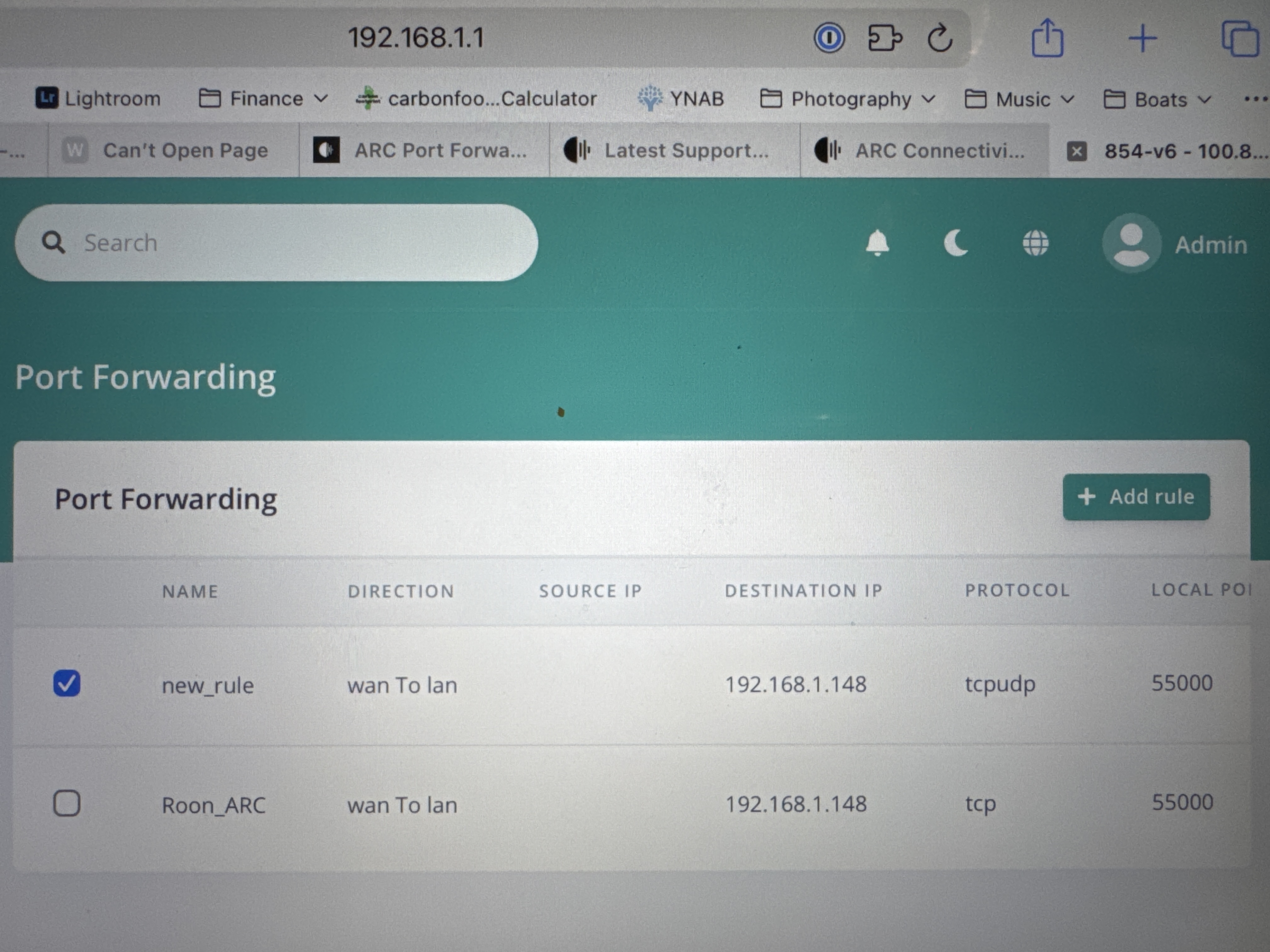
Setup is Wildanet router , connected to EERO mesh network
Describe your network setup
Wildanet ISP router, Adtran Model 854-v6 Eero 6 Model N010001 Roon Nucleus wired to Eero 6 OS Version 1.0 (build 259) Roon Labs software 1.0 (build 15) Roon Server Software 2.0 (build 1462)
1 Like
mjw
(Here I am with a brain the size of a planet and they ask me to pick up a piece of paper. Call that job satisfaction? I don't.)
2
If the ISP router isn’t set to bridge mode, you’ll have two LANs, which means Roon ARC can’t be accessed outside the home without manual intervention.
This is how things appear.
Internet → ISP router ← LAN #1 → Personal Router ← LAN #2 → Roon Server
You need to do the following:
Forward port 55000 on the ISP router to the IP address of the personal router. For example, if the ISP router’s IP address is 192.168.0.1, then the personal router’s IP address (seen from the ISP router will be something like 192.168.0.n.
Forward port 55000 on the personal router to the IP address of your Roon server. For example, if the router’s IP address is 192.168.1.1, then Roon server will have an address like 192.168.1.n.
If you don’t know how to make these changes, please provide details of both router, and share a screenshot of Roon > Settings > Roon ARC.
Hi @Adrian_Howell,
Thanks for writing into us about this issue. @mjw gave you some good troubleshooting steps. Please try them and let us know the results.
Hi @Adrian_Howell,
Thanks for getting back to us so quickly. From the screenshots you sent we can tell that port forwarding was unsuccessful. Can you please verify that you followed all of these steps?
Manual Configuration
If automatic configuration is not working, or if you’re prefer to to configure port forwarding manually, you’ll need to follow these steps:
Static IP - if you’re going to manually configure port forwarding, you’ll want to ensure your server is always using the same IP address. This can be done by setting a static IP address on your server or otherwise configuring your network to ensure your server always uses the same IP
Configure Your Router - you’ll need to create a new port forwarding rule in your router that uses these 3 pieces of info
IP address: The IP address of your Roon Server
LAN/Private/Internal Port: Port 55000
WAN/Public/External Port: This port must be the same as the LAN/Private/Internal port
Test Your Configuration
Using a different port
Roon uses port 55000 by default, but you can pick a different port if you’d like.
Feel free to use any available port in the 10,000 to 65,000 range. You’ll want to set this port in Roon, in the Roon ARC settings tab. You’ll also need to enter this port when setting any manual port forwarding rules in your router.
Unfortunately I am still unable to connect! I have an eero system and think this may be causing the problem. I have setup port forwarding on ISP router , wan to lan. I have also setup port forwarding on eero but still have same error as shown in previous message. What does the ECONNREFUSED and 504 error mean?
The simplest way to resolve this issue would be to place the ISP router into Bridge Mode, where it acts as a modem-only. Sometimes, the ISP can do this for you if you give them a call, otherwise you can look in the ISP router settings to see if they have Bridge Mode listed as an option or if they show a way to disable DHCP. Once it is placed in Bridge Mode or DCHP is disabled, then the Eero would take over the DHCP duties and things should start to work. Let us know if this helps.