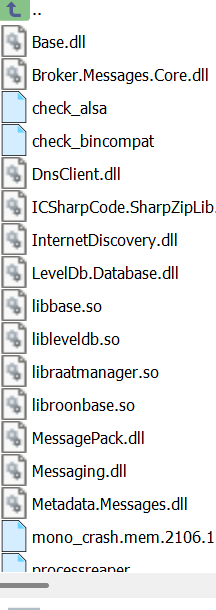
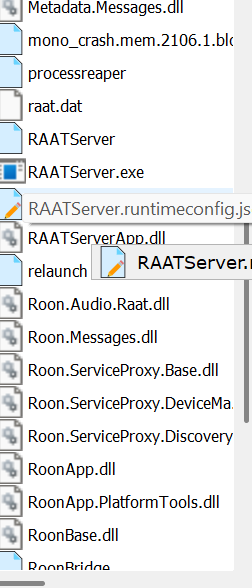
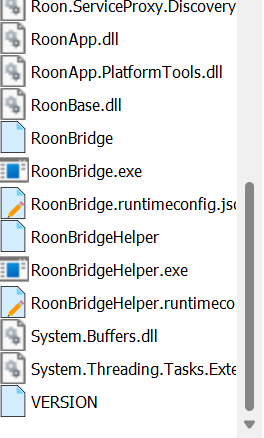
not seeing “sh”
Hello @doug_wolf ,
Thank you for sharing those screenshots! We are checking with the team to see if we can provide more precise instructions on this. Thanks in advance for your patience as this takes place.
1 Like
Hi @doug_wolf,
If you could, please try adding a flag to the RoonBridge file you’ve included in your screenshot?
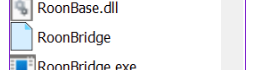
And before doing so - make sure you have a copy of this file as a backup.
Thank you!
hoping i did this correctly. i added the flag on the last line of the file you specified for the conflicting allo device. i restarted roonserver by restarting it on my main linux server (and rebooted computer for good measure).
i sent “feedback” to ropieee and here is the identifier:
d015828ebb435a1f
Hi @doug_wolf,
Thank you for taking the time to go through these steps. Here’s where we stand:
The team is equipped to gather verbose logging from this case and related reports. We’re driving an initiative through the pipeline to build specific fallbacks that will prevent this duplication from occurring.
We’ll of course keep you in the loop as that effort progresses. In the meantime, we’re working with Development to
It’s best to keep these flags disabled long-term. After another few days, we recommend you open the RoonBridge file and remove the flag before rebooting RoonServer/RoonBridge.
We’ll be in touch and please reach out with any questions. Thank you for your patience.
i took the flag out after rebooting roonserver. i think one of the instructions farther up in this thread told me to do that. should i put it back in?
Hello @doug_wolf ,
Just to confirm explicitly here, while the flag was enabled, this issue didn’t occur? We don’t have access to ropieee diagnostic feedback tool, if you can re-enable the flag, make sure the issue is solved, and upload the RoonBridge/Logs folder from the device to our uploader, that would be helpful:
https://workdrive.zohoexternal.com/collection/8i5239cc05950ac07456889838d9319545a82/external
i’m afraid i didn’t understand your instructions. was i supposed to install the flag, trigger the conflict issue and then upload the logs to your uploader?
first, where do i find the RoonBridge/Logs folder?
i found roonbridge_log.txt, which is in tmp/.ropieee/roonbridge_log
note: this is on the affected streamer/allo, not the main roonserver pc running linux
is that the right file?
Good day @doug_wolf !
Yes, please set the flag and then find the log folder .
It should be located by this, or similar path:
/opt/roonbridge/bridge/roonbridge/Logsplease upload the logs to the uploader here:
https://workdrive.zohoexternal.com/collection/8i5239cc05950ac07456889838d9319545a82/external
.
Regards.
OK, to be clear: set the flag, trigger the conflict, upload the log
correct?
i can find opt/roonbridge/bridge but there is no log file there
there is a opt/roonbridge/bridge/roonbridge but the roonbridge is a text file
The logfile you need to download is located here:
/tmp/.ropieee/roonbridge_log/RoonBridge_log.txt
1 Like
1 Like
OK, will try this today 
Hello @doug_wolf ,
Thanks, please do let us know how the log goes. Also, we have been discussing your case with our dev team, and they have kindly also requested:
- What is the MAC address for both affected devices? Sometimes the MAC ID is on the HAT itself or underneath the Pi unit, it usually has a format of AA:BB:CC:DD:EE:FF.
- There may also be one other way to separate these two devices, I have followed up with a more advanced test via private message.
Hi Noris,
Can I ask you kindly to keep me in the loop? This is not the first time that a RoPieee user has run into this issue, and if this is something I can help out with on the RoPieee front then I’m more than happy to help out.
thanks
1 Like
here are the MAC addresses for all of the allo devices (had provided to you on 9/11 above); the 2 that conflict are “home office” and “living room”
how would i receive this PM?