Control Roon from Any Matter Smart Display, Smart Home Ecosystem, or Physical Remote!
Love Roon for its bit-perfect sound and rich library experience, but wish you could easily pause playback, skip a track, or turn the volume down directly from a smart wall panel, Apple Home, Google Home, Home Assistant, or even a tactile wireless button on the coffee table?
I am building a lightweight Matter Bridge for Roon that connects your local Roon Core straight to the modern smart home world.
What Does It Do?
Native Smart Home Controls: Exposes your Roon audio zones as native media devices across Apple Home, Home Assistant, Shelly Wall Displays, and any Matter-compatible controller.
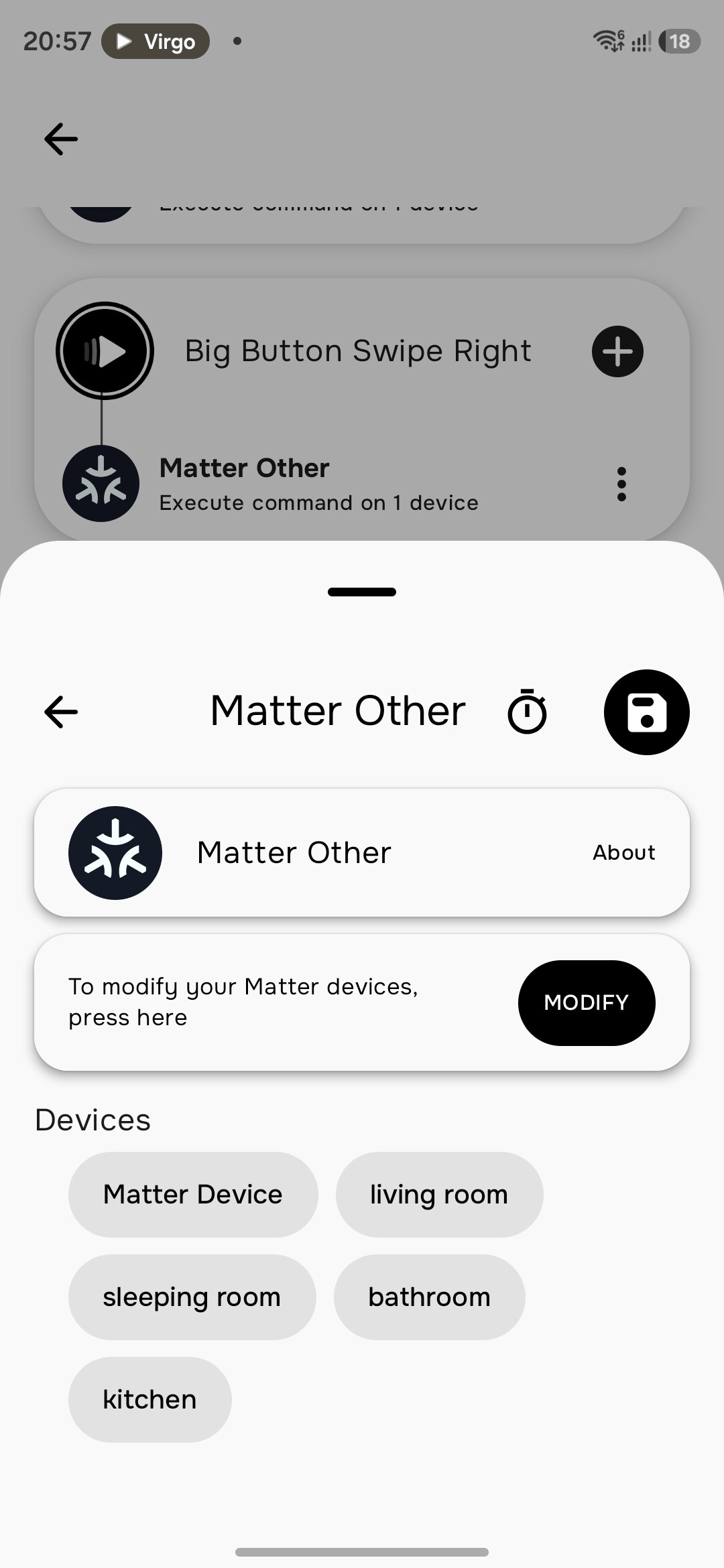
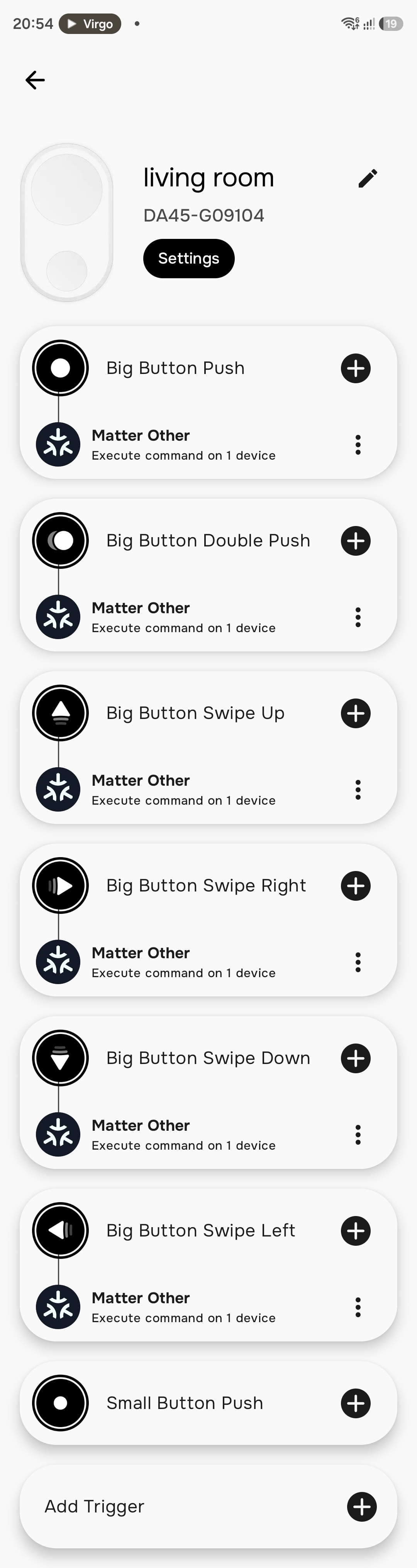
Tactile Control with Wireless Remotes: Seamlessly bind physical buttons and dials—like the Flic Hub & Smart Buttons—via Matter to control volume, toggle playback, or skip tracks with a single click from the couch or nightstand.
Whole-Home Audio at a Glance: Control individual rooms or multi-zone setups effortlessly—play, pause, next/prev, mute, and adjust volume without needing to grab your phone or open the Roon Remote app.
Zero Cloud Required: Runs 100% locally on your home network with low latency and zero recurring subscriptions.
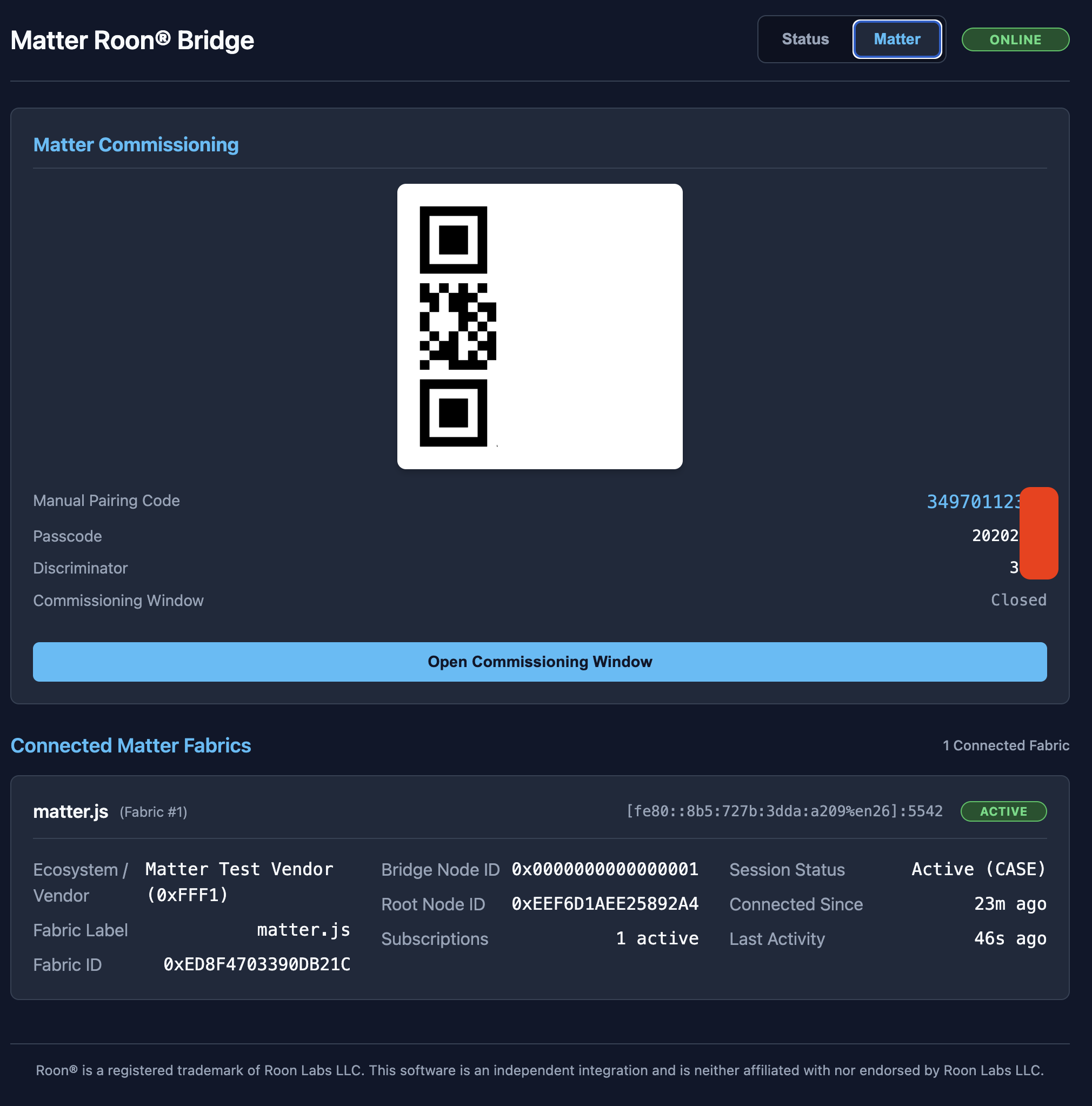
Embedded Web Dashboard: Scan a quick QR code right from your browser to pair the bridge into your favorite smart home system in seconds.
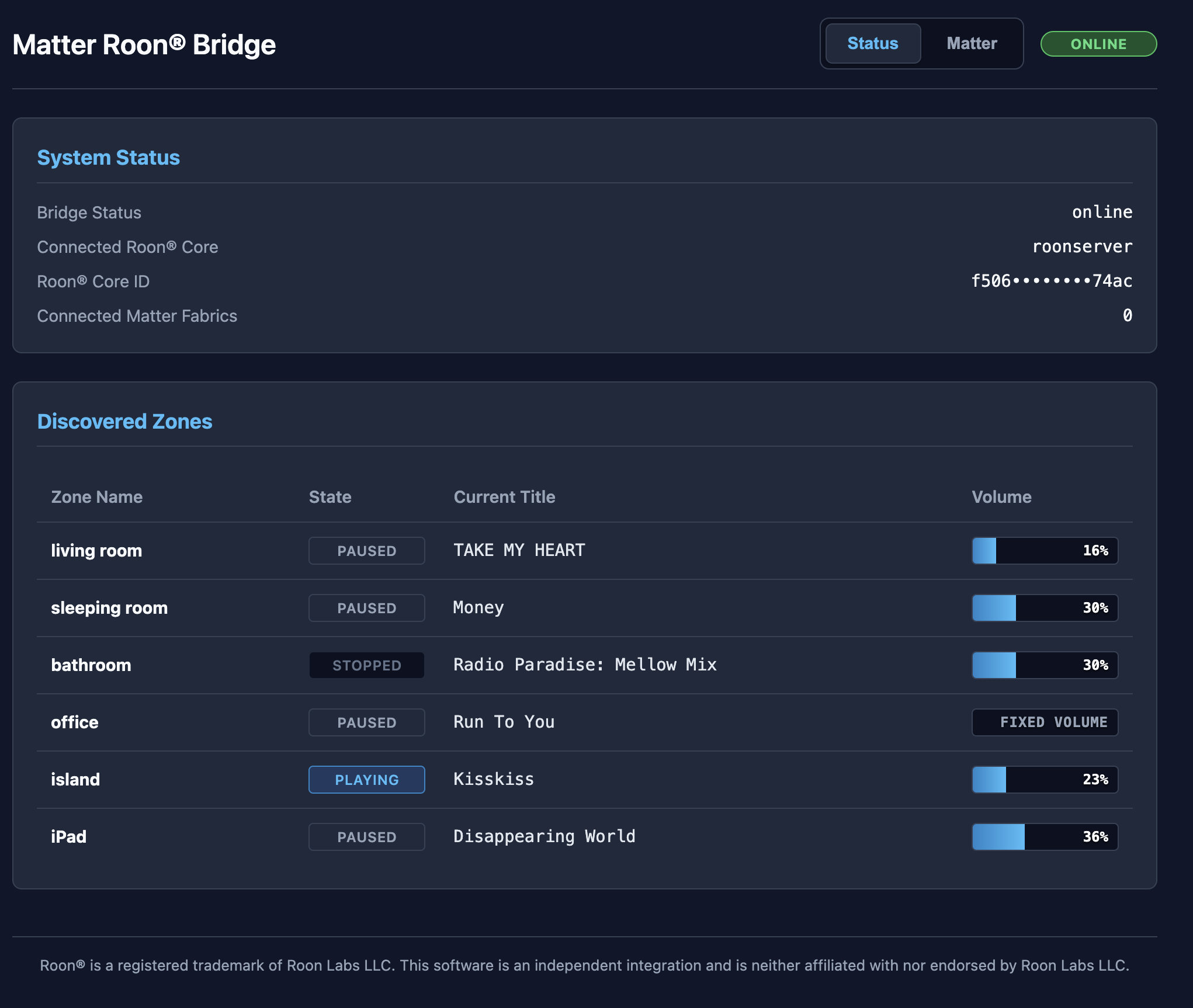
Live Room Overview: See what’s currently playing across all your zones from a clean, built-in status page.
Current Project Status
Working Prototype: The end-to-end bridge is fully working! Roon Core discovery, bidirectional state sync (playback state, volume slider, track title), multi-zone aggregation, and the embedded setup web UI are already implemented and tested against live hardware.
What’s Next Before Public Release?
Architecture Rework: Cleaning up module boundaries and code structure to minimize technical debt and ensure rock-solid stability.
Packaging: Wrapping everything into a turnkey Docker container for one-click deployment on home servers, NAS devices, or Raspberry Pis.
Hardware Validation: Physical verification against dedicated wall display hardware.
Whether you’re mounting a dedicated touch controller on the kitchen wall, sticking a wireless Flic button by the bedside, or setting up smart automations (like pausing music when the doorbell rings), this Matter bridge bridges the gap between high-end audio and seamless smart living.
Stay tuned for more updates as I wrap up testing and packaging!
And here comes the missing Matter view showing one connected Matter fabric (the artificial version of a Shelly wall display or Flic HUB LR). The bridge is able to handle multiple commissioned fabrics at the same time and update them with the current status inside the Roon Core (state, volume, mute state, maybe track information). More to come - stay tuned.
Next step is done, Matter endpoints have been validated and they are working. Thus gestures from a Flic.io remotes like the DUO can be mapped to zone controls. Shout-out to Flic.io for swift delivery and great support.
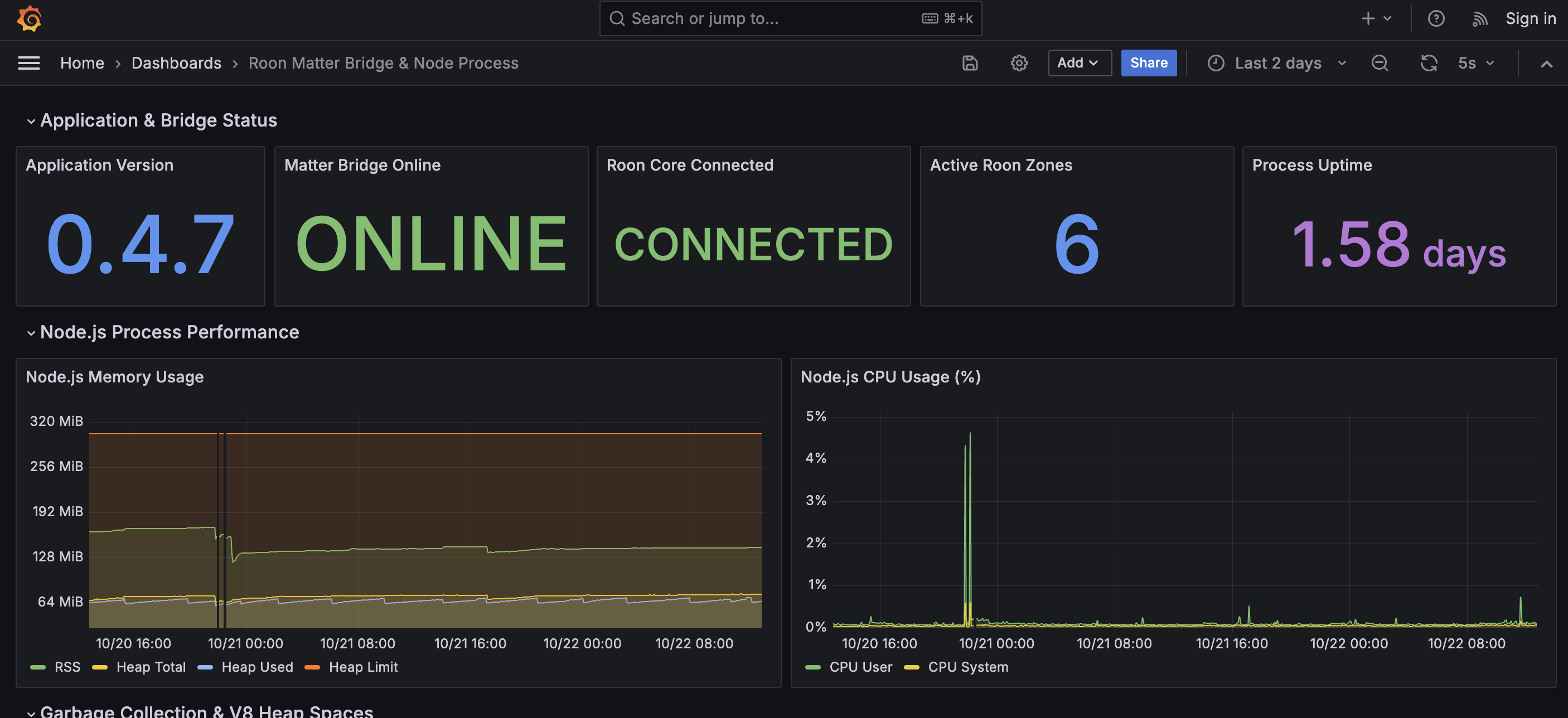
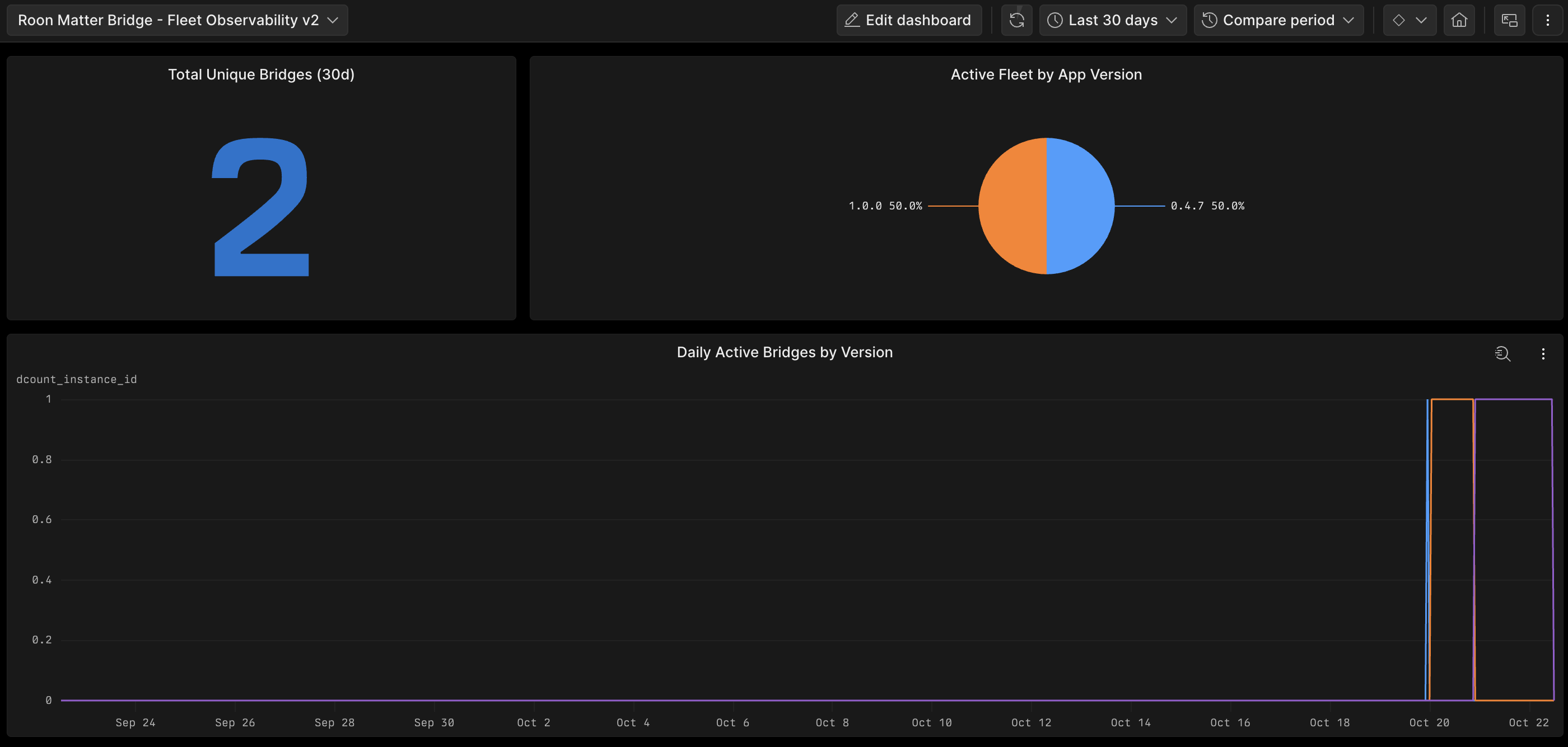
Status updates - I’ve added metrics and anonymized telemetry to the solution stack so I can better see how the instance behaves over time and how it is used by the community.
Privacy & Operational Telemetry: What We Collect (and What We Never Touch)
To help maintain stability, troubleshoot crashes, and understand which features people use most, the bridge sends a small, anonymous operational check-in once an hour.
We believe in complete transparency. Here is exactly what is shared:
1. What Is Sent (Only Anonymous Counts & Numbers)
App Version & Uptime: Which release of the bridge is running and how long it has been up.
Zone & Smart Home Counts: The total number of audio zones (e.g., 3) and active smart home pairings (e.g., Apple Home or Home Assistant).
Basic Activity Counters: A simple count of how many volume adjustments or play/pause button presses were handled since startup.
Anonymous Installation ID: A randomly generated identifier (UUID) stored on your bridge so updates don’t count you as a new installation.
2. What We NEVER Collect
Zero Music Information: No song titles, artists, albums, playlists, or library contents.
Zero Personal Identifiers: No account credentials, emails, passwords, or Roon tokens.
Zero Device or Room Names: Your zones and room labels remain strictly local on your home network.
Zero IP Addresses or Locations: Incoming network addresses are stripped immediately before metrics are stored.
3. Complete Control & Opt-Out
Telemetry is optional. If you prefer not to share operational statistics, you can disable it entirely at any time by setting TELEMETRY_DISABLED=true in your environment or toggling it off in the Web UI. And the best thing, the code will be open source, so you will see what is gathered and how.
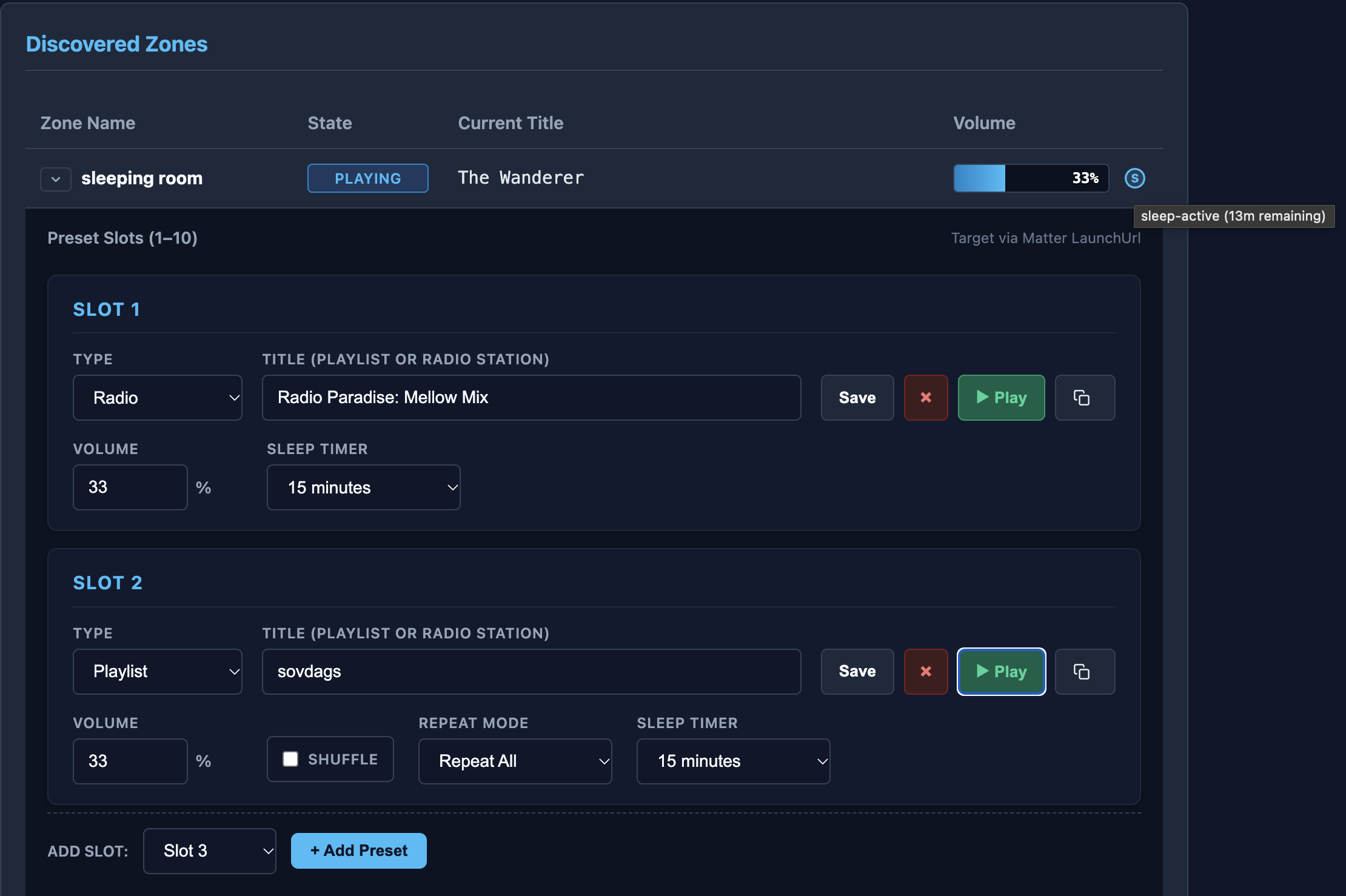
We’re excited to introduce Zone Presets for the Matter Roon Bridge!
Each Roon zone now supports up to 10 dedicated presets for your favorite Playlists and Internet Radio Stations. These can be triggered from any Matter controller supporting ContentLaunch endpoints—including smart buttons (like Flic), wall controllers (like Shelly Wall Displays), and home automation platforms.
From now on, your favourite playlist can be triggered, shuffle or repeat mode can be added, and it slowly fades away, all of this without ever touching an app.
One-Touch Presets: Map up to 10 playlists or radio stations per zone. Triggering a preset seamlessly replaces current playback and starts immediately.
Smart Playback Defaults: Assign custom target volume, shuffle, or repeat modes per preset.
Gentle Sleep Timers: Set presets to stop after 15, 30, 45, or 60 minutes with a natural, 5-minute logarithmic volume fade-out. Once completed, sane default volume (12/100) is applied so that the zone doesn’t end up in muted state.
Easy Web Setup: A clean drawer in the bridge Web UI lets you search your Roon library with live autocomplete, test presets with an inline ▶ Play button, and copy preset URLs with one click.
Live Status: An active sleep timer displays an [S] indicator directly on the zone status row, showing remaining time and fading status.
The code is currently on Github (but as private repo) and will - most likely be free to any audiophile to run as Docker container - but require a license for integrators (bigger installations, banner shown, email support). Nothing is settled in stone but this will probably be my approach to prevent maintainer burnout.
Poll - license and maintenance model
Free for audiophiles, payed license for integrators (4 zones, email support))
Buy me a coffee/beer only - maintenance on my own terms.
Complete open the source code - provide as is - no support nor maintenance.
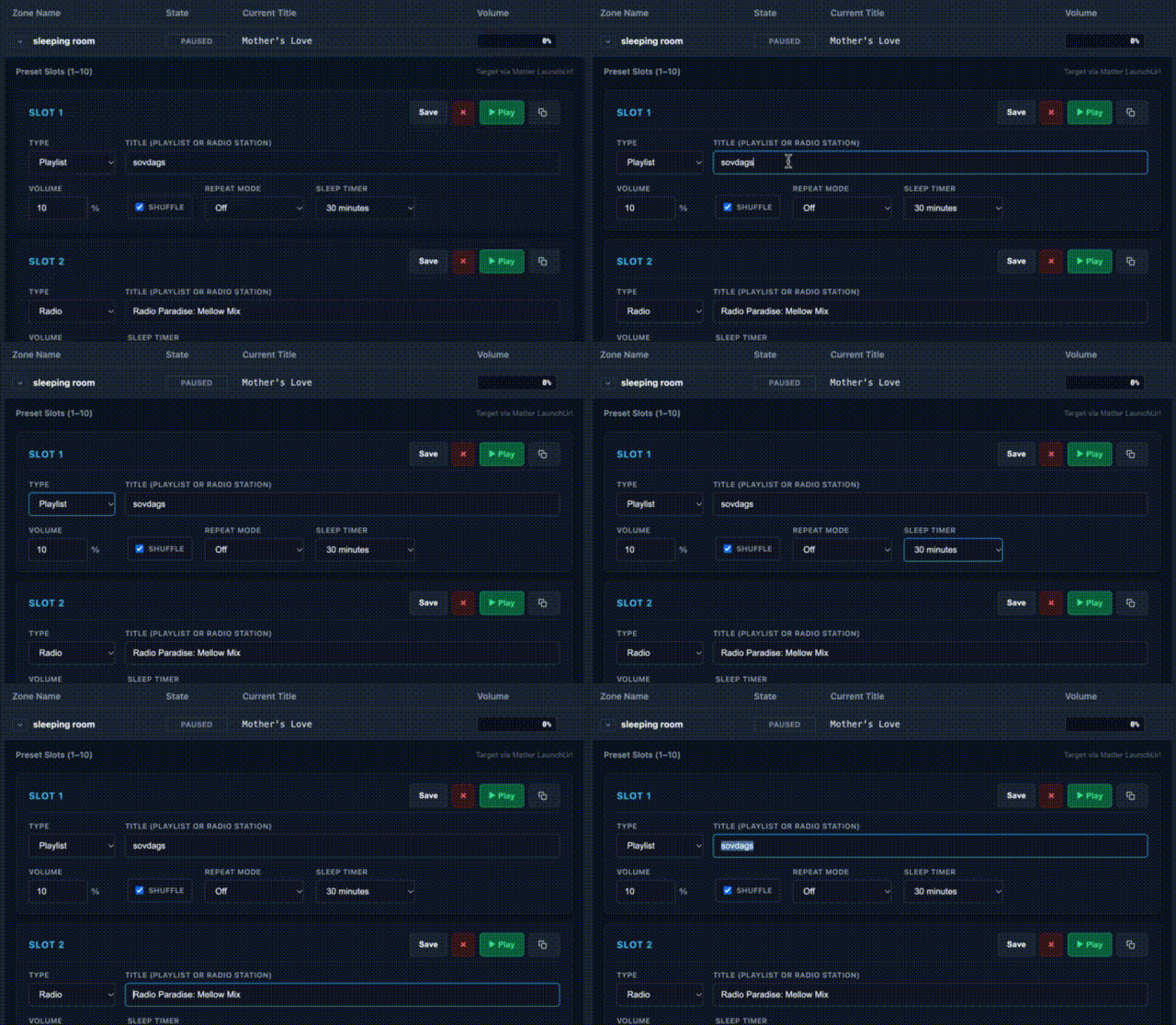
Another teaser after rearranging some buttons and ensure that user can easily navigate with TAB to all fields within a preset and use PAGE_UP/DOWN to jump between presets on the same zone.
After three intense weeks holed up in the code cave wrangling Matter specs, network discovery, and plenty of coffee, the very first public release is finally ready for testing!
Release 0.6.8 of the Matter Bridge for Roon is now available on Docker Hub:
Native Matter Support: Exposes Roon audio zones as native Matter media players for any compatible Matter controller (Apple Home, Google Home, Shelly Wall Display, and Home Assistant).
NAS-Ready: Run directly via Docker Compose on Synology, QNAP, Unraid, or any Linux server (network_mode: host).
Presets & Sleep Timer: Map up to 10 playlists/radio stations with automated volume fade-out - still under development, export/import is missing.
Testing State: Tested against the latest Roon Core and verified with Flic smart buttons; Shelly Wall Display testing is planned next.
Testing is actively ongoing—feedback, questions, and test reports in this thread are greatly appreciated!
If you find this project useful, please consider buying me a coffee to support ongoing development.
Trigger Roon Presets via Matter: Introducing ContentLauncher URL Playback
Want to trigger a Roon playlist or radio station from a physical button or wall display with custom volume, shuffle, and an automatic fade-out sleep timer?
Here is how js-matter-roon-bridge integrates physical Matter controllers (Shelly Wall Display, Flic Hub) with Roon zones using standard ContentLauncher URL playback.
The current version of Matter supports the ContentLauncher cluster (0x050A) with UrlPlayback.
The URL is purely an internal construct (no external HTTP requests are made). The bridge intercepts, parses, and translates the slot and query parameters directly into the matching
Assign Presets: Search and map Roon playlists or radio stations to slots (1–10) in the bridge Web UI.
One-Click Copy: Click the Copy button on any preset row to grab the formatted URL (with slot defaults included).
Paste in Matter Controller: Add the URL into your controller’s button action under the LaunchUrl command.
Supported Parameters
volume: Target volume percentage (8–100%, with an 8% safety floor).
shuffle: Enables random playlist playback (true/false).
repeat: Sets repeat mode (all, one, off).
sleep: Sleep timer (15, 30, 45, 60 min). Audio plays at normal volume until the last remaining 5 minutes, which trigger a logarithmic fade-out down to a full stop. After stopping, the bridge restores the zone volume to a default of 12% so the zone is not left muted for next time.
Great application you’ve created! I’ve installed it on my NAS, and everything is running smoothly. It correctly displays all my Roon zones.
I have a couple of Flic Twist remotes and decided to give them a try. Adding the Roon Matter integration to the Flic Hub was straightforward. However, I’m having some trouble with the configuration on the Flic side.
I haven’t been able to figure out how to control the volume, and Flic doesn’t seem to offer a Media Playback command for Play/Pause toggle.
The On/Off toggle does work, but it appears to turn the zone on and off rather than behaving like a pause function with a short volume fade.
My suspicion is that the Roon zones are being exposed as “light” entities rather than “speaker” entities.
Would you mind sharing some details about how you configured Flic to work with Roon? Any guidance or examples of your setup would be greatly appreciated. I’d love to get the Flic Twist controls working properly!
Thanks for the feedback @Guy_Maurier , Roon endpoints are exposed as Matter speakers and those endpoints support all mandatory features - including Play/Pause. As soon as I have arrived home, I will prepare some screenshots and share the details. I’ve even made some progress in using the Flic.io studio feature provided by the Hub LR device.
Thanks @Guy_Maurier for providing your thoughts. Below is the summary for the issue and how I will implement a toggle feature for the On/Off Matter endpoint with the 0.7 release.
Bridging the Gap: Native Play/Pause Toggle for Smart Buttons over Matter
If you have tried using a physical smart button (like a Flic Button or Shelly Wall Display) to control music over Matter, you probably ran into an annoying limitation: there is no native “Play/Pause Toggle” command in the Matter specification.
The Spec Limitation
Under the official Matter standard, the MediaPlayback cluster (0x0506) only defines discrete commands: Play (0x00) and Pause (0x01). While major hubs like Apple Home or Home Assistant can run conditional scripts (“if playing, then pause”), physical button controllers like the Flic Hub do not have a built-in rules engine. A single button press cannot evaluate speaker state—forcing you to waste two separate gestures just to play and pause.
The Workaround: Repurposing the OnOff Cluster
Every bridged speaker in js-matter-roon-bridge exposes a standard OnOff cluster (0x0006), which natively supports a Toggle command (0x02) supported by every smart button on the market.
We could introduce a behavioral mode switch via MATTER_ONOFF_MODE:
playback (New Default):
Single Press / Toggle → calls Roon’s native play_pause()
On / Off → Play / Pause
State → reflects active playback (true = playing)
mute (Legacy): Preserves standard Matter speaker mute/unmute behavior.
For those who want to use a remote from Flic - sending either Matter or pure Http requests - the ZIP file below can be used as a boilerplate for first experiments targeting the Matter-Roon-Bridge instance running in your home network.
 New Feature: Zone Presets & One-Touch Playback

 Docker Hub:
 If you find this project useful, please consider