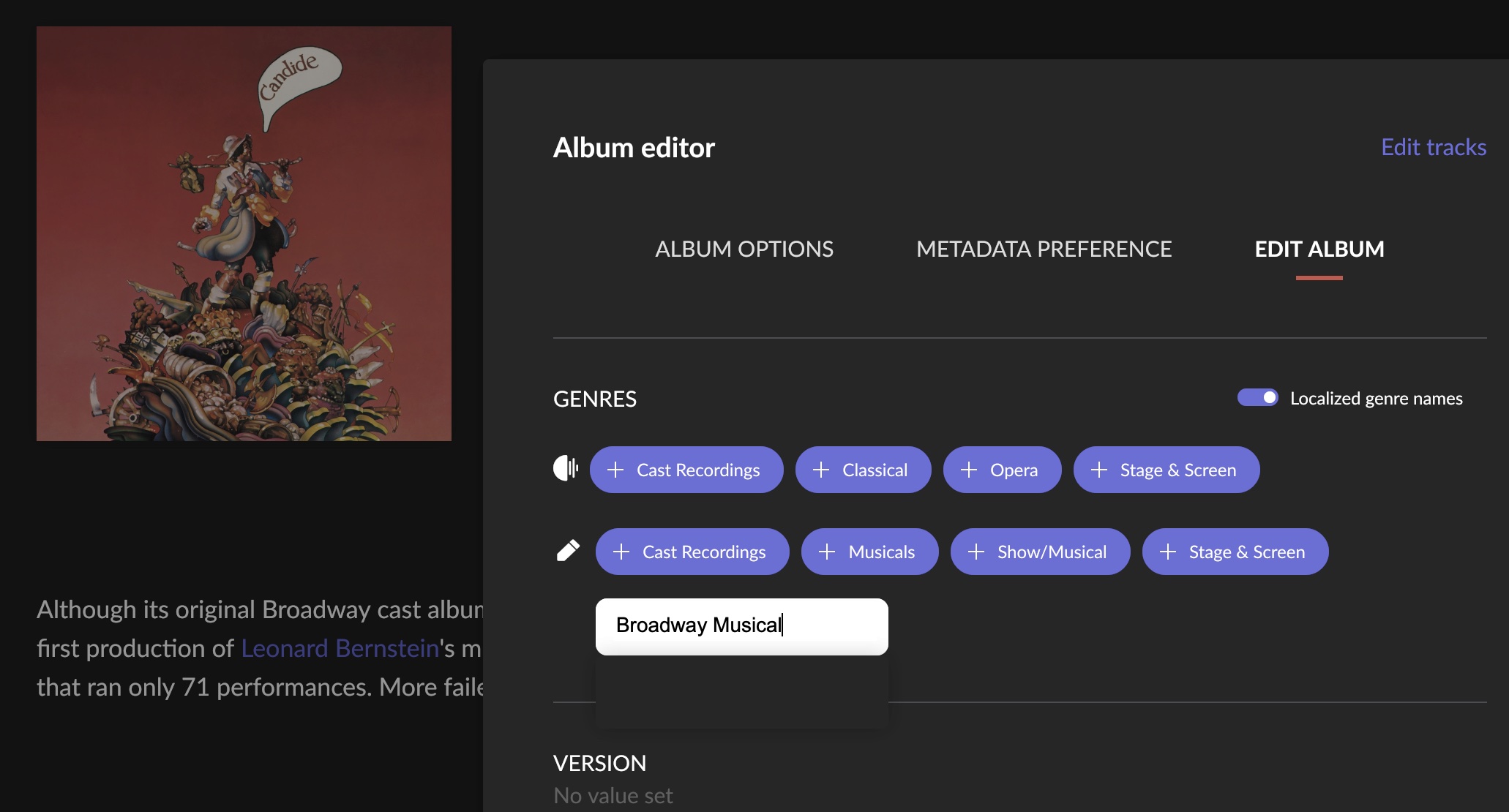
Once you are editing a new genre for an album, roon does make suggestions the moment you start typing. I guess, the system was taken over from TiVo metadata, but I am not sure about this.
The standard hierarchy consists of 3 layers. The highest layer, you might want to dub them primary genres, has a limited amount of choices. There is for example Classical, Pop/Rock, Jazz, R&B, Stage&Screen and a few others.
A secondary layer genre must always be a subgenre of a primary genre. Your problem originated from an unsharpness for musicals, as mentioned, as Show&Musical is a subgenre of Classical while Cast Recordings is a subgenre of Stage&Screen.
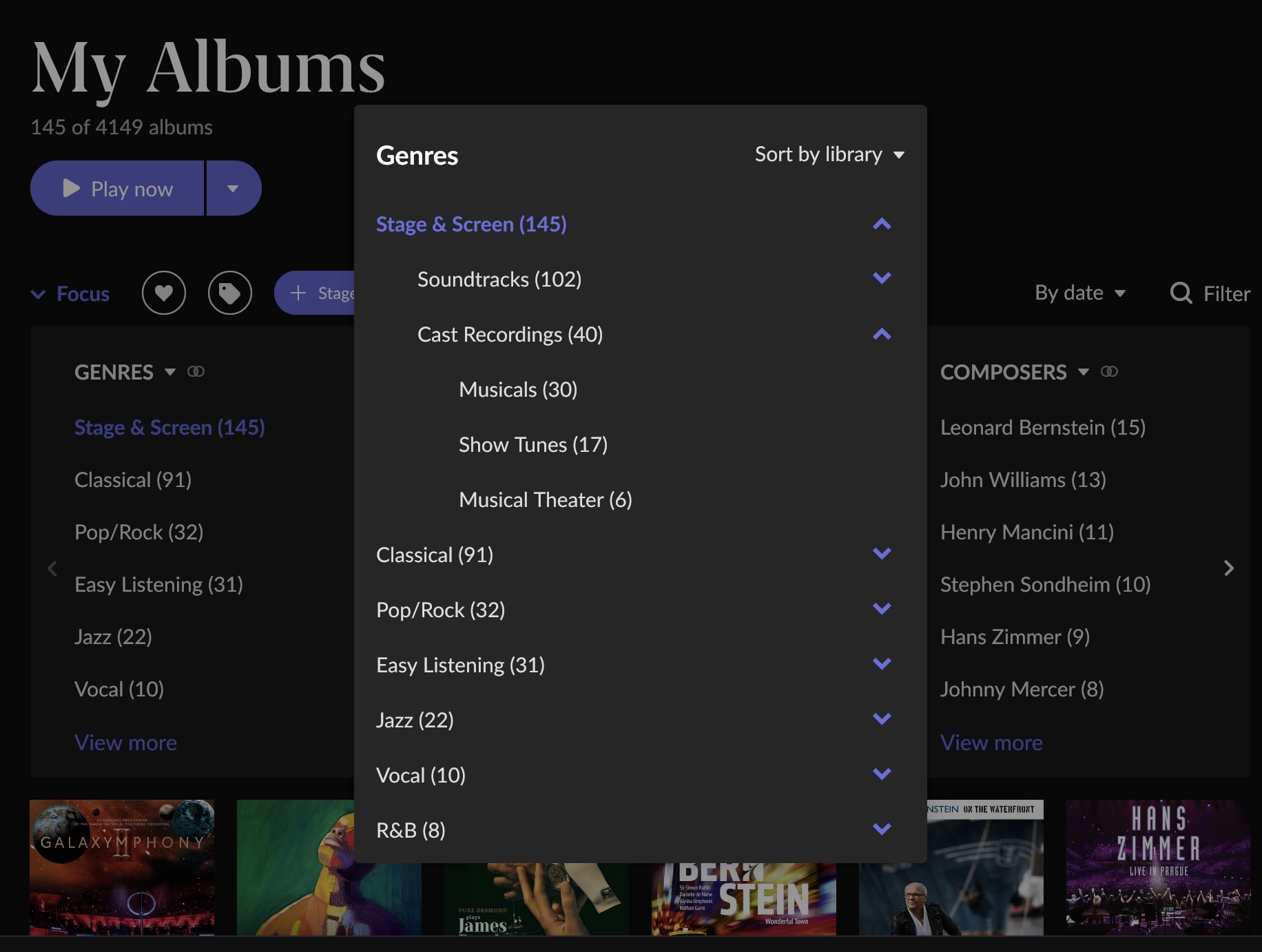
The easiest way to have an overview on genres in your library (solely in your library!) is either to click on “Genres” in the main menu so you can see the primary genres in your library. Or you go to album overview and open the first “Focus” filter option which is “Genres”. If you activate it option, roon will show you only albums with the assigned genre. If you click “View more” under Genres, so can reach the secondary genre and do a more specific discrimination. Example for Stage&Screen:
Note that you can open any subgenre and see the list of third layer subgenres contained.
Yes, as a part of the aforementioned focus filter. If you activate 2 genres (or more) simultaneously, you have AND search. If you click an already selected genre a second time, it becomes red which indicates a NOT. OR is not a standard function but possible via tags.
Easy with the focus filter in the album view:
Cannot tell you but it is easy. Edit an album, and add a genre of your liking, in this case “Broadway Musical”:
Subsequently go to “Genres” in the main menu, find the one you have just created and assign it to a parent genre:
Our “Broadway Musical” is now a subgenre of Stage&Screen > Cast Recordings. That genre editor is also the best way to see the complete hierarchy of all genres handled by roon.