Roon Now Playing — A Simple "Always-On" Display Extension

New version released: Roon Now Playing — A Simple "Always-On" Display Extension - #27 by Arthur_Soares

Roon Now Playing — A Simple “Always-On” Display Extension
Add images

Hey everyone,

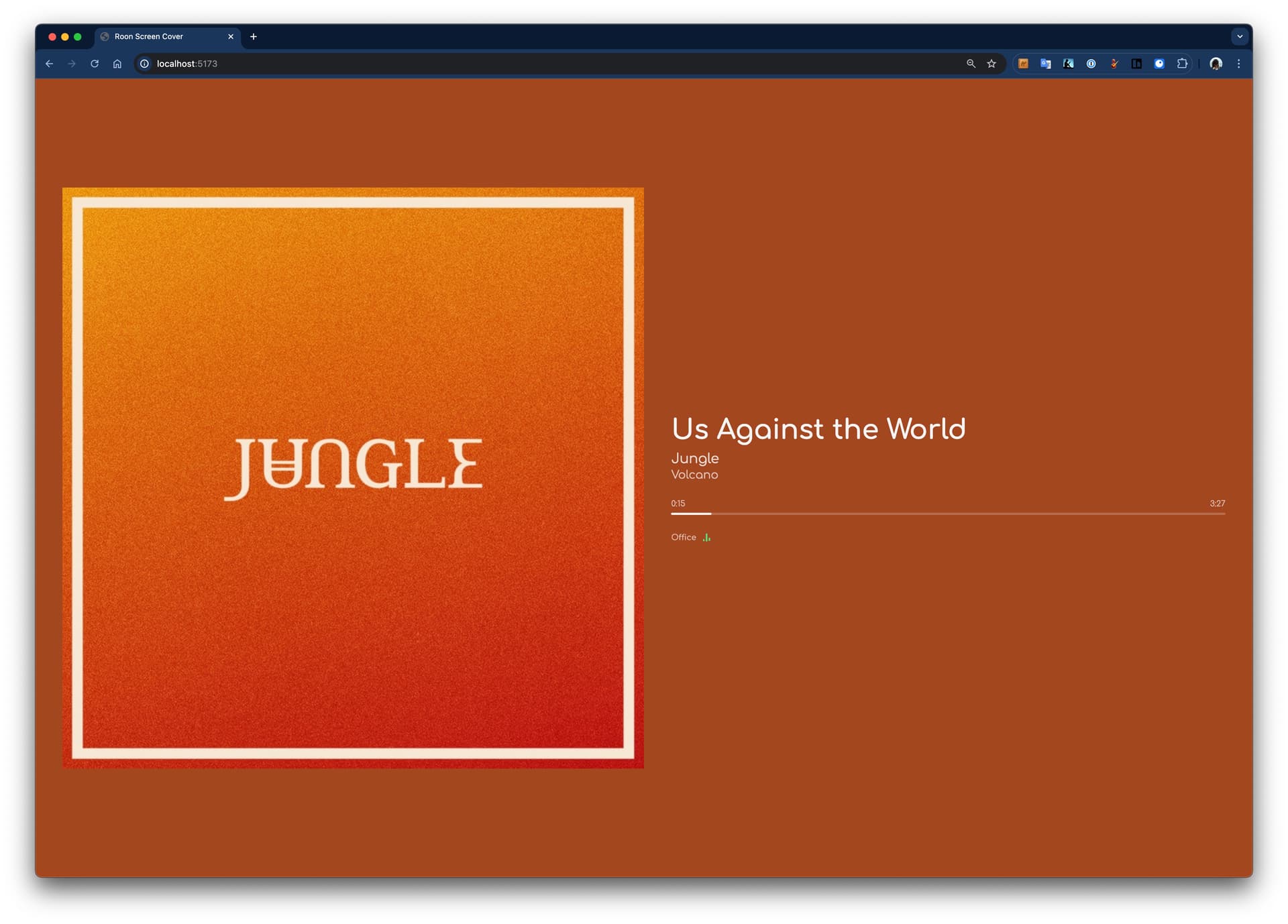
I wanted to share a little project I’ve been working on: Roon Now Playing — a Roon extension that displays real-time album artwork and track metadata on any web-connected client.

I built this for a very specific use case: I wanted a clean, “always-on” display for a wall-mounted tablet and an old iPad sitting on a shelf. Nothing fancy, just album art and track info that updates in real-time as I listen.

What it does

  • Real-time album artwork and track metadata via WebSocket
  • Multiple simultaneous clients can view different zones
  • Five display layouts: Detailed, Minimal, Fullscreen, Ambient, and Cover
  • Dynamic backgrounds (solid, dominant color extraction, gradients)
  • Admin panel to remotely manage connected displays
  • Auto-reconnect on connection loss

Quick Setup (Docker)

If you’re running Docker on your server or a Raspberry Pi, getting started is straightforward:

services:
  roon-now-playing:
    image: ghcr.io/arthursoares/roon-now-playing:latest
    container_name: roon-now-playing
    ports:
      - "3000:3000"
    volumes:
      - ./config:/app/config
      - ./cache:/app/cache
    restart: unless-stopped

Then:

docker compose up -d

Open http://<your-server-ip>:3000 in a browser, authorize the extension in Roon Settings → Extensions, and you’re good to go.

URL Parameters for Dedicated Displays

You can configure displays via URL params, which is handy for dedicated tablets:

http://localhost:3000/?zone=Living%20Room&layout=ambient&background=gradient-radial&font=comfortaa

Standing on the Shoulders of Giants

This project wouldn’t exist without inspiration from other excellent community work:

I just built something tailored to my very specific needs and figured it might be useful to others with similar setups.

The code is MIT licensed and available on GitHub: GitHub - arthursoares/roon-now-playing

Happy to answer any questions or take feedback. Cheers! :musical_note:

2 Likes

I’ve manually installed it on a Debian LXC container running on Proxmox. It works on my iPad Pro 13 (M4), but I was hoping it could also run on my very old iPad 2 and Nexus 7. Unfortunately, on these devices, the browser only displays a black screen. It seems that the browser engines on these devices are too outdated for this extension. Fortunately, an older version of Web Controller (1.2.8) is still functional on both devices.

Roon Now Playing v1.4.0 — AI-Generated “Liner Notes” and External Source Support

Hey everyone, quick update on this project. A few days ago I shared v1.0.0 of Roon Now Playing, a simple always-on display extension. Since then it’s grown quite a bit based on my own tinkering and some feature requests.

What’s new since v1.0.0

AI-powered “Facts” layouts

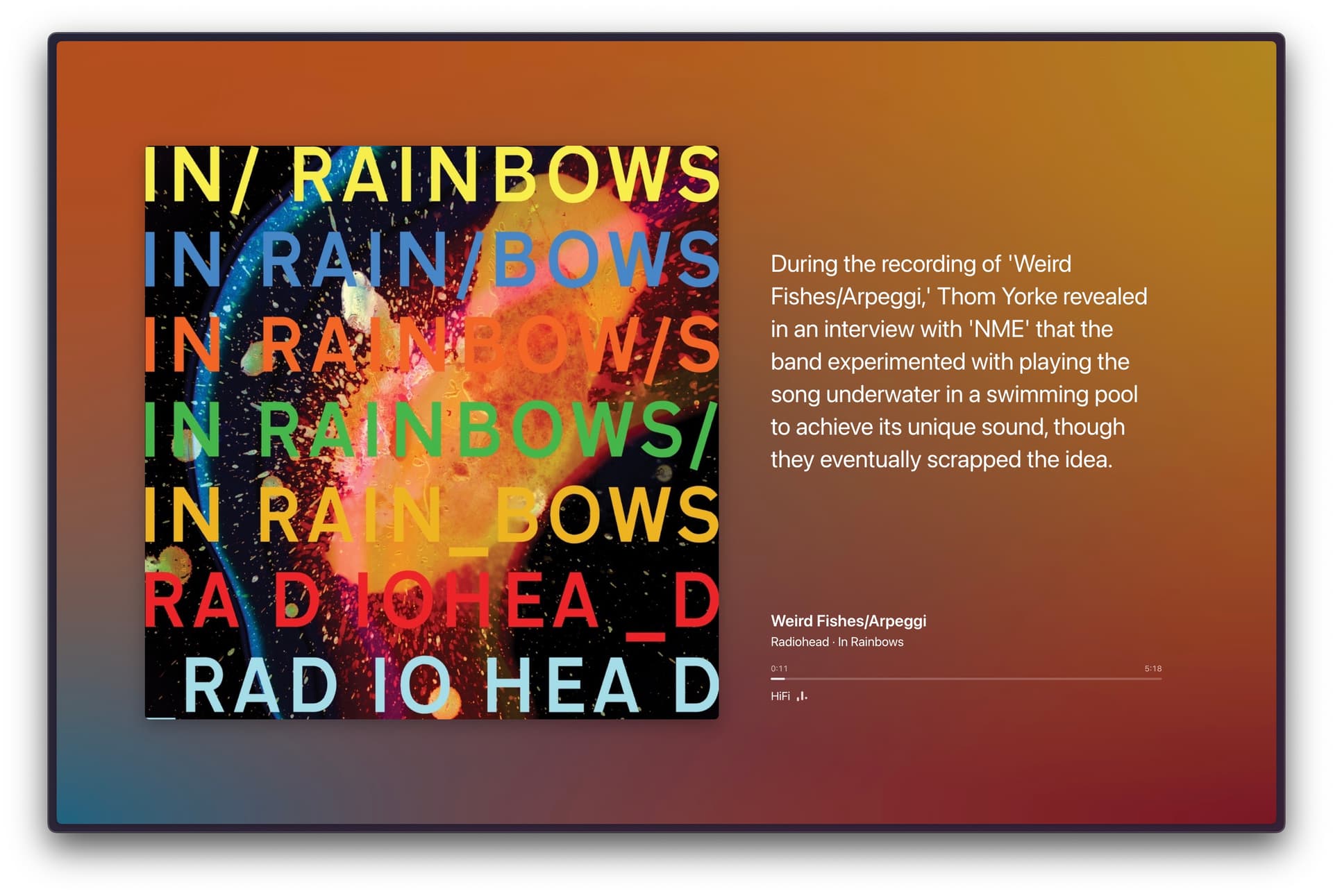
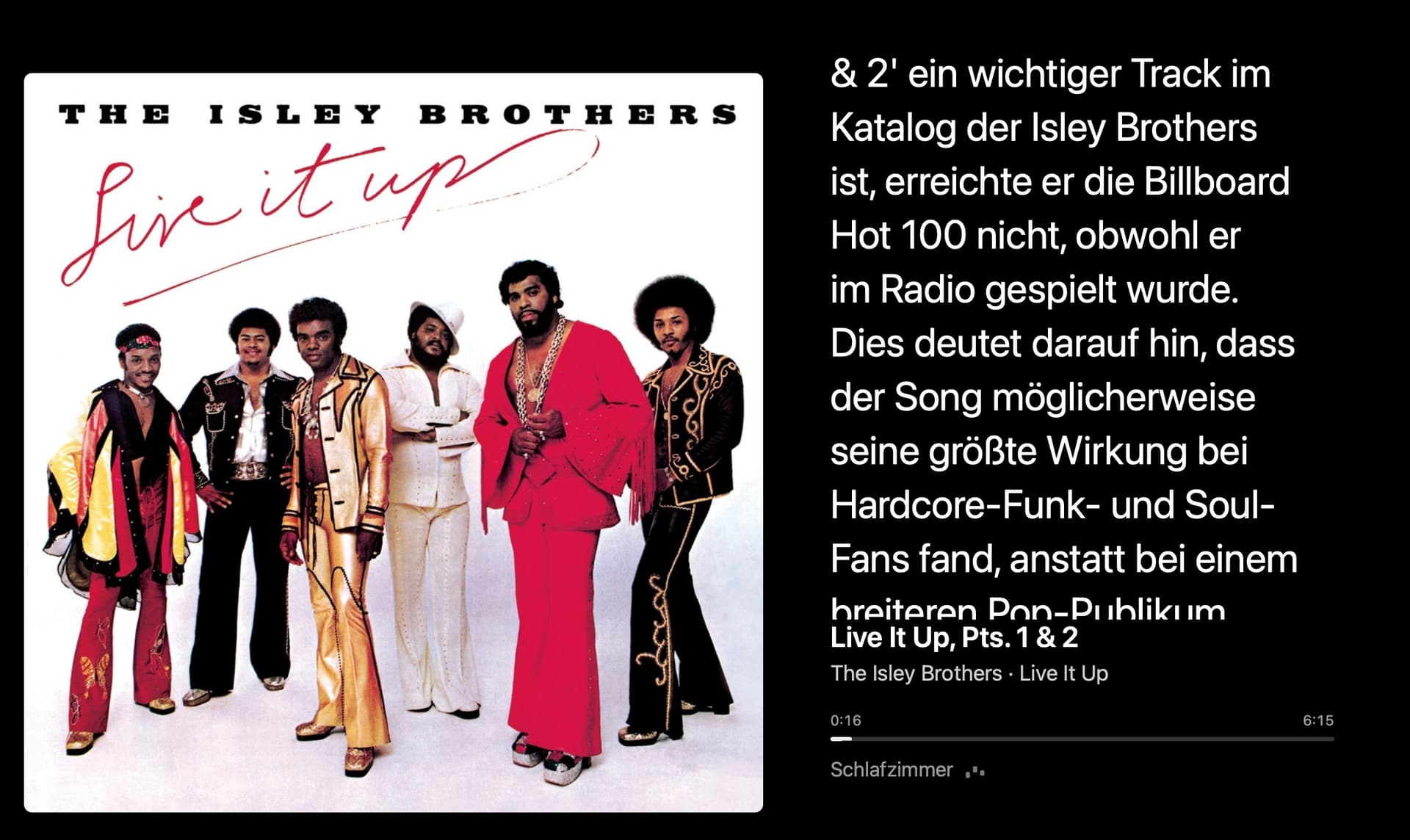
This is the big one. Three new layouts (facts-columns, facts-overlay, facts-carousel) that display AI-generated context about whatever’s playing. Recording history, lyrics meaning, who played on the track, chart performance, studio stories. Think of it like having liner notes for your entire library.

It connects to Anthropic (Claude) or OpenAI. You configure your API key in the admin panel, customize the prompt if you want, and set how many facts to show. Facts get cached so you’re not hitting the API on every repeat.

External Sources API

The extension no longer requires Roon. There’s now a generic API that lets any music source push now-playing data. Spotify, Apple Music, whatever. External sources appear as zones alongside your Roon zones, so you can switch between them from the zone picker.

Documentation here: External API Documentation

More layouts, backgrounds, and fonts

• 8 layouts now (was 5): added the three facts variants
• 14 background options: added gradient-mesh, blur-grain, duotone, posterized, and more
• 7 font families: system, Patua One, Comfortaa, Noto Sans Display, Coda, Bellota Text, Big Shoulders

Improved admin panel

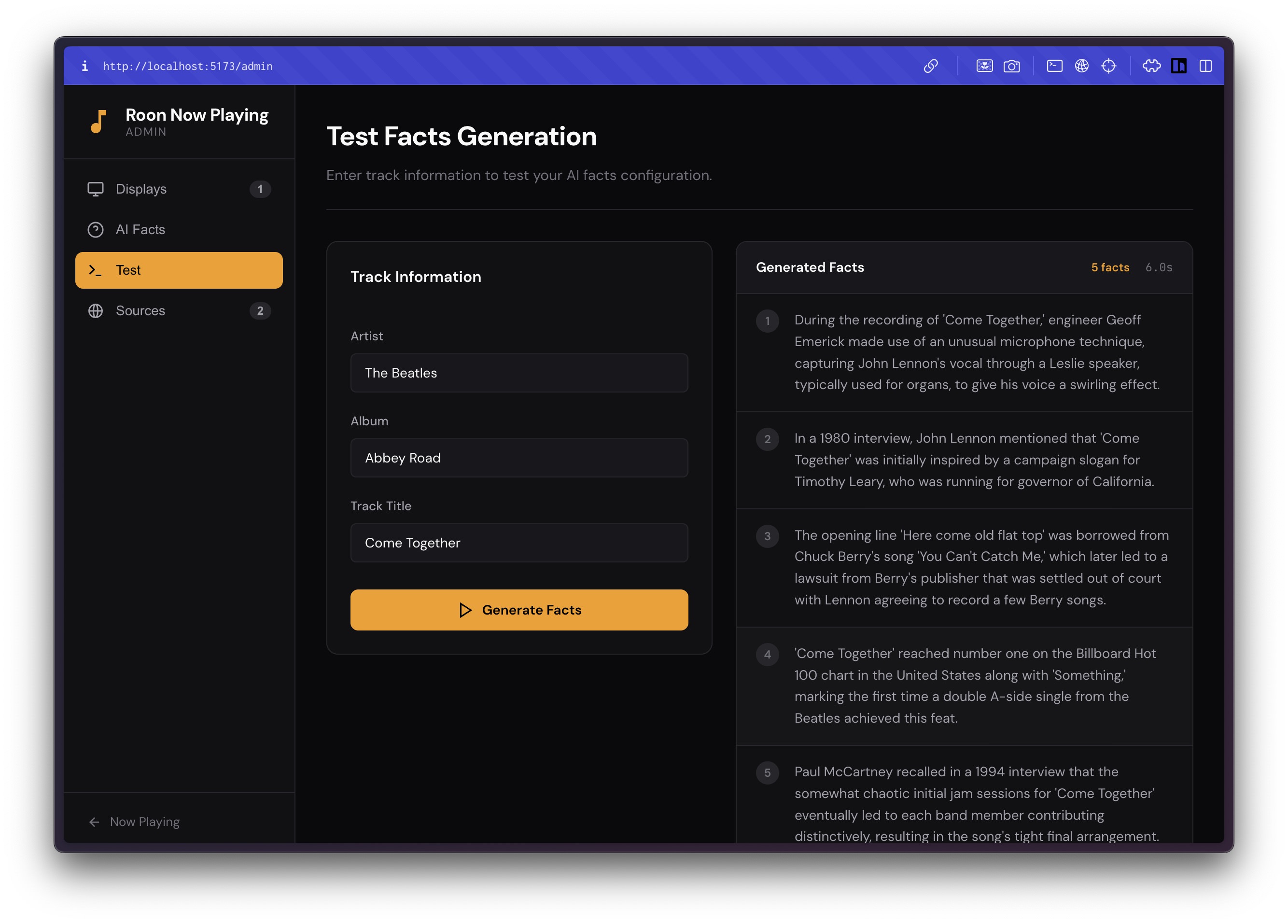
You can now configure facts settings (provider, model, API key, prompt) directly from the admin UI. Plus test the configuration with sample track data before going live.

Quick upgrade

If you’re already running it via Docker:

docker compose pull

docker compose up -d

Same setup otherwise. The config format is backward compatible.

Example URL with facts

http://localhost:3000/?zone=Office&layout=facts-carousel&background=blur-subtle&font=comfortaa

GitHub

The facts feature has been surprisingly fun. I keep learning things about albums I’ve listened to for years. Let me know if you run into any issues or have ideas for what else might be useful.

Cheers!

1 Like

Great update :+1: Unfortunately i‘m not able to use the new AI feature, because i have only an OpenRouter account. Any chance to add support for OpenRouter API?

Ooh, this is really nice!

But… was searching for a simple way to display just the album art on my old iPad that is stuck to iOS 12 – unfortunately this one’s not it either as Safari on that OS version doesn’t seem to work at all with this, just getting the black screen mentioned by the earlier commenter.

Yes, I’m making use of some CSS and other more recent features of HTML. Perhaps check one of the alternative projects I listed in the main post:

Standing on the Shoulders of Giants

This project wouldn’t exist without inspiration from other excellent community work:

Yup, I’ve some time back myself forked the roon-web-controller to give it small UX updates and to make it work better on certain devices :sweat_smile:

Will probably have to modify that version a bit further to get the clean fullscreen cover art display for the old iPad (this fork works there just fine, if not very well optimized scaling-wise). As a lazy person, was just hoping to find a ready-made solution :winking_face_with_tongue:

@mnp75, can you point me to your fork? I can see what I can reuse and make a “simpler UI”/compatibility mode

GitHub - miemo/roon-web-controller: This is an extension for the Roon music player that provides a web based remote. THIS FORK CONTAINS VISUAL TWEAKS ETC, SEE TOP OF README FOR DETAILS! – not a huge amount of changes compared to the original roon-web-controller, the most major compatibility thing had to with icon sizes.

@mnp75 and @FunkBrother can you try the last version? I’ve pushed both the simplified layouts (should work with older browsers) and the support for OpenRouter API and LocalLLMs. Releases · arthursoares/roon-now-playing · GitHub

  • OpenRouter does work :white_check_mark:

  • layout= basic :cross_mark:
    Still showing black screen on iPad 2 (iOS 9.3.5) and Nexus 7 (Android 4.4.2).

Safari on iPad Air running iOS 12.5.8, layout=basic still gives black screen. Console prints out “SyntaxError: Unexpected token ‘?’” so it fails on JS-level.

I will take a look and try to test against those versions. I will update it here with progress

Btw. the update isn‘t required anymore from my side. I‘ve decided to get rid of these very old devices.

I have a spare Zotac Mini PC and just ordered a 14 inch portable monitor (with touch) for $ 36. That‘s a big update compared to the 7 inch Nexus 7 display. Plus, the rendering problems should be gone.

Made a quick update to my own roon-web-controller fork to support just displaying the cover art (after a tap on the cover from the default mode) – mentioning here just in case anyone’s interested on a solution that should work on pretty old and crappy devices like my OG iPad Air.

Can you try this last release?

Still black screen on Nexus 7. Haven’t tried iPad 2.

I switched to a FireTV stick and Fully Kiosk Browser. Works great. Only the AI text is a little bit too big for my taste. Would it be possible to make the text smaller or even better add an option to configure the size? Furthermore it seems, that the font selection is only relevant for player info and not for AI info. Would be nice to have an option to change font for AI text too.

1.6.0 still produces a black screen on my iPad Air.

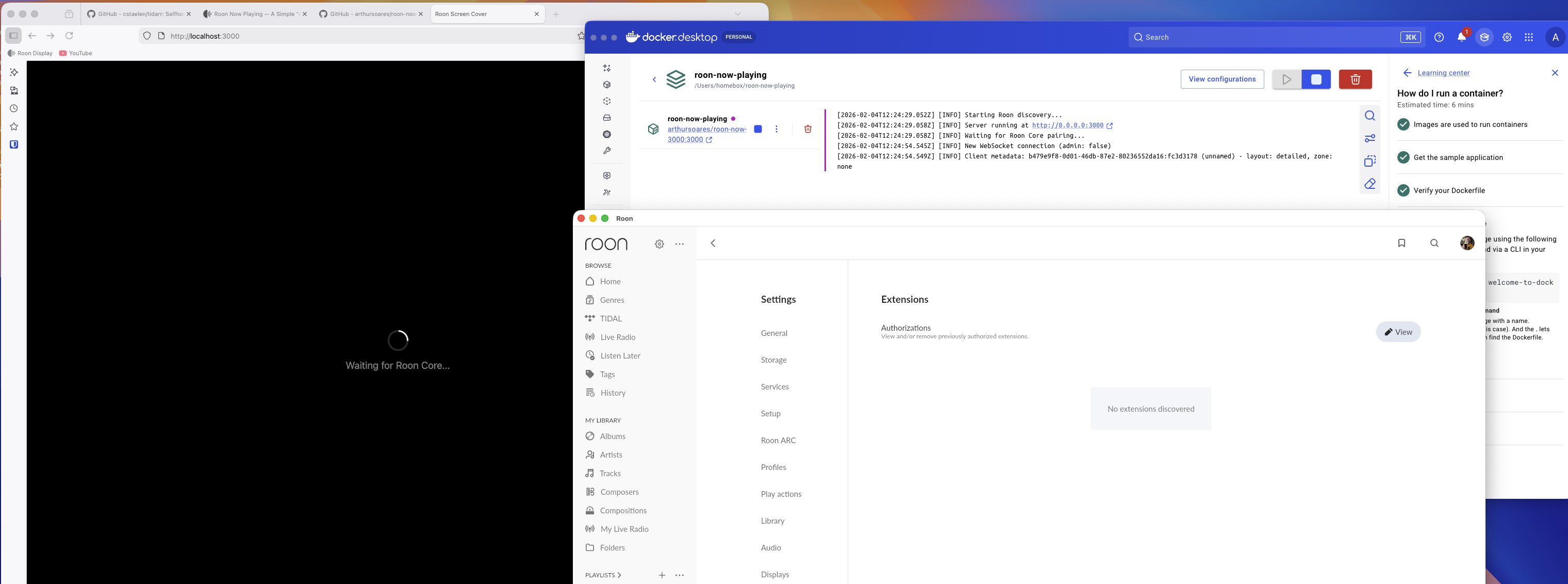
Hi, I am new to docker but I managed to get the container running. It just does not detect my roon server on the same machine to allow the extension.

Server on MacOS, one other extension - Roon Random Album is authorized.
Can you make out what the issue might be based on the screenshot?

Would you be so kind to add some of that feedback and request as an issue here? GitHub - arthursoares/roon-now-playing