I have a holiday trip planned by the end of the year, visiting some family overseas, and I’d like to access my Roon library while away. I’ll be mostly all the time on a Wifi network; however, I’m hesitant about relying on Roon ARC because, well, it has NEVER worked for me, even though I have my Roon Nucleus and library correctly set. So, since I’ll be taking with me a MacBook Air M4 and an external hard drive (for some photo editing on the go using Lightroom), I was thinking of doing a clone of my library from my Nucleus (small 500GB) into the external hard drive and telling Roon in the MacBook Air to read from there. So. First of all, is that possible? Can I have a copy of the same library on another hard drive? How do I set the Roon app on the laptop to read from the external hard drive instead of my Nucleus? Would that create duplicate issues? Library clashes or any confusion? If any of these make no sense, what other option or suggestion do you have?
Yes and yes. You can also restore the backup from the Nucleus if you value any of your metadata (tags, favorites playlists, play counts, edited credits, etc.), but you don’t have to.
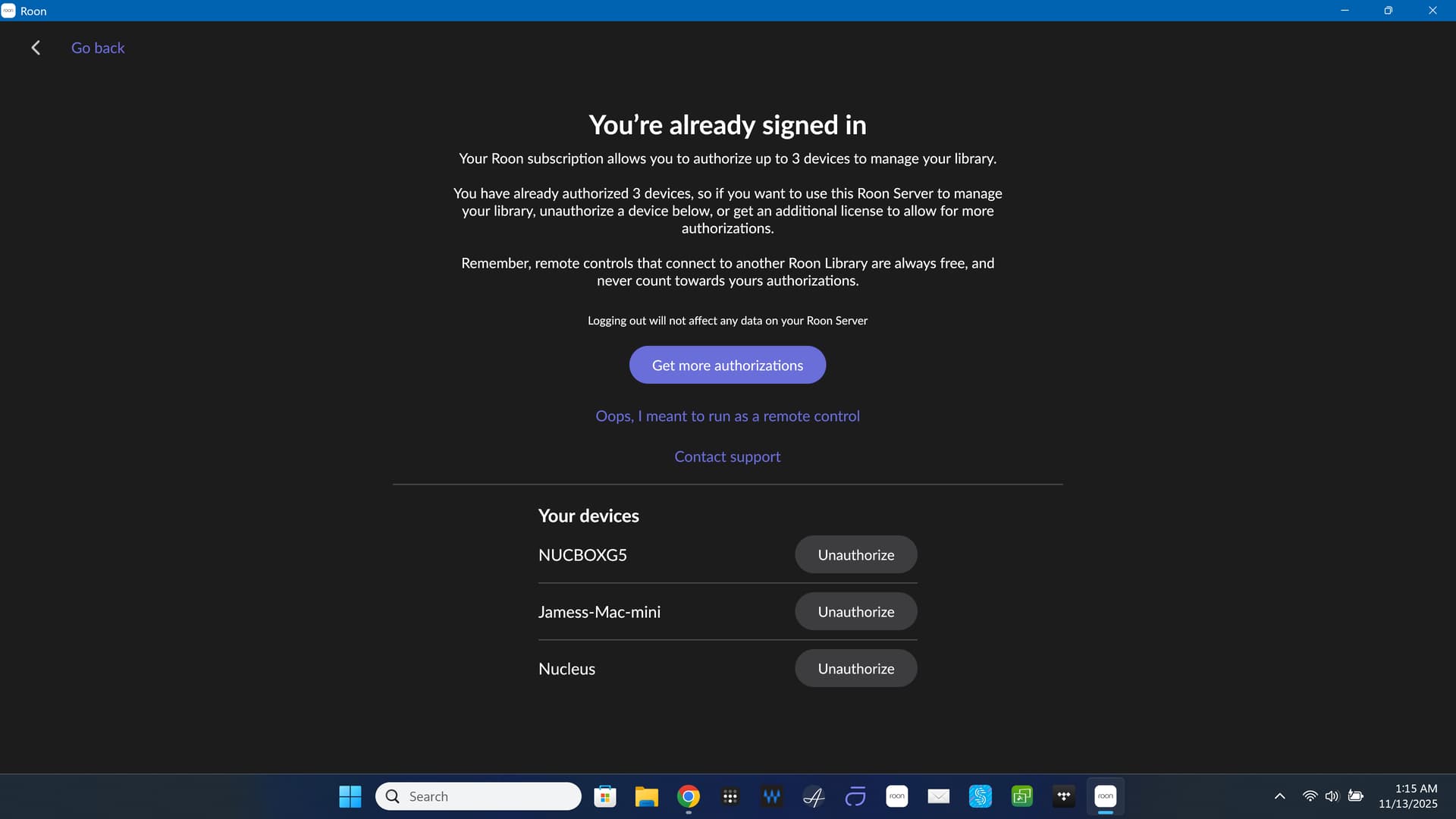
When starting Roon on the Macbook, it will tell you that the license is connected to the Nucleus. Click the Unauthorize button to transfer the license to the Macbook. When you return home, you can do the same and switch the license back to the Nucleus. (While the license is associated with the Macbook, you can’t use the Nucleus).
Copy the music files to a folder on the Macbook. Install Roon. Go to Roon > Settings > Storage and choose the folder where you copied the files to.
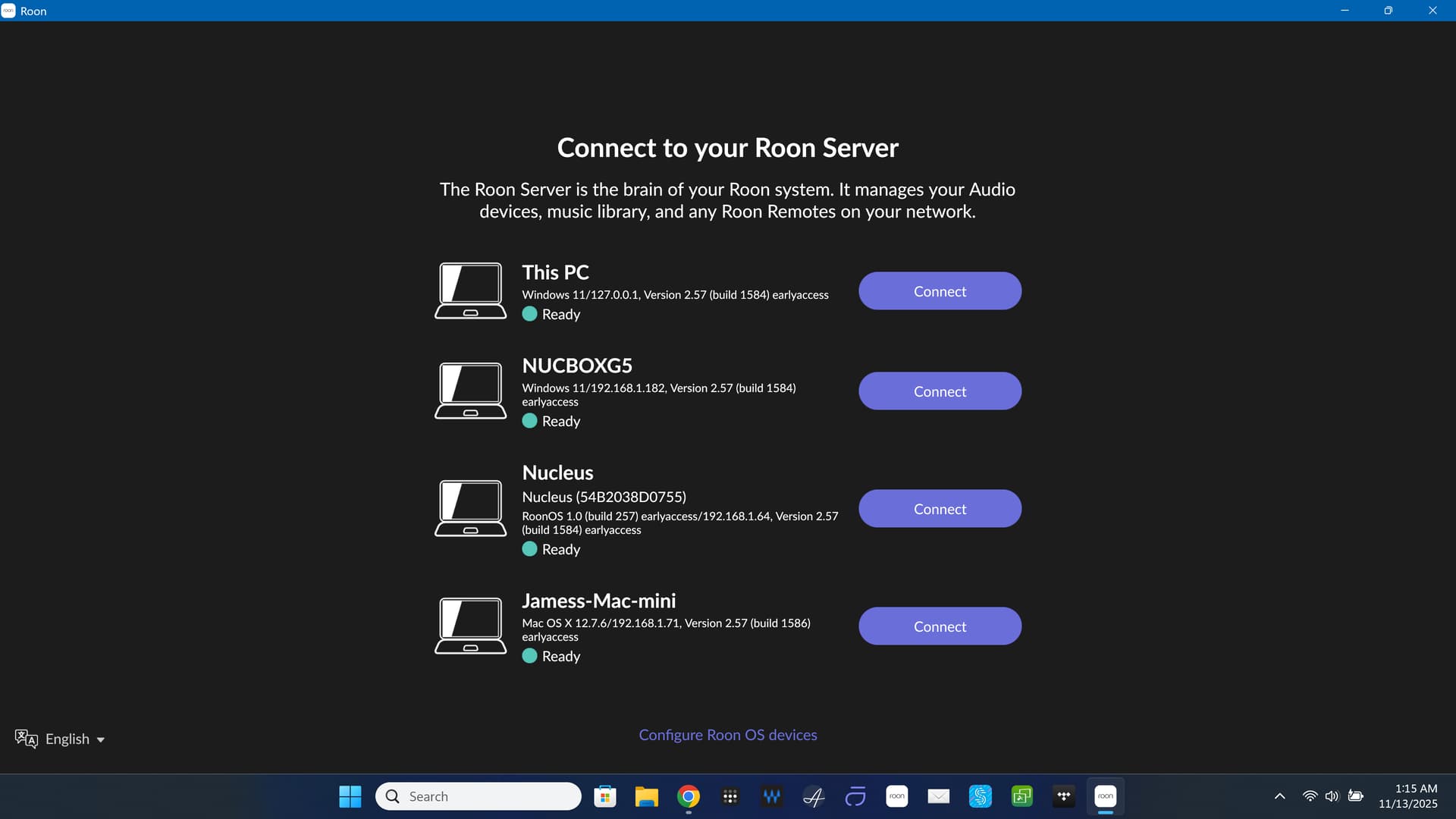
Thanks for your reply Suedkiez. I’m getting closer to my trip so I’m testing now. However I don’t see any “license”. All I see is that my Roon Server is my Nucleus and a “Disconnect” button. Is that what you are refering? I will be using an external SD Drive connected to the MacBook Air. Do I have ton then go to storage, click “+add folder” and choose the external drive? Is that all?
When you install Roon on your laptop, it will install two Roon programs, including the Roon server and the Roon client. So, you now have two Roon servers, including your laptop and your Roon Nucleus. Since you have only one Roon license, you need to unauthorize the Nucleus and authorize (connect to) the laptop server to use it. When you want to use the Nucleus server, unauthorize the laptop server and authorize (connect to) the Roon Nucleus.
You need to do a backup of your Roon Nucleus database and use that backup to restore the Roon database to your laptop. Note: this Roon database does not include your music files.
Finally, you need to copy your music files from wherever you have them to your laptop or to the attached external hard drive. Then, when logged onto your laptop Roon server, go to Settings - Storage - Add Folder and point Roon at your music files on your laptop or attached external hard drive.
Actually, I think you might want to do this last step before you do the database backup and restore.
One other thing, when away from home using your laptop Roon server, your Audio endpoints will not be present. You’ll need to go to Roon - Settings - Audio and point Roon at whatever endpoint (s) you’re using and enable them.
One last question I have my Backups in the cloud using Dropbox. Is that fine? or will it be recommended to also have a backup in the MacBook Air internal drive or even in the same external SD drive?