We’ve merged reports of this problem into a single tracking thread so affected users can receive updates.
To summarize the symptom: playback is intermittently failing to initialize on certain Zones. Restarting RoonServer/RAATServer or reinstalling RAAT temporarily relieves the issue in some reports. Our team is urgently investigating this issue. We’ll share updates here as soon as they become available.
I have the exact same problem after 2.58 update. My Roon server runs on Ubuntu Linux and I have a HiFi Rose RS130 streamer going to a McIntosh d1100 DAC via AES/EBU. This used to be absolutely rock solid. After 2.58, after I bring the Rose out of standby, playing anything to it via Roon fails. I can see the song on the Rose display but no audio is output. I also tried USB with the same results.
If I reboot the Roon server or simply bounce the service with “sudo systemctl restart roonserver” it immediately fixes it.
As an additional data point, the Rose plays Tidal and Apple Music with its native apps fine. This is only effecting Roon Ready playback to it.
This definitely seems isolated to Roon and it is something that never ever happened before the latest updates.
Hi,
just tested this i.e. renamed RAATServer to RAATServer_old; started ROON. No new RAATServer created. BUT, now, playback starts and (!) continues without disruption. Will keep the playback (on 4 streams in parallel) up and runnning till tom morning. Unless I encounter another drop, I will assume this issue to be resolved. - not solved
After last v 2.58 update I still have some minor problems starting Roon Core on my Mac Mini (Roon server) When I get Roon up an running, my Auralic Altair G2.2 (RAAT endpoint) would not play music. Roon try some seconds on each music file and just stepping through all without any sound.
I then have to go to the Roon setup and remove my Altair G2.2 as a Roon sound (RAAT) device, and just activate it again. Then it will finally play music…
my DAC is a Copland 215. The Lumin U2 and the Roon NUC are connected by network, the Lumin U2 is connected bu USB to the Copland DAC.
BUT!
Perhaps there is another thing going wrong: normally, I started up my dac and after a minute or so, I started Roon on my tablet or phone and then the LUMIN started up automaticaly AND THAT DOESN’T HAPPEN ANYMORE. So it’s logical I don’t have music. But, if I start then the Lumin by it’s app, I also can’t play music in Roon. I do can play music in the Lumin app. If I switch then to Roon and pick a piece of music, I can see the title from this piece in the display of the Lumin (so there seems to be a sort of connection between the gear..), but the music doesn’t start and after a while the cursor jumps to the next piece and so on. (Saturday, Rotterdam, round 11.36 am)
So I still have to restart my Roon NUC to play music in Roon, and I can safely say the update from Lumin didn’t solve the issue
Perhaps this piece of prose helps
Hi folks, I need to correct this! Another day another fault. Again, I had to disable my Aurakic Aries as audio device and re-enable it to be able to play a track. Very frustrating
Same issue on my Auralic Aries G2. When going from stand by mode to on, Roon will not start playing.
Rebooting the Aries streamer solves issue until nest standby of the streamer. Then it is again needed to do a complete reboot of streamer. Then works until set into standby and going to “on” State. Then track will not be played and is skipping to end of playlist.
No such issues observed before the version 2.58 of Roon.
There must be a way to return to firmware 2.57 which had no bugs as far as I know while the issue preventing playback on Lumin U2 and some other streamers is resolved…
From a user and operations perspective, the current guidance still leaves affected users with a “half-dead” system: core playback functionality fails to initialize making the system effectively unusable after the update.
The proposed steps look like generic cache/state cleanup and environment troubleshooting. They may help with corrupted RAAT state or local network permission issues, but they don’t address the core problem.
In practice, this shifts the burden of diagnosing and mitigating a regression bug onto the user, effectively turning the user into an administrator for a broken update.
Being more explicit about core functionality being affected, the existence of rollback, and the regression risk would help set the right expectations, reduce unnecessary troubleshooting loops, and treat this as a production regression rather than an isolated, environment-specific issue - especially as affected users’ patience is understandably wearing thin after 7 days.
Does the issue happen with local library music, streaming service music, or both?
· *Both streaming and local* *library* music are affected.
Do you encounter any playback errors with the "System Output" Zone?
· The System Output has the same problem as my other Zone.
Do you have a complex network setup?
· Both the device and RoonServer are connecting to a *single router*
Please try rebooting your router.
· No, I'm still having trouble
Do you have an approximate timestamp of when the issue last occurred?
· Last Month
What are the make and model of the affected audio device(s) and the connection type?
· Auralic altair G2.2
Describe the issue
System setup Roon Core: ROCK (latest version) Endpoint: Auralic Altair G2.2 (wired Ethernet, static IP) Remote: Android (latest) Music sources: Qobuz + local files Issue description Playback consistently fails unless I log out of the Roon Server and log back in. When opening Roon Remote, my full library is visible and albums open normally. When selecting a track, playback appears to start but stalls immediately. Sometimes an error such as “too many errors” is displayed. Only after logging out of the Roon Server and logging back in does playback work perfectly again. The issue returns after some time. Troubleshooting already completed Static IP assigned to endpoint All devices wired via Ethernet Router, ROCK and endpoint fully rebooted ROCK reinstall via web UI Audio device disabled/enabled Android Remote cache cleared / reinstalled Codec issues ruled out (ROCK) Conclusion This appears to be a corrupted or expired cloud/account authentication or session state on the Roon Server, since only a full logout/login correctly reinitializes playback. Please advise on: Whether this is a known issue Which logs to provide A structural fix or workaround (e.g. build-related or rollback)
Describe your network setup
Single-router wired ethernet netwerk Zyxel ex-5601 T1, dhcp with static ip for endpoint. No wifi, mesh, vlan, VPN or powerline.
What kind of performance/speed issue are you experiencing?
· Other
Please try to reboot your Roon Server
· Yes, rebooting helps, but the issue returns after some time
Please try to reboot your networking gear (Router/Switches/etc.)
· No, the issue is still the same even after a reboot
Is there any change in behavior if you try to navigate to Roon Settings -> Library and set both Background and On-Demand Audio Analysis to Throttled or Off?
· No, the issue is still the same
Does the issue happen on multiple Roon Remotes (controllers) or just one?
· Issue happens on multiple remotes
Router Domain Name System (DNS) change
· I was able to change my router's DNS servers but it did not help
What is the operating system of your Roon Server host machine?
· Roon Optimized Core Kit (ROCK)
Timestamp of issue occurrences
· Around 1600-1700 Local, each day.
Describe the issue
Since the 2.58 update, ROCK (Intel/NUC) has required daily reboots. Audio (Tidal and local files) is dropping out frequently over wired connection (to Linn Majik) but wireless endpoints are working as usual. Once drop-outs occur, I cannot even access the Rock Web UI, as page fails to load. Roon Remote becomes very sluggish too, often failing to load the current page. Feels like heavy RAM and/or CPU usage is choking ROCK within 24hrs of reboot.
Describe your network setup
TP-Link AX53 Gigabit modem/router, with 2x satellites. Cat 6 wired connection between Mac, Rock, Linn Majik. Netgear unmanaged switch.
· I currently have an Intel NUC as my Roon ROCK, which is connected via ethernet. I have a Roon Ready Eversolo DMP-A6 which is connected via ethernet, which I play music too and the Eversolo is connected to my Onkyo NR-656 via the HDMI output.
This has been working flawlessly for months, however recently I have noticed when I press play on a song from either my library or Qobuz etc, nothing plays, no audio can be heard and the progress bar doesn't move. I have to restart my ROCK once every time before it plays and works properly.
I have noticed that when this issue occurs, in the signal path, the end path that says "digital output" is missing until I restart the ROCK, and then everything plays fine and the end path reappears.
Both the ROCK and Eversolo are connected to my network via Ethernet, the ROCK is on version 2.58 (build 1608) and the Eversolo is on version v1.5.62.
Tell us about your home network
· Both devices are connected to a Unifi Flex 2.5GB Switch via Ethernet, with both being on the same VLAN. This switch's uplink is a Unifi UCG Fibre.
· The Nucleus boots up and I can connect to it in the Roon app without issue, but I have a question about configuration/storage/attached devices
Describe the issue
After the last Roon update my Lumin U2 endpoint does not start playing when I press play. Other endpoints work fine. Restarting the Nucleus solves the issue until the next time I want to use it. Its worked perfectly for years till the last update. I have seen others post the exact same problem but I cannot find that post anymore.
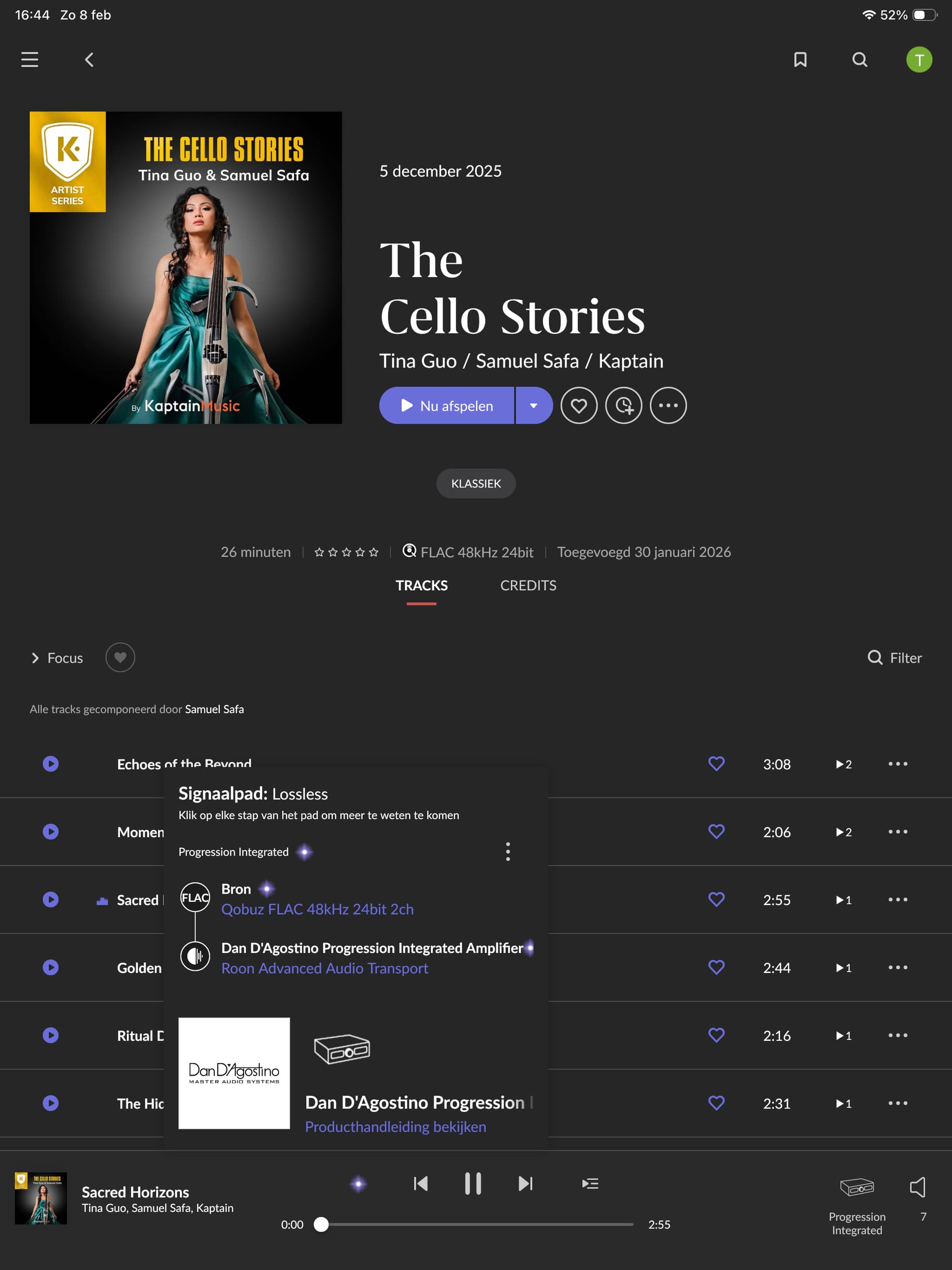
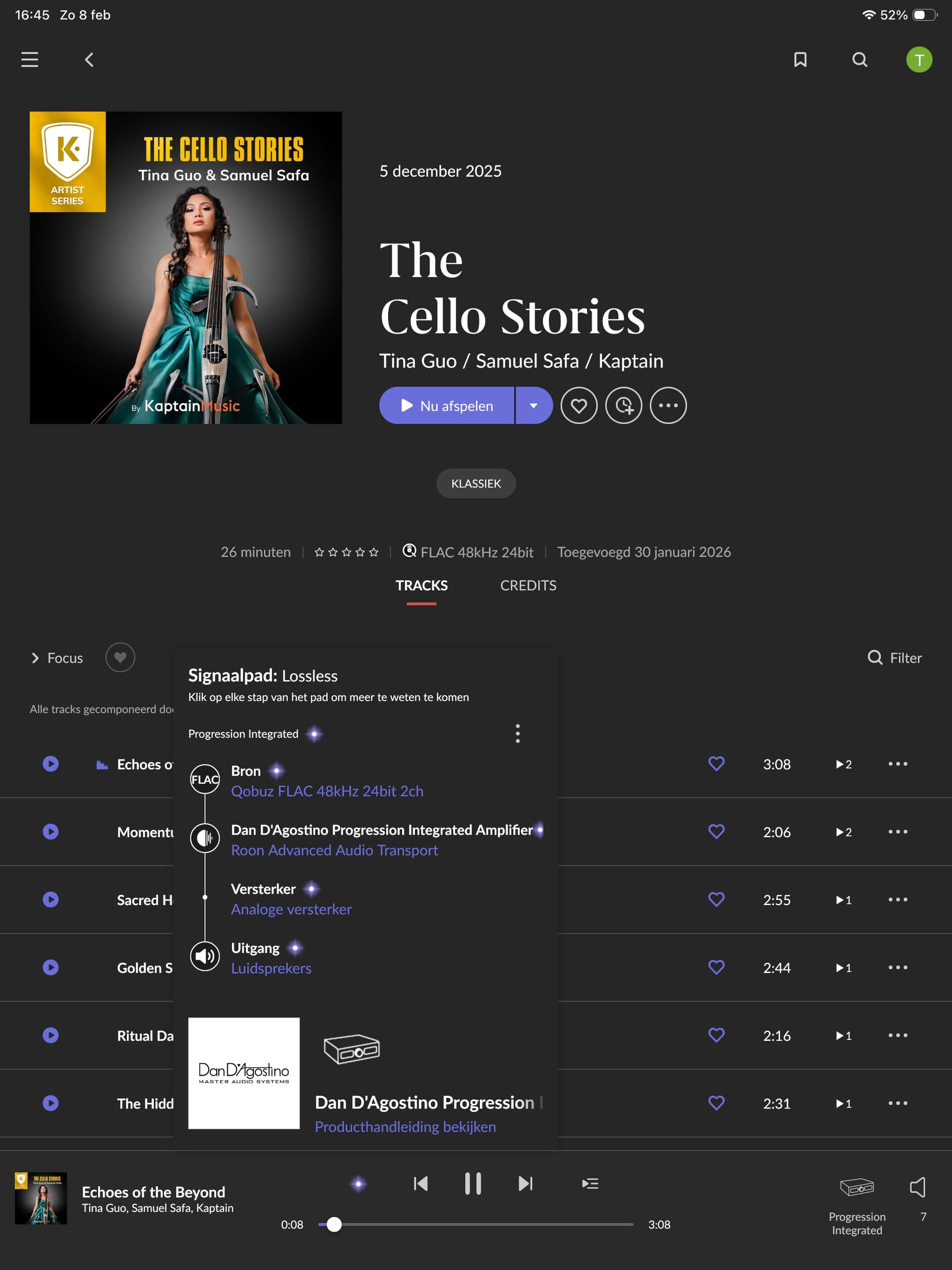
· Dan D’agostino Integrated playback issue after latest Roon update.
Tell us about your home network
· Asus router NUC11 i5 Amplifier All cat 7 cable connected
After the last Roon update my Dan D’agostino Progression Integrated endpoint does not start playing when I press play. Other endpoints work fine. Restarting the Nuc solves the issue until the next time I want to use it. Its worked perfectly for years till the last update. I have seen others post the exact same problem.
You can find already a few threads dealing with this sort of issue after the latest roon update, also for other endpoints. There seems to be a concrete problem they’re already investigating as far as I can read.
Seeing similar issues here…with 2 Lumins P1m and X2. If I move the stream to another zone like Sonos and back to the lumin it’s all good too, same rebooting the ROCK core
Does the issue happen with local library music, streaming service music, or both?
· *Both streaming and local* *library* music are affected.
Do you encounter any playback errors with the "System Output" Zone?
· The System Output has the same problem as my other Zone.
Do you have a complex network setup?
· Both the device and RoonServer are connecting to a *single router*
Please try rebooting your router.
· No, I'm still having trouble
Do you have an approximate timestamp of when the issue last occurred?
· 15:50 today, 09/02/26. As per usual, a nucleus reboot and it behaves normally. issue been happening for a week or 10 days?
What are the make and model of the affected audio device(s) and the connection type?
· Problem is with any zone or any device I select until nucleus is rebooted. My main device for almost any listening is my Rose RS130 streamer which connects to my Chord M scaler via USB. I never reboot these its the nucleaus and the Roon OS that is failing.
Describe the issue
Roon fails to play any file to any zone until Nucleus is rebooted. Issue happens daily on an unchanged system that has played fine since Nucleus was installed.
Describe your network setup
Rose Rs130 network streamer, connected via optical SFP to LHY SW6 audio network switch. This netowrk switch only has one other item attached and thats the Roon Nucleaus one. The LHY network switch connects direct to my standard sky sky router.