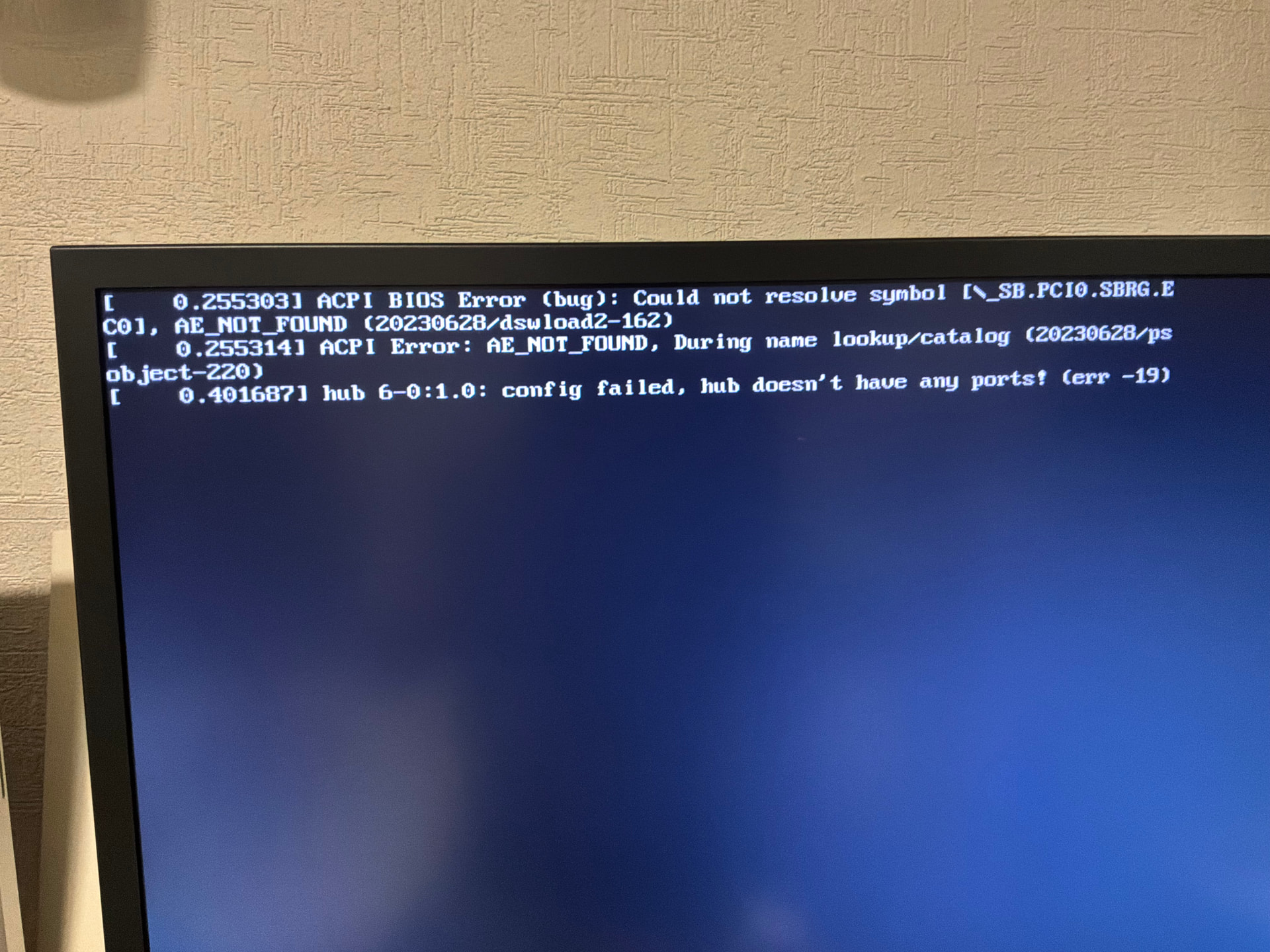
My Rock server was working so great with v3.0 build 279 since may. I saw an upgrade notice and pressed the button. I had access to the managing console, but never had access to the music (in a NAS). Reinstalled it several times with the same result, finally having to downgrade to v2.1 build 271. Hooked a monitor to see the startup messages. The errors are shown in the attached photo. Thanks!
Do you have a USB hub connected?
Nothing connected, only ethernet and -only now- monitor
That was the button that caused the problem!
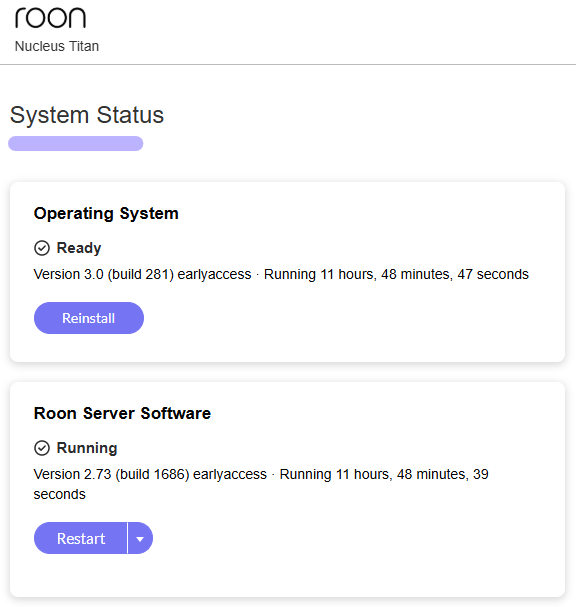
No comfort for you I’m afraid, but I’ve just upgraded to build 281 without an issue… Let’s see if @Stephen has any suggestions…
Same issue here working perfectly before upgrade cannot now access nas stored music . tried downgrade back to production reinstall failed - help!
Oops - I said I had no issues, but indeed with build 281 I can no longer access network shared folders…
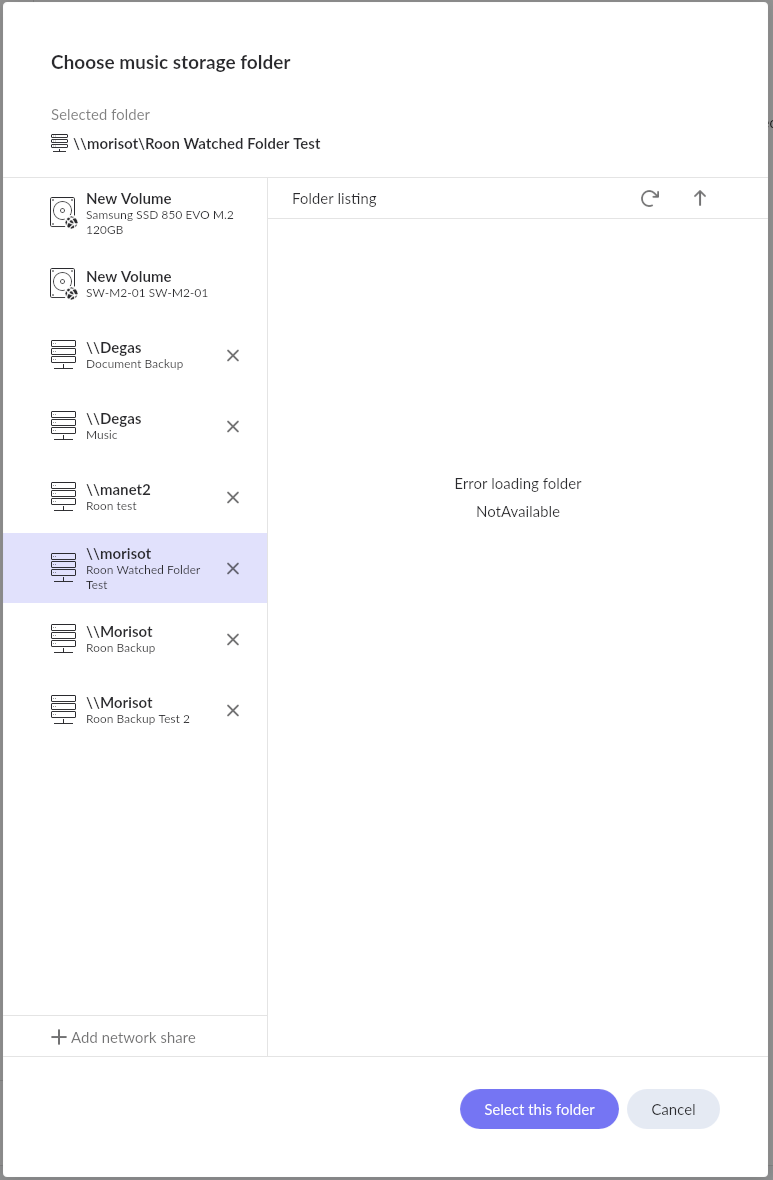
Thanks for the confirmation hopefully support can revert version so I can reinstall later missing the music already…
Hmm…
Both my network shares and Rock on NUC7 are working as expected with EA-B281. Shares are on Win11 26H1.
Interesting. My shares are on Windows 11 Pro 25H2 build 26200.9278 - and my ROCK/NUC running build 281 can’t even find the damn host…
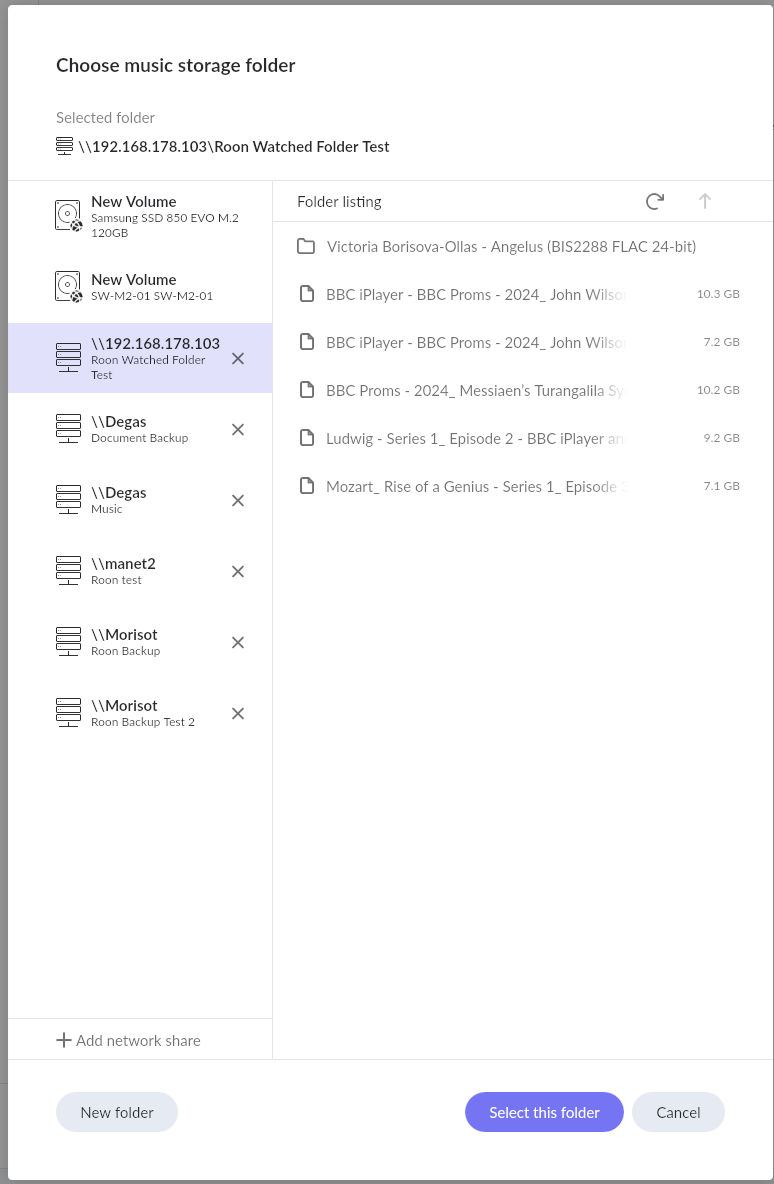
I do access Win11 via IP address not DNS name
Aha! - it works if I use the IP address - so that should be useful information for @Stephen to track down the issue…
I’ll take a look at what’s going on with the BIOS (very strange) and SMB issues.
Hi @Carlos_Osornio , those three messages on the monitor are kernel error messages that aren’t filtered out since they are tagged as errors. They’re not critical and nothing to act on. The first two are an error message saying the kernel can’t find that symbol in the BIOS as defined by the BIOS. Not a critical error, and it’s not uncommon for it not to exist in the BIOS’ table. The third line is saying one of your internal usb hubs has no ports, just the way it was designed.
I’m assuming why it stopped working was it couldn’t see your NAS anymore. I’ll fix it and release a new build.
Thank you Paul!
Always happy to help, but all things RoonOS are @Paul_Argue’s domain. I’ll spectate on this thread for now though. I just updating my NUC, but haven’t connected up a network share. I’m testing attached storage on it for now.