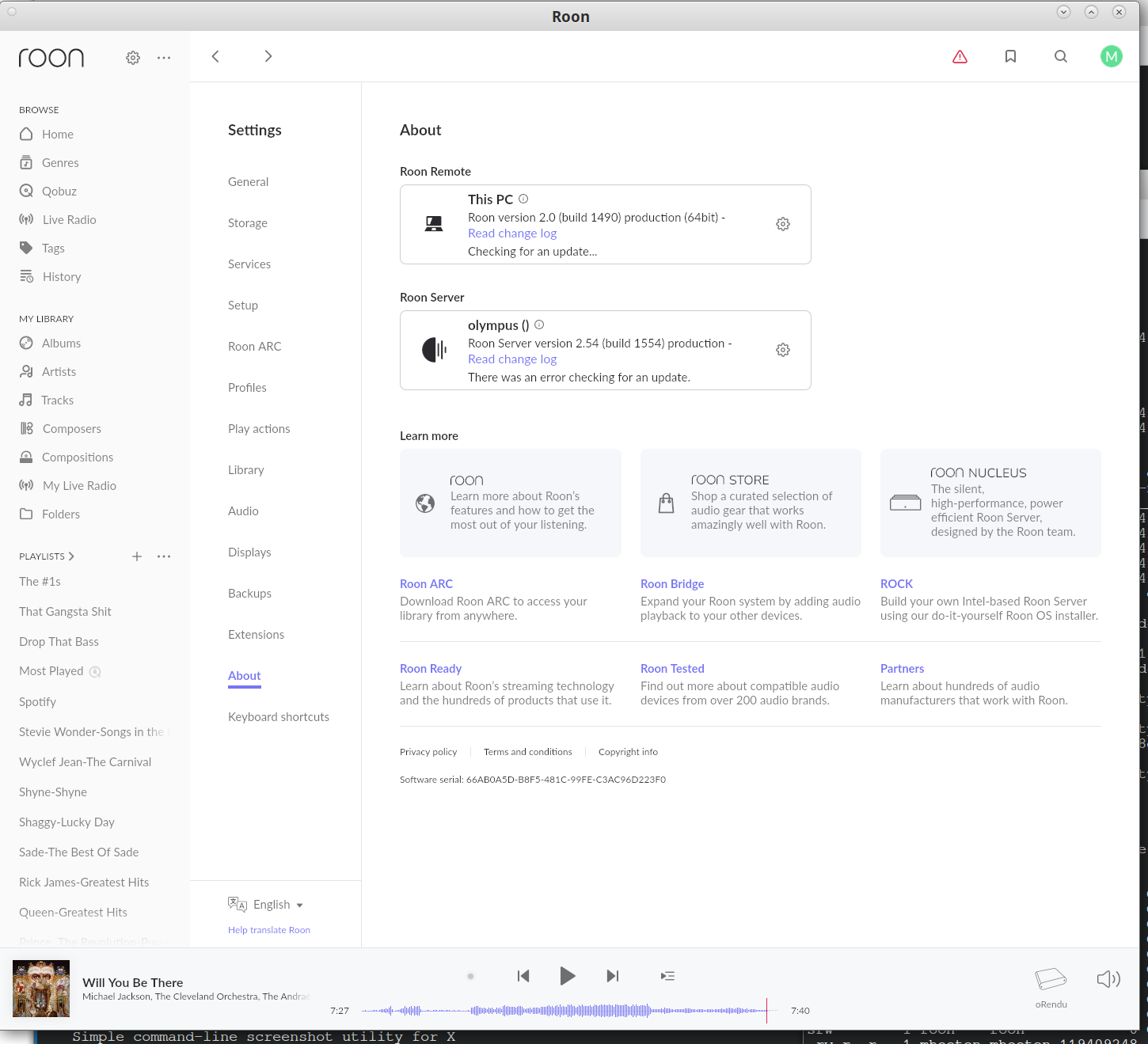
My exact problem is described here https://github.com/steefdebruijn/docker-roonserver/issues/30. I press "Update All" or "Click here to install". All my software is running on Arch Linux. I installed opnsense as my firewall. If I use wget to download the update it works but times out and finishes in 5 min. It looks as if wget succeeds because it is persistent and Roon times out and gives up.
wget log output: --2025-10-04 04:54:06-- http://download.roonlabs.net/updates/production/RoonServer_linuxx64_205501559.tar.bz2 Resolving download.roonlabs.net (download.roonlabs.net)... 2606:4700:10::ac42:9493, 2606:4700:10::6814:2f3e, 172.66.148.147, ... Connecting to download.roonlabs.net (download.roonlabs.net)|2606:4700:10::ac42:9493|:80... failed: Connection timed out. Connecting to download.roonlabs.net (download.roonlabs.net)|2606:4700:10::6814:2f3e|:80... failed: Connection timed out. Connecting to download.roonlabs.net (download.roonlabs.net)|172.66.148.147|:80... connected. HTTP request sent, awaiting response... 200 OK Length: 119409248 (114M) [application/x-tar] Saving to: ‘RoonServer_linuxx64_205501559.tar.bz2’
Your system’s attempt to use the IPv6 addresses to reach Roon’s servers fail for some reason. Check your system’s IPv6 capabilities, try without Pi-hole, try and disable OPNsense … what ever troubleshooting steps you may think of.
Notes: Roon in Docker or VM is not officially supported but doesn’t seem to be the problem anyway as you run into issues already using the command line and system tools. Your setup seems overly complicated to me. Pi-hole and OPNsense need quite some user experience/knowledge to setup correctly and in a meaningful way. TBH I think that Pi-hole has seen its best days and should better be avoided nowadays (to broad strokes), you should be able to load block lists in OPNsense if you want some or use browser extensions/tools to block ads / suspicious sites. Blocking in the browser also has the benefit that it doesn’t have side effects on your whole network, including software trying to use it (like Roon updates for example).
Roon is running in Wine 10.14 (staging). Of course Roon worked perfectly fine without opnsense or pi-hole. The IPv6 errors are the output of wget not Roon. I included the wget output because it is ultimately successful while Roon is not. I just got opnsense properly set up so I will not disconnect it. We can assume that if I removed both pi-hole and opnsense that Roon will properly update. Let’s see if we can get it working with the software in place. Said software is not preventing wget. Why is it stopping Roon?
My setup is definitely complicated. I also have everything segregated on VLANs. I realized Roon could not see my opticalRendu because RAAT and Server were running on the LAN and the Rendu was running on the USER VLAN. I moved the Rendu to the LAN and all problems resolved except the software update.
Why does wget take consistently 5+ min to download the update? The update is only 100MB. It too times out but persists. Is it possible to extend the timeout of the Roon attempt? Will continue to investigate. Thanks for your help.
Any idea what the Roon software update server IP addresses are? I want to check them in the firewall logs. opnsense is stateful. It allows internet connections that are initiated by the LAN. I want to ensure the software update IP addresses are not being blocked somehow. Again I don’t think that is the case be wget succeeds.
What is your definition of “properly set up”? You are aware you now have at least one issue you stated that you didn’t have in the past (pre Pi-hole and OPNsense)?
@BlackJack I don’t care what your neighbors say about you. You. Are. A. True. Genius!
I temporarily disabled pi-hole with no change. I thought about disabling opnsense but view that as a very last resort. So I decided to focus on opnsense ipv6 settings instead. I Googled (actually DuckDuckGo’ed, er, DuckDuckWent or whatever) and came across this article. I changed the WAN ipv6 Prefix Delegation Size from 60 to 56.
This resolved the issue. Thank you so much for your help!