RWAV Bridge — Intelligent AI Control for Roon (Public Beta)

Hi folks,

I’ve been working on something new called RWAV Bridge — a lightweight Roon extension that lets you control playback, zones, browsing and discovery using natural language with an AI model of your choice.
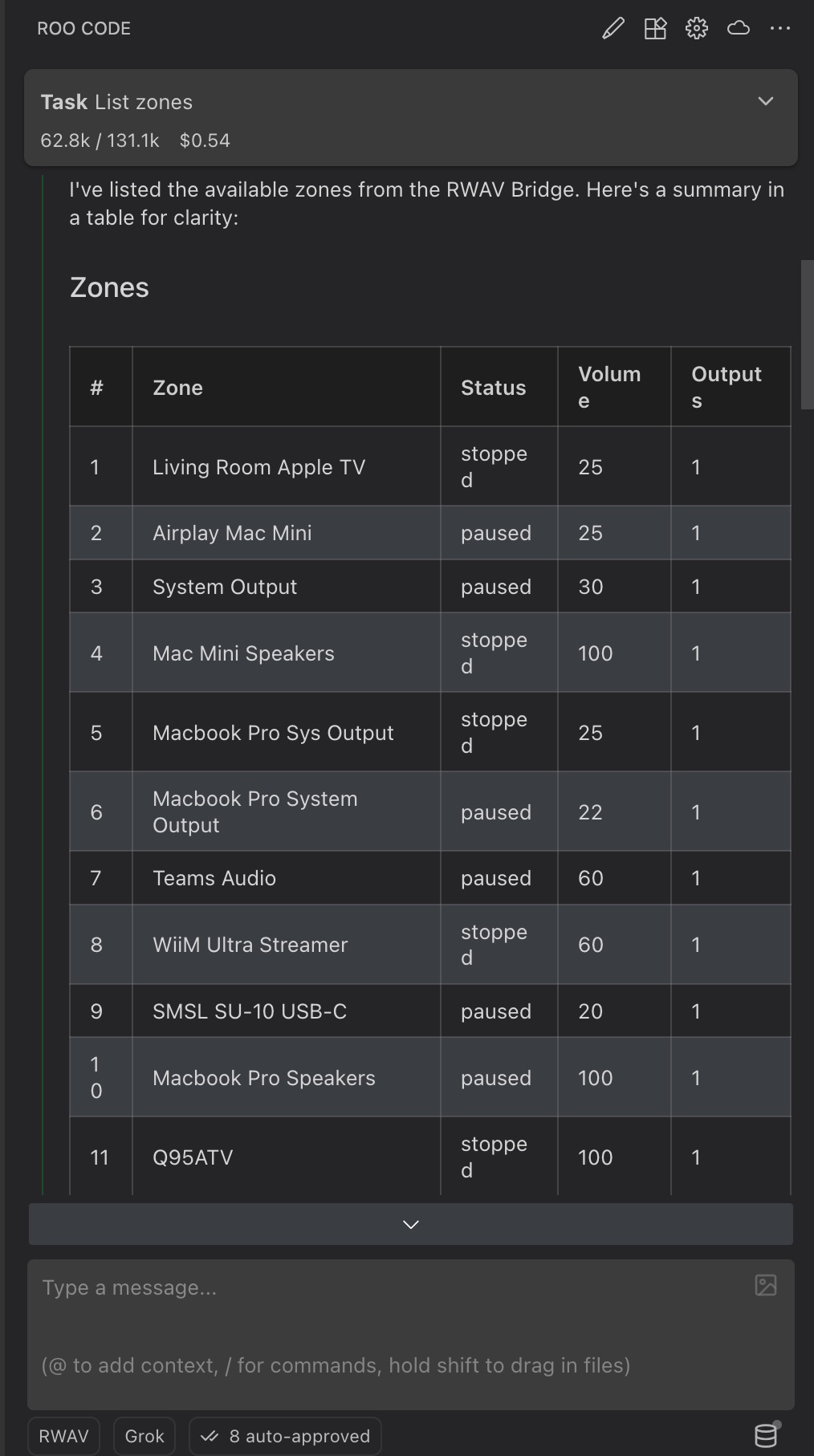
It’s now in public beta, aimed at listeners who are comfortable with VS Code, API keys and basic config filesor anyone simply happy to have a crack at it.
There’s no coding involved, and all of the tools are free to download and use.
(Google currently offers a $300 free trial over 90 days for Gemini, which is handy.)

Once set up, you can talk to Roon naturally:

Examples of what you can say

  • “What’s playing now?”
  • “List my Roon zones.”
  • “Play Kind of Blue in the office.”
  • “Group the living room and kitchen.”
  • “Find more work by Pat Metheny.”
  • “Search for live Village Vanguard albums.”
  • “Add Waltz for Debby next.”
  • “Show me the first 10 items in my queue.”
  • “Jump to Bluette in queue.”
  • “Summarise my listening for the last 7 days.”
  • “Plan a playlist of 10 tracks for my birthday party.”
  • “Open Qobuz ‘Taste of Qobuz’ and let me pick an album to queue.”

Setup takes a bit of tinkering, but it’s all documented:

:backhand_index_pointing_right: RWAV Bridge MCP Setup Tutorial

This beta focuses on local LAN control using Roo Code — a coding agent for VS Code that can function as a Model Context Protocol (MCP) client.
MCP is a new open standard that lets AI interact safely with real systems — in this case, your Roon Core.

Apps for ChatGPT will arrive soon, along with Apple TV and Apple Watch apps for big-screen and wrist control.

More info + screenshots:
https://rwav-bridge.co.uk

It’s still very much in beta, so do expect a few rough edges — but I’d genuinely love to hear what people think, what works for you, and where it falls over. Your feedback will help shape the next steps.

Cheers,
Craig @ RWAV-Bridge

4 Likes

This is truly amazing!.. Installing is made easy (thanks @Craig_Prescott ) but still requires significant tinkering, especially the Roo Code / VS Code part. But it works remarkably well once done!

First limitation for me: the MCP/API doesn’t seem to have access to my full listening history… So it can only see what it controlled. This is a major limitation, but I’m sure you’ll find a way to get around it.

Second limitation / issue: I asked it to create playlists for me based on XXX, the creation part works OK(ish) knowing I’m using Grok fast (because it’s the easiest to use with Roo Code) as the LLM, but the queuing failed for most titles - it found other songs, sometimes totally random. I have had better results myself with a python program I wrote to send songs directly to the Roon API, but not perfect either, it can always catch random covers instead of the main song I wanted…

1 Like

Hi Laurent, thanks for checking out RWAV Bridge - that’s really cool. I am glad it was easy to install, that took a lot of work to get right.

On history, I’m storing it on a local database and would need a centralised database for it to keep a full listening history. We’d need to sign in and data would be stored there. I’m currently building the App for ChatGPT version - which would store the history ‘globally’ regardless of what client was in use. So, that will address that issue. It isn’t really worth it for a local developer use case. If there was enough demand, I could create a db server that was dedicated to this task, but I’m not sure it would be worth it otherwise.

Yeah, the search is a little buggy at the moment - and it has a habit of picking out a subsequent node, instead of the first node in search. The data almost always appears there when I check the data manually. I will get this fixed in a later release - but as you probably know, the Roon API is a little flakey and sometimes returns some odd results.

Thanks for checking it out. Let me know if you come across any other issues. Let me know if you are interested in checking out the App for ChatGPT version once that is in beta.

Hi Craig,

Thank you!
This is wonderful!
It’s a bit heavy (slow), but it allows me to integrate Roon into my workflow using Raycast (see screenshot).

I’ve built a Docker image to install both the bridge and the MCP server in a Docker container on my QNAP, where Roon resides.

Is there a way to limit the tools? I’m quite new to MCP, but I think it could speed things up.

Cheers,
Mark

1 Like

It is slow with some models - but blazing quick with Gemini Flash - and fairly fast with Kimi. Which LLM are you using?

I’m currently writing an HTML based MCP server - which has far fewer exposed methods - but I’m not convinced it is the MCP service itself that is slowing things down, given how fast it is with some models. That all being said, I am working on trying to get quicker responses with other models.

Hi Craig,

I’m using Gemini (Pro & Flash 3) in most of my workflows. My current setup is as follows: local client (Raycast) → local RWAV-MCP → Docker container on QNAP RWAV-Bridge → Roon on QNAP.
Now that I know it should be fast, I’ll experiment a bit.

Could you share what setup you are using?

Best regards,
Mark

PS: have you tried fastmcp ?

Hi Mark,

My set up is the one in the tutorial - Roo Code and Gemini Flash or Gemini Pro (slower) - and Kimi when I run out of usage on Gemini - I use Kimi K2 Instruct via Fireworks AI - I find Grok and OpenAI models too slow. Try via Roo Code and let me know how fast it is using that as a client. The time delays between models is when it ‘ponders’ before calling the appropriate tool. Gemini Flash is exceptionally fast - like almost instant.

FastMCP is a python framework - I’m using node - which is exceptionally fast for what I need. Incidentally, I am building an MCP hosted platform, which I’ve called curl-mcp for the time being. Basically, you add a connection or postman file or OpenAPI spec and my Saas converts it to an MCP Surface (connections, operations, auth etc) which you can then expose as an MCP Server. It will serve as my Roon App for ChatGPT infrastructure once it is done. I’ve open sourced the curl-mcp component and it can be found at:GitHub - calibress/curl-mcp - basically, that allows your MCP client to make dedicated curl commands at will.

Let me know how you get on with Roo Code. I’m not familiar with Raycast.

Hi Craig,

Thanks for the feedback.

I prefer to use roon-mcp with my day-to-day AI tools such as Claude Desktop, BoltAI or Gemini in the browser, rather than my development tools like the Gemini CLI or antigravity, even though RWAV works fine there.
If you’re a Mac user and you don’t know Raycast, you’re probably using Alfred :grinning_face:. Raycast includes an AI agent that supports different AI models -with or without MCP suport. You should definitely check it out – it’s great for trying different models.
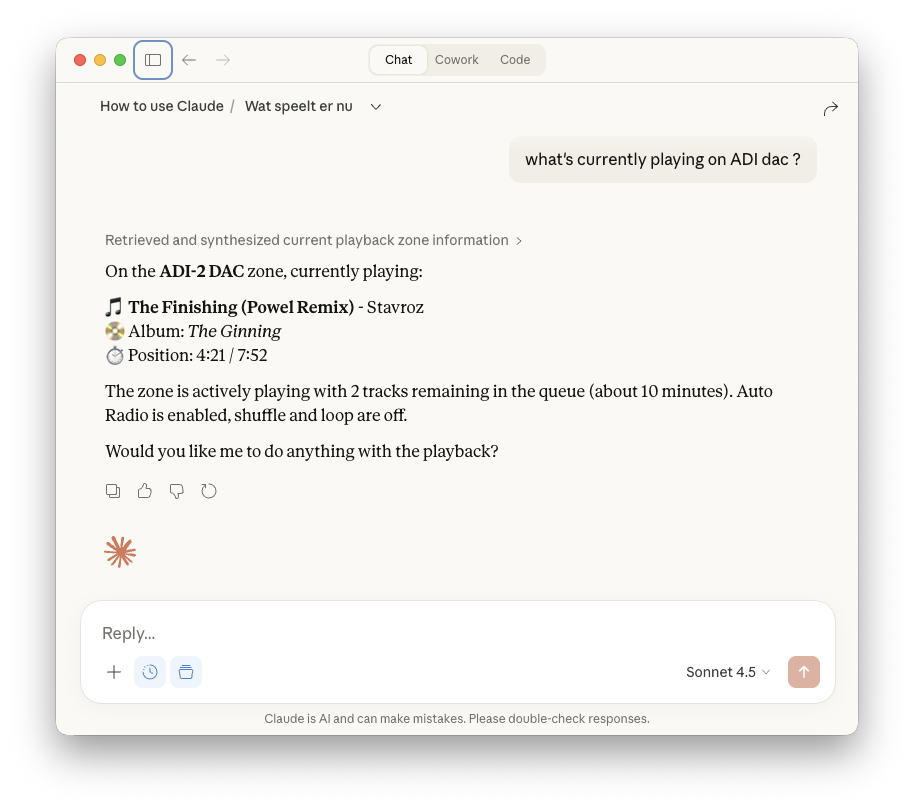
Claude also works very well with RWAV. See screenshot.

I just tried giving my agent my Shazam playlist (1000+ tracks) to create a Roon playlist. Unfortunately, Roon doesn’t have write access in their API, so that doesn’t work.

Regarding FastMCP: it is indeed a Python framework and looks very similar to what you’re doing with curl-mcp. It can take one or more OpenAPI YAML files as input and create an MCP service from that. The SaaS connects to your GitHub for automated deployments and handles authentication, deployment logs, application logs, etc. Pretty cool.

Good luck with your projects!

./Mark

1 Like