This version of Roon is not compatible with your database (Clean install)

Hi @Karin_Jivaluk,

Thanks for the update - our team is looking into things further.

In the meantime, I’m still seeing accessibility errors, for example:

System.UnauthorizedAccessException: Access to the path 'Accessibility.dll' is denied.

Can you confirm Roon has proper access to your machine?

I think so, I also check the .dll file.

  • no read only
  • read and write can perform for all users.

I also upload new log after I try to install Roon with administrator and open server + Roon app with administrator.
The log name is Karin_Jivaluk_roon_log_20240404.zip.

Not sure it differences with the first log.

Hi @Karin_Jivaluk,

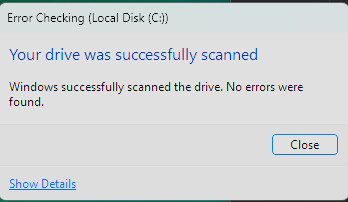
As a next step, it would be good to check the health of your hard drives on the Windows machine. You can do so by following the process here:

https://www.howtogeek.com/1033/how-to-use-chkdsk-on-windows/

Let me know what the results look like after the process is complete. Thank you!

image
This is the result.

Hi @Karin_Jivaluk,

Thanks for the update! Since everything looks healthy, I’d suggest completely removing all Roon files on your Server (except your backups, of course!)

This includes Roon 2.0 and 1.8 (if you’re still using this version) - and perform a completely fresh install. See if you’re able to load a backup at this point. :+1:

Already try that at first, Still cannot use it.

Finally, I found the point that cause the problem.
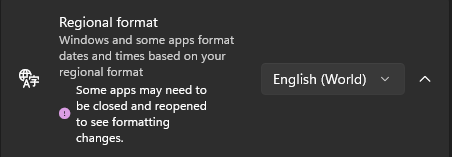
It’s from Regional format.
image
At first it not English, So I change it like in the picture.
Problem solve.
2 Likes

Hi @Karin_Jivaluk,

Thanks for letting us know the issue was indeed due to the date/time setting within the machine!

Happy listening!

This topic was automatically closed 36 hours after the last reply. New replies are no longer allowed.