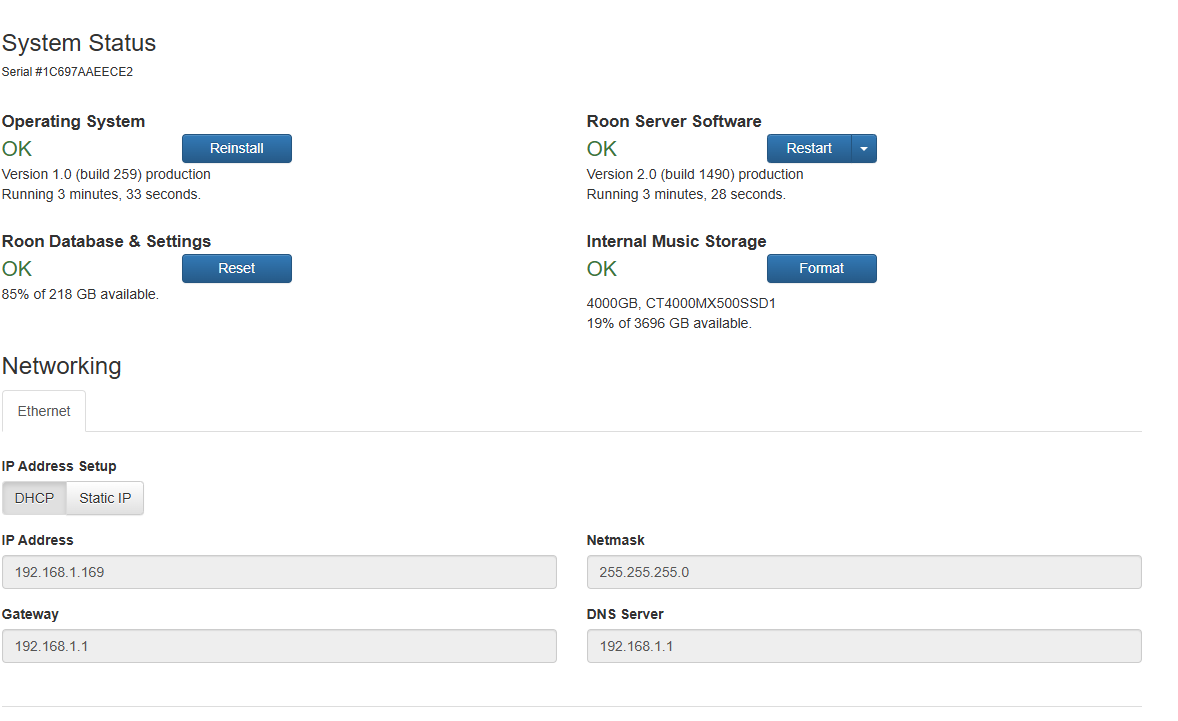
Started looking at Tailscale but it seems I need OS 2.1
Am I being thick or or I have to do the Whole Etcher/USB stick thing again, with appropriate BU of the db.
The web interface button seems to re install V.1.0 , build 259
Started looking at Tailscale but it seems I need OS 2.1
Am I being thick or or I have to do the Whole Etcher/USB stick thing again, with appropriate BU of the db.
The web interface button seems to re install V.1.0 , build 259
Yes, you need to get the new image, and reinstall from scratch. Also, note that V2 supports UEFI, so you may need to tweak the BIOS.
Thanks I thought so , maybe leave well alone , if it’s not broke etc
Yeah, I couldn’t be bothered, too.
To be clear, it’s not just that V2 supports UEFI. It does, but to use Tailscale you must actually reinstall in UEFI mode.
(The whole reason why it didn’t automatically do the update to 2.1 is that your ROCK was originally installed in BIOS mode).
It won’t update to Roon OS 2.0, let alone 2.1 if it uses legacy booting. I thought 2.x only supports UEFI.
Yeah, that’s what I wanted to make clear because I thought this had caused the confusion for @Mike_O_Neill
Though with the small wrinkle that there never was a release actually labeled RoonOS 2.0, it went from 1.0 straight to 2.1 and there was only a retroactive labeling of some builds as 2.0:
There is only one ROCK installer and I thought it still has to be installable if a NUC has only Legacy support or the settings are configured to use Legacy and not UEFI. But I can be wrong and maybe new Legacy installs aren’t possible anymore.
Anyway, I didn’t intend to cause confusion, just to emphasize that an older ROCK installation that uses Legacy BIOS will not auto-update to RoonOS 2.1 with Tailscale, and using Tailscale requires a complete reinstallation with the NUC set to UEFI mode. Because I thought this was the question/confusion in the OP.
This I am uncertain about. My assumption was that it’s all UEFI now since legacy can’t upgrade without a reinstall. My 8th gen. NUC supports UEFI, so I’m guessing all supported NUCs do, and legacy was just easier to implement. This only became an issue with 10th or 11th gen. devices as they only support UEFI.
You didn’t. I was explaining what I’d discovered, and why I didn’t upgrade. Updating doesn’t add anything other than the recent addition of Tailscale. I have no issue running on a port.
Currently, I’m using a container – best performance I’ve experienced – and my NUC is sitting idle as a backup server.
Hi guys, I’m running ROCK 1.0 (259) on NUC10i7FNH.
I’m getting ready to update to ROCK 2.(…)
Rock install guide says “update BIOS first”.
Search your NUC model on Intel website for NUC 12 and older.
The Intel website looks messy for me and the only things it shows is some PDF’s.
It might be stupid question but how do I find BIOS to download and update mt NUC10.
Anybody help please.
You don’t have to necessarily update the BIOS on a NUC10. This advice stems from a time when some NUCs (was it 5th gen or something) were shipped with a known BIOS bug.
Intel have sold the NUC brand to Asus and most materials even for older NUCs were moved to Asus. The BIOS download for your model is now here:
Ignore this step, just skip it 
Just as a FYI
From these release notes, it is stated
" There is no practical (or audible) reason to change from legacy boot to UEFI so there is no need to worry about which mechanism your existing device is using. "
and the comments
“version 2.0 should have been the UEFI build, but it wasn’t. We’re correcting that now with this update. If you want to think of a 2.0 version, consider builds 1.0.254 to 1.0.261 as 2.0 (builds 254-261).”
So the version “Version 1.0 (build 259) production” running on NUC7 build using a Legacy BIOS boot is at RoonOS 2.0
So unless you want or need Tailscale or building a newer NUC, all is good with this release. Not as if there are frequent release of RoonOS and additional functionality release requiring an update.
I’m in the “if it ain’t broken, leave well alone” camp for my NUC7
Thanks for explaining. That all makes sense to me. Quite big job updating ROCK v1.0 to v2.0 and not really worth for me at the moment.
Shall we wait for newest super-duper version? Is anything in the making?
Roon are unlikely to say much about future versions of RoonOS but it is probably worth keeping an eye on the Software Release Notes and Software Release Notes for announcements about RoonOS.
One thing, it occurs to me, that might be on Roon’s internal road map (but I have no way of telling) is a change to the smb share authentication so that Windows users do not have to go through the pain of making policy editor changes before they can access the RoonOS smb share.
I will be waiting before I touch my NUC7 ROCK 2.0 server.
Nothing released for RoonOS for some time.
Hi, a question from my side to that topic. I wanted to update from Roon OS1.0, downloaded the installer from the Rock Installation guide.
After deleting the partitions on the NUC, configuring the Bios (UEFi boot active etc.) and installing the ROCK package, I ended up with Roon OS 1 again??? Is the installer outdated or what did I do wrong? Where do I get the most current version?
Thanks.
Frank
I believe this is normal. The ROCK installer package has not been updated in eons.
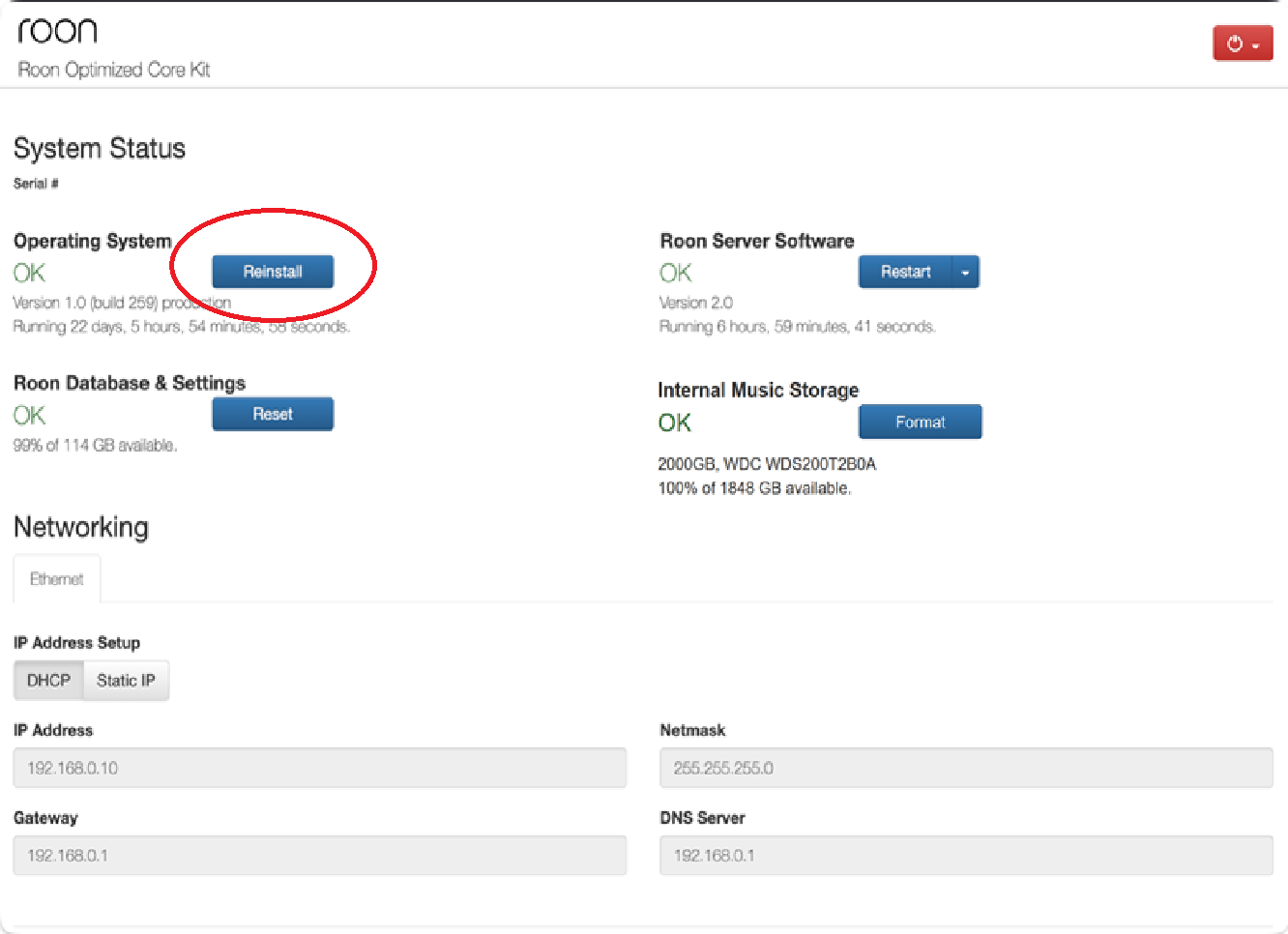
Now that the install is complete, navigate to the WebUI at http://rock or http://<ipaddress> and then use the ‘Reinstall’ button as shown circled below:
That should update RoonOS to build 271 (the current) and the Roon Application should update to build 1528 and you should see an additional ‘Tailscale’ section on that WebUi screen - which is the only practical difference between RoonOs build 259 and build 271.
Thanks a lot. If I knew that before, I could have saved myself a few hours of work 
But know I know this for the future.
2.1 installed now
It’s very easy to miss in the ROCK Install Guide (it really should be in boldface), but step 6 does include:
Be sure to also confirm that ROCK is on the latest version. You can trigger ROCK to update by selecting Reinstall from the Web UI.