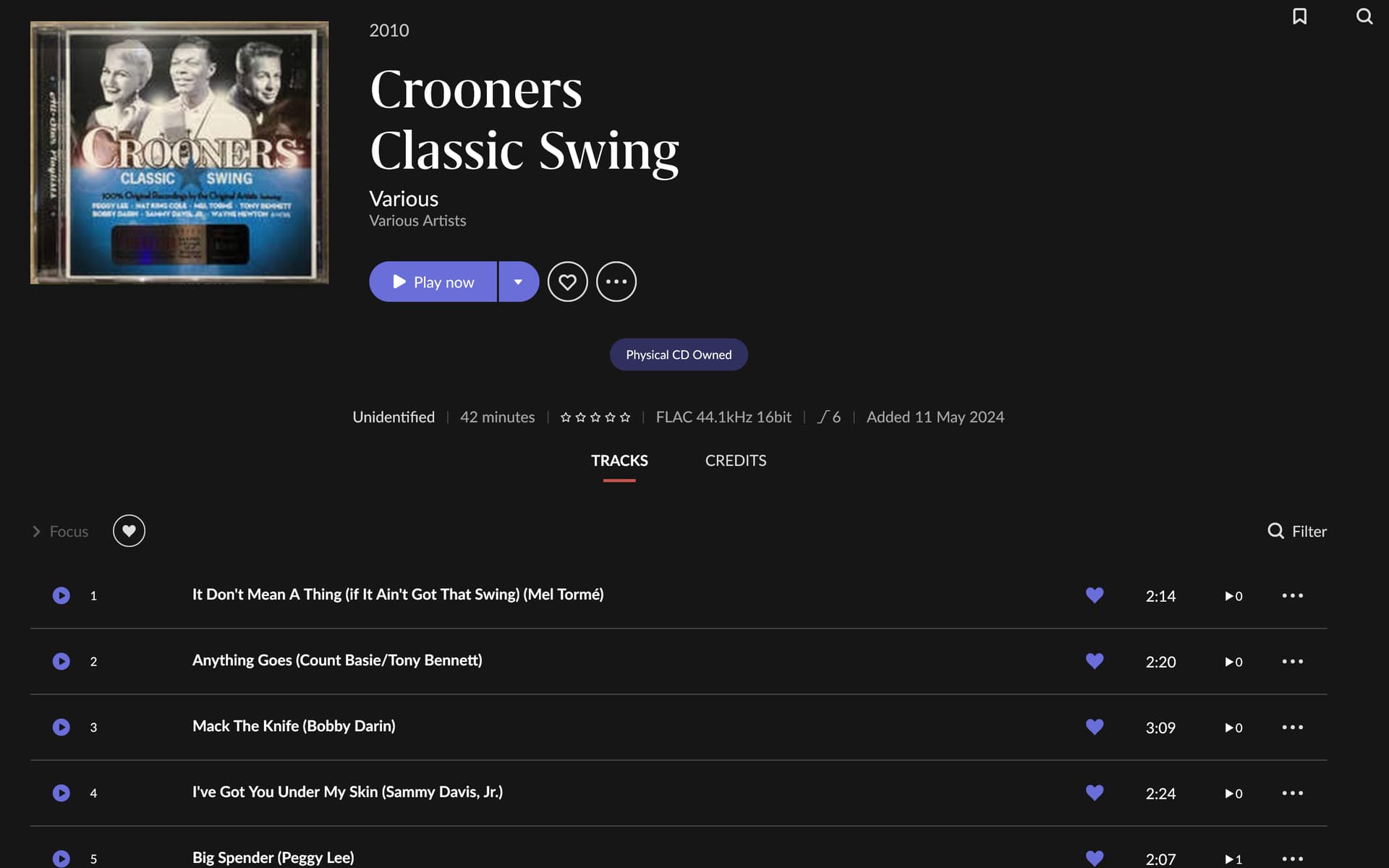
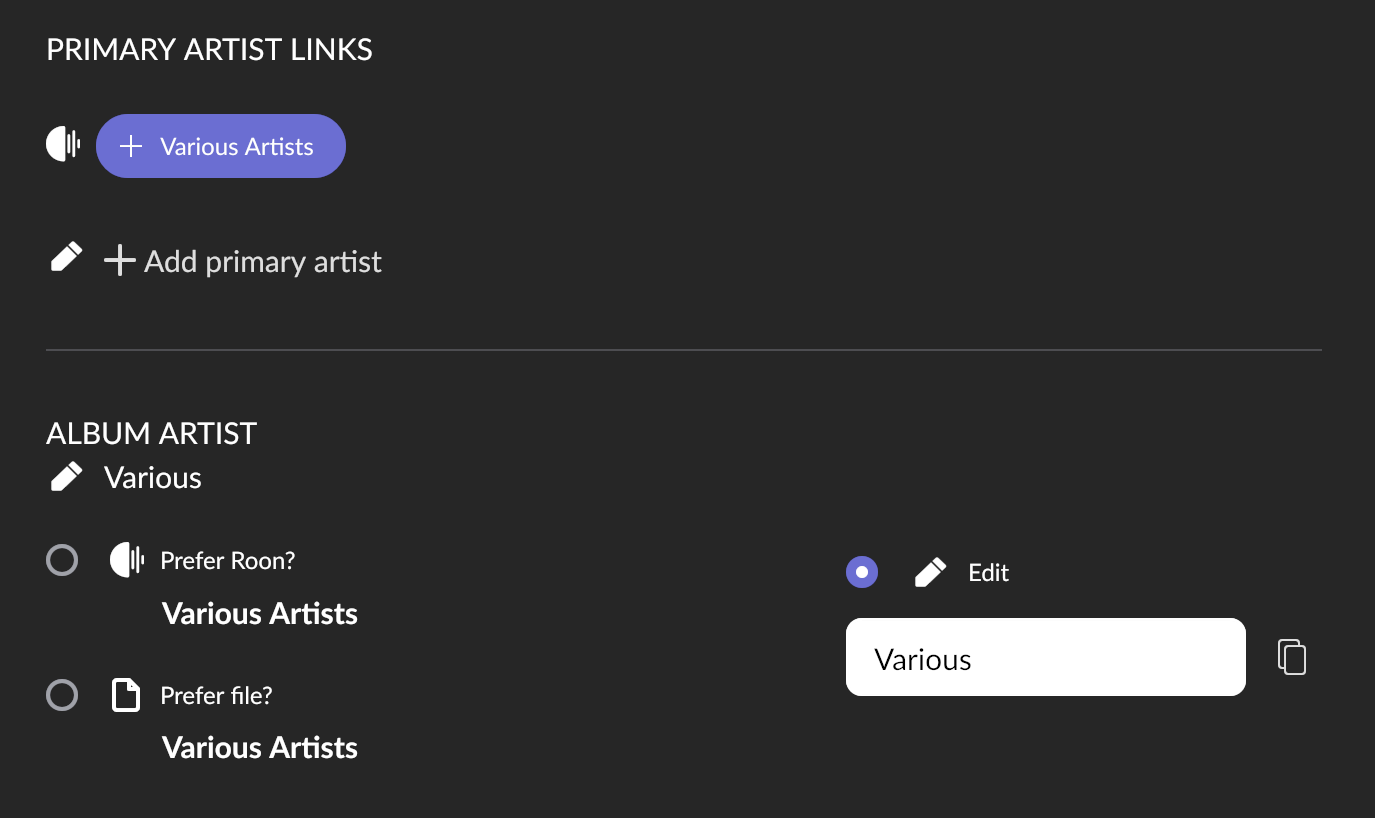
I had used DB Poweramp to rip them both with same settings. I’m sure I am just missing something here, but not finding a setting on how to have them show in Roon like others.
In the first case, Roon‘s metadata will have found per-track credits that include a performer credit, in the second it didn’t, and instead the metadata source has the performer in the track title.
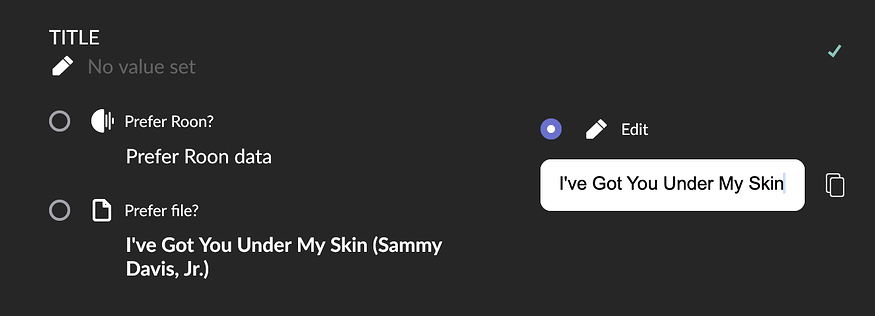
You can change where Roon takes the track title from, your file tags or Roon data, either for your whole library in Settings > Library > Import settings, per album in the album edit settings, or per track.
Yeah maybe but “Various Artists” is also not the same as “Various” and I’m not sure the special treatment for track artists works for other random album artists too.
Only there is no choice to make for unidentified albums like the one the OP has an issue with. There is no other metadata than what’s in the file.
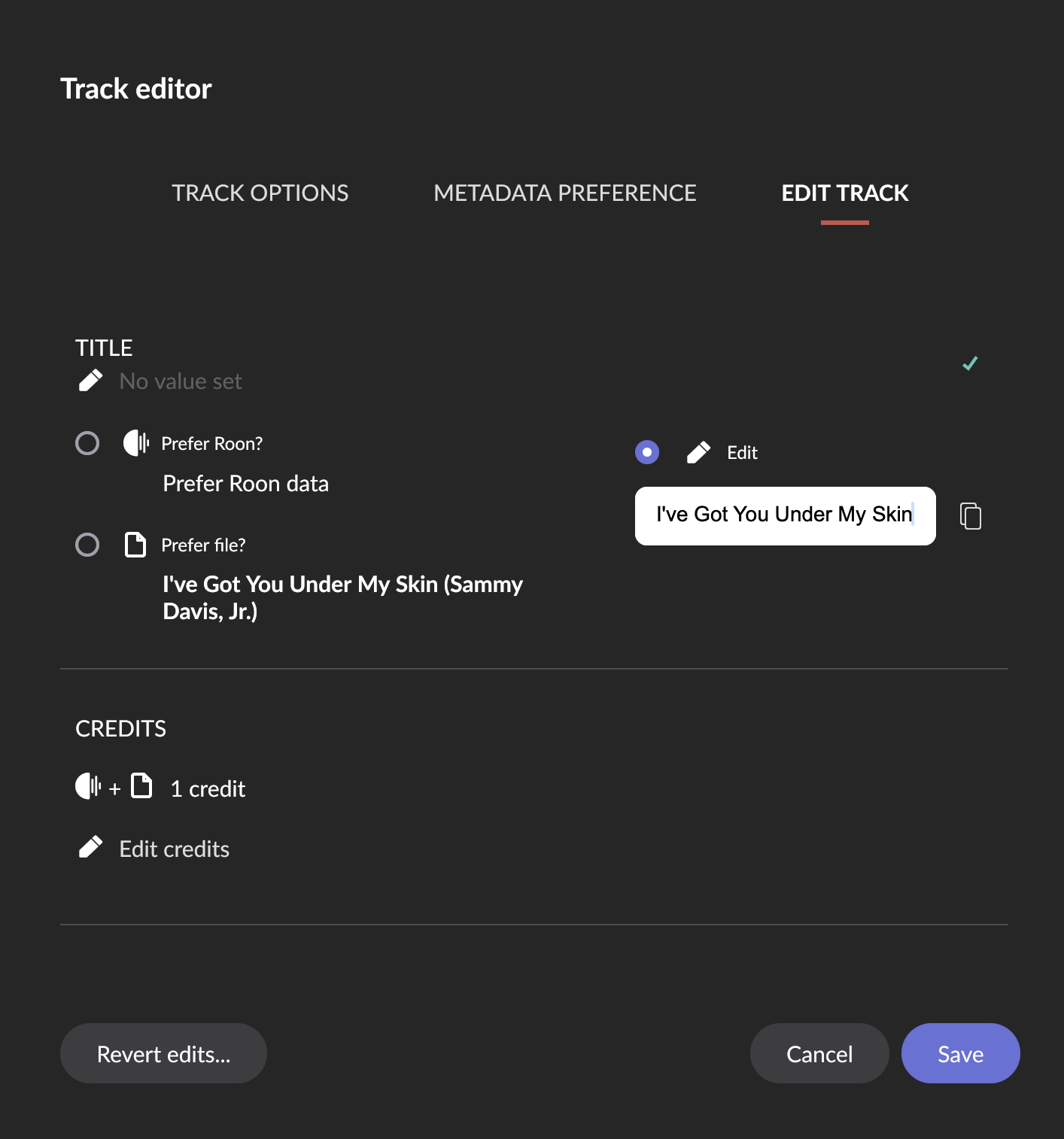
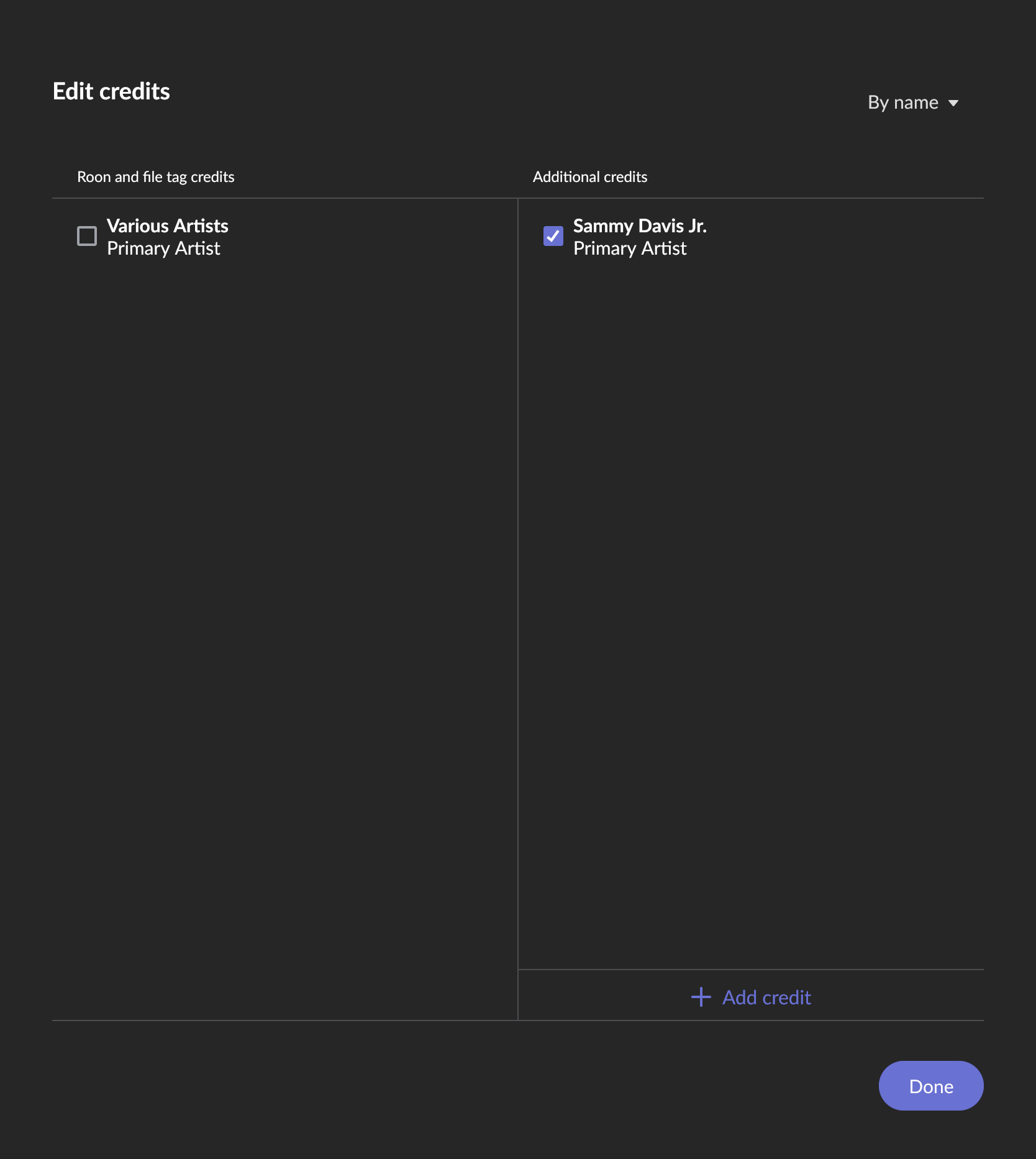
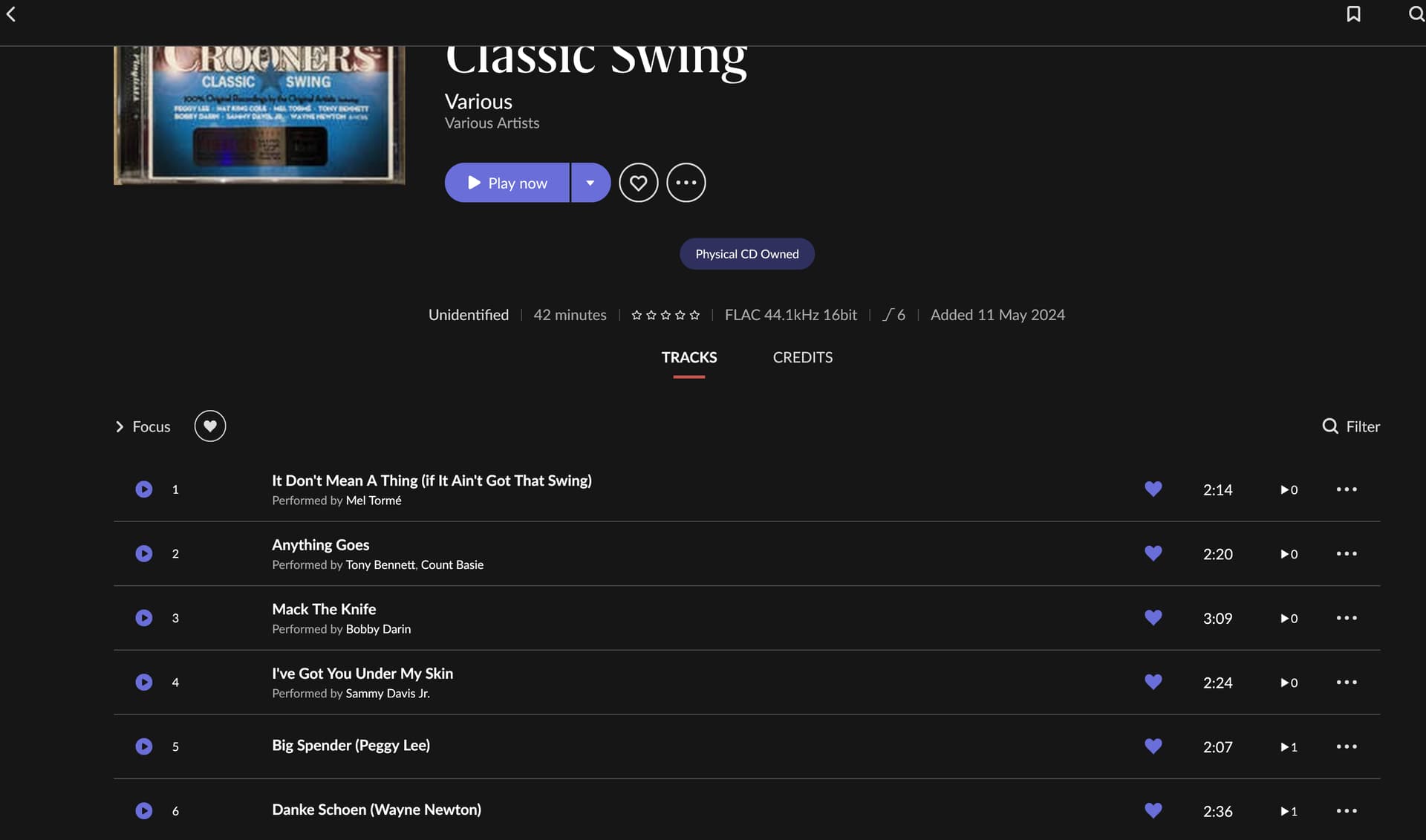
Thank you for the input and suggestions. After a chunk of trial and error, I was able to get it to show up as other discs and have the artist links. The top part remains unidentified but at least the artist stuff all works. I found it worked as follows:
Selected Edit Track at Track Level and changed title to the actual track title name.
I guess als long as there is a primary artist link “Various Artists” it may be OK because the Album Artist is just text. But I don’t know for sure.
And I don’t see what it would have to to with the artist being mangled into the track title. Roon never auto-fixes this.
True, I missed this. In this case it is even easier: If a track is named “Mack the Knife (Bob Dylan)” then this is exactly how it was entered into the file tag and can be fixed by changing the file tag, like @ntlwhlr found:
As this is in the file tags, I would not fix it in Roon but in a dedicated tag editor, where it will be less or at least easier work, too. Granted, if it is just one album then it may be quicker in Roon
I would agree with @Suedkiez. This is a local rip so it is a lot less work to use an external tag editor like mp3tag (PC) or Yate (Mac).
The entire album can be batch edited with one macro instruction. After using something like mp3tag for a while you will build up a library of macros that can be reapplied when the same re-editing scenario arises.
You will soon tire of doing it via the roon editor for more than a few albums. The added advantage is the tags will be directly in the local files and can be used by other players.
Unfortunately, this is not an option for streamed content.