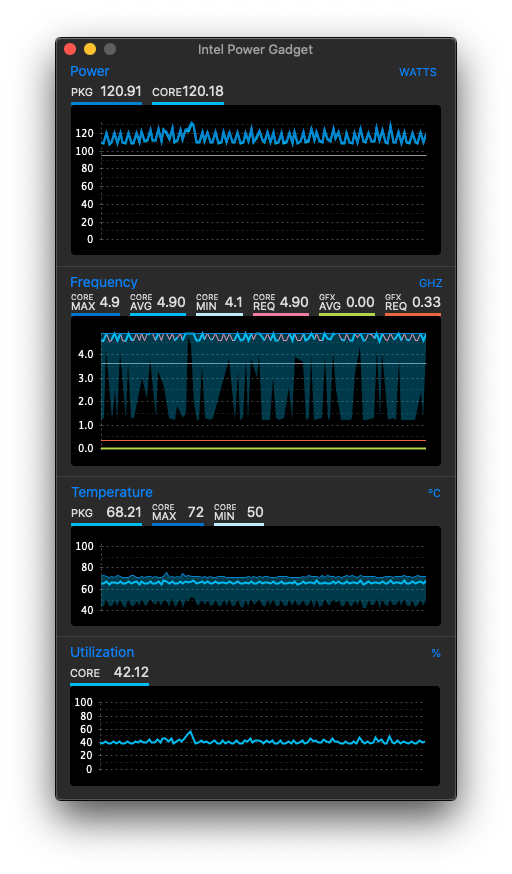
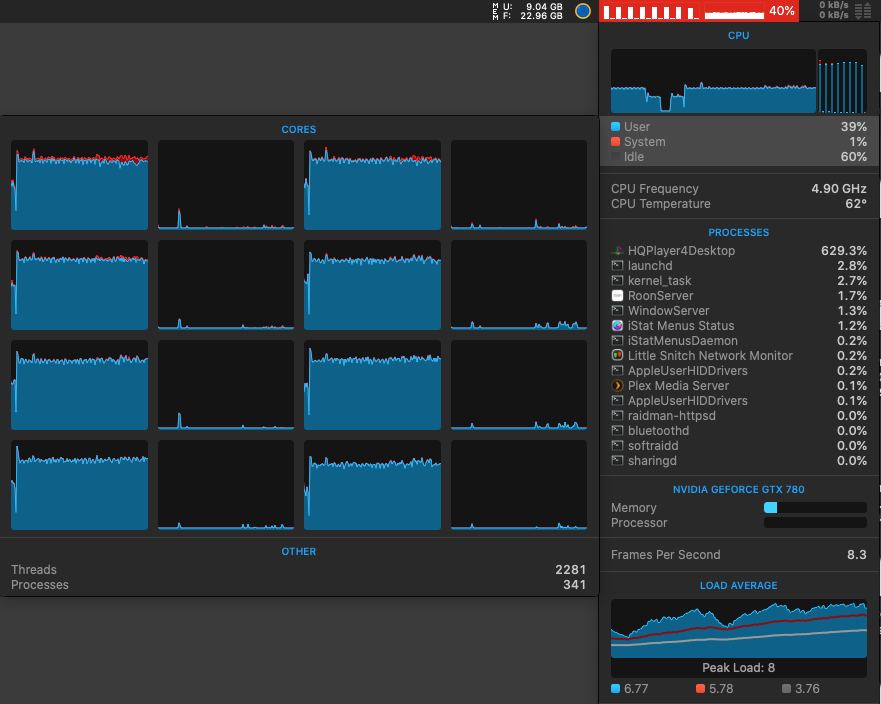
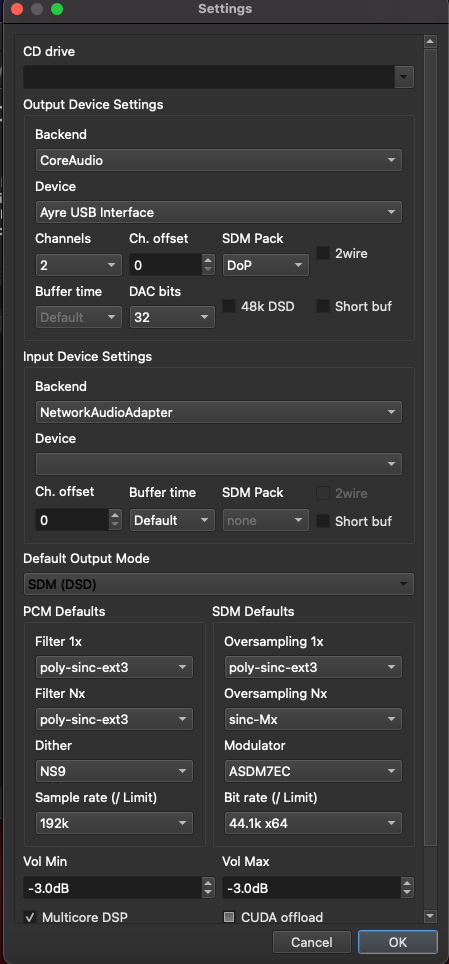
That case also works on my new laptop, on relatively reasonably priced RTX3060 GPU (laptop variant):
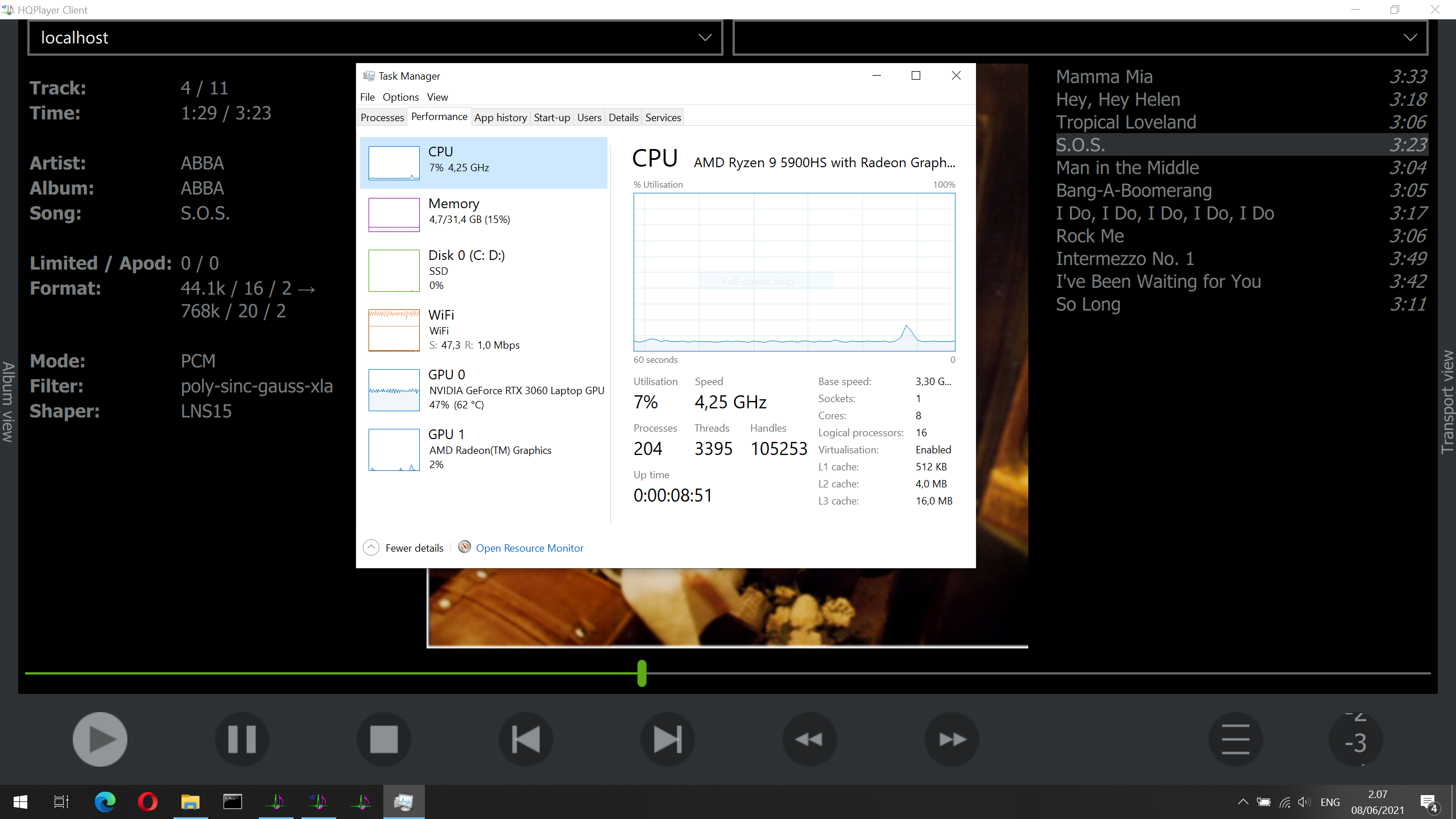
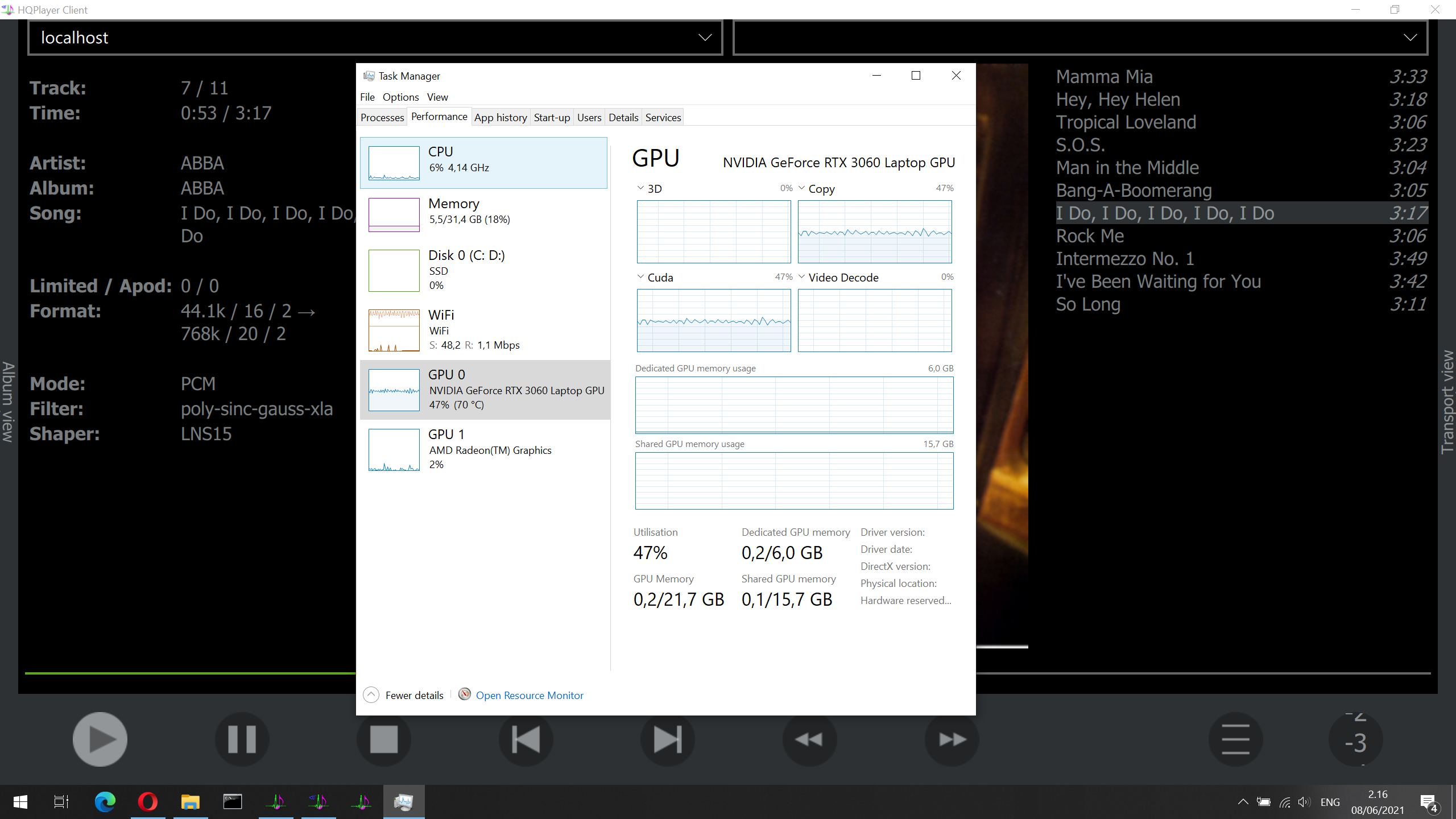
P.S. Above case is playing file from NAS to a NAA, all over WiFi…
That case also works on my new laptop, on relatively reasonably priced RTX3060 GPU (laptop variant):
P.S. Above case is playing file from NAS to a NAA, all over WiFi…
How about poly-sinc-gauss-long? I’ve got it handling 32fs on a i7-6770. xla and xl dropout after ~9 and 15 seconds of play, respectively.
I’ve updated to HQPe OS x64 4.24.0 and NAA x64 4121 and am again experiencing the white noise/badly garbled sound issues that occurred with 4.23.x. It seems to occur most often, so far, with low bitrate internet radio stations. Stopping and restarting the stream sometimes fixes it but not always.
Different filters exhibit the problem including ext2 and gauss-long. Haven’t tried any others but since ext2 is affected it seems to be with the base code, not the particular filter.
Update: Setting NAA buffer to 100ms from 0ms default the problem has yet to occur. Fingers crossed.
Well, I’ve had 3 or 4 random crashes on 4.11.2, all using ext3… but we won’t worry about those now… I’m giving the server a work out with 4.12.0 and poly-sinc-gauss-xla - that is one power hungry filter. Add on the 7EC shaper plus the a/c trying to cool the house in this hellish heat and Eversource is going to love me!
Gave it a 10 min workout with a 192k/24 file > 12.288M. All CPU, no GPU. No dropouts. Sounds good. It’s going to be a fun listening week. Thank you @jussi_laako.
I just checked CPU %, without adaptive checked it showed around 30%, with it checked it was around 15%. 4 core and hyper threading should mean that with adaptive checked it basically used up 2 cores fully and adaptive unchecked used up 1 core (which might be spread on 2 or more cores, hard to see on Windows).
In other words, on my computer ext2 + ASMD7EC + DSD256 works and takes slightly less CPU compared to ext3/gauss xl(s) PCM 768.
On my passive i7-9700 with Ubuntu 20.04 LTS desktop runing ext3 (1x) - ASDM5EC - DSD256, CPU load on new 4.12.0 AMD is slightly higher than on 4.11.2 AMD.
Tried new -xtr-short-mp for Nx (instead of current ext2) but did not like it. Look like it roll-off a bit too much comparing to ext2. CPU load is about the same as ext2.
Switched back to 4.11.2 AMD for now and wait for the next version.
Hi Guys,
I created a topic for the problem but best to mention it here also. Are there anyone who saw a problem with Sinc-Mx and DSD64, configuration while trying to convert 96 or 192 to DSD64?
I see the following errors on the log
Requested filter not possible with this rate combination 96000/2822400, stop

Requested filter not possible with this rate combination 192000/2822400, stop
My setting is like that
I could be wrong but 192 is not evenly devisable by 44.1. Try 176k with 44 and 192 with 48. Or allow Auto to do it’s work and make the selection for you.
I took out the abacus  and you could be right here
192 / 44.1 = 4.353741496598639
Hi Larry,
The problem is 96/192 to DSD64 upscale with Sinc-M filters. But anyway I moved to ext3 again.
Hi @jussi_laako
Poor old ‘poly-sinc-lp’ has been forgotten by many, after xtr, ext2, sinc-M, sinc-S, sinc-L and then gauss came to the party.
But what technical advantages do does poly-sinc-gauss and ext2 have over it? I’ll stick to those 2 super popular ones only, rather than asking about every filter.
I imagine more extended frequency response is one advantage.
But does poly-sinc-lp have better time domain performance? I still really like it but may be one of the last in the HQPlayer world using it 
Somewhat higher attenuation (depending on gauss variant). Although regular poly-sinc has enough attenuation to cover 32-bit worth of dynamic range (over 192 dB).
poly-sinc-short and poly-sinc are still among the shortest in time domain.
I like gauss-xla very much, seems to me it takes the music a small step up compared to the old trusted ones. But its not nice on the CPU, although with adaptive its ok.
Using it with DSD is tough though, at least DSD256 (DSD128 works for me).
Btw, can someone explain to me how long/short and high/low attenuation affects the music in “audiophile” terms? I have my own ideas from listening, but not sure.
Let’s hear your ideas first. It makes the discussion more interesting !
Really enjoying pcm poly-sinc-gauss-xla. It really opens up the soundstage, releases the air around instruments. It is closer to the sound of the PGGB files I have and in real time. Takes some horsepower.
Haven’t really thought about low/high attenuation, but short filters seems thinner while longer filters feels a little more dense. With analytical and transparent DAC and amplifier I guess more dense is what suits me.
Hi everyone, been following this thread for a while & finally thought i’dd add my 2 cents worth.
I mostly listen to music on headphones (Sennheiser HD800s, Audezee LCD2, AKG K872, AKG K712 pro) all driven by an SPL Phonitor 2 headphone amp fed by a Chord Qutest DAC with a Jitterbug b/w the PC & the DAC
I’d like to start by saying I actually prefer the sound of my set up without HQplayer!!
I’ve tried various filter/dither combinations & haven’t come across one that sounds better than the Qutest on its own. Hqplayer seems to muddy the sound in the higher registers, somewhat similar to looking through a slightly dirty window is the best way i can describe it.
I’m no expert but from my limited understanding, I dont see how a 44,100 samples per second red book audio file benefits form up-sampling since you cant add whatever sonic detail was never included in the original… There are various DAC methods employed by manufacturers (R2R, Delta Sigma etc) but I believe regardless of the method employed, its the actual implementation & more importantly the design & implementation of the analogue stage that determines the sound of a DAC.
Having said that, i did audition the Mscaler with both the Dave & the Qutest & whilst I heard no real difference with the Dave, the Qutest sounded significantly better. I suspect this is down to the higher tap length employed in the Mscaler (1M taps compared to 49,152 for the Qutest)
it could be that combining HQplayer filters with the Qutest Filters does something detrimental to the sound. However there is no option to turn the filters off with the Qutest (understandably)
Incidentally, the addition of the jitterbug noticeably improved the sound of my rig as did using a USB port directly attached to the motherboard as opposed to ones on the front.
P.S, ID BE INTERESTED TO HEAR FROM ANYONE ELSE IN THE COMMUNITY USING HQplayer WITH CHORD DAC’s
Upsampling is not about trying to add detail. It is obvious that you can’t add what was not there. I would recommend doing some research on the why upsampling is done.
Make sure the upsampling in hqplayer is 768 to your qutest. Anything above 384 will bypass the qutest filters. i.e. turn them off