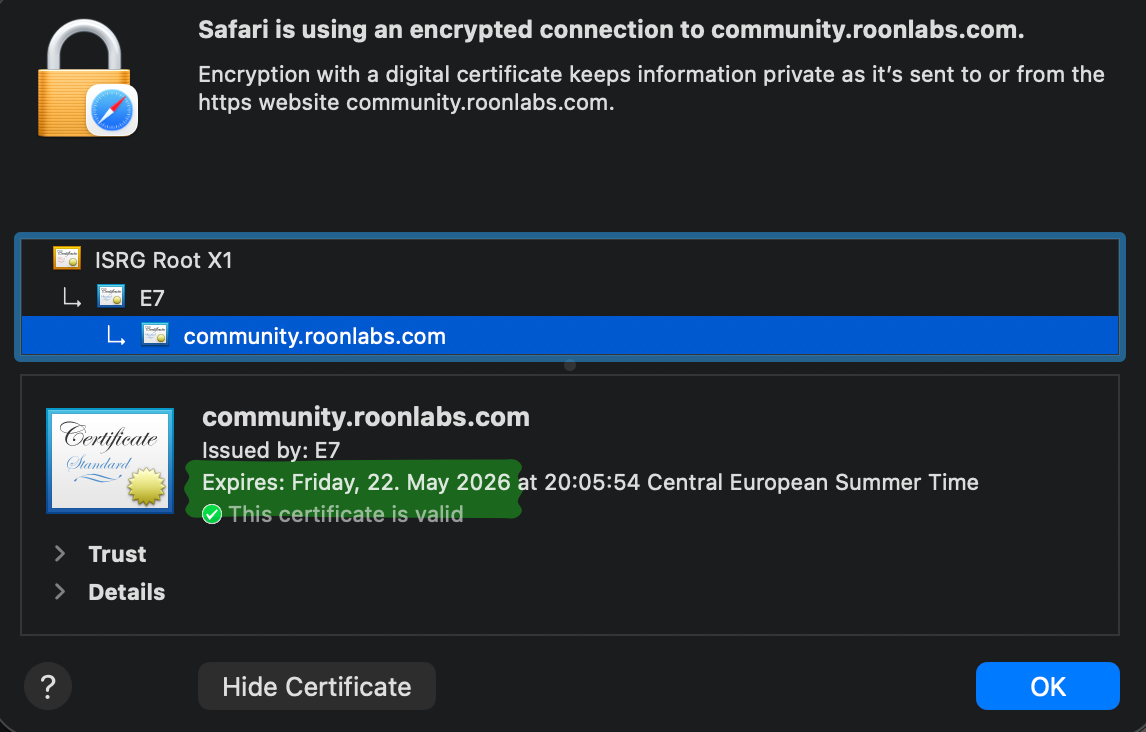
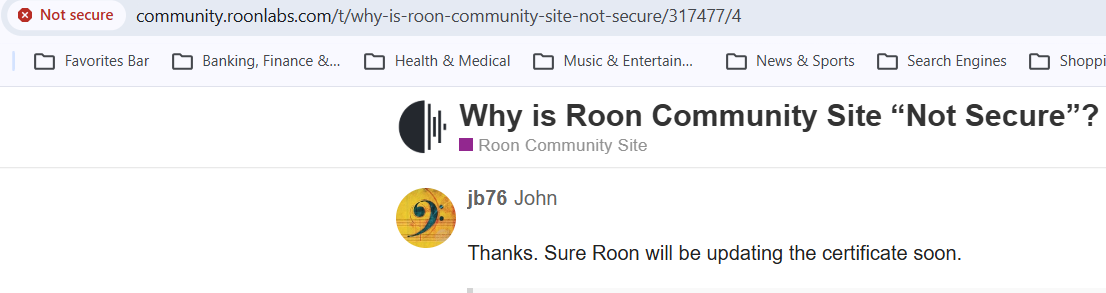
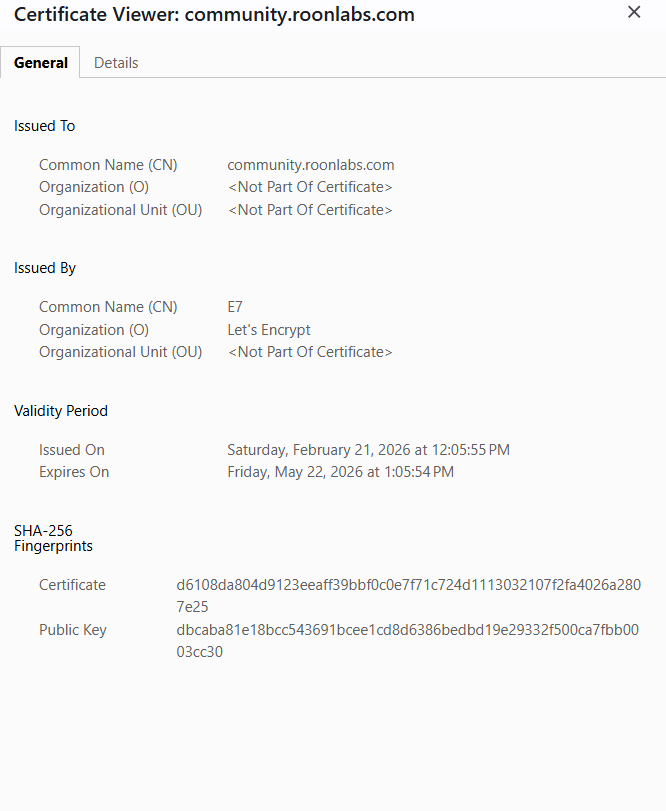
Recently began receiving “Not secure” warnings when using Chrome browser…
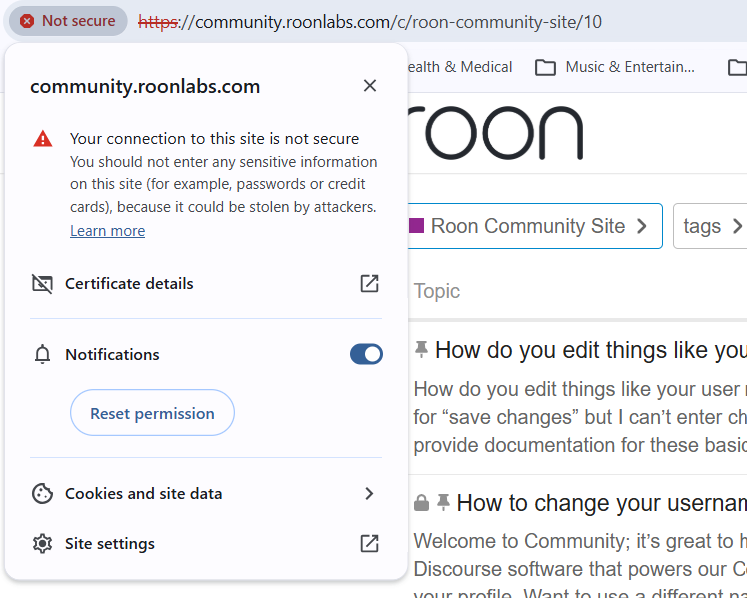
Google AI suggests the following reasons why:
Chrome marks HTTPS sites as “Not Secure” primarily due to mixed content, where a secure page loads insecure (HTTP) images, scripts, or resources. Other reasons include expired/invalid SSL certificates, improper server configuration, or local interference from antivirus software. This warning means data could potentially be intercepted. [1, 2, 3, 4, 5%20can%20also%20cause%20this%20warning.), 6]
Top Reasons for the “Not Secure” Warning:
- Mixed Content (Most Common): The site loads over HTTPS, but elements like images, videos, or scripts are loaded over HTTP. This allows attackers to potentially modify those elements.
- Invalid or Expired Certificate: The website’s SSL certificate (which enables HTTPS) has expired, is self-signed, or is not trusted by the browser.
- Incorrect HTTPS Configuration: The site is not properly configured to use HTTPS throughout, often lacking a proper 301 redirect from HTTP to HTTPS.
- Local Machine Issues: An outdated browser cache, inaccurate system time on your computer, or security software (antivirus) interfering with the connection. [1, 2, 3, 5%20can%20also%20cause%20this%20warning.), 6, 7]
What to Do:
- As a User: Avoid entering sensitive information (passwords, credit cards) on these sites. You can try clearing your cache or checking your device’s date and time.
- As a Site Owner: Use tools like
SSL Labs
to check your site, ensure the SSL certificate is valid, and update all internal links to load via HTTPS.
I had to choose the option to enter “unsafe site” to gain access.
I cleared my browser cache, but that did not resolve the issue. Anyone else experiencing this issue?
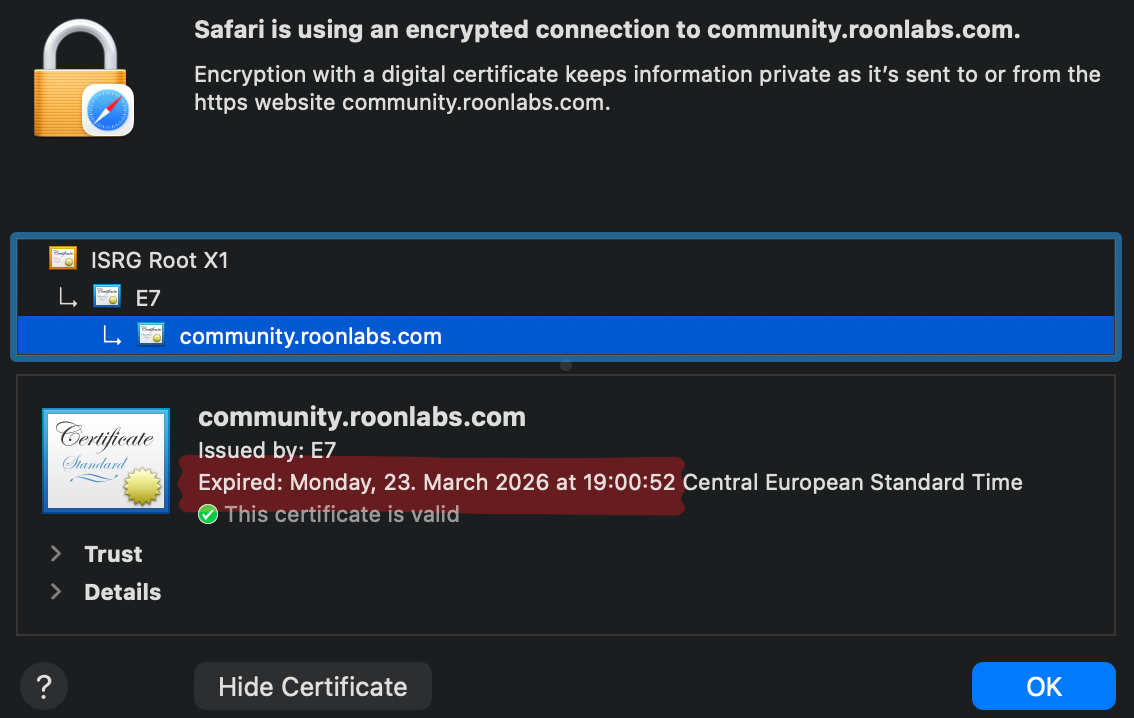
 )
)