It is good, but out of the optical and coax outputs, apparently it loses quite a bit of quality in the RCA output.
I can’t compare.
It is good, but out of the optical and coax outputs, apparently it loses quite a bit of quality in the RCA output.
I can’t compare.
A somewhat humorous aspect of my problem is that I have a full, pretty well dedicated room for the big stereo. But, my wife and I bought a custom couch that while gorgeous, is the least comfortable thing it could be. I don’t enjoy spending time in there chilling anymore.
I got a really nice recliner for Christmas, but it is in “her” lounge room. She agreed to an end table, but no visible electronics. I get it… it is opposite her aesthetic, and I already have a room dominated by stereo and guitar amps.
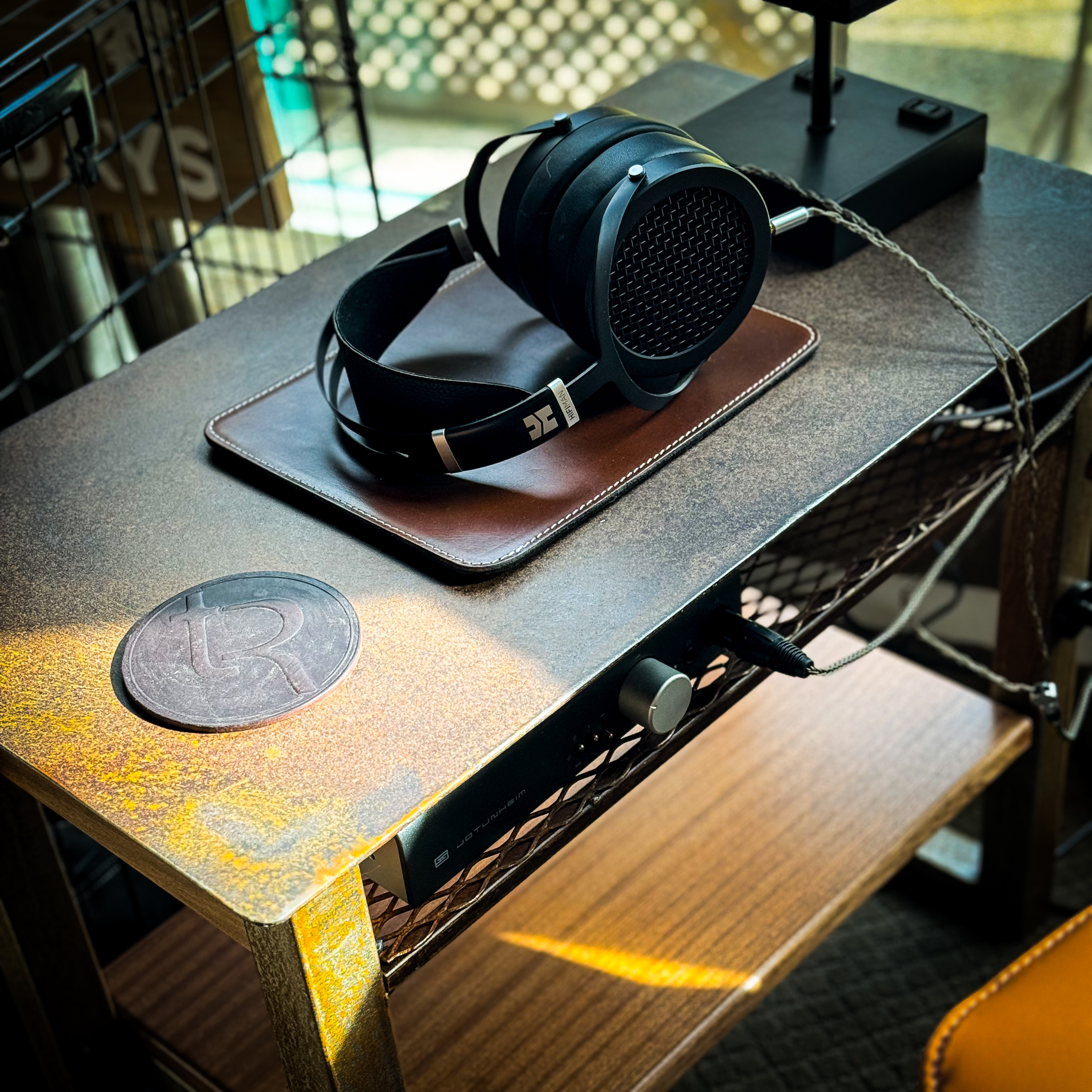
So I made an end table with a hidden shelf for the headphone gear. So far, so good… but no computers will be going in here. Lol.
I used the system off of Roon/WiiM last night on a 24/192 playlist I’ve been building on Tidal. It sounded pretty incredible, and I’m overall very happy with the sound. I don’t understand the intricacies of what was actually streaming from Tidal through Roon, but it was as good as it will get until the update.
But I do feel like it is slightly more refined when I go straight in from Tidal to the DAC with my iPhone usb out. A little more definition, a little more percussive and stark, but I’m not completely sure either. I miss the PEQ and the crossfeed when I do this though, and given the chance to have one or the other, my ears want the PEQ and crossfeed.
Hi George I have used two in the past.
First up as Jim has said is the Raspberry Pi, and while it can be a fiddle for non tech users works great.
Second I have used is a iFi Zen stream which has been a different kind of fiddle for some users in the past but works great for me and sounds fantastic feeding my iFi Zen Dac Signature v2
There are a couple of others but I think they go up significantly in cost
I still use both of these every day and rate them both highly
At the price, I’m certainly willing to try the Rasberry Pi options, but fear the startup frustration having never delved into them at all before.
That said, I have built my own computers in the past, and am likely technically competent enough to make it work.
Is there anyone on here that just sets them up as ready to plug in, configure and run?
The one you posted looks all but ready to go…. Is it as simple as plug in a loaded SD Card and go looking for it on Roon?
Its a pretty quick job to do and does not require any real technical skills
I would stick with a Pi 4 at this time and there is a really easy software guide here https://ropieee.org/ that I think has already been posted.
On top of this John Darko has some walk through guides on his YouTube page that do the build stage as well that are worth looking at and some are at the link down below
Check out Nathan’s ropieee manual too
It was probably MQA but would need to see your signal path to confirm. I believe the WiiM devices can do the first unfold but even if they can’t Roon can (and will have to if using certain Roon features like EQ but you have to turn the option on first). Regardless of where the first unfold occurs, MQA that started out as hi-res is always folded to 24 bit and 44 or 48 and the first unfold is always to 88 or 96.
If you don’t want the hassle of having to mess around with a bunch of hardware and software your best bet is probably the iFi Zen Stream. If you still want to save some money but don’t want to deal with a RPi then a mini PC like the Mele would be the way to go though I personally would install a Linux server OS on it as mentioned above. Last option would be to just continue using Roon with the WiiM until you have a better feel for which way you want to go. You could then even wait until Roon releases Tidal Max support before making a final decision on your playback chain.
I never quite understand why putting a RPi board into a Flirc case is considered a ‘hassle’… it is a thing of 5 minutes, even for a digitally challenged fellow.
There is a great step-by step guide on how to put RoPieee on a memory card and get started… couldn’t be any easier really. For someone doing it for the first time, putting Linux on a mini PC and install Roon Bridge is order of magnitudes more daunting.
What the OP needs is really no more than a little bridge device, and a RPi 4 will do the job easily and reliably… from what I can gather on this forum, even easier than getting a iFi Zen Stream to work nicely with Roon.
Some people are comfortable building PCs and working with RPis, some aren’t. Some just don’t want to be bothered with it regardless of their ability and just want a product that’s ready to go out of the box. I’m fine either way and use a RPis with RoPieee as displays. The OP showed some hesitation about going the RPi route so I just pointed out some other options. I also use a Mele PC with Ubuntu server and Roon Bridge for MCH playback over HDMI. All these options have worked well for me as did the Zen Stream when I had one.
Which he already has in the form of the WiiM, assuming he is ok giving up his external DAC. If not, then an RPi would definitely be the cheapest way to go.
Not from my experience. The Zen Stream was definitely as plug and play as it gets when I had one. At that time I had already been using RoPieee and there is a definite hassle of having to take a case apart just so you can get at the SD card to reflash it. Never mind needing a wired network connection for the first boot which for me means moving one of my RPis. Now, I haven’t had to reflash nearly as often since the last major update but the hassle is still there should one need to and in my case now I can reflash at a later time since I’m only using them as displays.
Very true, but it’s not really the same thing. An RPi kit is half-a-dozen pieces that snap together in a few minutes, while building a conventional PC can be a pretty arduous process.
They do not do any MQA processing only pass it through from Tidal Connect which would do the first decode.
The ZS would do what you need. I’ve been using one for two years and like it
Absolutely. I probably should not have mentioned both in the same sentence. I built high end PCs as a job as a kid for a couple of years but even then I have not had the desire to build a PC in decades. The closet I’ve come is a couple of NUCs. For a lot of Roon’s users it still often comes down to how much they want to be bothered.
Not with the Flirc case where the SD card is easily accessible from the outside. I just had to take my Pi in my hand, as I didn’t pay attention to it in a long time, other than updating the OS from time to time.
I wish more cases were like this. Better yet I wish RoPieee supported USB drives.
I’ve moved on since to using DietPi which, as far as I know, supports mounting USB drives. But then a little experience with Linux is necessary…
For about $100-$150, you can purchase a kit that includes an RPi4, enclosure, and power supply (look on Amazon and elsewhere). You only need to provide an SD card flashed with a system that runs Roon Bridge, such as RoPieee or Volumio.
Zen Stream is actually an RPi system running Volumio, rebranded as iFi with both hardware and software customized to be more consumer friendly (and certified Roon Ready). Volumio provides OEM software for multiple streamer manufacturers, some quite high end. See this:
https://volumio.com/en/oem-custom-solutions/
Many RPi cases have an opening for the SD card – no need to open it up to swap cards  . With RoPieee and Volumio, it is possible to do initial setup without wired connection. When they boot up and do not detect a connection, by default they will open up a WiFi hotspot that you can connect to and enter your local WiFi settings. Look at the latest setup guides.
Never used DietPi. If I’m using the RPi with Roon I’d prefer to just use RoPieee and be done with it and if I’m using the RPi for something else then Ubuntu server is what I’m used to (and it supports booting from USB drives).
Most I’ve seen and used don’t including the one for the official 7" LCD.
Must be a relatively new feature? My last reflash required a wired network connection. Hopefully I remember this so I can save some time on my next reflash.