Hi! What’s not quite right with Roon?
· Can’t reach my Server, remotes or ARC
Can’t connect to my Server, remotes or ARC
· Other ARC issues
Tell us what's going on
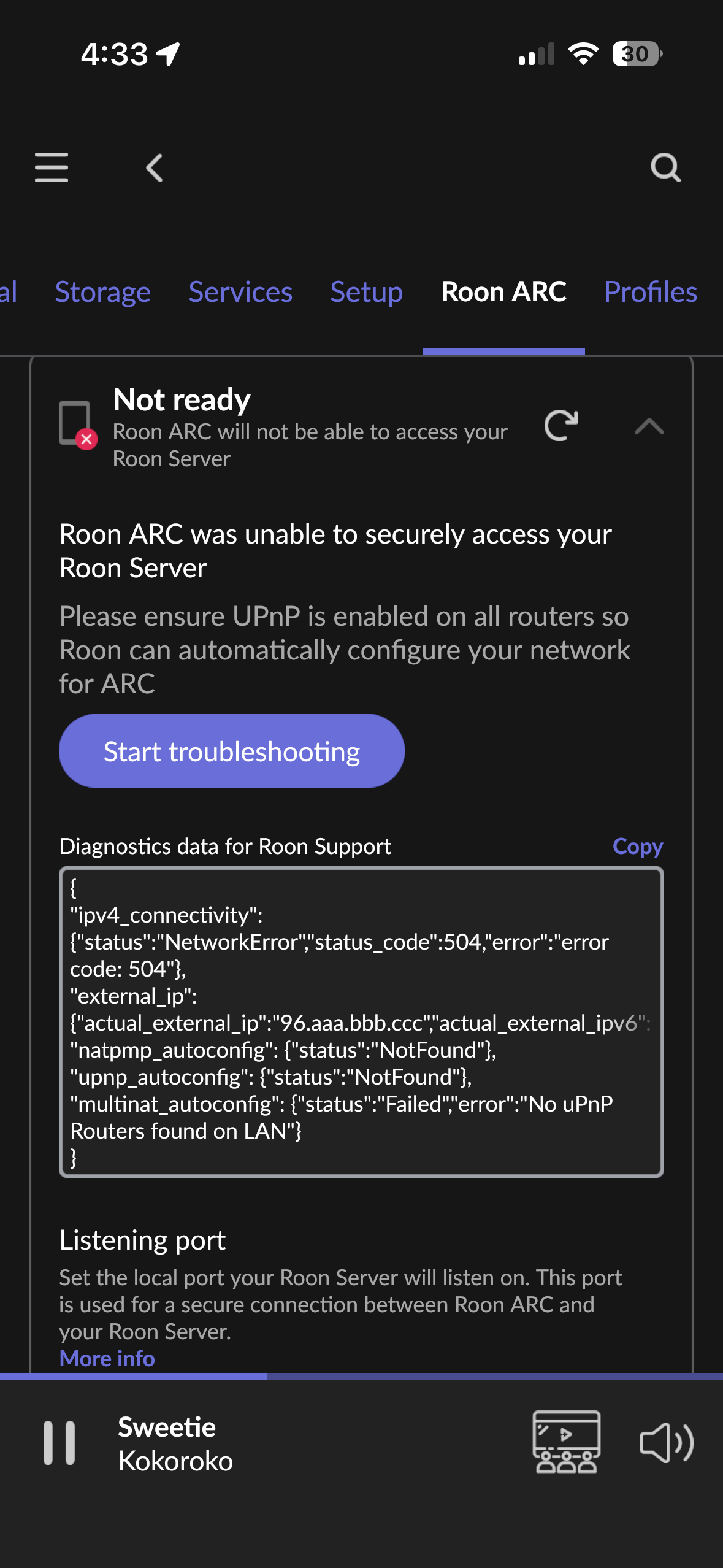
· Looks like I’m suddenly getting a 504 Gateway Timeout error despite not making any changes to my configuration.
Tell us about your home network
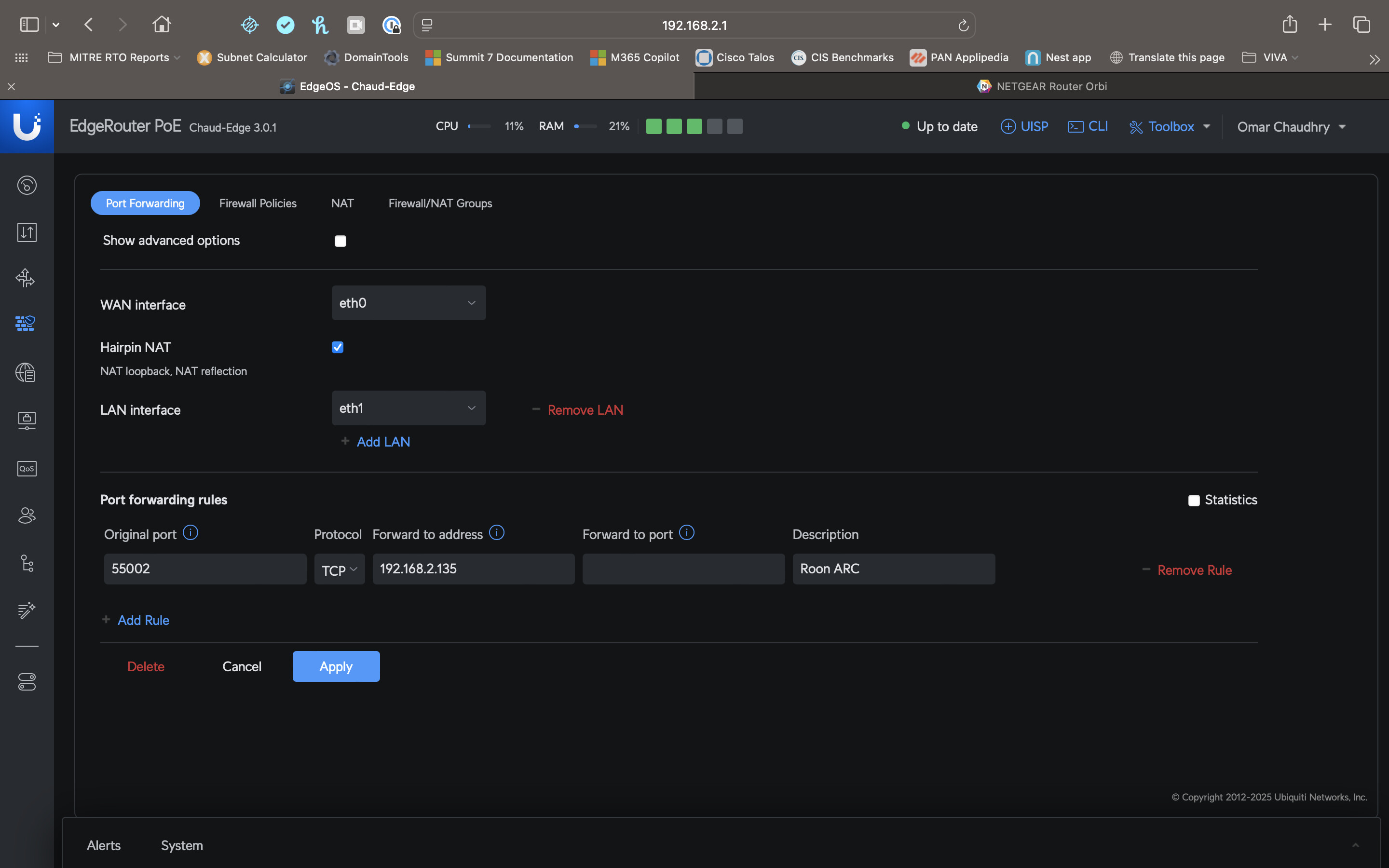
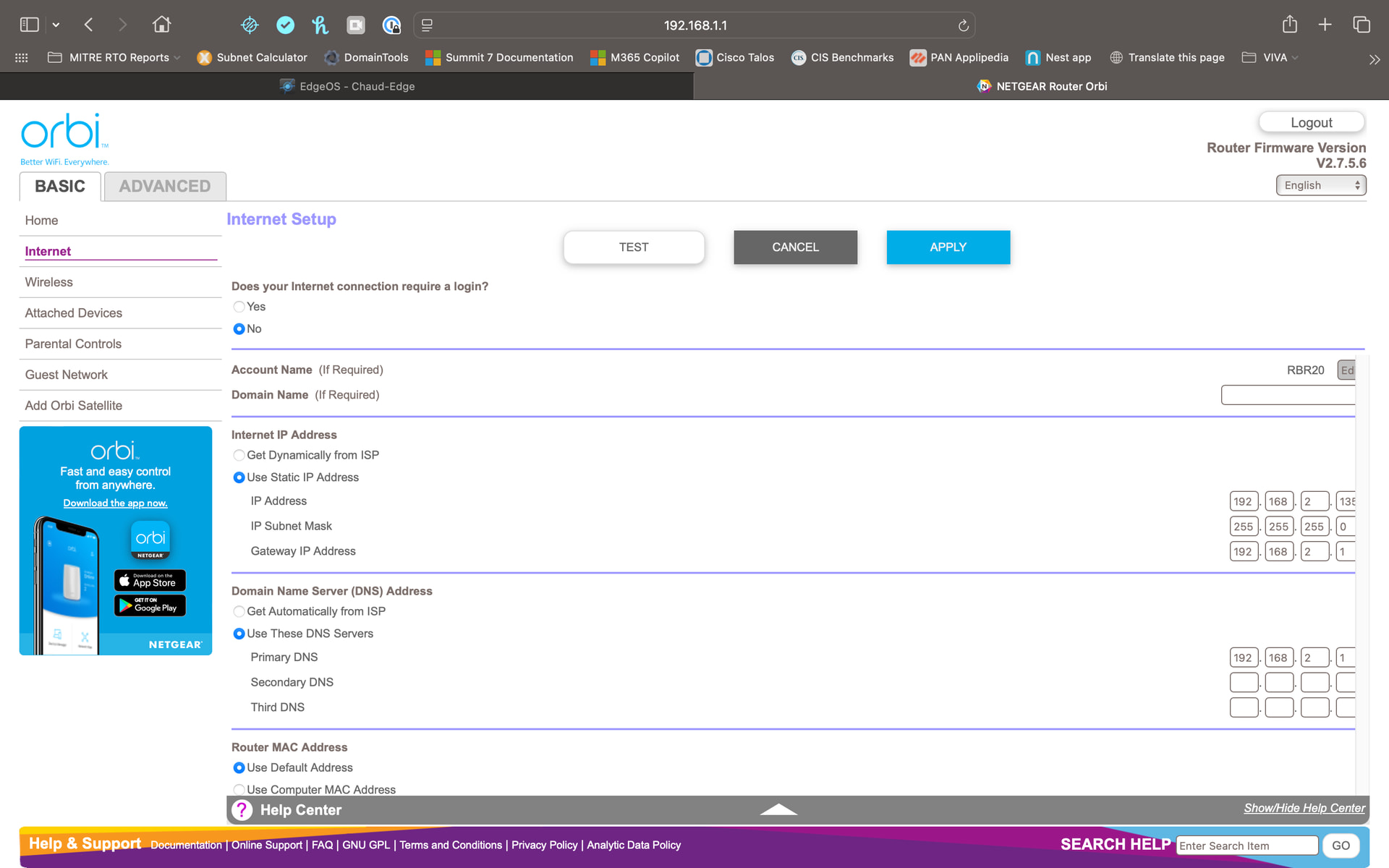
· My setup at home is the FiOS ONT to EdgeRouter 5 POE to Netgear Orbi RBR20. Again I haven’t changed anything in months.
Hey @Omar_Chaudhry,
Thanks for writing in and for sharing your report! From your error code, it looks like the protocols that configure port forwarding automatically are either not available or have failed. UPnP and NATPMP are not functioning in your router as Roon expects.
See if any of the below help:
- Turn on UPnP on your router and try to run Roon's port forwarding test again.
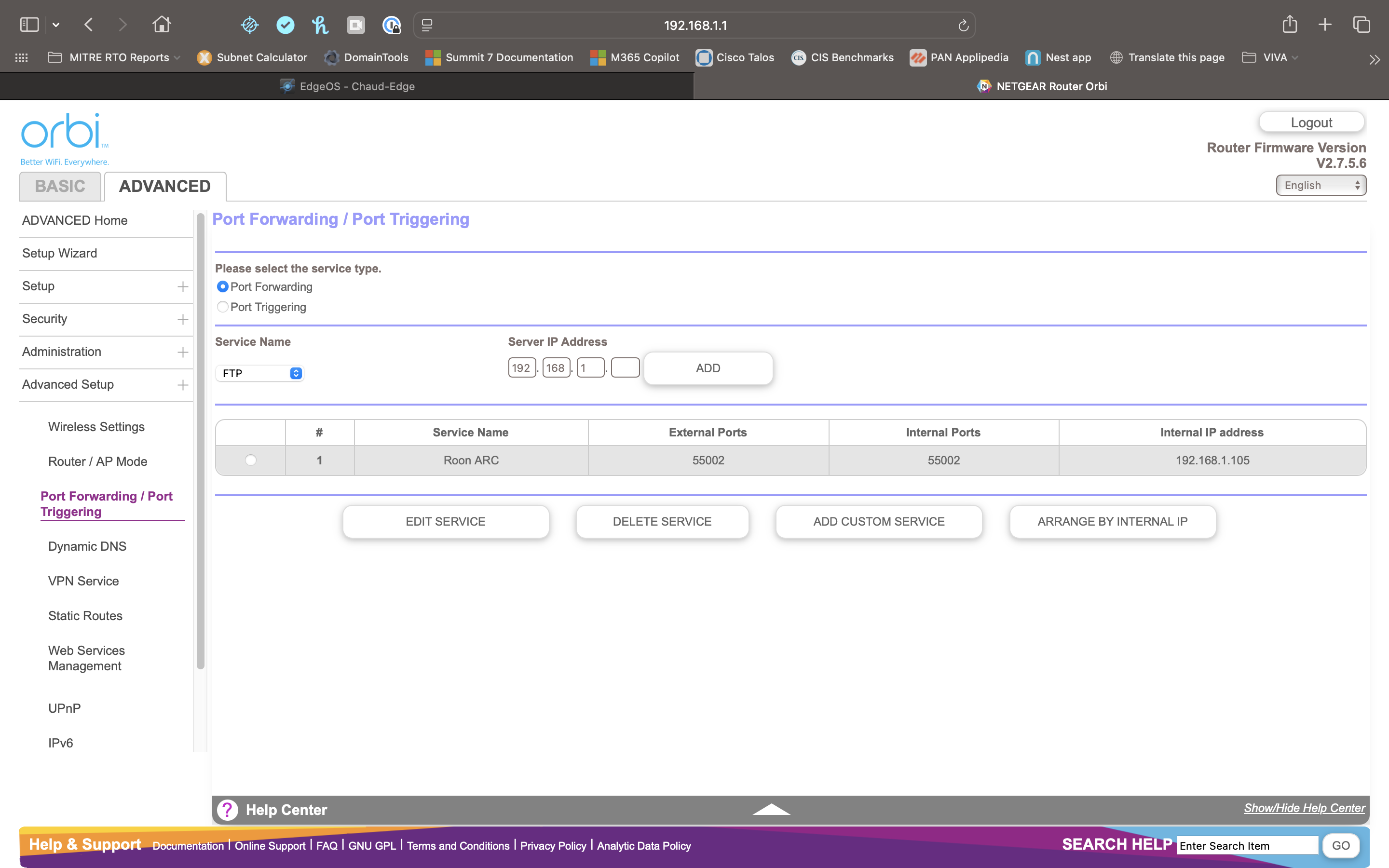
- Try to set up manual port forwarding in your router.
- Make sure the IP/Port matches in any port forwarding rule you create.
- Double-check to make sure you don't have any VPNs, Firewalls, or other network filtering software blocking Roon.
- Check if your modem is in Bridge mode.
- Restart your network hardware and update firmware.
Thank you!
I think I’m set up correctly. Again, no changes on my part.