Album art cycling stopped on Windows 11 Roon Remote (ref#6AFEYR)

Hi! What’s not quite right with Roon?

· None of the above quite fits

None of the above quite fits

· App interface looks or behaves oddly

Tell us what's going on

· Album art cycling stopped working. This is on a windows 11 PC used as a remote. My Roon Core is on a M4 mac mini. Interestingly, the album art cycling works on this mac mini.

Tell us about your home network

· Verizon Fios. Both Windows 11 remote and mac mini are connected to switch. Setup hasn't changed and has always worked in the past.

Hello @steveoat87 ,

Thanks for reaching out. That is odd that just the Windows remote is affected. You can try to reinstall Roon on just the Windows remote with the instructions below, let us know if they help!

Let’s try a fresh database and see if your issues persist:
  • Create a Backup of your current database
  • Exit out of Roon + RoonServer (from taskbar area if running on the PC)
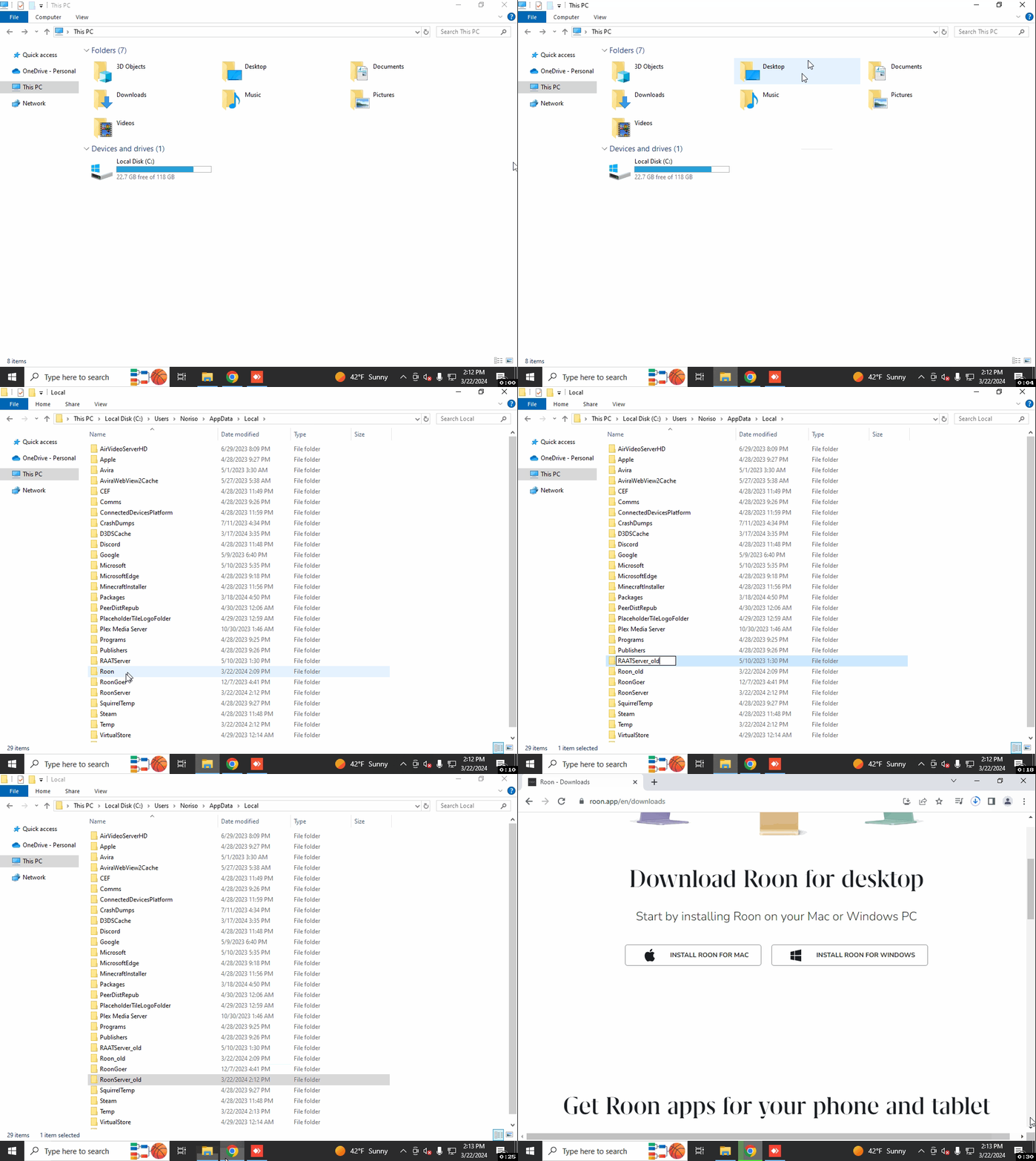
  • Navigate to your Roon Database Location on the affected device (PC Remote)
  • Find the folder that says “Roon Server” and “Roon”
  • Rename the “RoonServer” folder to “RoonServer_old” and “Roon” to “Roon_old”
  • Reinstall the Roon App from our Downloads Page to generate a new Roon folder
  • Verify if the issue persists on a fresh database before restoring the backup

Here is the process outlined from a Windows machine:

All Roon_old on Windows