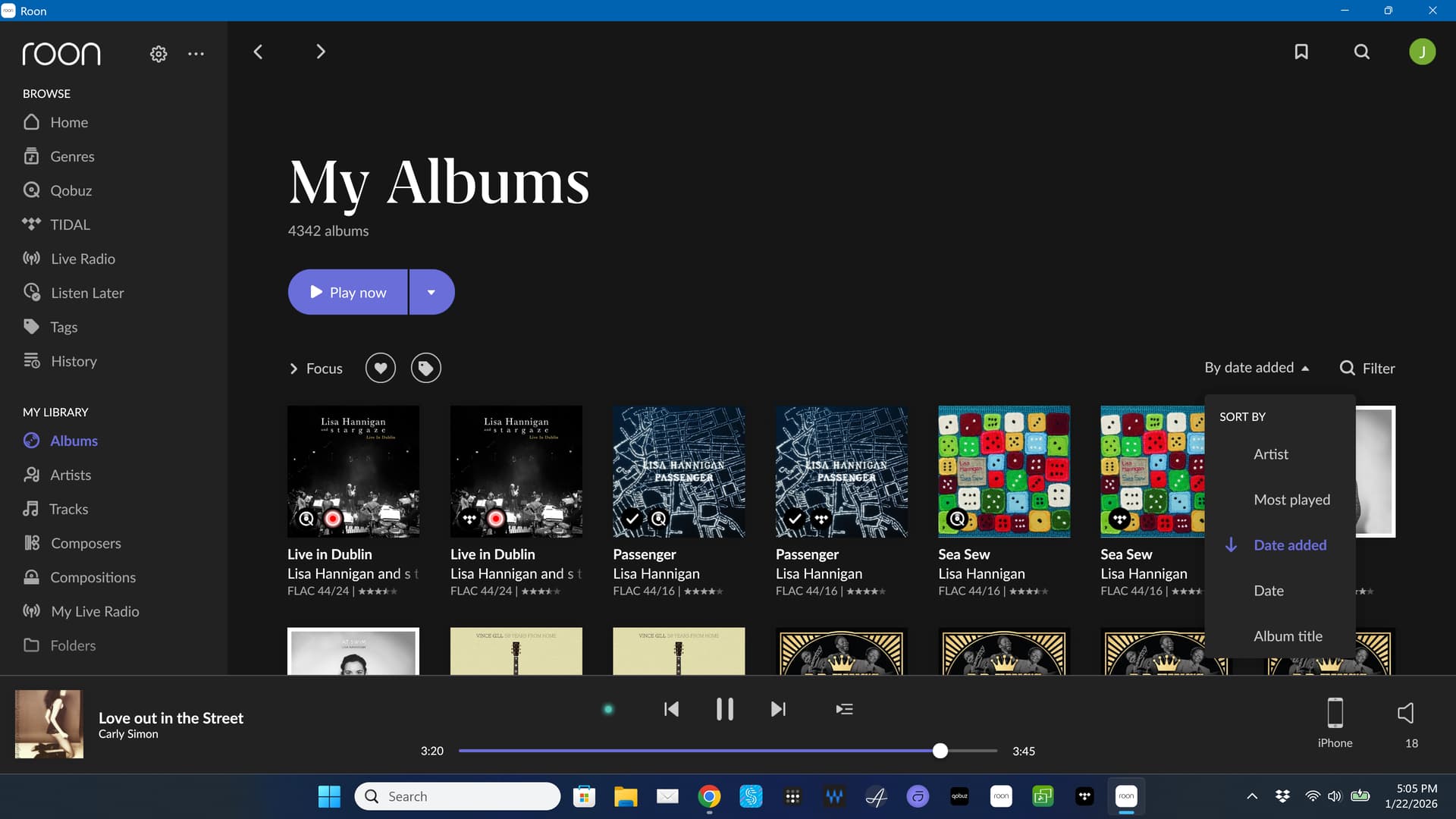
I know how to set things up to sort by date. When I do, it’s sorting alphabetical by Artist name. Just started happening. When retrieve a backup it’s as it should be until it refreshes and then it goes back to sorting alphabetically.
Thanks for the additional details — that’s very helpful.
Could you please check whether the “Date Added” values on the affected albums still look correct?
In particular, do the albums show their original add dates, or do multiple albums appear to share the same (or very recent) date?
If the “Date Added” metadata was updated or reset during a refresh, that could explain why sorting by date added behaves like alphabetical sorting.
Let us know what you see, and we’ll take it from there.
I restored from a Roon backup. When the restore was complete, the albums were in date order as they should have been. Soon after that, Roon appeared to perform a sync, looking for added files in qobuz and once it did, the sorting reverted to alphabetical.
To me, this seems like all Qobuz albums were re-imported and they all have the same new import date. Because of that, the ordering is not faulty, but because all import dates are the same (i.e. the new date), a second sorting level is used, which is alphabetical.
But why Roon did this re-import, that’s the real question.
Edit: could there be any relation to what is mentioned here?
Since I have a Roon backup that I was previously was able to restore in ‘date added’ order, is there a way to run the restore but then keep Roon from syncing? That way we can confirm that the problem exists within Roon. It also appears that another user has encountered the same issue.
mjw
(And I'm standing in your doorway And I'm mumbling and I can't remember the last thing that ran through my head)
12
This process would not change the import date unless the files/location have changed. For instance, moving your library from network share to local drive, if done correctly, does not change the import date.
In your situation, something has changed on the Qobuz side, so I think you’ll need Roon to invesigate further.
I have this issue also, lots of albums I added ages ago show up as very recently added. And don’t tell me I have to restore some old backup and redo a thousand edits and changes I have made since.
Still no updates @richard_rubenstein, unfortunately - our team is working on the case.
It’s likely not database-related @Suedkiez, so you’re correct in that restoring a backup will not help long-term. As soon as Roon re-authenticates with Qobuz, albums revert to the incorrect dates.
I’m sorry we don’t have any updates yet. This is a high-priority case our team is continuing to investigate
Would you be able to zip this saved backup up, and upload it to our uploader below for our development team to analyze further? @Suedkiez if you have a saved backup as well that predates the issue, it could potentially help speed things up internally.
Zip up your RoonBackups folder (right-click it and select “Compress…”):