This looks like a Roon Server discovery issue, and the first thing we should separate is whether the Roon Server itself is actually healthy and reachable on the network.
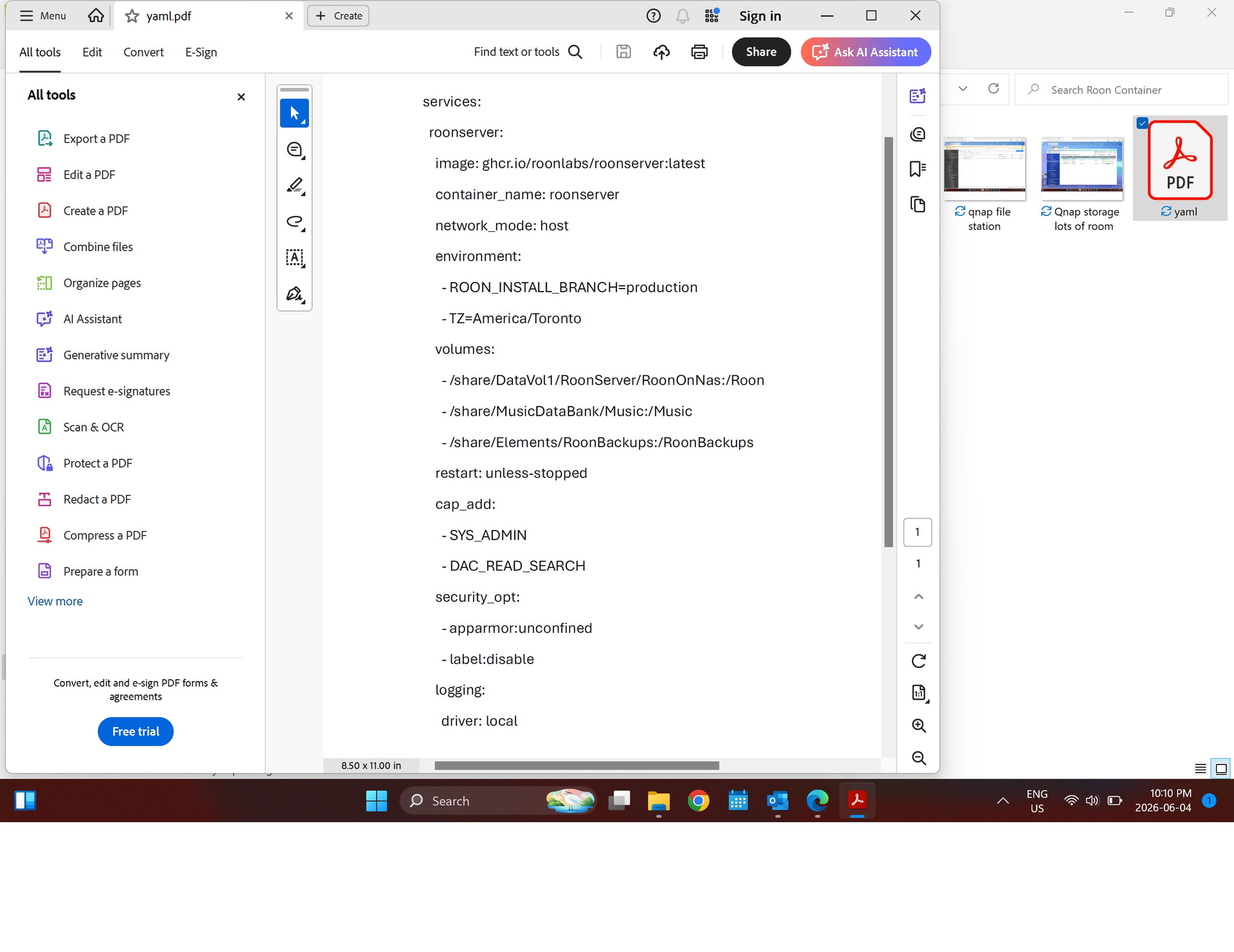
Can you please confirm you used the Installing RoonServer on QNAP with Docker article when setting this up? Can you please provide the YAML output that you used to install RoonServer?
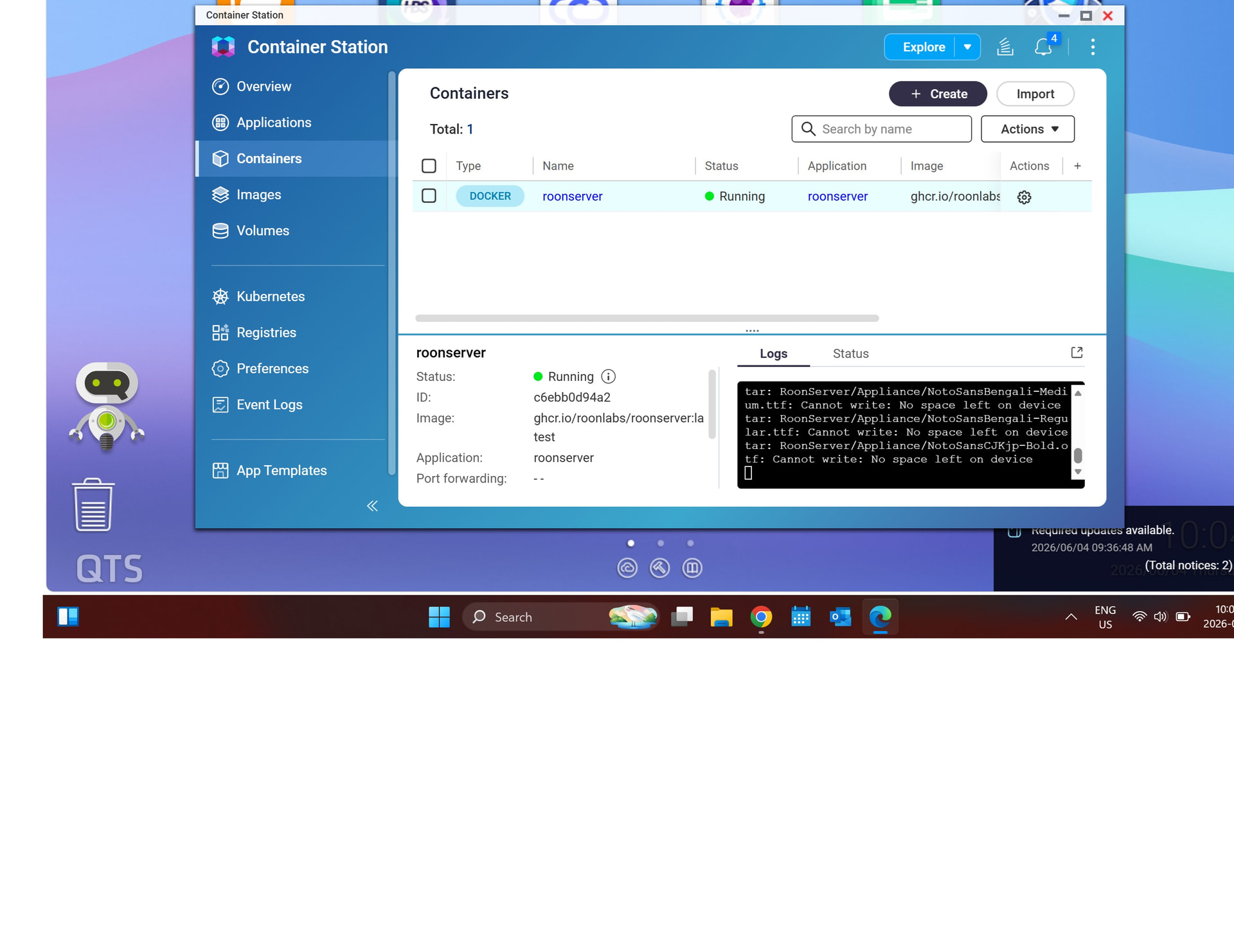
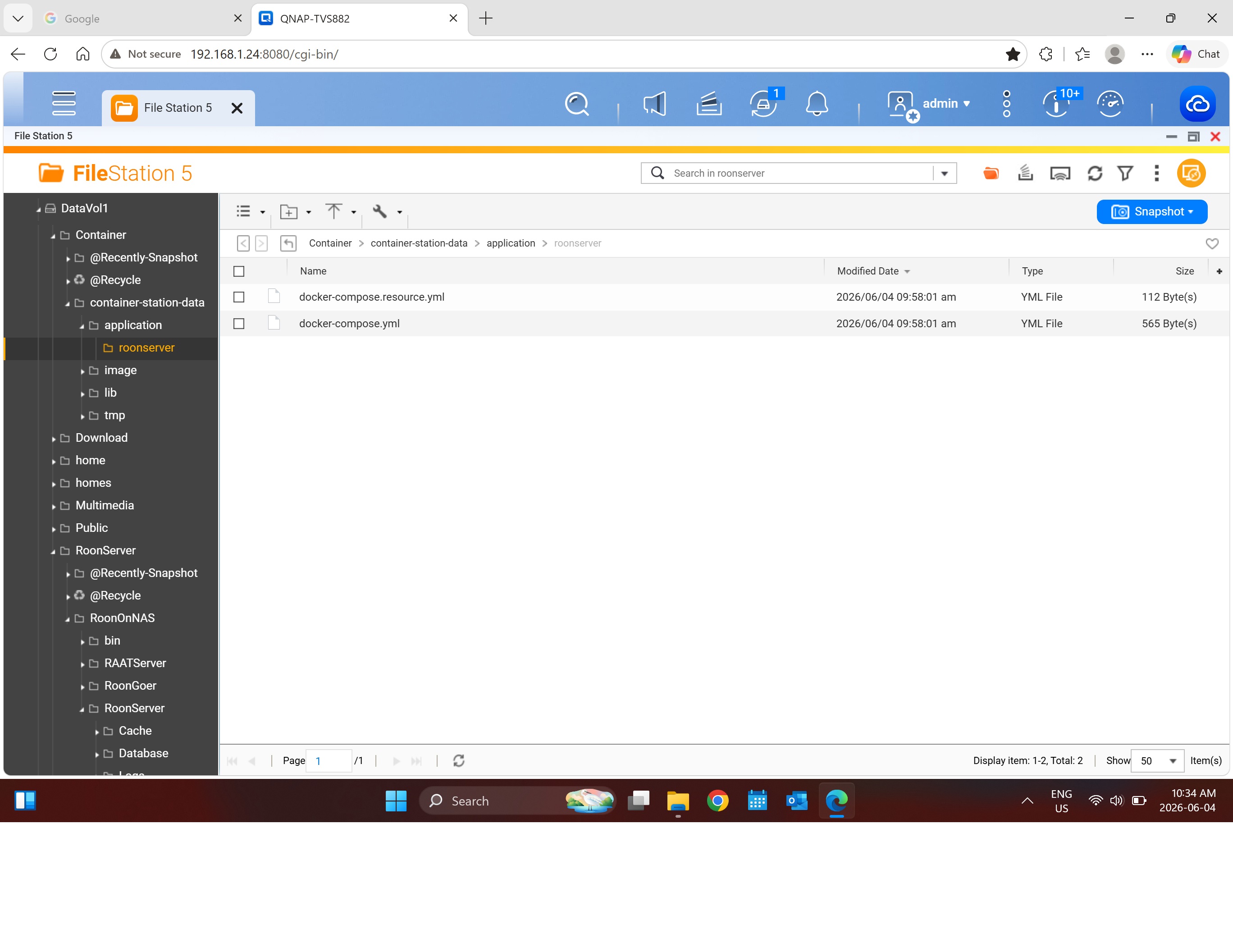
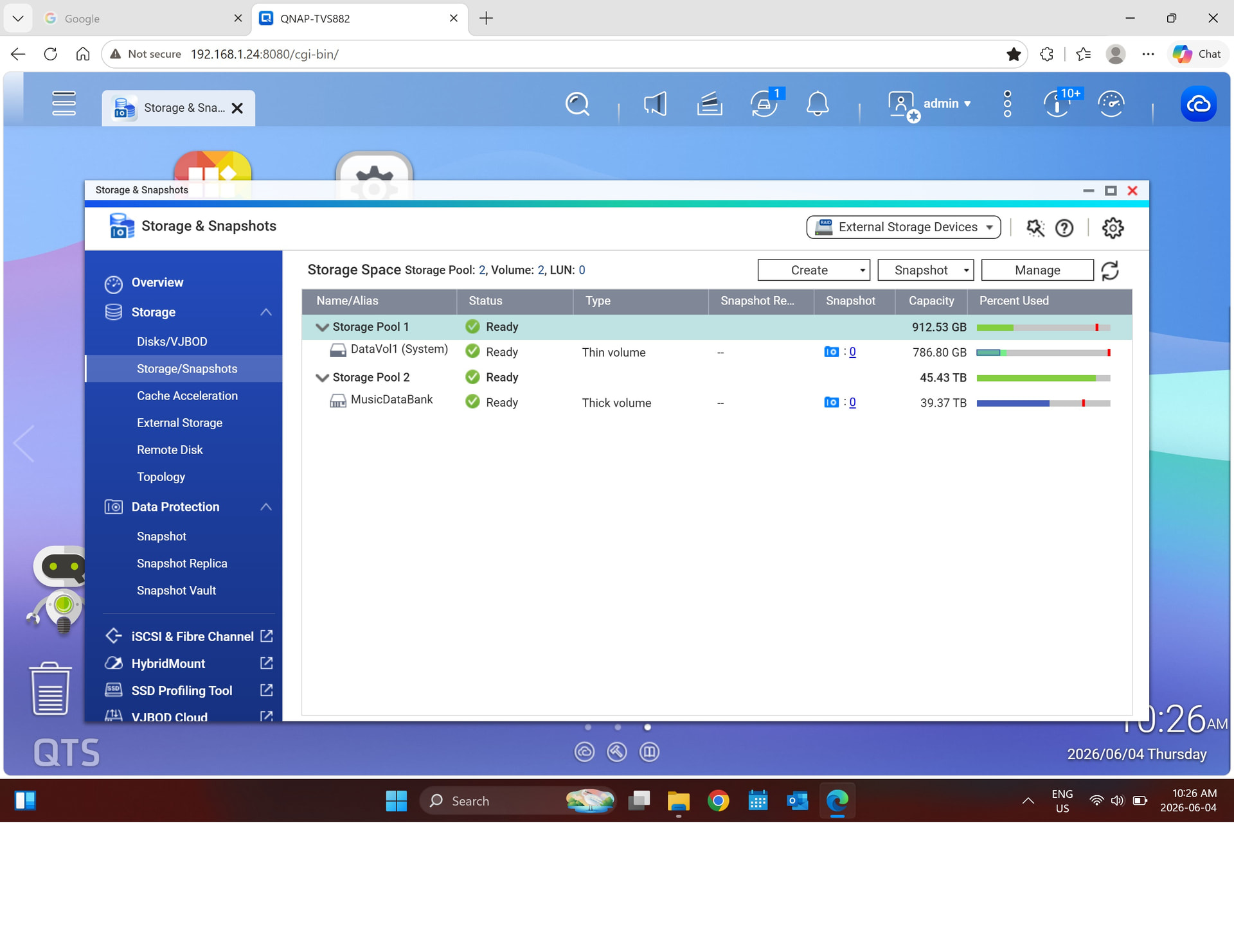
Yes that is the article I used. Also not sure why the logs are indicating "no space left on device. There is more than half a TB left on the on a SSD. I have attached file structure.
I also uninstalled the Qnap Roon server Application and restarted the QNAP nas, then proceeded with the installing RoonServer in Docker using the guide " Installing RoonServer on QNAP with Docker"
Thanks for the screenshots and additional information! After reviewing your account information further, the “no space left on device” error inside the Docker container is almost certainly not about disk space, it’s one of the following:
inode Exhaustion - the filesystem has run out of inodes (file index entries), even with plenty of raw disk space remaining. Roon's library of 804,570 tracks generates an enormous number of small files (cache, artwork, database entries), and QNAP's ext4 or FAT-based volumes can exhaust inodes well before disk space runs out.
How to check: SSH into the QNAP and run:
df -i /share/CACHEDEV1_DATA
If IUse% is near 100%, that's your answer.
Docker's Overlay2 / thin-pool is Full. Docker maintains its own internal storage layer separate from the visible NAS storage. The container's writable layer or Docker's data root may be full.
Check:
docker system df -v
Also check where Docker’s data root is stored on the QNAP (commonly /share/CACHEDEV1_DATA/.qpkg/container-station/).
The /tmp or Internal tmpfs mount is full. Some QNAP configurations mount a small tmpfs (RAM-based) volume into containers. With 804K tracks, Roon may be hitting a size cap on a tmpfs mount.
Inspect the actual container logs:
docker logs --tail 100
Look for the exact “no space left on device” messages, they’ll point to which path is full.
With a library size of ~800k tracks, I’d also triple-check the RAM allocated to your NAS.
Thanks @June_Coll we’ll be monitoring for your reply and results.
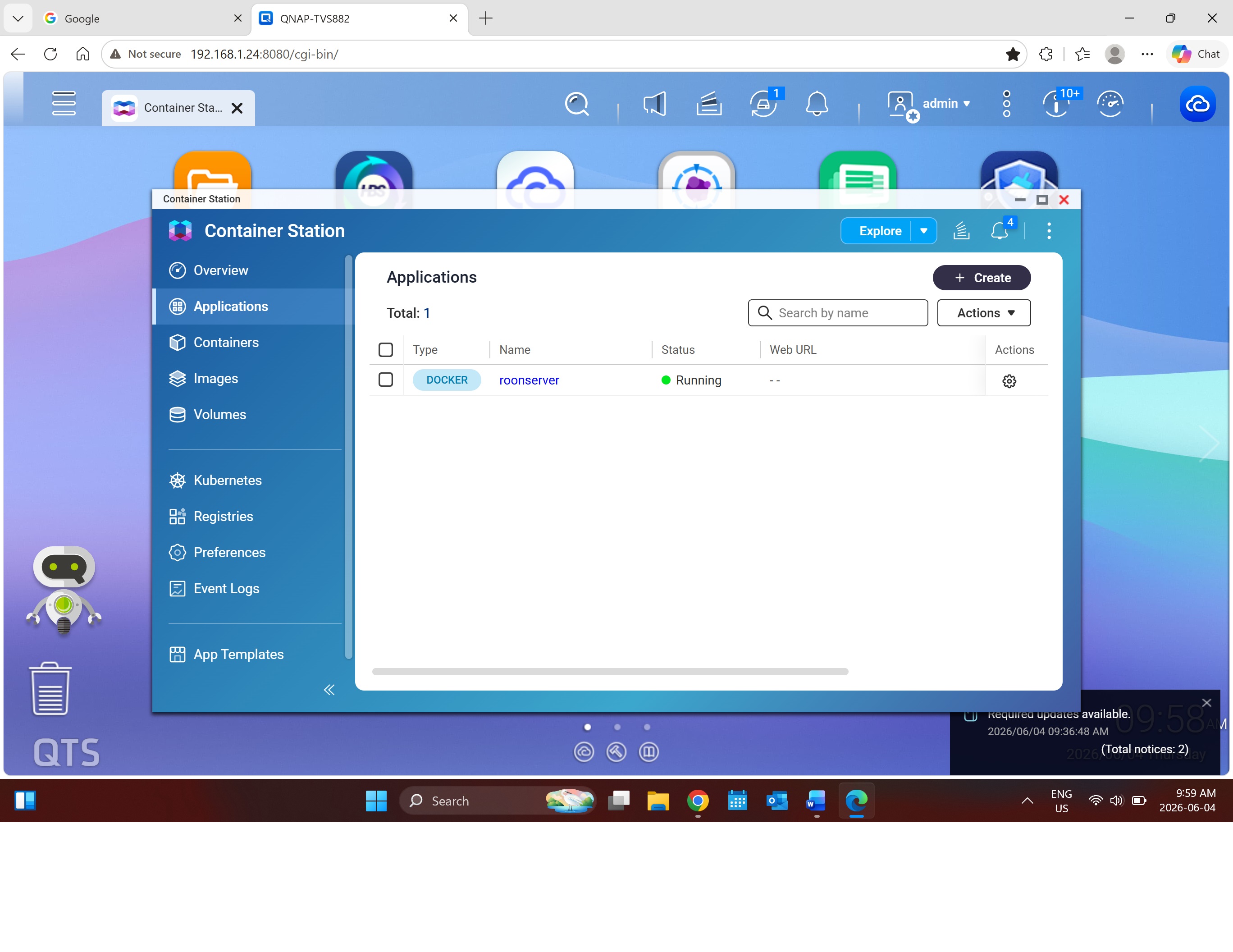
I didn’t see your response above. I have deleted the roon application from the container and started again. This time I left out the “DataVol1” from the volume section within the yaml, it worked. I had some trouble with restoring the backup; it only restored 14 file. So decided to rebuild it. Again trouble, the volume in the yaml was pointing to correct location but within roon the storage location was pointing to a folder called music within datavol1. So I added another folder within roon, pointing to the correct music folder and the library is rebuilt. Not going to do the steps above unless other issue happen. Not sure if I would even now how to do some of them. Thanks
Glad to hear that worked. Leaving out DataVol1 from the volume section in the YAML, then correcting the storage location inside Roon to point at the right music folder, got you back on track.
It sounds like the restore only brought back 14 files, so rebuilding the library was the right call here. We’ll mark this thread for closure, and enjoy your music.
 T
T