Hey everyone. New to roon, and I just bought a 2018 Mac Mini to serve as my core. I mistakenly thought I’d be able to connect it to my 2021 MB Air and either use screen sharing or connect it via usb and have the Mini show up as a drive in finder, but I’ve been trying all might with no success. Every article I’ve read is either outright wrong or outdated, and they all seem to assume the mini is already configured.
Does anyone know if there’s a way to connect the two machines? Right now it looks like I’m going to have to go find a monitor and keyboard.
Thank you,
Bryan
Yes, you can use a MacBook Air to access a Mac mini (through screen sharing as you suggest).
However, you must first connect the Mac mini to your network. To do so, you can connect the Mac mini to a TV (HDMI), and also connect a keyboard and a mouse to the Mac mini (USB is best first time but you can use Bluetooth also).
Then you can go through the initial MacOS general setup and also need to go to System Setting on the Mac mini and enable screen share.
Once these setups are completed, you can screen share from your Mac Book Air to your Mac mini (without keyboard or mouse connected to the Mac mini, and without a monitor/TV connected to it).
Here is the Apple Support article on to how enable screen sharing in setup:
1 Like
When I did setup mini I did not find one. So just put a monitor and keyboard in order to
If you find a working way to do it pls post. I might need that in future.
(it might be possible using MDM but more work and never tried)
As said, the mini needs a network connection, and a keyboard+mouse for initial setup. After which, a cable or Wi-Fi network connection is all that’s needed, and you can use “screen sharing” from your Air.
2 Likes
Most people have TV with an HDMI input or similar, i’m sure you know someone?
And a keyboard and mouse (doesn’t matter which) with usb connector should be able to find in any thrift shop or even new for a couple of tenners…
Almost everybody I know. I’m not having a tv and my monitor is at the office since home I have iMacs.
Well the Mac Mini has an HDMI output. So you can connect it to any TV or computer monitor with an HDMI input. Make sure that the Mac Mini connects to the same network as your MacBook Air does.
So yes. You’ll need to connect the Mac Mini to a TV or monitor, and connect a keyboard and mouse while setting it up.
Then go to System Preferences on the Mini, look for Sharing
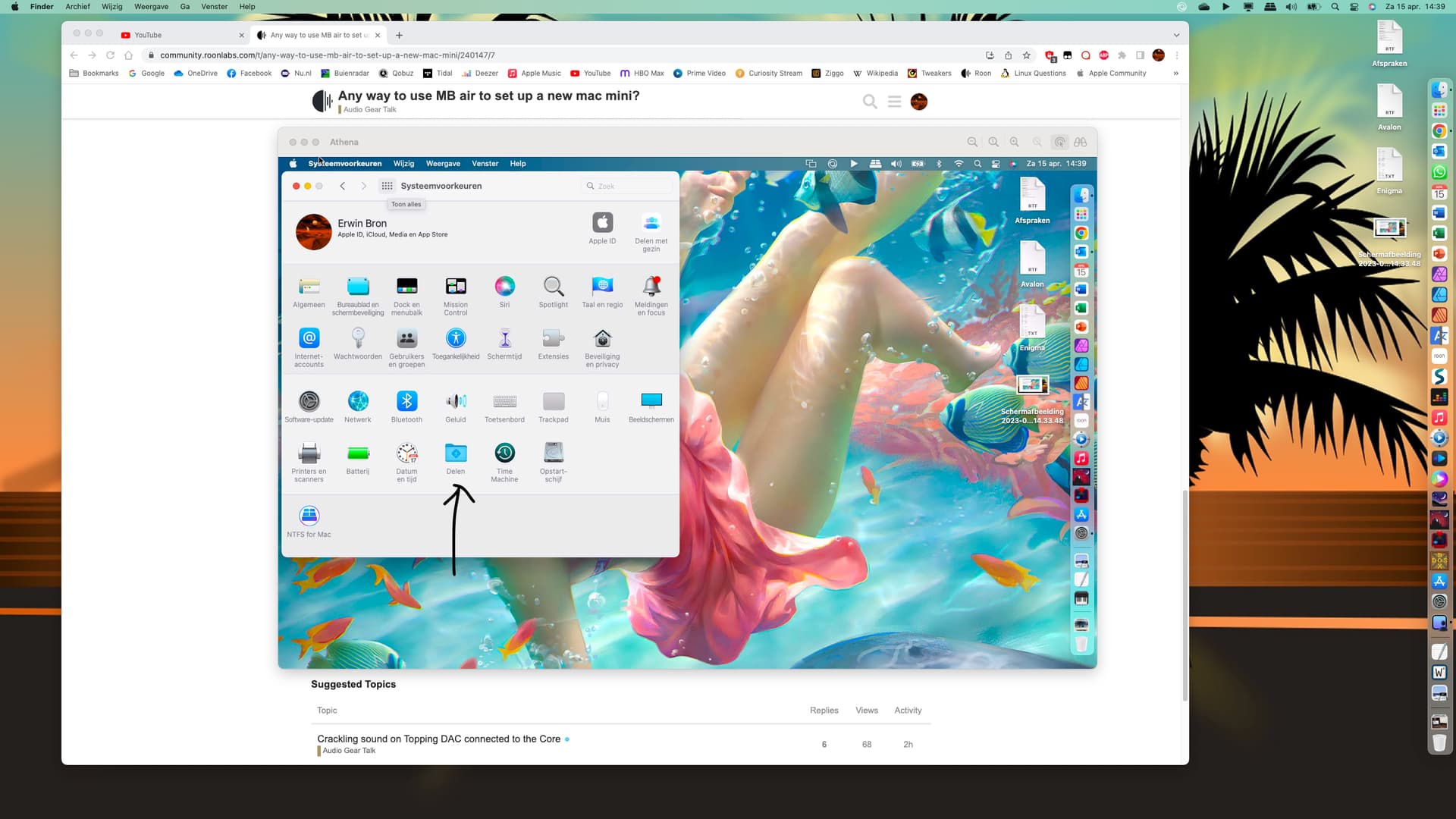
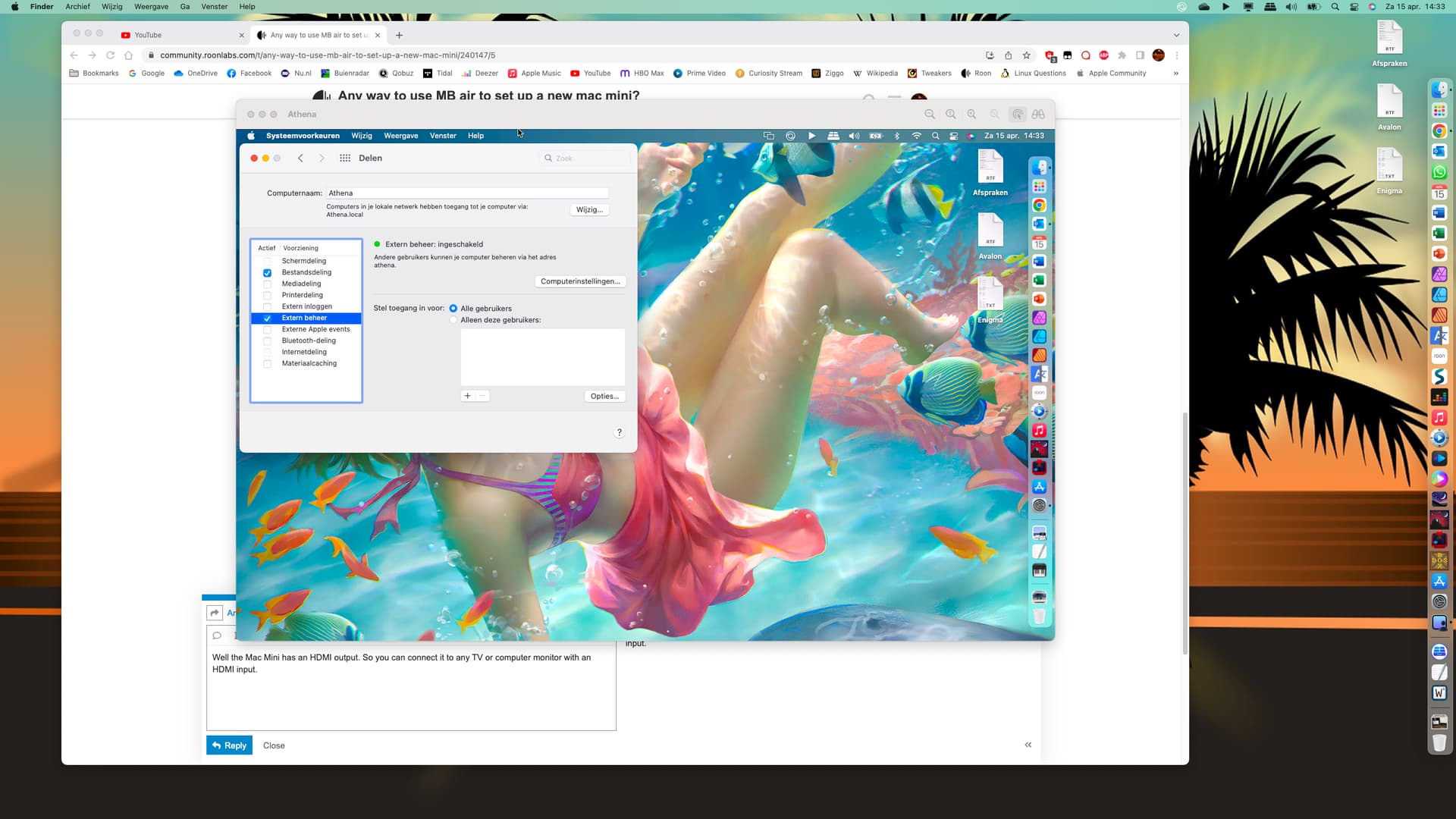
And make sure screen sharing, file sharing and external/remote management are selected. The first option doesn’t show here at the moment as being turned on, as I’m using screen sharing to login to my MacBook Air from my MacBook Pro. Athena being my Air’s name.
After this you should be able to Screen share between your Air and Mini.
1 Like
I cannot speak for Bryan but for me this thread opens the question how you do the initial os setup and open the screen sharing when you do not have a tv or monitor but just a laptop (or a iMac)
MDM apps might be an answer but never tried (maybe does not deserve just fore one comp) and also now I think maybe ssh
You’ll have to hook up a screen and keyboard and mouse to the Mini anyway if you need to install macOS, just as you’ll need a keyboard and mouse for the iMac.
You’ll also need said stuff to setup things like file sharing and screen sharing.
Just hook up the Mini to a network cable and turn it on, won’t work.
looks like long time ago it did work
During the initial setup only, the VNC server on the machine has it’s password set to the first 8 digits of the machines serial number (all caps). Also, the root account on the machine has a password of the machine’s full serial number, again only during the initial setup.
To work out the IP address of the machine, open up Terminal and enter “arp -i en0 -a” and look for other IP addresses.
1 Like
Thanks everyone for the replies, looks like I’m headed to Walmart today for some cheap gear! I was very surprised to realize I couldn’t just connect the mini to the Air via usb, and see the mini as an external drive. But at least it’s a one and done! I could use my TV as a monitor, but the mini is 25 feet away, so I’ll either need a 25’ HDMI cable or a 25’ LAN cable, which I don’t have because my rack is connected with fiber!
1 Like
When you have connected both your Air and Mini to the network. The drives you are sharing on each will show up in Finder. After you click on the Computer listed there.
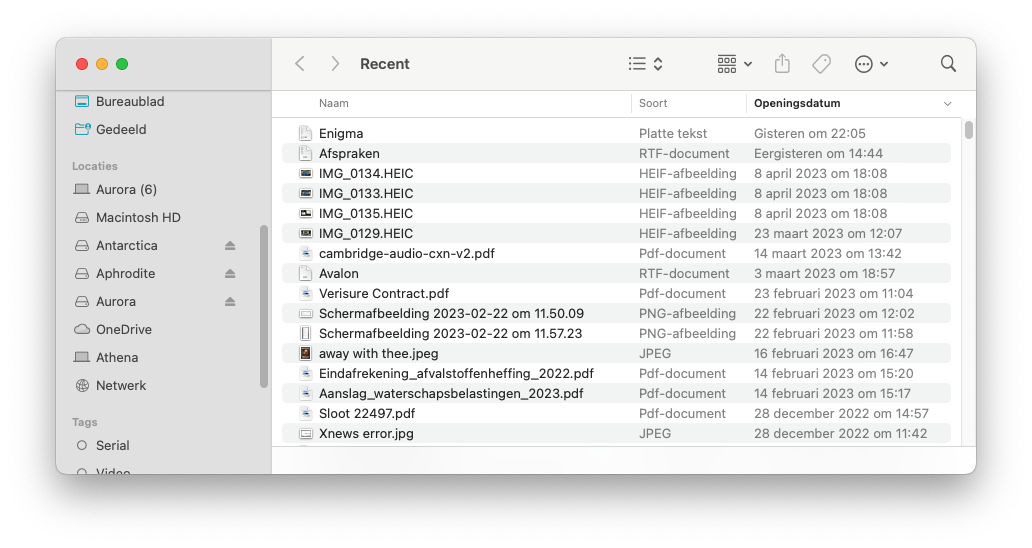
You can access the files stored on one from the other that way.
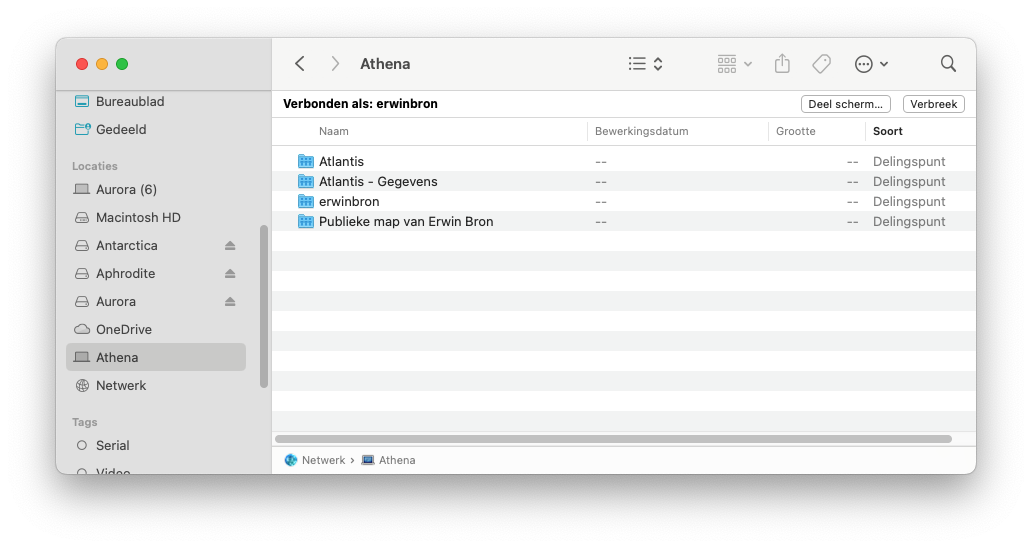
From the same Finder windowsyou can also connect to the Mini through Screen sharing by pressing the button near the top right.
1 Like
No wifi? I might not remember but in the setup you could use Wifi. After the steps described above just get your mini back to the rack
That should work. You can setup the Mini through wifi. Then once the Mac Mini is back in the right place, screen share back into the Mini from the Air. Then turn on the Ethernet connection. You can then disable the Wifi on the Mini. Screen share will then of course loose its connection, but you can login again after that. This time through Ethernet.
Side post
I’ve always loved the names you use. But why are all with ‘A’?
Old habit of mine. Most of my computers and drives are named after Greek and Roman goddesses. Aurora being my MacBook Pro, Athena my MacBook Air and my Windows gaming laptop is named Aphrodite. My Lenovo Linux laptop running my Roon Core is named Ariane.
I have wifi of course, but initially the mini needs to be hardwired to the router and the monitor to the mini. After that it’s gravy and I can sit anywhere with my macbook and access the mini. This is my understanding anyway.
You might take the mini to the tv and do it by wifi. But I guess having the long HDMI cable in the house won’t hurt
1 Like
Not needed. The Mini can be perfectly setup through Wifi. After you put the Mini back to its proper location and connect it to Ethernet. You can change the network settings through screen sharing.
Ah I see. Yes the missing link is the screen and keyboard, once I can see inside the mini I can connect it via wifi, thank you!
1 Like