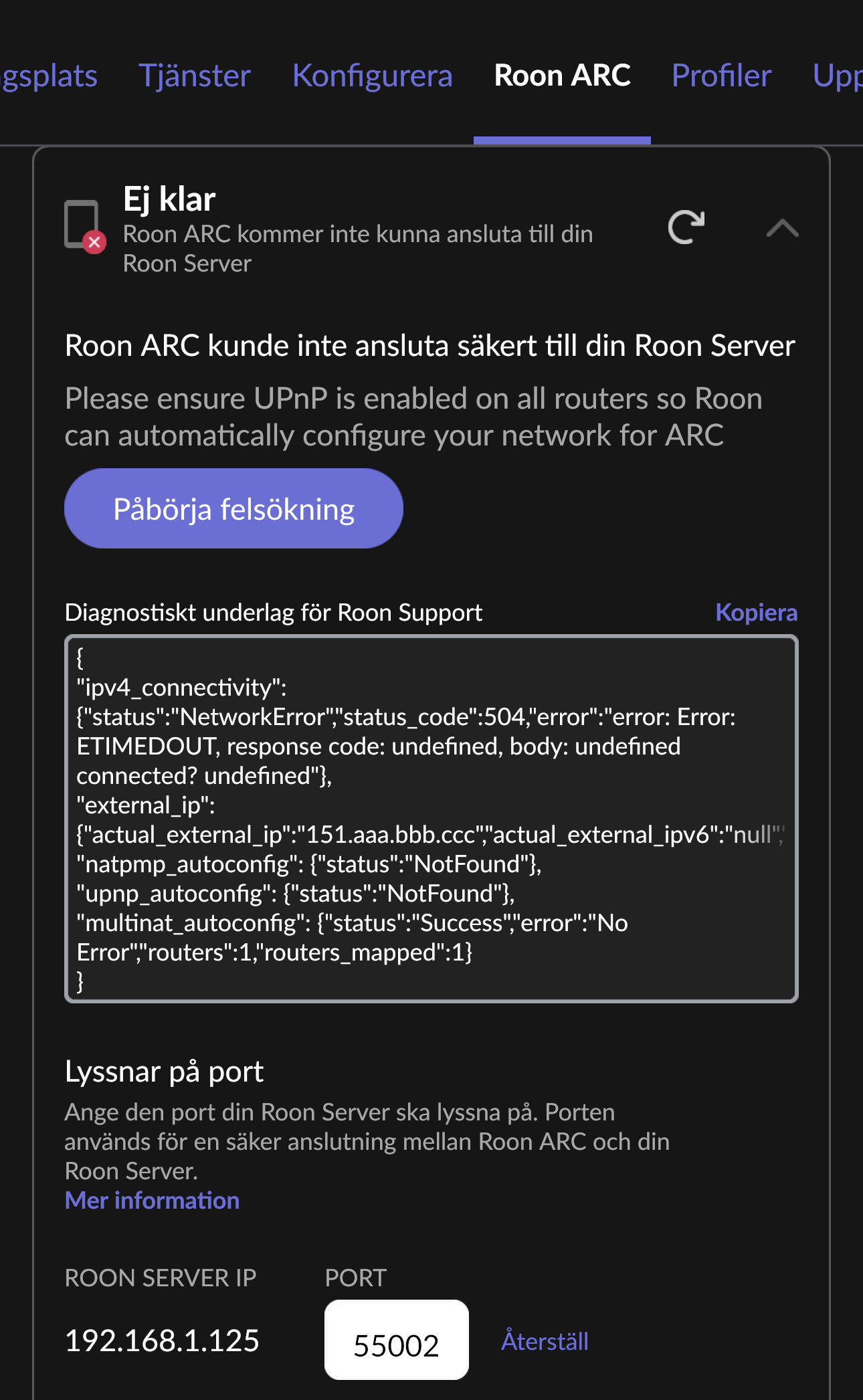
Thank you for your patience while we’ve diligently worked to reach every request for support with port forwarding. The diagnostics you’ve provided suggest that UPnP is not properly configured on your router.
Please first try the following steps:
Try to enable UPnP/NATPMP in the web administration interface for the router directly upstream from your RoonServer
Try to manually open the port in your router’s port forwarding configuration
Make sure the IP/Port matches the Port listed in Roon → Settings → ARC
Check for any VPNs or Firewalls that might be interfering
Check if your modem is in Bridge mode
If you continue to experience difficulties, please tag the support team and include the following information:
What is the make and model of your modem and router?
Do you have any additional network hardware, like additional routers or managed switches?
Who is your internet service provider and what is your geographic region?
Is your Modem configured in Bridge Mode so that it operates only as a modem or do you have the ports forwarded on both?
With two routers, you’ll need to place one in Bridge mode in order to avoid a redundant NAT layer.
Alternatively, you can create an identical manual port forwarding rule in both of your ASUS router settings administration pages.
This rule should be TCP-protocol, matching the port and IP listed in Roon Settings → ARC. Try a few different port numbers if the first doesn’t work.
If you still encounter an error diagnostic after taking these steps, let us know.
Alternatively, you can resort to Tailscale instead. This is a workaround to port forwarding. It involves the installation of a third-party VPN on both your phone and server:
Please let us know if this helps. Without any response, this thread will eventually auto-close due to inactivity.
This thread had been closed for a while, but we wanted to check in to see if you had any luck setting up UPnP or Tailscale in order to reach RoonServer from ARC outside your network.
We’re pinging this thread one last time before allowing it to auto-close due to inactivity once more. Please let us know if we can assist here in setting up ARC.
If you find the thread has closed, please simply submit a new support request here that references the URL of this topic thread, and we’ll promptly reopen the case. Thank you!