Thanks for reaching out. We’ve reviewed the diagnostics report from your devices and it appears that the crashes are likely due to an out-of-memory issue, as your library is quite large and your phone has only 4 GB of RAM.
We’ve escalated this case to our developers for further review, and they will look into possible optimizations. In the meantime, please consider disabling smart downloads to improve stability.
If that doesn’t help, you might want to try using Tailscale VPN for a better connection with your Roon Server. You can find more details about the Tailscale setup here: Tailscale setup instructions.
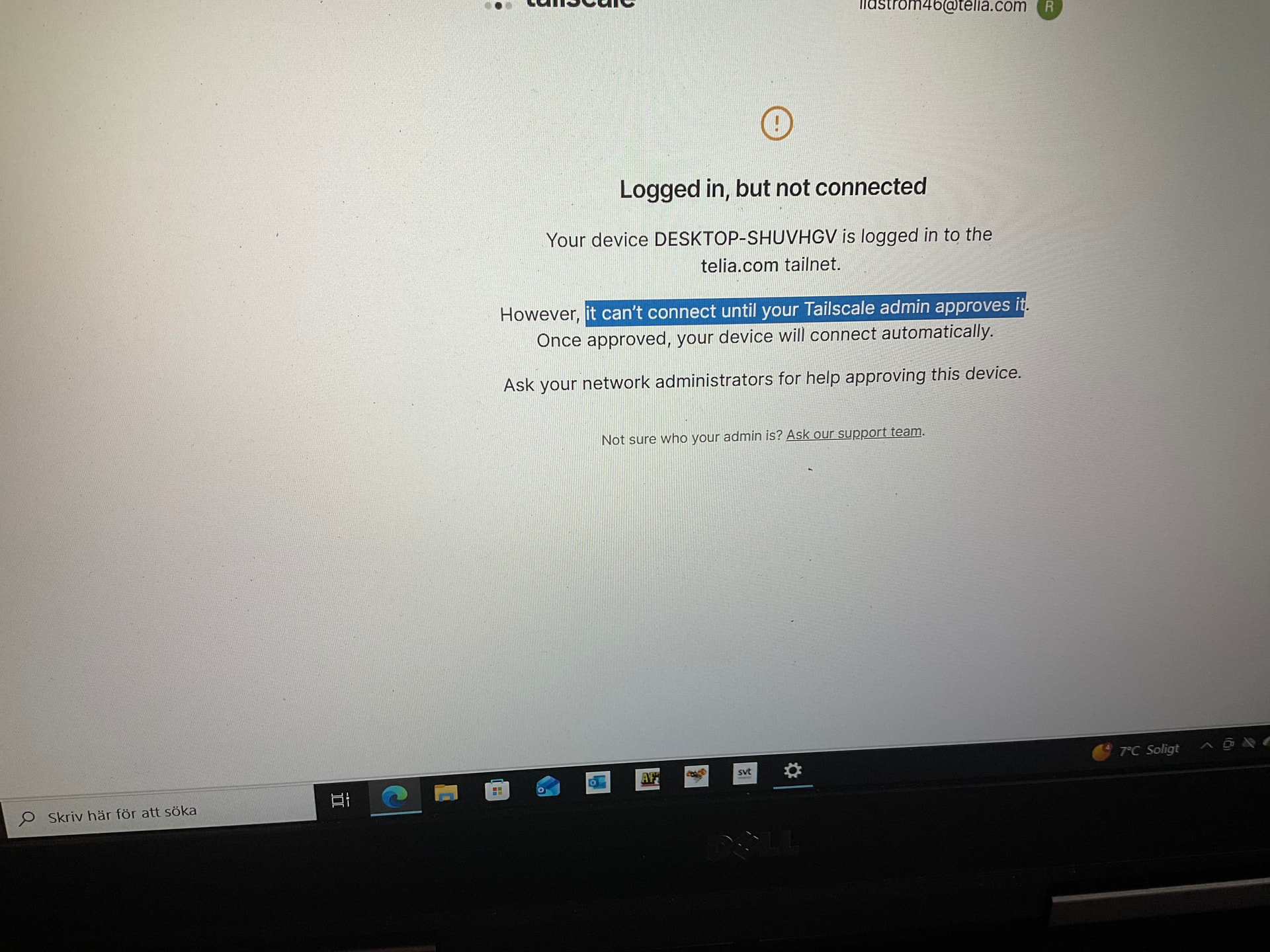
If you’ve logged into Tailscale and are currently stuck waiting for approval, it is likely because device approval is enabled on your tailnet. To proceed, you must manually approve your device via the Tailscale Admin Console.
How to Approve the Device (Admin Task):
Log in to the Tailscale Admin Console.
Navigate to the Machines tab.
Locate the device showing the “Needs approval” badge.
Click the ... (three dots) menu next to the device and select Approve.
Disable the Feature: If you no longer want to require manual approvals, go to Settings > General in the Admin Console and toggle “Device Approval” to off.
Just circling back on this. Were you able to log into the Tailscale Admin Console and approve the device that was waiting in the Machines list, or check whether device approval is enabled on your tailnet? If you want approval removed instead, the toggle is under Settings > General. Let us know what you found.
Click the ... (three dots) menu next to the device and select Approve.
You can also disable this feature as @vadim mentioned above : If you no longer want to require manual approvals, go to Settings > General in the Admin Console and toggle “Device Approval” to off.