· Do you have a mesh network? (Google Mesh, Eeros, Ubiquiti, etc.)
ARC Status
· ARC is *Not Ready*
Roon Error Code
· None of these are listed. It simply says "TIMEDOUT" or similar.
System or third-party *firewalls *or *antivirus software* can sometimes block RoonServer from reaching ARC.
· Try adding RoonServer and its associated processes to the whitelist of any firewalls or antivirus software you have installed, including the Windows system firewall, if applicable. [You can learn more about firewall exceptions with Roon here.](https://help.roonlabs.com/portal/en/kb/articles/firewall)
Has the status in Roon -> Settings -> ARC changed after adding exceptions in your firewalls and antivirus software for Roon? ARC is still *Not Ready*
Don't give up yet.
· I'm stuck. I'd like to create a post to ask Roon Community for help.
Describe the issue
Arc used to work, stopped working a few weeks ago. Not sure if this was caused by Roon update or a Linksys reset. System: UK Community Fibre Broadband to Linksys Velop to Netgear GS108 switch to Nucleus +. Msg as follows: { "ipv6_connectivity": {"status":"NetworkError","status_code":504,"error":"error: Error: ETIMEDOUT, response code: undefined, body: undefined connected? undefined"}, "ipv4_connectivity": {"status":"NetworkError","status_code":504,"error":"error: Error: ETIMEDOUT, response code: undefined, body: undefined connected? undefined"}, "external_ip": {"actual_external_ip":"185.hhh.iii.jjj","actual_external_ipv6":"2a02:aaa:bbb:ccc:ddd:eee:fff:ggg","router_external_ip":"100.kkk.lll.mmm"}, "status": "status": MultipleNatFound , "natpmp_autoconfig": {"status":"NotFound"}, "upnp_autoconfig": {"server_ip":"192.168.1.1","found_upnp":true} }
Can anyone provide suggestions?
Describe your network setup
Community Fibre (UK) 1Gb Linksys SPNMX56 (Velop) Netgear GS108 switch Roon 2.54 (build 1554) Prod Nucleus + All via Ethernet
It looks like your ISP uses CG-NAT (because the router WAN side ip address starts with 100 and the range from 100.64.0.0 to 100.127.255.255 is reserved for use with CG-NAT.
This being the case, you have two options:
Contact your ISP and ask them if they can supply you with an ip address that supports port forwarding (they may charge extra for this).
Use Tailscale to avoid the need for port forwarding.
The help centre article for Tailscale can be found at:
Be sure to follow the links for the setup for your server (Nucleus, Linux, Windows or Mac).
Hello Vadim
Thx for the prompt response.
Something is not right here.
I contacted ISP who has told me that I do not have and have never had port forwarding available on my plan.
This is the 3rd ISP I have attempted to use with Arc and in fact the only one that ever worked, out of the box with no forwarding rules applied and worked fine for 18 months.
Presumably this is because there is no Carrier Hub (CPE) in between the mesh network and the internet.
Port forwarding and static IP is available from my ISP with purchase of a 5Gb connection for additional £400 per year - this makes no sense to me.
Tailscale is unfortunately a red herring because as listed my Nucleus + does not support this.
I still don’t understand how this could have worked for 18 months without port forwarding applied and has now stopped - any ideas?
Are you able to run through the steps listed via Linksys here :
Did you change your ISP within the timeframe of the few weeks of when Arc stopped working? It may be worth mentioning that you had things functioning properly to your ISP directly in this case.
No the ISP is the same but I did extend my contract with the same ISP for a further 2 years for a much better price. (Why not, ARC worked perfectly)
Their customer service confirmed yesterday I had CGNAT and no port forwarding before the extension and that continues. It’s feasible that they applied changes on their network but they are not confirming that.
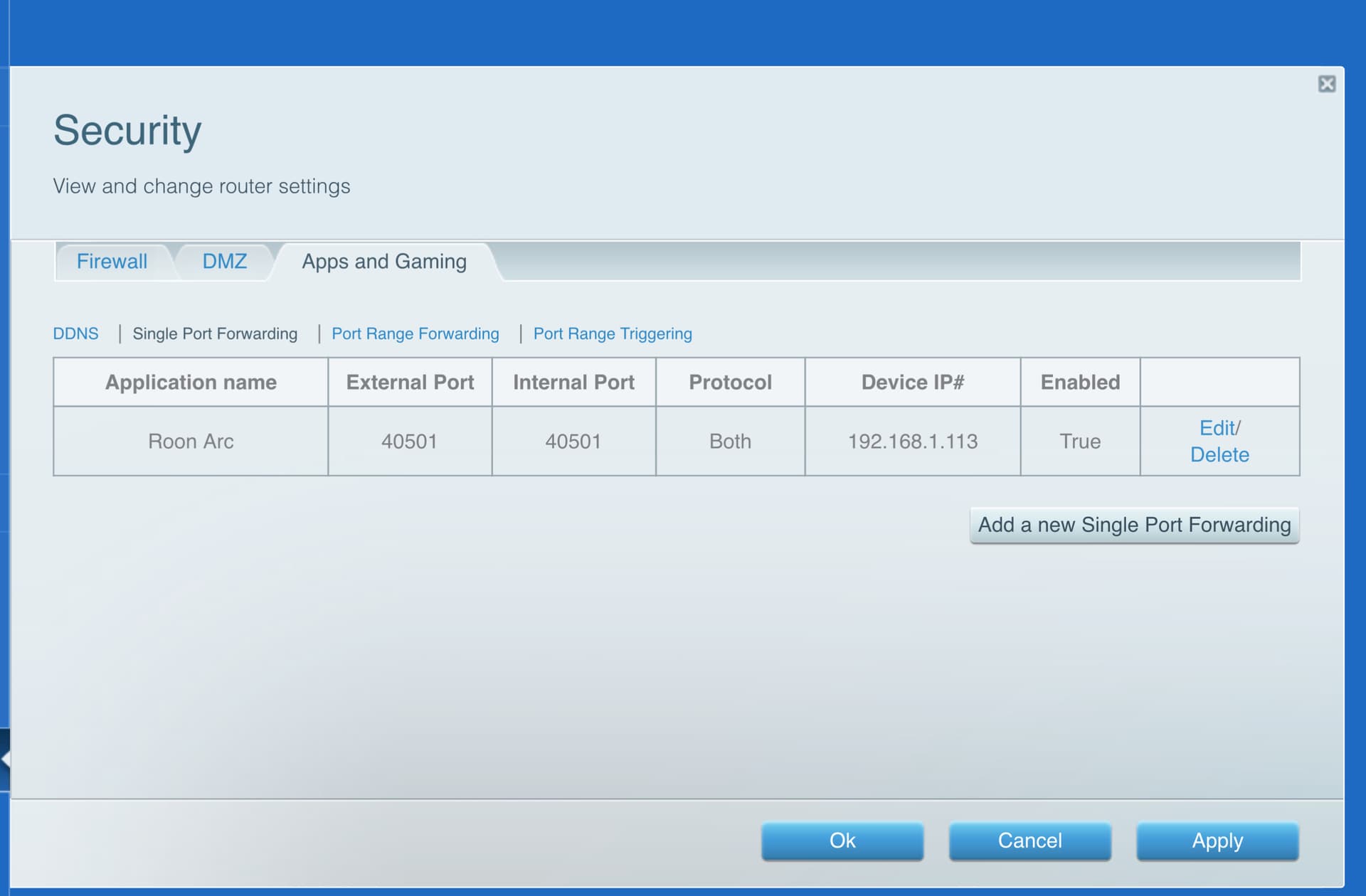
BTW - I applied a port forward rule but it doesn’t work I assume for the above reasons.
UPnP is enabled.
Frustrating to have had the functionality then lose it.
Understand how difficult it is to cater for so many carriers in so many territories but may I suggest recruiting superusers in each territory who can specify an ‘always works’ config for each network. Would be a big help for networking newbies.
In the meantime thanks for your responses and help.
In this configuration, it really shouldn’t have worked at all. My theory is that somehow the UPnP requests managed to reach your provider’s equipment, which then opened the port for you.
That makes sense — in this case, neither of these scenarios would work. You are forwarding ports within your LAN, but since the ports are still closed on the ISP side, the requests never reach your router at all.
Given this situation, I would recommend considering setting up a VPN service directly on your router.
One option is to try to configure a VPN directly in the Velop router, as suggested above. The steps will differ depending on the consumer VPN, but most will offer specific steps for how to set up the VPN pathway in the router firmware. The router you’ve mentioned should support VPN passthrough, based on the specs.
The second option is to install Tailscale on the phone with which you use ARC and also on a second computer on your network, separatefrom your Nucleus+. You’ll then configure this second computer as a Tailscale subnet router to forward traffic through the CG-NAT layer imposed by the ISP. This isn’t an officially supported method from Roon, so our assistance will be somewhat limited, but here’s a guide from Tailscale:
We haven’t seen a response to this thread - please keep in mind that threads will automatically close after a set duration with no response from the OP.