Additional info that may help you troubleshoot:
Roon Core Machine
Roon Server is Rock ver 2.70 build 1671 on an Intel Nuc - still working fine for years.
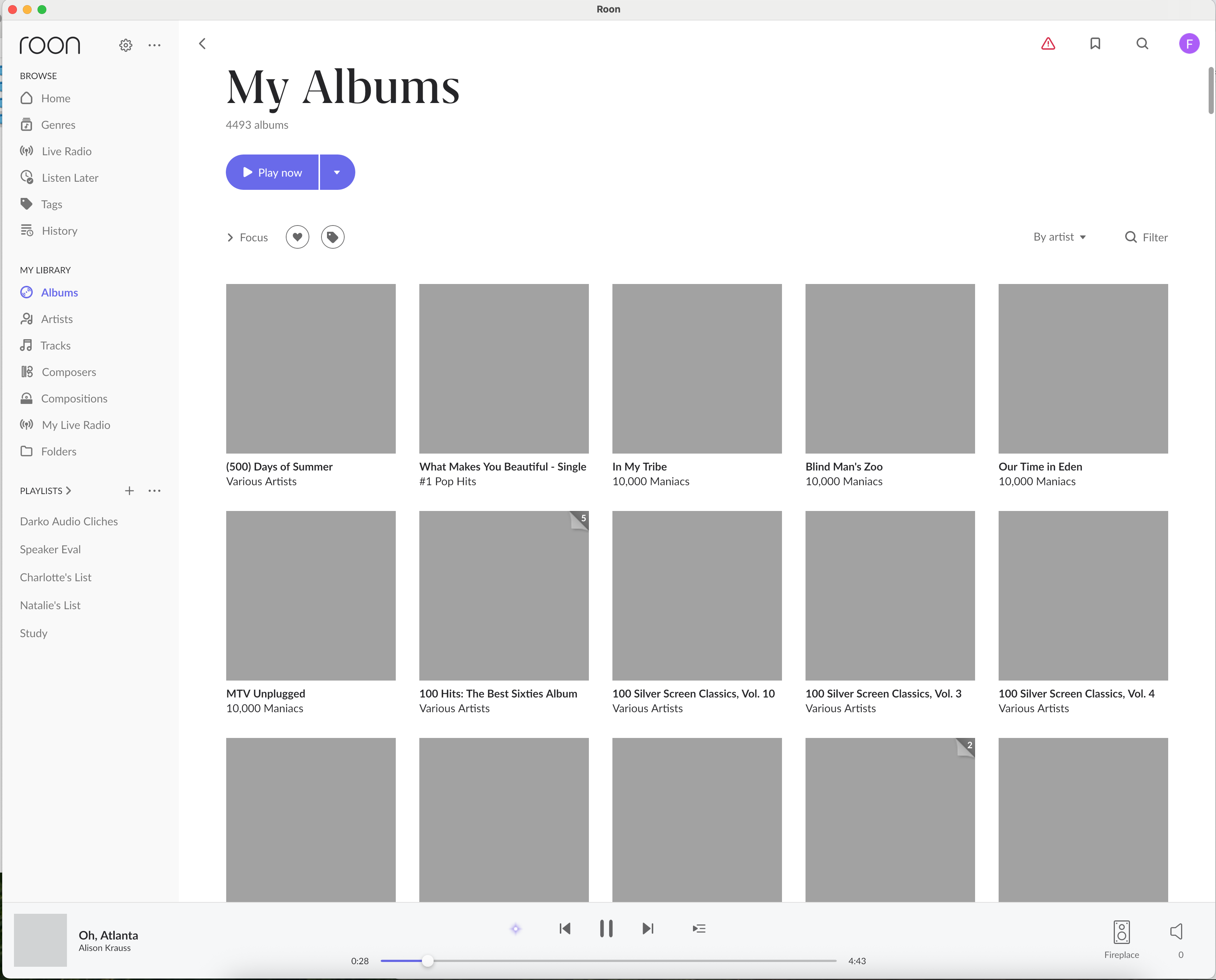
Limited functionaliy Remote: MacMini Late 2018 Sequoia 15.7.7 Roon ver 2.70 build 1671 displays all album, artist, genre, etc. artwork as gray squares. All other functionality: music play, search, add to library, etc. works.
Other Remotes: iPhone 11, iPad 2, Windows 11 version running in Parallel VM on same MacMini 2018 - all work and display all album, artist, genre, etc artwork.
Number of Tracks in Library
81,000 tracks.
Description of Issue
I migrated my Roon instance from a MacMini 2012 to my newer MacMini 2018. I have tried uninstalling and reinstalling Roon Remote in the hope that there was some setting that had been cached preventing MacMini Sequoia Roon Remote instance from pulling the album art from the networked Intel Nuc Roon Server. I’ve uninstalled various Roon folders and contents from User Library, specifically Roon, Roon Server, RoonGoer, RAATserver, as well as the Roon app from the Applications folder. Each time I reinstalled Roon, it would ask to Connect to my Intel Nuc Roon Server but alas would not display the artwork.
In contrast, I launched a Windows 11 virtual machine on that same MacMini, downloaded and installed Roon Remote for Windows, connected to my Intel Nuc Roon Server and within seconds the Windows version pulled all album, artist, genre, etc. artwork and behaved as expected for play, search, etc.
I sure hope it’s a simple global setting in Roon Remote, MacOS Sequoia, Asus Router, McAfee, etc, because I would much rather launch Roon Remote natively in MacOS Sequoia than have to launch a Windows virtual machine.