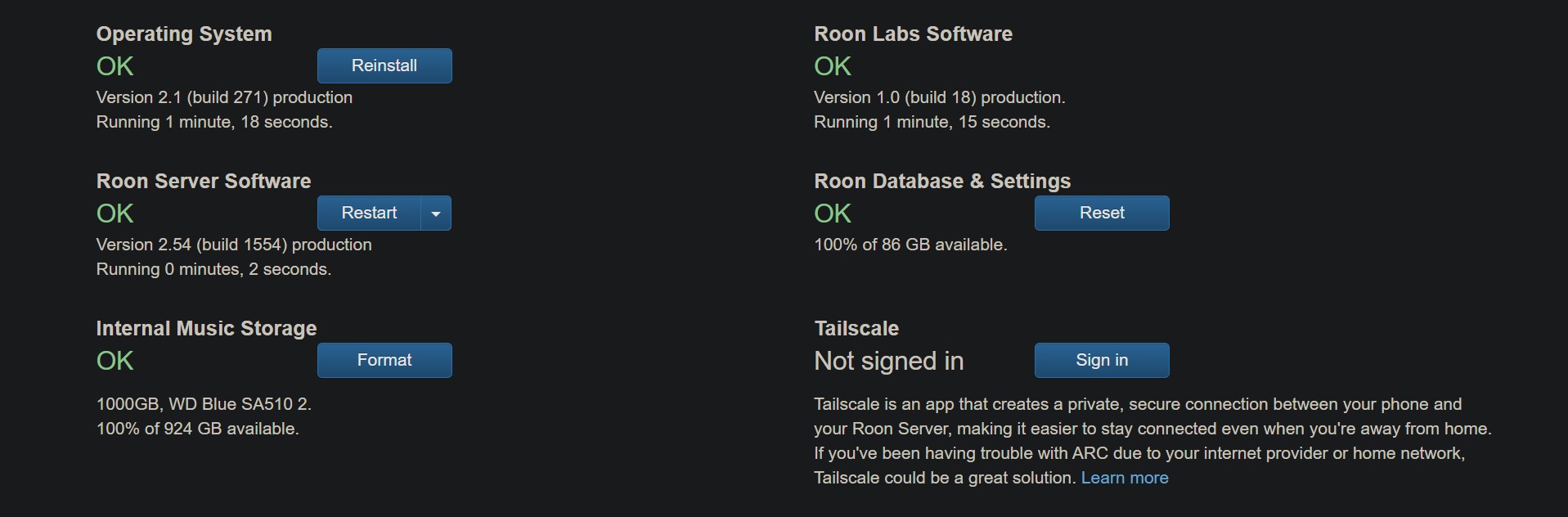
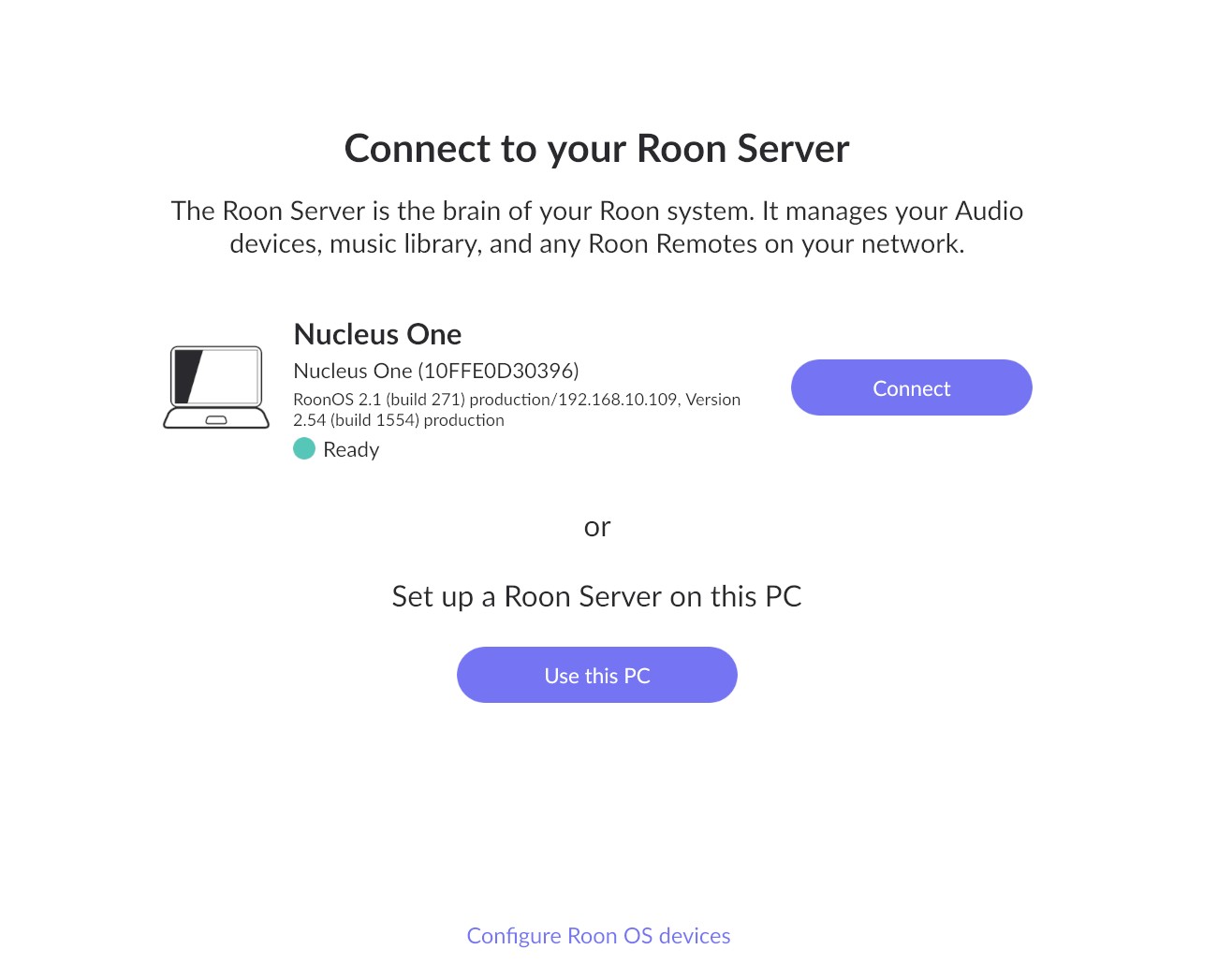
I installed a ssd in my nucleus one. in http://nucleusone.local/ everything says okay. When I try to map the ssd as a network drive i get "extended error" i have done everything that chatgpt and google gemini has advised. Please help.
Based on your description, it seems that you are affected by the recent security changes on Windows systems, specifically the limited access with SMB guest permissions.
Please feel free to follow this guide for a solution on how to bypass these restrictions:
Ok, that worked. But then theres a new problem. I finally got the server to work and I was about to restore a backup. It found the backup and sais it was a success. The the server relaunched. Now it just says “initializing” on roon nucleus server on the login screen, and i cant access the library.. Is that normal? It has been half an hour. I tried a reinstall and renaming roon server to roon server old but same result.
..now its basically an hour. As i said, i could access roon fine before loading the backup. when i load the backup this “initializing” is forever on login screen even though it said backup was success and now i cant access roon. I made the backup right before i moved the server to the nucleus. what is wrong? Please help
…what the heck is wrong. if i go back to use the pc as roon server, I can load the backup i made , it logs in at once and everything works. If i then use nuclwus one as server i can log in, but when i try to load the backup its stuck on “initializing” on the login screen after relaunch
Thanks for the update! If possible, can you please use the directions found here and send over a set of logs to our File Uploader? Once logs have been uploaded, please let us know so that we can check the server for your files, thanks!
From your description, it sounds like you may be experiencing a separate known issue involving backups created with a varied time/date format.
As a temporary workaround, you should be able to create a new Roon backup when using a specific windows date format will allow for a successful restore. Steps below:
press Win + r → enter intl.cpl → hit Enter
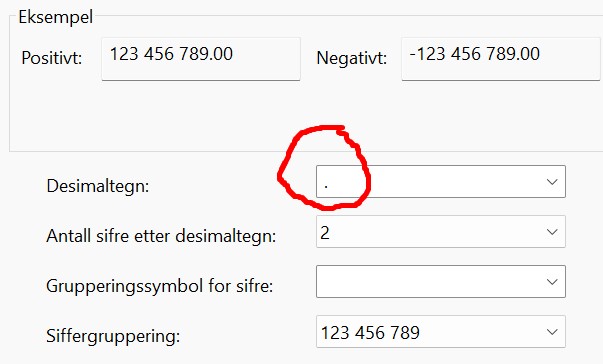
in the “Numbers” section please select dot “.“ instead of comma as Decimal symbol.
Create a fresh Roon Backup, and then attempt to restore it on your Nucleus. Let me know if the above helps! 🙏
Hi. This is crazy, You advertise the Nucleus as a set it and forget it device. But one has to be an it technican both to use the ssd drive and get a standard backup to work. Im paying a lot of money for this. I have sent you two log files, one from yesterday when i had comma asdate format and one from today when i have dot as date format. is that enough.? I tried your temporay solution, but of course it didnt work. This is the second time i move servers and the backup doesnt work. I spent months to fix all the lost metadata and stuff as I wanted it afterwards last time. Im not interested to do that again so i assume this can be fixed. Since the same backup works on my pc it should be easy to get the backup to work on the nucleus?!?!?
Thank you for sharing the logs and additional details.
In order to proceed, please make sure you first adjust the locale on your Windows machine as mentioned earlier (change the decimal symbol to dot . instead of comma). Once that’s done, please create a new backup from your Windows PC.
Then on your Nucleus, please try the following steps to reset the database before restoring this new backup:
I oly see this, not an option for use another roon server. Now it says ready since i reinstalled sever software. If i try to load the backup, it restarts and is stuck on initializing
Would you kindly share a screenshot of the Decimal symbol settings on your Windows PC? Also, can you confirm if you’ve restarted the PC after making the change?
That’s expected – since you weren’t connected to any server yet, the “Use another Roon Server” option won’t appear. This is normal behavior.
We are getting somewhere. It worked partially now. I could log in and the pictures and stuff was there. But it says all tracks are played zero times. How can i get the info about how many times tracks are played back? Every track was played at least once. Now 1500 track are shown as never played. All tracks are flac on disk.
How can i get the info about how many times tracks are played back? Its only partially correct. Every track was played at least once. Now 1500 tracks out of over 10000 are shown as never played. And the date added on these albums is today, not when they were originally added?? All tracks are flac on disk. It shows correctly when i use pc as server. Why??