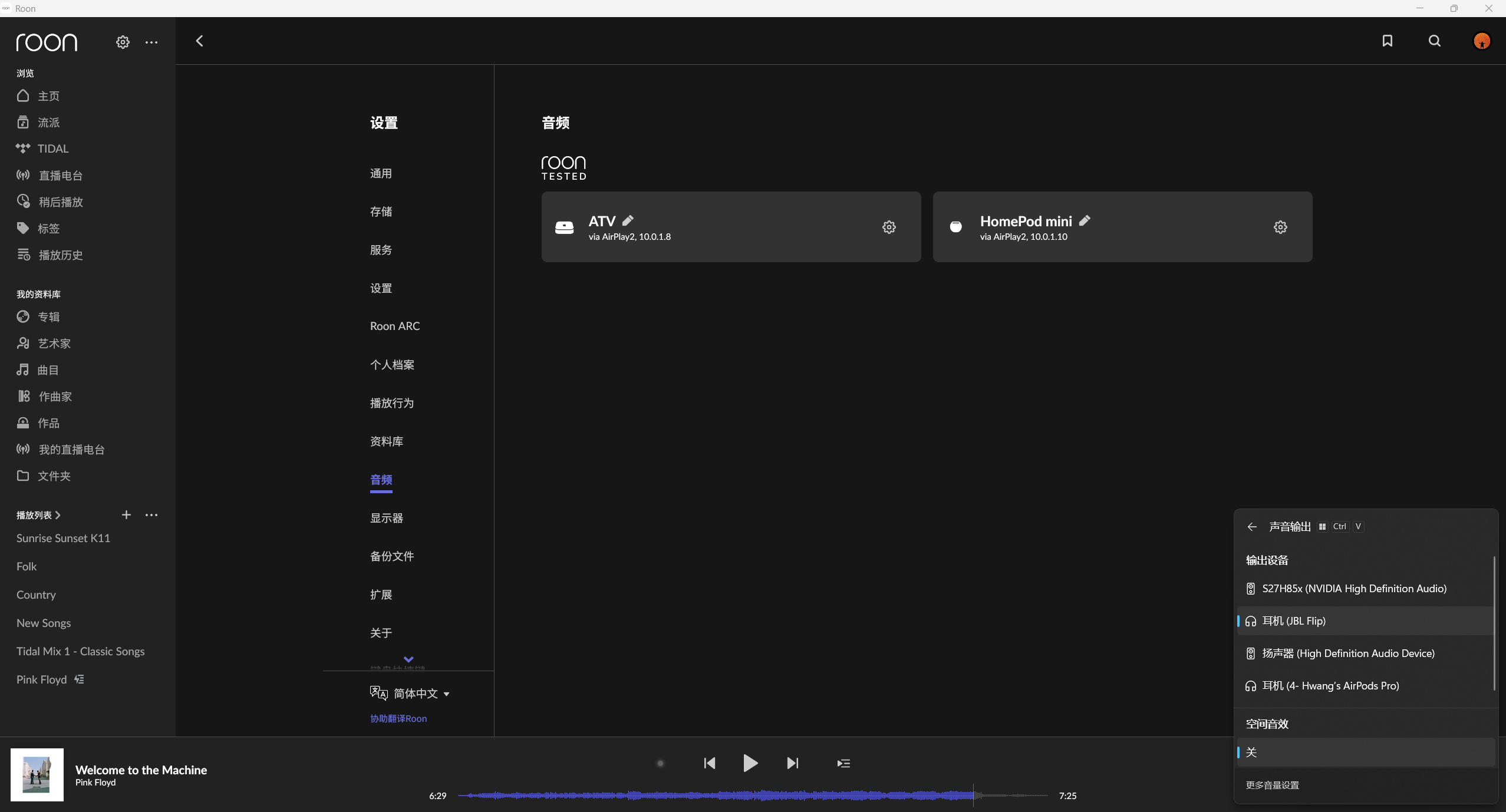
Audio devices missing on PC after Roon Remote update (ref#FASSTL)

What’s happening?

· Other

How can we help?

· None of the above

Other options

· I want to report a metadata issue

Describe the issue

Roon core installed on NAS, audio devices missing on PC runing roon remote. Previously, it works pretty well and all audio devices connected listed. Is this related to the roon remote apps update?

Describe your network setup

netgear RBR850.

Good day @Jinbo_Hwang !

I hope you’re doing well.

Thanks for reaching to us with this.

Can you please gather the Server Logs and upload them to our Logs storage here:
https://workdrive.zohoexternal.com/collection/8i5239cc05950ac07456889838d9319545a82/external
so we can review them and advise further ?

If you are not sure on how to get logs, please check here:

Thanks!

Regards.

Hi Alex,

Thanks for your mesage.

I’ve sent the RoonServer logs zip package to your Logs Upload Server. Sorry I didn’t find RAATServer logs, and actually I didn’t find such RAATServer folder at all. I found a log file in the top level folder with below information. There’s a debug argument -noraatserver.

02.12.25-07:32:01 — ROON_DATABASE_DIR: /var/packages/RoonServer/shares/RoonServer/RoonOnNAS
02.12.25-07:32:01 — ROON_DIR: /var/packages/RoonServer
02.12.25-07:32:01 — Model: DS920+
02.12.25-07:32:01 — Architecture: x86_64
02.12.25-07:32:01 — DSM Version: 7.3.1 (Update 1)
02.12.25-07:32:01 — PKG Version: 20220216
02.12.25-07:32:01 — Hostname: SyNAS
02.12.25-07:32:01 — MTU: 1500 1500
02.12.25-07:32:02 — ROON_DEBUG_ARGS: -noraatserver

Hope this information is helpful for you to look into this issue. Feel free to let me know if you need anything more. Thanks for your help!

Jinbo

Hello @Jinbo_Hwang

Thank you for the update. Would you kindly double-check if the user under which Roon is installed has sufficient permission for the Database folder?

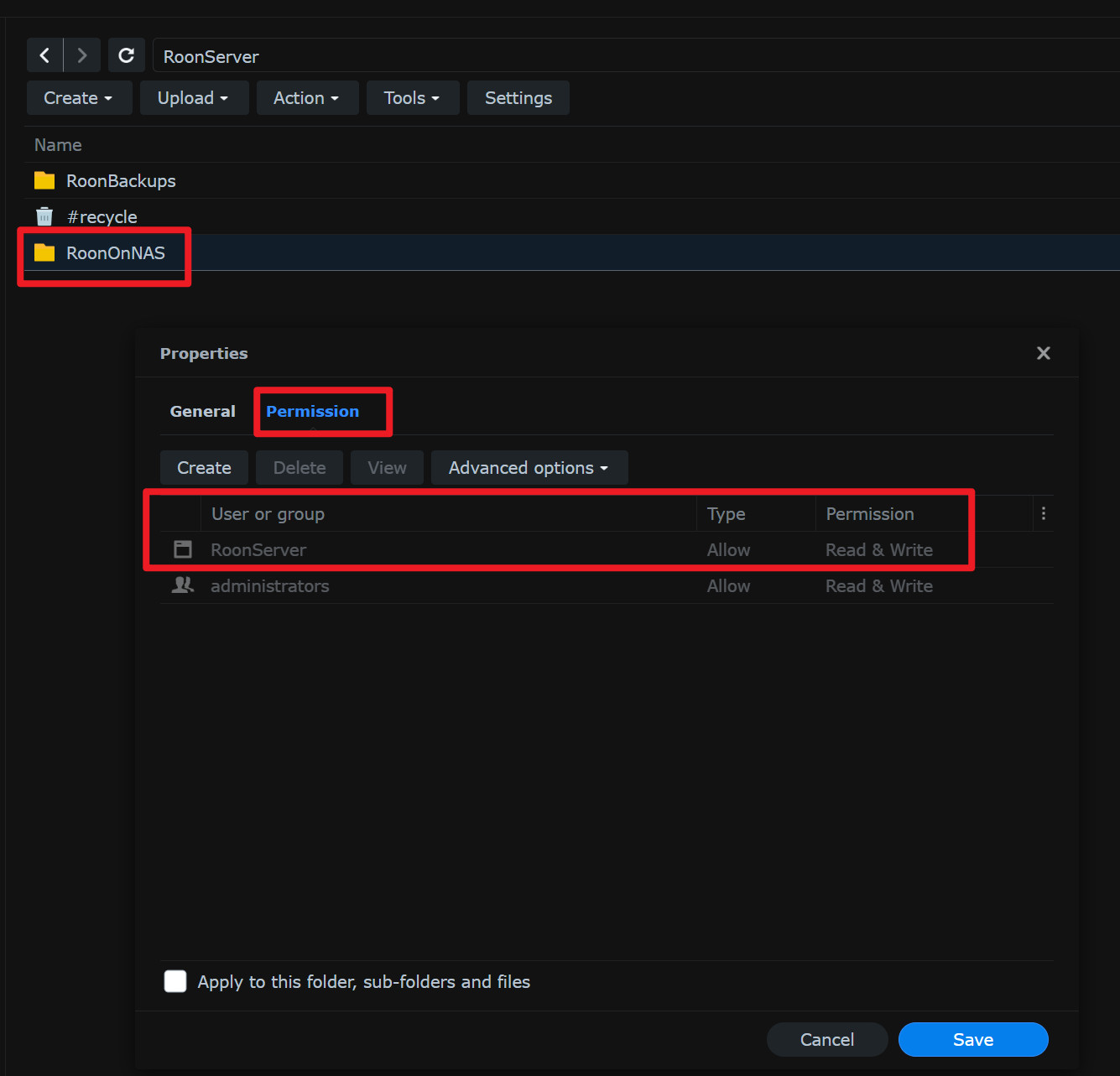
Hi, Roon server is installed on Synology NAS and the user RoonServer has full Read/Write Permission for the Database folder. Attache please find the snapshot.
BTW, I didn’t found the RAATServer in the roon database folder, instead there’s a RoonGoer folder. Is it normal?
It’s quite annoying because I can’t play music from the speaker or earphone connnected to my PC. Hope this could be fixed soonest! Thanks for your help.

Jinbo

Hello @Jinbo_Hwang,

Thank you for the update.

It’s expected that the RAATServer folder is missing on Synology — audio playback over USB is no longer supported on DSM 7:

https://www.alpha-audio.net/streaming-audio/2021/07/synology-dsm-7-no-longer-supports-usb-dacs/

To continue troubleshooting the issue with your Windows Remote, could you please check the following:

  1. Network profile type
    On your Windows machine, is the network set to Private or Public?
    Please try switching it to the opposite option and test again.
  2. Windows Firewall
    Confirm that the Roon application is allowed through the firewall for both Private and Public networks.
  3. Antivirus
    Please also confirm that you do not have any third-party antivirus or security software installed that could block Roon’s network access.

Let us know the results once you’ve checked these items.

Hi Vadim,

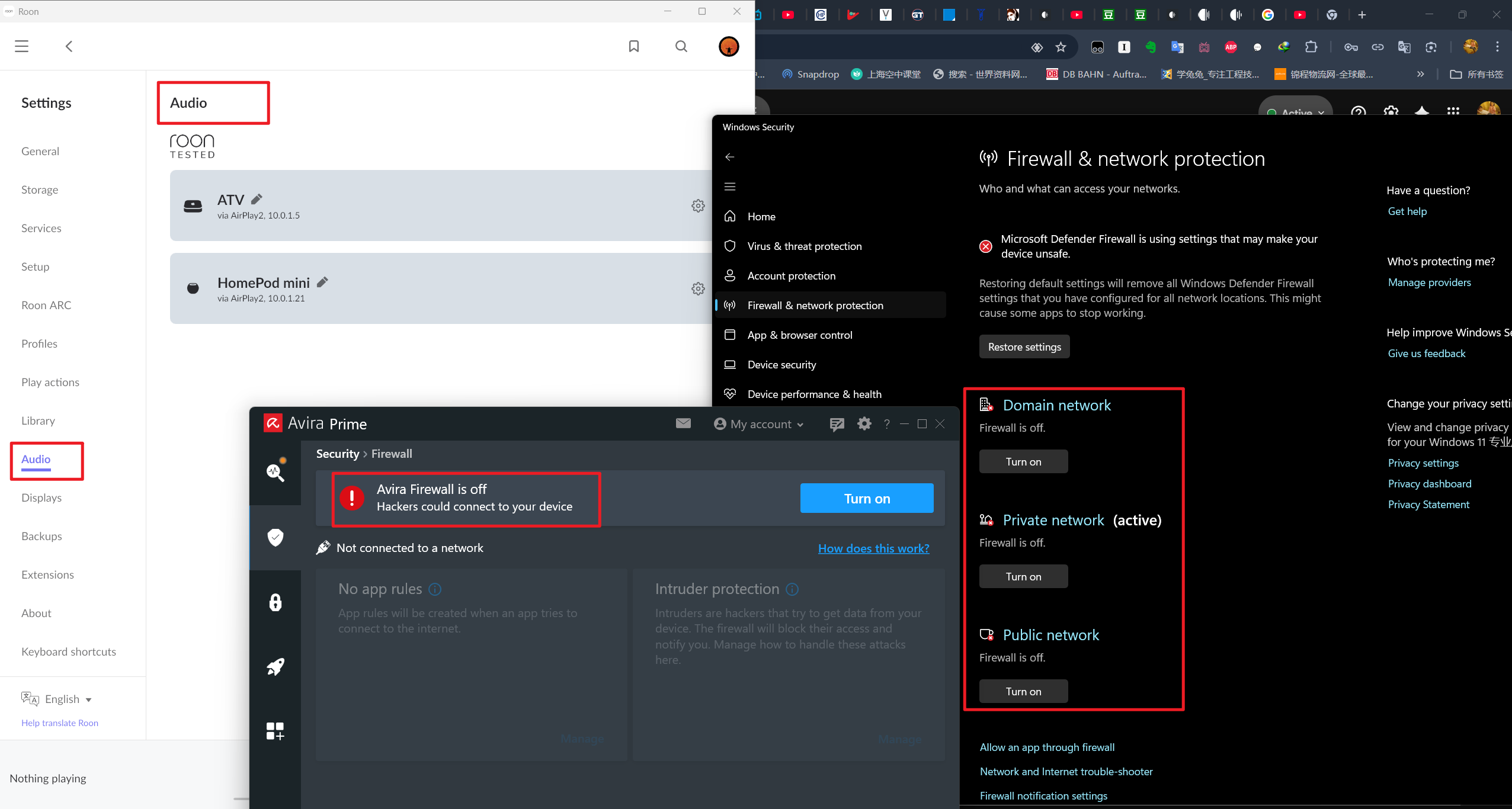
I’ve tried all options you suggested. Turn off the windows and Avira firewall, switch the Network between Private and Public. It doesn’t work.

Attached send you a snapshot for your reference.

How should we go further? Thanks

Jinbo

Hello @Jinbo_Hwang

Thank you for your message. Can you please use the directions found here and send over a set of logs from your PC to our File Uploader? Once logs have been uploaded, please let us know so that we can check the server for your files, thanks!