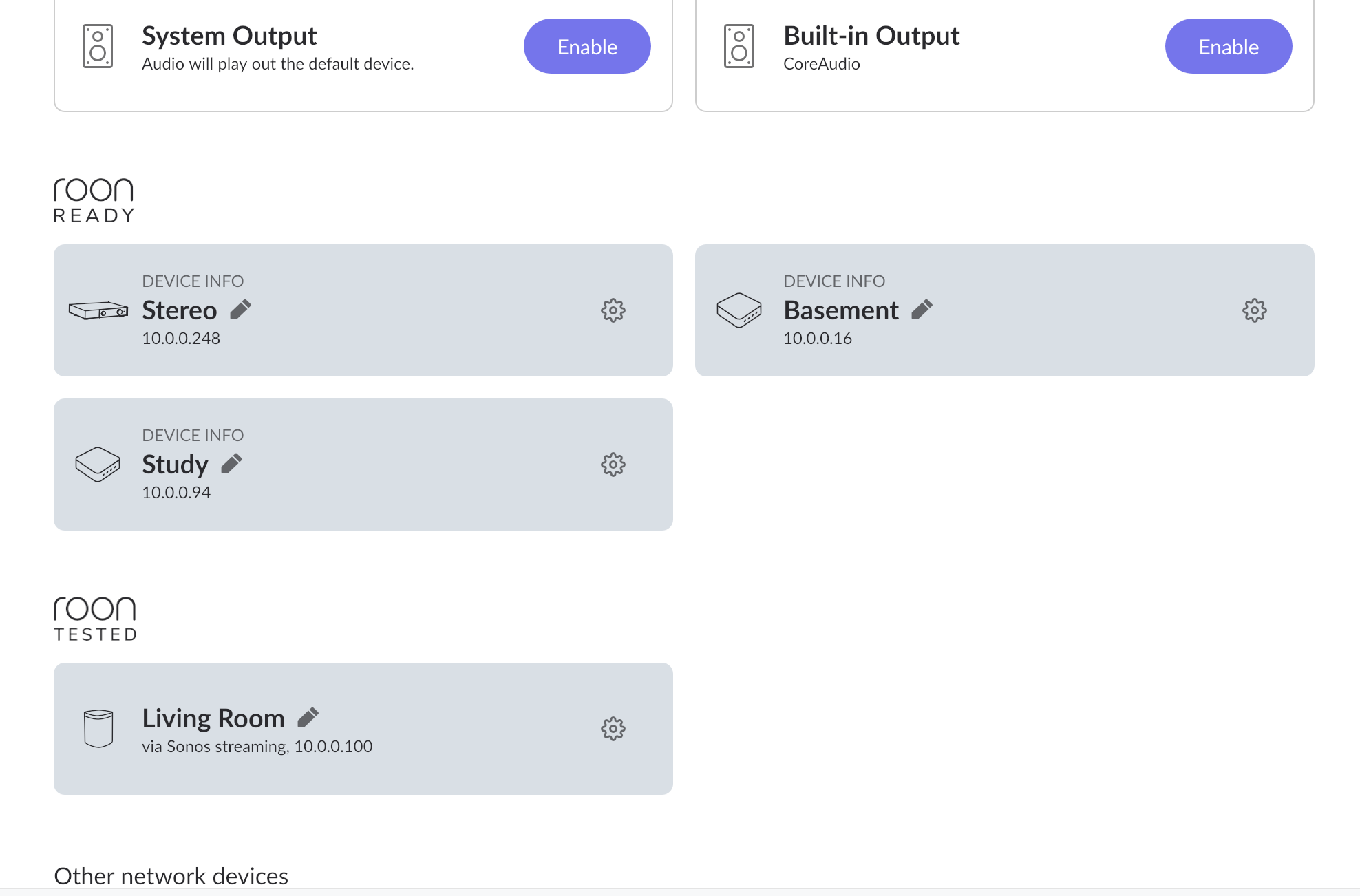
· For the last couple of versions of Roon, including the current one (2.64), I've been having an issue where my streaming DAC, an Audiolab 9000n, continues to show up as an available endpoint in Roon, even after the streamer has powered off after 20 minutes of inactivity. I can confirm that the device is no longer on connected to my local network, but it still shows up in Roon. Once the device is powered on again and connects to the network, I can no longer stream to it when I select it in Roon. The only way to get the streaming to it to work again is to reboot the Roon server. Until this started happening a couple of weeks ago, the streamer would automatically disappear from Roon when it got powered off, and show up again after it was powered back on. But it seems like network scanning is no longer working correctly, so Roon's record of the streamer is getting stuck after it powers off, but then when it comes back online Roon doesn't seem to be able to refresh the information to correctly connect to it again. Any ideas of what I can do to troubleshoot this would be really appreciated.
Tell us about your home network
· Xfinity wifi gateway. Both Roon Server and the Audiolab 9000n are on the same wifi network.
In the above screenshot, the “Stereo” endpoint is the Audiolab 9000n, even though when the screenshot was taken the device was not powered on, and I confirmed that it was disconnected from the network.
It will be. It may also show up in apps like Tidal and Spotify as “Connect” devices when in “standby” as these protocols are typically used to “wake” the streamer by sending a command through the network app (e.g., waking it from a low-power state when a stream is initiated). Roon will do the same.
mjw
(You want nice, supportive? Call a damn helpline.)
4
The device may be assigned a new IP address when powered on.
Either leave the device on 24x7 or give the Audiolab a fixed IP address (this is set in your ISP router.)
Hmmm. The device does not show up in Tidal or Qobuz as an endpoint while it’s in the standby mode, and, unlikely my Wiim streamers, for instance, it cannot be woken up remotely via the network. It’s visible in Tidal and Qobuz (and Spotify, etc.) only when it’s powered on. And that’s precisely how it worked in Roon as well for over a year and a half. The streamer remaining visible in Roon while it’s in standby is a new behavior that started only a few weeks ago. Something seems to have changed with how Roon scans the network. i agree that leaving the device on 24/7 is a way to deal with this, but I’d rather have the network monitoring work properly than have a screen in the living room that’s on all the time. Thanks.
Is it possible that the setting is within the Audiolab 9000n? I say this becauss my Denon has a setting that can leave the network port powered on when in standby if required,
There haven’t been any fundamental changes to Roon Ready discovery that would cause an offline device to persist indefinitely. This behavior can occur if the Zone remains partially online in standby, if the device does not send an mDNS goodbye announcement when powering down, or if RoonServer does not receive that announcement due to network conditions.
Our diagnostics indicate that RoonServer is running on a laptop. As a first step, please connect both the RoonServer machine and the Audiolab 9000N directly to the same router via Ethernet and disable WiFi on the laptop so only one network interface is active. Then fully power down the Audiolab by removing it from power.
After that, reboot RoonServer and, before powering the Audiolab back on, check Settings > Audio. If the device still appears at this point, it would indicate that Roon is retaining a stale endpoint entry rather than rediscovering it.
Then power the Audiolab back on and confirm whether it reappears as a new endpoint or remains in the same non functional state. This will help determine whether the issue is related to discovery or endpoint state.
Just checking in on this. Were you able to connect both the Roon Server laptop and the Audiolab 9000N to the same router over Ethernet, disable WiFi on the laptop, and then fully power down the Audiolab so we could see whether it still showed up in Settings > Audio after a Roon Server reboot? I’d also be interested to know whether it came back as a fresh endpoint or stayed in that nonfunctional state. Please send along any updates when you can, thank you.
thank you for getting back to me about this. For the last week, i’ve been out of the country for a conference, so I haven’t had a chance yet to try what you suggested. I will be return home this weekend and will give this a shot. I will update this thread on Sunday after I was able to test this suggestion.
Since a few days have passed, we’re reaching out to see where things stand. Were you able to connect both the Roon Server laptop and the Audiolab 9000N to the same router over Ethernet, turn off WiFi on the laptop, and fully power down the Audiolab before restarting Roon Server?
I’d also like to know whether the Audiolab reappeared in Settings > Audio as a fresh endpoint or stayed stuck in that nonfunctional state. Please send along any updates when you can, thanks.
This thread is now closing due to inactivity since it’s not seen a response in over a week at this point.
If you’d like to continue the discussion with other users but don’t require any additional official support, you can post anytime in Roon Software Discussion.
If you do require further troubleshooting/assistance with this particular issue, simply submit a new tech support here and our team will reactivate the topic thread. Thank you!