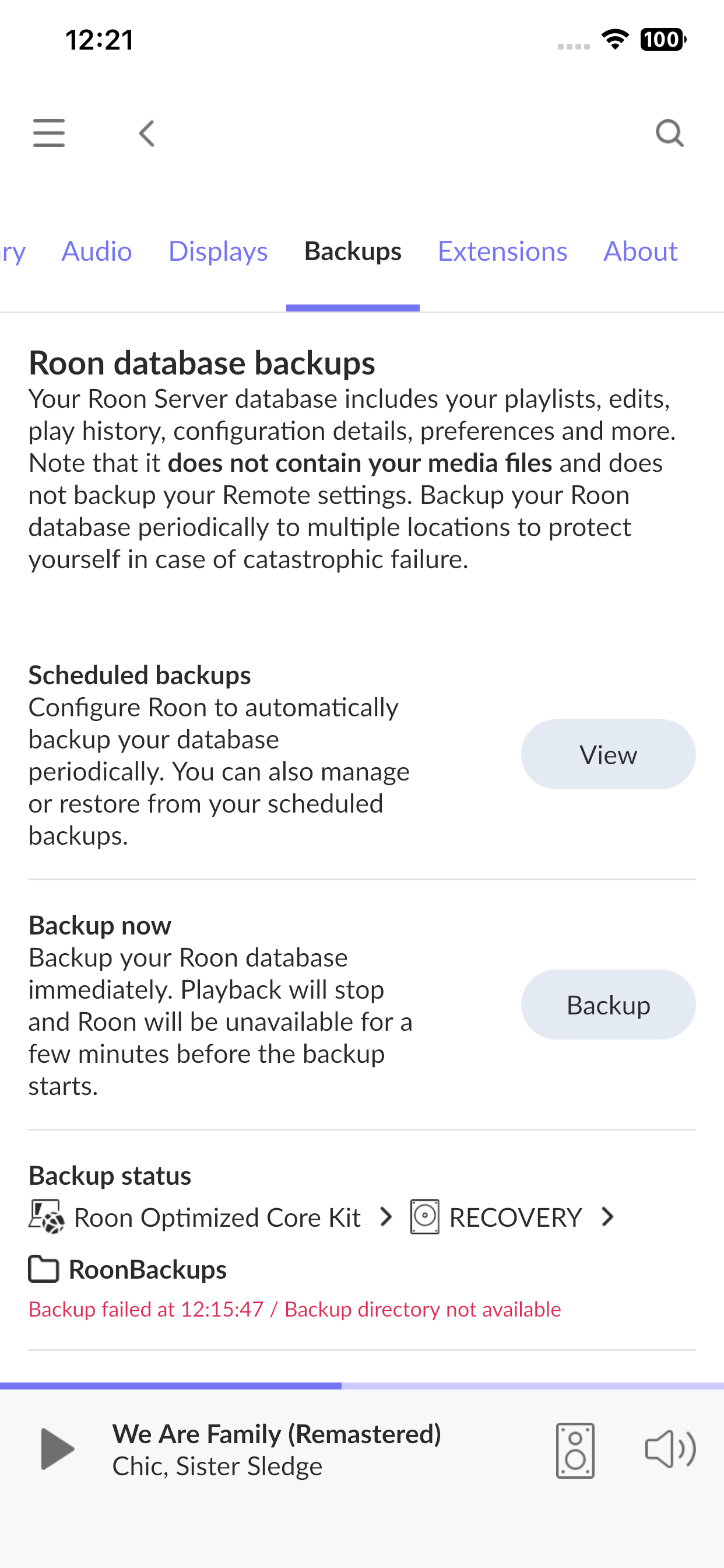
· Recently i have been unable to complete a scheduled or manual backup, when i attempt one, i get a red message "Backup failed at /// Backup directory not available:
Tell us about your home network
· Nokia router, unmanaged switches, no VPN and historically all has been good until the last four to ten days.
Thanks for writing in! Sorry to hear you’re having issues with your backups!
From a fresh Roon Server idagnoistc report, we can see the failure clearly:
System.IO.IOException: Read-only file system
Roon is trying to write a temporary file to your SanDisk USB drive at the /RoonBackups path, and the operating system is rejecting it because the drive is mounted as read-only. This isn’t a Roon permissions issue per se, even if Roon had full admin rights, it still couldn’t write to a read-only mount.
A few next steps for you to try here:
Check if the drive has a physical write-protect switch on the side and toggle it off
On a Windows or Mac machine, reformat the drive as exFAT or NTFS (this will erase it), then re-plug it into your Roon server and try again
If you want to keep any existing backups on it, copy them off first before reformatting
The repeated failure at 14:52:10 and 14:52:27 confirms you tried twice with the same result, so it's consistently the drive/mount that's the blocker, not a transient error.
Hi Benjamin, i did as you advised and re-formatted the drive to ExFat (it had been formatted as Fat32 three years ago), i am now running a manual backup, which has completed succesfully.
My only concern is that i am unsure as to why backups failed having worked perfectly for as long as i have had the NUC.
Many thanks for the quick response and excellent advice
Glad to hear the reformatting solved it. It is difficult to say why the drive switched to read-only mode, though unsafe ejection is one possible cause. Since your manual backup is completing successfully again, we’ll go ahead and mark this thread for closure. Enjoy your music.