Hey @Wynne_Walker,
Thanks for your patience, I pulled the fresh logs from the MU2 and have answers on both counts. Good news on the search one.
The NAS connection
I found the exact moment this failed, and it’s a smaller problem than it looks. The path that was entered was:
smb://192.168.0.35
That’s the IP address of the NAS, but it doesn’t include the share on that NAS, so Roon Server rejected it as incomplete before it ever tried to connect. That’s what’s behind the “Invalid network path” wording. Nothing is actually wrong with your network or the NAS itself.
What Roon needs is the machine and the folder being shared, like this:
\\192.168.0.35\Music
…where Music is replaced with whatever the share is actually called on your Ubiquiti NAS. You’ll find that name in the UniFi Drive interface; it’s the name of the shared folder you set up there.
A couple of things worth confirming while you’re in there:
- SMB sharing is switched on for that share
- There’s a username and password on it. Roon connects far more reliably to a share with real credentials than to an open/guest share, so if it’s currently set to allow anonymous access, creating a dedicated user with read access is worth the two minutes.
Then in Roon: Settings → Storage → Add Network Share, enter the full path above along with the username and password.
If it still refuses once the share name is included, send me a screenshot of the share settings from UniFi and I’ll take it from there.
"Can't connect to Roon search"
This one turned out to be a genuine bug, and I think it’s already fixed.
Despite what the message says, it wasn’t a connection problem at all. There were a handful of stale album entries in your library database that Roon’s search index was still pointing at. When a search happened to touch one of them, search would fail internally and never return anything, and the app reports that dead end as “Can’t connect to Roon search.” Searching for “bill” or “billy” hit it every time, which is likely what you ran into.
The Roon 2.71 update that installed on your MU2 on the evening of August 5th cleaned those stale entries up. Every search in your logs since then has completed normally.
Could you try searching again, specifically for “bill” or “billy,” the ones that were failing, and let me know what you see? If it’s still happening, tell me and we’ll go a step further.
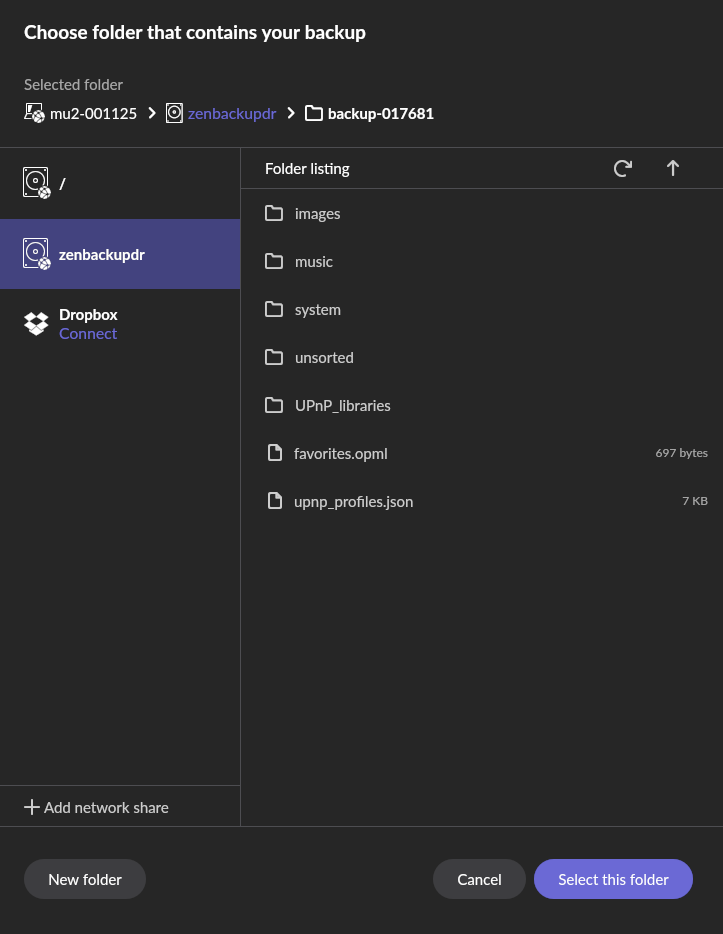
One related note for when you restore the backup from the Zenith: if search starts misbehaving again afterwards, let me know right away. It would suggest those stale entries also exist in the Zenith’s database and came across with the restore, and we’d want to handle that differently rather than have you chase it twice.
One thing I noticed that you haven’t mentioned, your scheduled Dropbox backups have been failing since the morning of August 6th. Roon’s authorization with Dropbox has expired, so every backup attempt since then has been rejected, it’s been retrying quietly in the background without success.
Given that this whole conversation started with a backup, I’d rather you know now than find out later. The fix is quick:
Settings → Backups → remove the Dropbox backup location → add it again and re-authorize when Dropbox prompts you.
Your last successful backup was August 4th, saved locally on the MU2 itself, so nothing is lost.
Let me know how the NAS path goes and whether search is behaving now, and we’ll keep going from there.